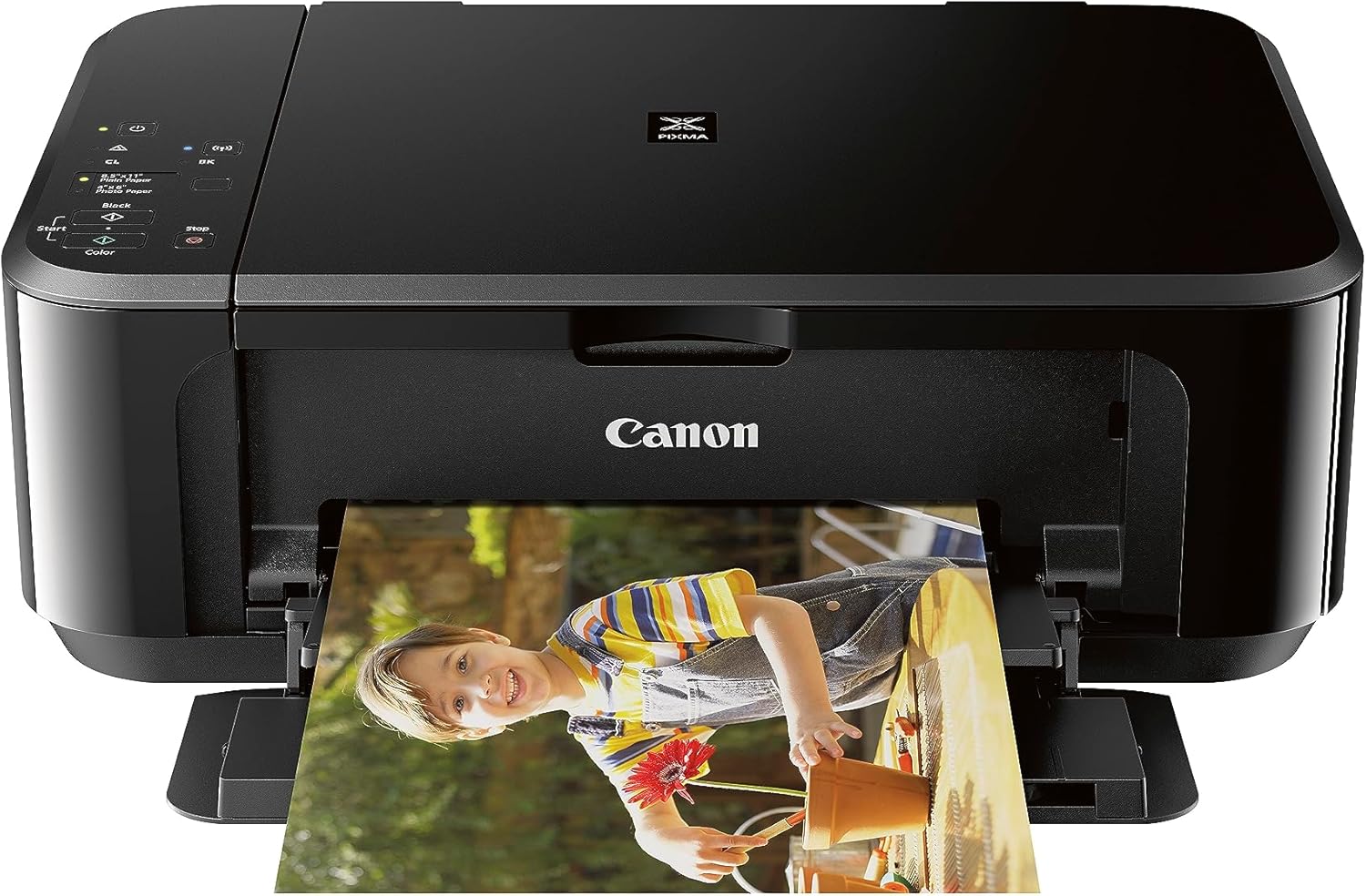
Canon Pixma MG3620 Wireless All-in-One Color Inkjet Printer with Mobile and Tablet Printing, Black
Want the best price and purchase timing?
Our AI advisor analyzes real-time pricing across all channels to find you the best deal.
AI Verdict
This 3-in-1 wireless inkjet printer with 9.9 ipm black print speed and 100-sheet capacity is for occasional home printing, not for high-volume tasks.
This printer is a situational fit for light home use, offering wireless 3-in-1 functionality and mobile printing. Its 9.9 ipm black print speed and 100-sheet capacity are adequate for occasional tasks, but the notoriously difficult setup and slow speeds limit its appeal for more demanding users.
If you need faster printing or easier setup, look for models with higher ipm ratings and user reviews specifically praising setup ease, or consider a printer with an LCD screen for better error feedback.
Regret Score™
Medium RiskLower is better — measures purchase-regret risk from real buyer complaints, review credibility, and product maturity
Issues discovered after purchase
Critically weak dimension
Amazon rating vs actual quality
Chance this product isn't for you
Pros
- Prints detailed photos with accurate colors up to 8.5" x 11" borderless.
- Features auto 2-sided printing, which saves paper.
- Allows direct printing and scanning from mobile devices via Wi-Fi.
- Includes physical buttons for quick tasks like copying, unlike some competitors.
- Compact size, measuring under 18 inches wide by 12 inches deep by 6 inches tall.
- Offers XL and XXL ink cartridge options for increased page yield.
Cons
- Initial wireless setup is frequently described as frustrating, glitchy, and clunky.
- Prints black and white documents slowly at 9 pages per minute, and color at 5.7 pages per minute.
- Lacks an automatic document feeder (ADF) for multi-page scanning or copying.
- Does not have an LCD screen, making troubleshooting difficult as it relies on blinking lights and a manual.
- Ink cartridges, including color, deplete even when only printing black due to cleaning cycles.
Dimension Scores
As a printer, comfort and support relate to ease of use; the physical buttons are a plus, but the lack of an LCD screen hinders user comfort during troubleshooting.
The printer offers basic paper size adjustments and auto 2-sided printing, but lacks an ADF for scanning multiple pages or advanced paper handling features.
It has a semi-gloss plastic finish and is compact at 11.9 pounds, but some users report it doesn't feel particularly well-built.
Available in black, red, and white with a semi-gloss plastic finish, its compact size (under 18" W x 12" D x 6" H) allows it to fit discreetly in home environments.
Best For
- Home users who print photos and documents occasionally.
- Individuals needing mobile printing and scanning from phones or tablets.
- Small spaces where a compact printer (under 18" W x 12" D x 6" H) is necessary.
Not Recommended For
- Users who need to print or scan multi-page documents frequently due to the lack of an ADF.
- Anyone requiring fast print speeds for large documents.
- Offices or users with high-volume printing needs due to low page yield and ink costs.
Watch Out For
- The wireless setup process is a significant hurdle; users report it as glitchy and clunky, taking considerable effort to get working.
- Ink cartridges are expensive, and the color cartridge depletes even when only printing black because of necessary cleaning cycles.
- Without an LCD screen, error messages are indicated by blinking lights, requiring manual consultation or app use to diagnose issues.
- Print speeds are slow, with a 10-page mixed document taking 8 minutes and 20 seconds, and duplex printing at 2 pages per minute.
- Text quality can show faintness and fuzziness, especially with thinner fonts, which might not be suitable for professional documents.
Full Specifications
| UPC | 013803256192 |
| ASIN | B010A7TZ76 |
| Brand | Canon |
| Color | Black |
| Duplex | Automatic |
| Ink Color | Tri-Color; Black |
| Model Name | CNMG3620K |
| Sheet Size | 4 x 6, 5 x 7, 8 x 10 Inches |
| Color Depth | 48-bit Input / 24-bit Output Bits |
| Item Weight | 11.9 pounds |
| Print media | Envelopes, Paper (plain) |
| Manufacturer | Canon USA Inc. |
| Model Series | PIXMA MG3620 |
| Scanner Type | Flatbed |
| Series Number | 515 |
| Warranty Type | 1 Year Warranty |
| Control Method | App |
| Printer Output | Color |
| Controller Type | Android |
| Number of Trays | 1 |
| Processor Count | 1 |
| Special Feature | All-in-One Wireless Inkjet Printer |
| Total USB Ports | 1 |
| Printer Ink Type | Dye-Based Ink, Pigment-Based Ink |
| Item model number | 0515C002 |
| Power Consumption | 16 Watts |
| Compatible Devices | Smartphones |
| Hardware Interface | USB 2.0 |
| Maximum Media Size | 8.5 x 14 inch |
| Product Dimensions | 12"D x 17.7"W x 6"H |
| Dual-sided printing | Yes |
| Included Components | Pixma Mg3620 Photo Printer (black) |
| Printing Technology | Inkjet |
| Number of USB 2 Ports | 1 |
| Output sheet capacity | 100 |
| Connectivity Technology | wireless |
| Memory Storage Capacity | 64 MB |
| Max Input Sheet Capacity | 100 |
| Max Printspeed Monochrome | 9.9 ppm |
| Max copy resolution color | 4800 x 1200 dpi |
| Specific Uses For Product | Home |
| Maximum Print Speed (Color) | 5.7 ppm |
| Additional Printer functions | Copy, Scan |
| Max Copy Speed (Black & White) | 9.9 ppm |
| Maximum Color Print Resolution | 4800 x 1200 Dots Per Inch |
| Is Discontinued By Manufacturer | No |
| Max copy resolution black-white | 4800 x 1200 dpi |
| Global Trade Identification Number | 00013803256192 |
| Maximum Black and White Print Resolution | 600 x 600 Dots Per Inch |
What Buyers Say
The most common complaint about the Canon Pixma MG3620 isn't its print quality, which many find acceptable for photos and documents, but the sheer frustration of getting it connected wirelessly. Users frequently mention the setup process is glitchy and clunky, often leading to almost giving up before finding workarounds. Once connected, mobile printing is often praised, but the slow speeds for multi-page documents and the lack of an ADF become apparent. The two-cartridge ink system also draws criticism, as the color cartridge depletes even with only black printing due to cleaning cycles, driving up ownership costs.
“Honestly, I almost threw this thing out trying to get it to connect to my Wi-Fi, but now that it's finally working, printing from my phone is pretty sweet for my kid's homework, even if the ink costs a fortune.”
Common Praise
- Produces detailed photos with accurate colors, capable of borderless printing up to 8.5" x 11".
- Auto 2-sided printing feature helps save paper.
- Mobile and tablet printing works easily and efficiently once the printer is set up.
- Compact footprint, measuring under 18 inches wide by 12 inches deep by 6 inches tall, fits well in small spaces.
- Physical buttons on the top face for quick copy tasks are appreciated.
Common Complaints
- Wireless setup is consistently reported as frustrating, glitchy, and time-consuming.
- Ink cartridges are expensive, and the color cartridge runs out even when not printing in color due to cleaning cycles.
- Printing speeds are slow, especially for multi-page documents (2 ppm duplex, 9 ppm simplex).
- Lacks an automatic document feeder (ADF), making scanning or copying multiple pages a manual, page-by-page process.
- No LCD screen means error messages are communicated via blinking lights, requiring external resources to diagnose.
- Text quality can be poor, with faintness and fuzziness on thinner fonts.
Ownership Tips
- The printer often requires a full set of working cartridges, including color, to function at all, even for black-only printing.
- Print quality for photos is surprisingly good on Canon photo paper, but can be faded on regular inkjet paper if settings aren't adjusted correctly.
- The lack of an LCD screen means you'll be checking the manual or Canon app frequently for error codes indicated by blinking lights.
- Connecting to Alexa for ink level alerts is a handy feature for some users.
- The paper tray capacity of 100 sheets means frequent refills if you print more than a few documents at a time.
Frequently Asked Questions
Is the Canon Pixma MG3620 difficult to set up wirelessly?
Yes, many users report the wireless setup process as frustrating, glitchy, and clunky, often requiring significant effort and troubleshooting to connect.
Does this printer use a lot of ink, even if I only print in black?
Yes, the printer performs cleaning cycles that use ink from both black and color cartridges, meaning the color cartridge can deplete even if you primarily print in black.
Can I scan multiple pages at once with this printer?
No, the Canon Pixma MG3620 has a flatbed scanner but lacks an automatic document feeder (ADF), so you'll need to scan each page individually.
How fast does this printer print?
It prints black documents at 9.9 images per minute (ipm) and color documents at 5.7 ipm. Users report it's slow for multi-page documents, with duplex printing at 2 pages per minute.
Does the printer have a screen to show error messages?
No, it does not have an LCD screen. Error messages are indicated by blinking lights, requiring you to consult the manual or a mobile app to understand the issue.
Buying Guide
When you're looking at a printer like this, you need to think about how much you actually print and what kind of stuff it is. If you're just doing a few homework assignments or printing out some photos for fun, a basic inkjet like this can work. But if you're running a small business or printing stacks of documents, the slow speed and expensive ink will drive you crazy. Also, wireless setup can be a real headache, so be prepared for some troubleshooting.
9.9 / 5.7 ipm print speed
This number tells you how many pages per minute (images per minute) the printer can spit out. 9.9 ipm for black and 5.7 ipm for color is on the slower side, meaning a 10-page report will take over a minute for black and white, and longer for color, which can feel like forever if you're in a hurry.
100 sheet capacity
This is how many sheets of paper the input tray can hold. A 100-sheet capacity is pretty small, like a single ream of paper. If you print a lot, you'll be refilling this tray constantly, interrupting your workflow.
Wireless 3-in-1 (print | copy | scan)
This means the printer can connect to your network without cables, and it combines printing, copying, and scanning functions into one device. The wireless part lets you print from your phone or tablet, which is super convenient, but getting it connected initially can be a pain.
Alternatives
If you need to print many pages quickly or scan multi-page documents without manual feeding, look for printers with higher ipm ratings and an automatic document feeder (ADF). For lower running costs, consider models that use ink tanks instead of cartridges.
You Might Also Like

LYMAX Computer Monitor Light Bar with Wireless Remote, Motion Sensor, Fit for Flat/Curved Monitor, Adjustable Color Temperature with Auto-Dimming, Eye-Care USB-C Monitor Lamp, No Glare Desk Lamp
$50-$99A 15.7-ounce aluminum monitor light bar with motion sensing, auto-dimming, and stepless 2700K-6500K color temperature adjustment for flat or curved screens.

Computer Monitor Lamp, Screen Monitor Light Bar for Eye Caring, Screen Monitor Light Bar with Backlight for Eye Caring, E-Reading LED Task Lamp with Dimming Adjustment, Perfect for Reading and Study
$0-$49This BLYGACN monitor lamp offers 3 color temperatures (3000K-6500K), dimming, and a 60-minute timer, powered by USB, for monitors 15-24 inches.

Monitor Light Bar with Touch Control, RGB Desk Lamp Full Spectrum Screen Lamp, Glare-Free Low Blue Light Monitor Lamp with Memory Mode, USB Powered for Gaming, Office & Work
$0-$49A USB-powered plastic monitor light bar with touch controls, RGB modes, and glare-free illumination for basic desk setups.

RGB Monitor Light Bar, Eye-Care Dual Light Reading Screen Lamp, 9 Modes Gaming Backlight LED Computer Lamp, 3 Colors Dimmable Frontlight, 15.75'' USB Desk Lights for Home, Office
$0-$49This is a budget-focused 6.4-ounce plastic monitor light bar with dual-mode lighting and 9 RGB backlight modes, designed for users needing basic task and ambient lighting without cluttering their desk