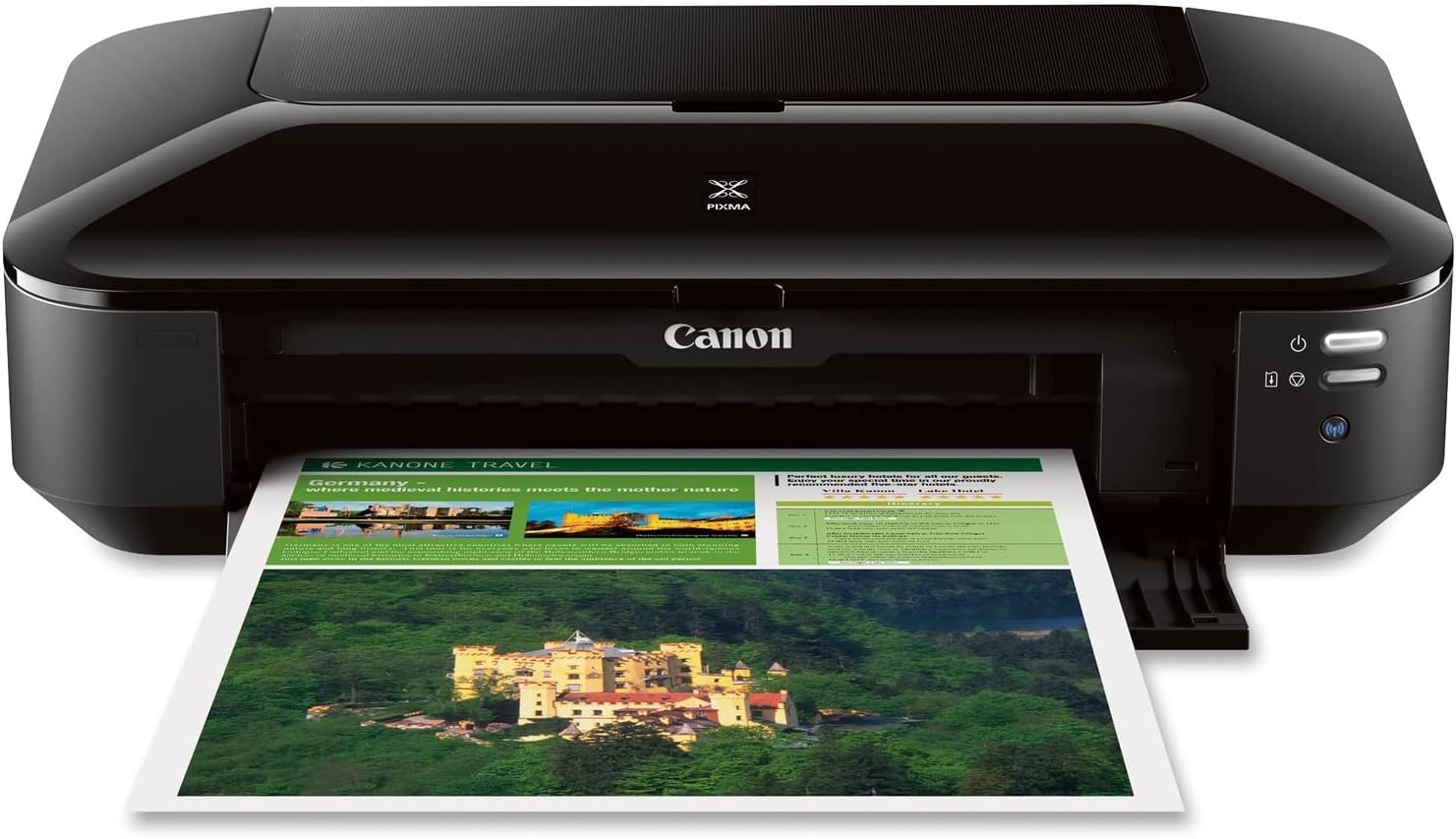
Canon Pixma iX6820 Wireless Business Printer with AirPrint and Cloud Compatible, Black,23.0” (W) x 12.3” (D) x 6.3” (H)
Want the best price and purchase timing?
Our AI advisor analyzes real-time pricing across all channels to find you the best deal.
AI Verdict
A 9600 x 2400 dpi color inkjet printer that handles up to 13" x 19" paper, but struggles with Wi-Fi and speed.
This printer is a situational fit because its 9600 x 2400 dpi resolution and 13" x 19" large-format capability are specific strengths for certain creative or business needs. However, its 17.9-pound weight and 23.0” (W) x 12.3” (D) x 6.3” (H) dimensions, combined with reported connectivity and setup issues, make it less suitable for general office use.
If you need faster document printing or more reliable wireless, look for models with higher IPM ratings and more modern Wi-Fi standards.
Regret Score™
Very High RiskLower is better — measures purchase-regret risk from real buyer complaints, review credibility, and product maturity
Issues discovered after purchase
Critically weak dimension
Amazon rating vs actual quality
Chance this product isn't for you
Pros
- Produces high-resolution color prints up to 9600 x 2400 dpi, delivering exceptional detail.
- Supports large-format printing up to 13" x 19" for presentation charts and spreadsheets.
- Utilizes a 5 individual ink tank system, allowing replacement of only the color that runs out.
- Features AirPrint and Google Cloud Print for wireless printing from compatible devices.
- Includes an auto sheet feeder with a 150-sheet capacity.
- Many users find it effective for screen printing film positives up to 13x19.
Cons
- Physical dimensions of 23.0” (W) x 12.3” (D) x 6.3” (H) make it large for many desk spaces.
- Reported slow print speeds, with black documents at around 15 ppm and color at 10 ppm.
- Frequent user complaints about Wi-Fi connectivity issues, including random disconnects and difficulty reconnecting.
- Lacks automatic duplex printing, requiring manual flipping for two-sided documents.
- Setup process is often described as confusing and frustrating, with driver installation problems.
Dimension Scores
As a printer, this dimension is not applicable.
The printer offers only basic paper size adjustments and no physical ergonomic adjustments for the unit itself.
While some users report long-term functionality, a significant number experience sudden failures, error codes, or color bleeding issues after extended use.
It features a matte black finish and a low-profile design that can blend into an office, but its large 23.0” (W) footprint is a dominant visual element.
Best For
- Screen printing film positives up to 13" x 19" for detailed artwork.
- Home offices needing high-resolution color output for graphics or photos.
- Printing large-format presentation charts or spreadsheets up to 13" x 19".
- Users prioritizing print quality and large format capabilities over print speed.
Not Recommended For
- Users with limited desk space due to its 23.0” (W) x 12.3” (D) x 6.3” (H) footprint.
- Anyone needing fast document printing for high-volume tasks.
- Environments requiring consistently reliable wireless connectivity for critical printing.
Watch Out For
- Wi-Fi connectivity is often unstable, leading to random disconnects and failures to reconnect, making wireless printing unreliable.
- The setup process is frequently reported as slow and confusing, with drivers failing and installation freezing, resembling software from the Windows XP era.
- Its physical size of 23.0” (W) x 12.3” (D) x 6.3” (H) consumes significant desk space, which can be problematic in tight setups.
- Ink consumption can be fast, and the individual cartridges are expensive, leading to high running costs.
- A number of users report the printer suddenly stops functioning, displaying random error codes or refusing to print without clear cause.
Full Specifications
| UPC | 013803230260 |
| ASIN | B00HM0IVDY |
| Brand | Canon |
| Color | Black |
| Duplex | No |
| Ink Color | Cyan, Magenta, Yellow, Black |
| Model Name | IX6820 |
| Sheet Size | 11 inch x 17 Inches, 13 inch x 19 Inches, 4 inch x 6 Inches |
| Color Depth | 24 bpp |
| Item Weight | 17.9 pounds |
| Print media | Glossy photo paper |
| Manufacturer | Canon USA Inc. |
| Model Series | PIXMA |
| Scanner Type | document |
| Series Number | 8747 |
| Warranty Type | limited warranty |
| Control Method | App |
| Printer Output | Color |
| Controller Type | Android |
| Number of Trays | 1 |
| Processor Count | 1 |
| Special Feature | Auto Power Off, Auto Power On, Borderless Printing |
| Total USB Ports | 1 |
| Printer Ink Type | CMYK |
| Item model number | 8747B002 |
| Compatible Devices | Windows 8, Windows 8.1, Windows 7,13 Windows 7 SP1, Windows Vista SP1, Vista SP2, Windows XP SP3 32-bit13 Mac OS X v10.6.8 - v10.913 / PGI-250 Pigment Black XL CLI-251 Cyan XL CLI-251 Magenta XL CLI-251 Yellow XL CLI-251 Black XL PGI-250 Pigment Black CLI-251 Cyan CLI-251 Magenta CLI-251 Yellow CLI-251 Black / Plain: Plain Paper, High Resolution Paper; Super High Gloss: Photo Paper Pro Platinum; Glossy: Photo Paper Plus Glossy II, Photo Paper Glossy; Semi-Gloss: Photo Paper Plus Semi-Gloss, Photo Paper Pro Luster; Matte: Matte Photo Paper; Envelope: U.S. #10 Envelope; Chlorine-free paper can be used. |
| Hardware Interface | Ethernet |
| Maximum Media Size | 13 x 19 inch |
| Product Dimensions | 12.3"D x 23"W x 6.3"H |
| Dual-sided printing | No |
| Printing Technology | Inkjet |
| Number of USB 2 Ports | 1 |
| Output sheet capacity | 140 |
| Supported Media Sizes | 4 x 6 inches |
| Connectivity Technology | Wireless;Ethernet; USB |
| Memory Storage Capacity | 64 MB |
| Max Input Sheet Capacity | 1 |
| Max Printspeed Monochrome | 14.5 ppm |
| Max copy resolution color | 9600 x 2400 dpi |
| Specific Uses For Product | business |
| Maximum Print Speed (Color) | 15 ppm |
| Additional Printer functions | Print Only, Scan |
| Max Copy Speed (Black & White) | 14.5 ppm |
| Maximum Color Print Resolution | 9600 x 2400 dpi |
| Is Discontinued By Manufacturer | No |
| Max copy resolution black-white | 9600 x 2400 dpi |
| Global Trade Identification Number | 00013803230260 |
| Maximum Black and White Print Resolution | 9600 x 2400 |
What Buyers Say
Many users praise the print quality, especially for large format and color output, with some digital artists finding it suitable for their work. However, a significant number of owners report frustrating Wi-Fi connectivity issues, slow print speeds, and a difficult setup process. The printer's physical size is also a recurring concern for those with limited desk space. Additionally, ink consumption can be high, leading to expensive cartridge replacements.
“This thing prints pretty pictures, but trying to get it to connect to my Wi-Fi is a nightmare, and it takes forever to print anything big, plus the ink disappears like magic.”
Common Praise
- High-resolution color output (9600 x 2400 dpi) delivers sharp and detailed prints.
- Ability to print on large paper sizes up to 13" x 19" is useful for specialized projects.
- The 5 individual ink tank system allows for replacing only the depleted colors, potentially saving money.
- Effective for creating film positives for screen printing, with users achieving good results.
- Print quality is often described as professional, with crisp and vibrant colors.
Common Complaints
- Unpredictable Wi-Fi connectivity, including random disconnects and difficulty reconnecting, causes frustration.
- Print speeds are slow, with black documents at 15 ppm and color at 10 ppm, making large jobs time-consuming.
- The setup process is confusing and prone to driver installation issues, feeling outdated.
- Its large physical footprint (23.0” W x 12.3” D x 6.3” H) takes up considerable desk space.
- Ink cartridges are expensive, and some users report fast ink consumption, increasing running costs.
Ownership Tips
- Requires precise paper size settings in the software for proper printing, unlike some other brands.
- The 17.9-pound weight makes it heavy and cumbersome to move frequently.
- Some users experience color bleeding or ink dot issues on prints after several years of use.
- Manual duplex printing is necessary, as there is no automatic double-sided print function.
Frequently Asked Questions
Does the Canon Pixma iX6820 print on both sides automatically?
No, this printer lacks automatic duplex printing, so you'll need to manually flip pages for two-sided documents.
Is this printer suitable for screen printing transparencies?
Many users find the iX6820 effective for screen printing film positives up to 13x19, especially when adjusting print settings for optimal opacity.
What are the ink costs like for the iX6820?
It uses 5 individual ink tanks, which can be expensive to replace, and some users report fast ink consumption, leading to higher running costs.
Does the Canon Pixma iX6820 have scanning or copying functions?
No, this model is a dedicated printer and does not include scanning or copying capabilities.
How reliable is the Wi-Fi connectivity on this printer?
Many users report Wi-Fi instability, including random disconnects and difficulty reconnecting, making wireless printing unpredictable.
What operating systems are compatible with the iX6820?
It's compatible with Windows 8, 8.1, 7, 7 SP1, Vista SP1, Vista SP2, XP SP3 32 bit, and Mac OS X v10.6.8 to v10.9.
Buying Guide
For a printer like this, you're balancing print quality and size capabilities against speed and convenience. Wide-format inkjet printers often excel at detailed color work but can be slower and physically larger than standard document printers. Consider your primary use: if it's high-quality, large-format output, this could work, but if it's everyday fast document printing, you might get frustrated.
Maximum Print Resolution (9600 x 2400 dpi)
5 Individual Ink Tank System
Max Print Size (13" x 19")
Alternatives
If you need faster print speeds and more reliable wireless for everyday documents, look for printers with higher pages-per-minute (PPM) ratings and newer Wi-Fi standards like Wi-Fi 5 (802.11ac) or Wi-Fi 6 (802.11ax). If scanning or copying is essential, search for an all-in-one (AIO) printer that includes those functions.
You Might Also Like

LYMAX Computer Monitor Light Bar with Wireless Remote, Motion Sensor, Fit for Flat/Curved Monitor, Adjustable Color Temperature with Auto-Dimming, Eye-Care USB-C Monitor Lamp, No Glare Desk Lamp
$50-$99A 15.7-ounce aluminum monitor light bar with motion sensing, auto-dimming, and stepless 2700K-6500K color temperature adjustment for flat or curved screens.

Computer Monitor Lamp, Screen Monitor Light Bar for Eye Caring, Screen Monitor Light Bar with Backlight for Eye Caring, E-Reading LED Task Lamp with Dimming Adjustment, Perfect for Reading and Study
$0-$49This BLYGACN monitor lamp offers 3 color temperatures (3000K-6500K), dimming, and a 60-minute timer, powered by USB, for monitors 15-24 inches.

Monitor Light Bar with Touch Control, RGB Desk Lamp Full Spectrum Screen Lamp, Glare-Free Low Blue Light Monitor Lamp with Memory Mode, USB Powered for Gaming, Office & Work
$0-$49A USB-powered plastic monitor light bar with touch controls, RGB modes, and glare-free illumination for basic desk setups.

RGB Monitor Light Bar, Eye-Care Dual Light Reading Screen Lamp, 9 Modes Gaming Backlight LED Computer Lamp, 3 Colors Dimmable Frontlight, 15.75'' USB Desk Lights for Home, Office
$0-$49This is a budget-focused 6.4-ounce plastic monitor light bar with dual-mode lighting and 9 RGB backlight modes, designed for users needing basic task and ambient lighting without cluttering their desk