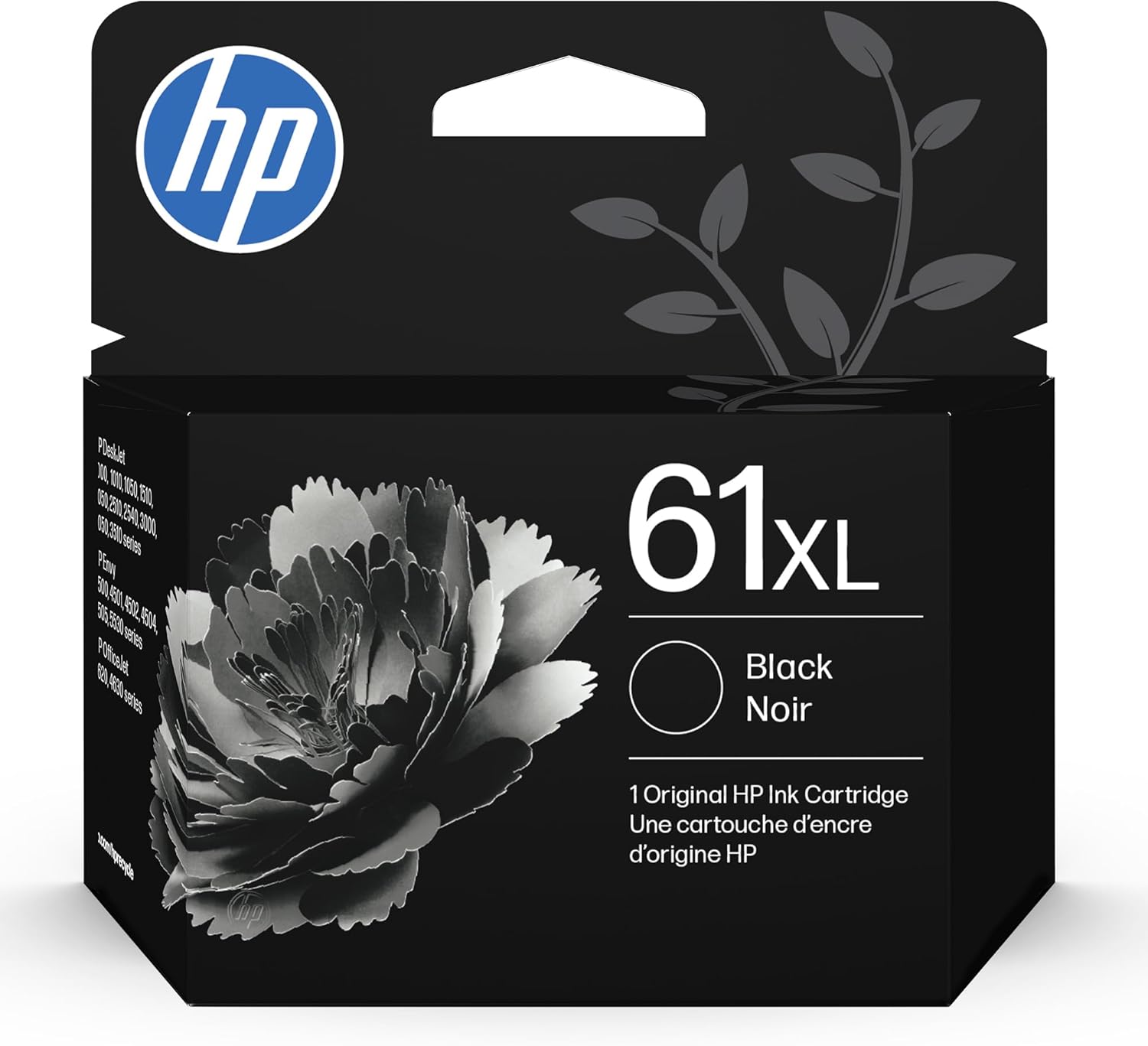
HP 61XL Black High-Yield Ink | Works with DeskJet 1000, 1010, 1050, 1510, 2050, 2510, 2540, 3000, 3050, 3510; Envy 4500, 5530; OfficeJet 2620, 4630 | Instant Ink Eligible | CH563WN|Packaging May Vary
Want the best price and purchase timing?
Our AI advisor analyzes real-time pricing across all channels to find you the best deal.
AI Verdict
This 1.6-ounce HP 61XL black ink cartridge delivers approximately 360 pages, designed for specific HP DeskJet, Envy, and OfficeJet printers.
This HP 61XL black ink cartridge is a situational fit because while it offers a higher page yield (up to 360 pages) and reliable print quality for compatible HP printers, its value is often debated due to a high price point and user reports of premature drying or inconsistent page output. It works best for those who print regularly enough to avoid drying issues and prioritize genuine HP quality over potential cost savings from third-party options.
If inconsistent page yield or high cost is a concern, look for printers with refillable ink tanks or consider third-party compatible cartridges if your printer's warranty isn't a concern.
Regret Score™
Medium RiskLower is better — measures purchase-regret risk from real buyer complaints, review credibility, and product maturity
Issues discovered after purchase
Critically weak dimension
Amazon rating vs actual quality
Chance this product isn't for you
Pros
- Provides up to 2x more prints than standard HP 61 cartridges, extending time between replacements.
- Engineered for consistent print quality, producing clear documents.
- Installation is straightforward and mess-free.
- Eligible for HP Instant Ink, offering a subscription service for ink delivery.
- HP recycles plastic into these cartridges, contributing to environmental efforts.
Cons
- Users frequently report the cartridge not lasting for the expected 360 pages, with some experiencing depletion after fewer than 50 pages.
- The cartridge can dry out if the printer is not used regularly, leading to wasted ink.
- Printers sometimes display error messages like 'Ink Cartridge Problem' or 'incompatible' even with new, genuine cartridges.
- Many users find the price point high, especially considering perceived low ink volume.
- Some customers receive cartridges in open or non-original packaging, raising concerns about authenticity or age.
Dimension Scores
As an ink cartridge, this dimension is not applicable; a neutral score is assigned.
As an ink cartridge, this dimension is not applicable; a neutral score is assigned.
The cartridge is an OEM product engineered for HP printers, but some users report issues with printer recognition and premature drying.
As an ink cartridge, aesthetics are not a primary factor; a neutral score is assigned.
Best For
- Home users with compatible HP DeskJet, Envy, or OfficeJet printers who print occasionally but need higher page capacity than standard cartridges.
- Individuals enrolled in HP Instant Ink, benefiting from automated ink delivery.
- Printing black and white documents where print quality is a priority.
Not Recommended For
- Users who print infrequently, as cartridges may dry out before full use.
- Budget-conscious users seeking the lowest cost per page, who might consider third-party alternatives.
- Anyone expecting a precise 360-page yield consistently, due to reported variations.
Watch Out For
- The cartridge may show 'Ink Cartridge Problem' or 'incompatible' error messages, even if new and genuine, requiring troubleshooting steps like cleaning contacts or restarting the printer.
- Ink levels might not match advertised capacity, with some users reporting significantly fewer than 360 pages printed.
- Cartridges can dry out if the printer sits unused for extended periods, wasting the remaining ink.
- Some customers report receiving cartridges in unsealed or generic packaging, leading to doubts about product integrity or freshness.
Full Specifications
| ASIN | B003UATQDO |
| Size | Ink Cartridge |
| Brand | HP |
| Color | Black |
| Ink Base | Water |
| Ink Color | Black |
| Model Name | CH563WN |
| Page Yield | 430 |
| Sheet Size | A4 |
| Item Weight | 1.6 ounces |
| Manufacturer | HP |
| Material Type | Ink |
| Number of Items | 1 |
| Special Feature | up to 2x more prints |
| Item model number | CH563WN |
| Compatible Devices | Printer |
| Product Dimensions | 3.6 x 11.2 x 10.38 inches |
| Compatibility Options | Genuine |
| Manufacturer Part Number | CH563WN |
| Compatible Printer Models | OfficeJet 2620, OfficeJet 2621, OfficeJet 4630, OfficeJet 4632, OfficeJet 4635 |
| Is Discontinued By Manufacturer | No |
What Buyers Say
The biggest head-scratcher with this HP 61XL black ink is how often users report it not lasting anywhere near its advertised 360-page yield, with some claiming it's empty after just 50 pages. Beyond that, a recurring frustration is the printer refusing to recognize a brand-new cartridge, throwing up 'Ink Cartridge Problem' errors that require fiddly cleaning or resets. While it's supposed to be 'high-yield,' many feel they're paying a premium for ink that either runs out fast or dries up if they don't print constantly.
“I swear this 'XL' cartridge ran out faster than the regular one last time, and my printer keeps saying it's empty even though I just put it in. What a rip-off, seriously.”
Common Praise
- The XL version genuinely lasts longer than the standard HP 61 cartridge.
- Installation is quick and easy, just snaps right in.
- Produces sharp, clear text and consistent print quality.
- Some users find it a better value compared to buying multiple standard cartridges.
- Works without issue when the printer recognizes it.
Common Complaints
- Cartridges often don't last for the stated 360 pages, with many running out much sooner.
- Printers frequently display 'Ink Cartridge Problem' or 'incompatible' error messages, even with new cartridges.
- Ink dries out if the printer isn't used regularly, leading to wasted product.
- The cost is considered very high for the actual amount of usable ink received.
- Some customers receive cartridges in unsealed or suspicious packaging.
Ownership Tips
- Keep your printer active; infrequent use significantly increases the chance of the ink drying out.
- Always check the packaging for seals and authenticity; some users report receiving non-original or open boxes.
- Be prepared to troubleshoot 'cartridge problem' errors by cleaning contacts or restarting your printer.
- The actual page yield can be unpredictable, so don't rely strictly on the 360-page estimate for critical projects.
Frequently Asked Questions
How many pages can the HP 61XL Black High-Yield Ink cartridge print?
This cartridge is rated for an approximate yield of 360 pages. Some retailers list it as up to 430 pages, but user experiences vary, with some reporting fewer prints.
Is this cartridge compatible with my HP printer?
It works with a wide range of HP DeskJet (1000, 1010, 1050, 1510, 2050, 2510, 2540, 3000, 3050, 3510 series), HP Envy (4500, 5530 series), and HP OfficeJet (2620, 4630 series) printers.
Why is my printer showing an 'ink cartridge problem' with a new HP 61XL cartridge?
This is a common issue. It could be due to dirty electrical contacts on the cartridge or printer, or sometimes the printer simply needs to be reset. Cleaning the contacts with a lint-free cloth and restarting the printer can often resolve this.
Does the 'XL' mean it holds more ink than a regular HP 61 cartridge?
Yes, the 'XL' designation indicates a high-yield cartridge, designed to provide up to 2x more prints than a standard HP 61 black cartridge.
Can this cartridge dry out if I don't print often?
Yes, some users have reported that the ink in these cartridges can dry out if the printer is not used regularly, leading to wasted ink.
Buying Guide
When buying ink, you're not just getting liquid; you're buying compatibility and a specific page count. For HP 61XL, you're looking at a cartridge designed to work seamlessly with a range of older HP DeskJet, Envy, and OfficeJet models. The 'XL' means it's supposed to last longer, but user experience shows that how often you print and even the specific cartridge can impact how many pages you actually get. Always check your printer model against the cartridge's compatibility list to avoid frustrating errors.
Cartridge Yield (approx. 360 pages)
This number tells you roughly how many standard pages of text you can expect to print. A higher yield means fewer cartridge changes, but remember that complex graphics or photos use more ink and will reduce this number significantly. Also, user reports suggest actual yield can vary.
High-Yield ('XL')
This isn't just a marketing term; it means the cartridge contains more ink than the standard version (HP 61). You pay more upfront, but the cost per page should theoretically be lower because you're buying ink less frequently.
Instant Ink Eligible
This feature allows your printer to automatically order ink when it's low, and HP sends it to you based on a monthly subscription plan. It can be convenient and potentially save money if your printing volume is consistent, as you pay for pages printed, not cartridges.
Alternatives
If you're concerned about ink cost or drying issues, look for printers that use refillable ink tanks for a lower cost per page, or consider third-party compatible cartridges if you're comfortable with potential warranty implications and varied quality.
You Might Also Like

LYMAX Computer Monitor Light Bar with Wireless Remote, Motion Sensor, Fit for Flat/Curved Monitor, Adjustable Color Temperature with Auto-Dimming, Eye-Care USB-C Monitor Lamp, No Glare Desk Lamp
$50-$99A 15.7-ounce aluminum monitor light bar with motion sensing, auto-dimming, and stepless 2700K-6500K color temperature adjustment for flat or curved screens.

Computer Monitor Lamp, Screen Monitor Light Bar for Eye Caring, Screen Monitor Light Bar with Backlight for Eye Caring, E-Reading LED Task Lamp with Dimming Adjustment, Perfect for Reading and Study
$0-$49This BLYGACN monitor lamp offers 3 color temperatures (3000K-6500K), dimming, and a 60-minute timer, powered by USB, for monitors 15-24 inches.

Monitor Light Bar with Touch Control, RGB Desk Lamp Full Spectrum Screen Lamp, Glare-Free Low Blue Light Monitor Lamp with Memory Mode, USB Powered for Gaming, Office & Work
$0-$49A USB-powered plastic monitor light bar with touch controls, RGB modes, and glare-free illumination for basic desk setups.

RGB Monitor Light Bar, Eye-Care Dual Light Reading Screen Lamp, 9 Modes Gaming Backlight LED Computer Lamp, 3 Colors Dimmable Frontlight, 15.75'' USB Desk Lights for Home, Office
$0-$49This is a budget-focused 6.4-ounce plastic monitor light bar with dual-mode lighting and 9 RGB backlight modes, designed for users needing basic task and ambient lighting without cluttering their desk