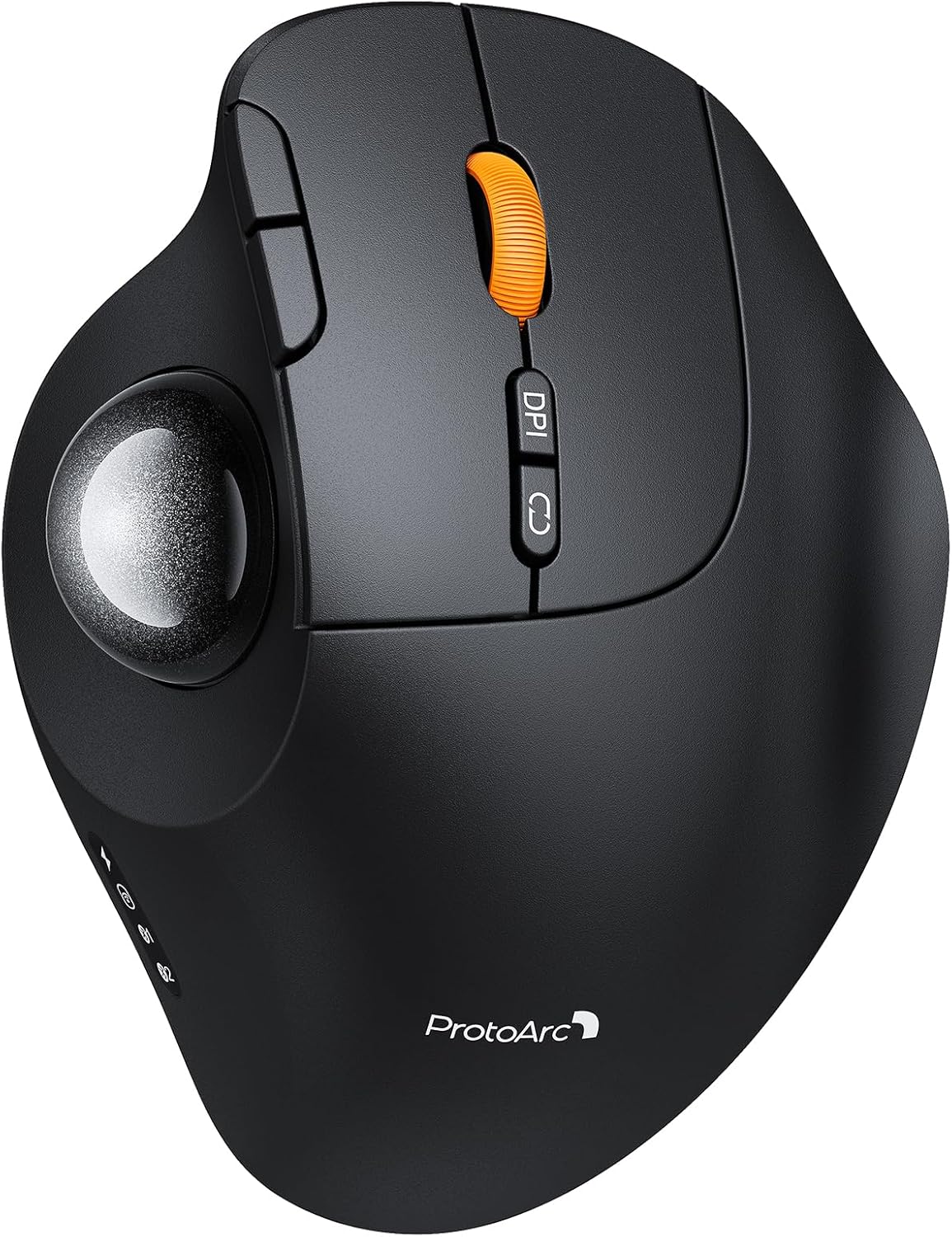
ProtoArc Wireless Bluetooth Trackball Mouse, EM02 Two Adjustable Angle Ergonomic Rechargeable Computer Ball Mouse, 3 Device Connection, Thumb Control and Smooth Tracking for Laptop, PC, Mac-Gray
Want the best price and purchase timing?
Our AI advisor analyzes real-time pricing across all channels to find you the best deal.
AI Verdict
This is a 12.7-ounce, 2.4G wireless and Bluetooth trackball mouse with 0°/15° adjustable tilt, 90-day standby, and five DPI settings, ideal for users seeking wrist relief on a budget.
This trackball mouse is a situational fit, offering ergonomic benefits like adjustable tilt and multi-device connectivity for its price point. However, the lack of Mac button compatibility and stiff scroll wheel are specific drawbacks that might make it a poor fit for some users.
If Mac compatibility for all buttons or more fluid button remapping is crucial, look for trackballs with dedicated software support and explicit Mac OS feature parity.
Regret Score™
High RiskLower is better — measures purchase-regret risk from real buyer complaints, review credibility, and product maturity
Issues discovered after purchase
Critically weak dimension
Amazon rating vs actual quality
Chance this product isn't for you
Pros
- Connects to three devices simultaneously via 2.4GHz wireless and Bluetooth, allowing quick switching.
- Features quiet-touch buttons, making it suitable for use in quiet environments.
- Offers an adjustable tilt angle of 0° or 15°, which can help maintain a natural hand posture.
- Equipped with a USB-C charging port and provides up to 90 days of standby time on a full charge.
- The trackball provides smooth, accurate cursor control without requiring wrist movement, minimizing fatigue.
- Includes five adjustable DPI settings (200/400/800/1200/1600) to fine-tune cursor speed.
Cons
- Forward and backward buttons are not compatible with Mac OS, limiting functionality for Mac users.
- The scroll wheel-button can feel stiff, sometimes requiring users to pinch it to prevent accidental trackball movement.
- Lacks dedicated software for button remapping, requiring third-party tools like Mouse-X for customization.
- Adjusting DPI settings requires holding two buttons for 5 seconds, which is less convenient than a dedicated button.
- Some users with larger hands report the mouse feels too long, causing their hand to slide back.
Dimension Scores
The optical sensor provides precise trackball control and smooth tracking, with users reporting no issues with stiction or accuracy.
The adjustable 0°/15° tilt angle and ergonomic design aim to reduce wrist strain, though some users with larger hands find its length less comfortable.
Offering both 2.4G wireless and Bluetooth with multi-device connectivity for up to three devices is above average for its category.
While the buttons are quiet, the stiff scroll wheel-button and reports of some models having alignment issues suggest average build consistency.
Best For
- Users with limited desk space who need precise cursor control without moving the mouse body.
- Individuals experiencing wrist pain from traditional mouse use, seeking an ergonomic alternative with adjustable tilt.
- Multi-device setups (laptop, PC, Mac) where quick switching between three connections is needed.
- Quiet work environments, due to its soundless click buttons.
Not Recommended For
- Mac users who rely on forward/backward buttons, as these are not compatible.
- Users who require extensive button customization or dedicated software for remapping.
- Competitive gamers who need highly responsive, easily programmable buttons and instant DPI switching.
Watch Out For
- The scroll wheel-button is reported to be stiff, making it difficult to click without inadvertently moving the trackball.
- Mac OS users will find the forward and backward buttons non-functional, as stated in the product specifications.
- DPI adjustment is cumbersome, requiring a 5-second press of two buttons to cycle through the five settings.
- Some users with larger hands have noted the mouse's length causes their hand to slide back, impacting comfort.
- There's no native software for button remapping, so you'll need to use third-party applications like Mouse-X for customization.
Full Specifications
| ASIN | B0G13WNNWD |
| Brand | ProtoArc |
| Item Weight | 12.7 ounces |
| Manufacturer | ProtoArc |
| Special Feature | Comfortable, Ergonomic Design, Rechargeable, Soundless, Wireless |
| Number of Buttons | 6 |
| Package Dimensions | 5.59 x 4.84 x 3.54 inches |
| Connectivity Technology | 2.4G Wireless, Bluetooth |
| Movement Detection Technology | Optical |
What Buyers Say
Many users find the ProtoArc EM02 a cost-effective trackball that significantly reduces wrist strain, especially with its adjustable tilt and quiet operation. The multi-device connectivity is a standout feature, allowing seamless switching between computers. However, the stiff scroll wheel and the lack of Mac compatibility for the forward/backward buttons are recurring frustrations. Some users also wish for easier DPI adjustment and native button remapping software.
“Okay, so this trackball actually saved my wrist, but seriously, that scroll wheel click is a pain, and why can't I use the side buttons on my Mac?! Still, for the price, it's pretty sweet for my work setup.”
Common Praise
- The trackball provides smooth and accurate cursor movement.
- The adjustable 0° or 15° tilt angle helps reduce wrist discomfort.
- The silent left and right click buttons are appreciated in quiet environments.
- Multi-device connectivity (2.4GHz and Bluetooth for 3 devices) is highly convenient.
- The USB-C rechargeable battery offers a long 90-day standby time.
Common Complaints
- The scroll wheel-button is stiff and can cause accidental trackball movement when clicked.
- Forward and backward buttons do not work when connected to Mac OS.
- DPI settings are difficult to change, requiring a 5-second press of two buttons.
- There is no dedicated software for remapping buttons, necessitating third-party solutions.
- Some users with larger hands find the mouse's shape causes their hand to slide back.
Ownership Tips
- Getting used to thumb-controlled trackball movement takes about 1-2 weeks, but it can significantly reduce wrist pressure.
- The smooth ball out of the box maintains its smoothness over time, with no reported stiction issues.
- While the tilt is adjustable, some users might still prefer a more sculpted design for their hand position.
- The multi-device switching is genuinely seamless and works as advertised across different operating systems.
Frequently Asked Questions
Can I use this trackball mouse with my Mac?
Yes, you can connect it to a Mac via Bluetooth or the 2.4G wireless dongle. However, the forward and backward buttons will not function on Mac OS.
How do I switch between connected devices?
You can seamlessly switch between up to three connected devices (two Bluetooth, one 2.4G wireless) using a single button on the mouse.
Is the scroll wheel loud?
No, the mouse features quiet-touch buttons and a quiet scroll wheel, making it suitable for silent environments.
How long does the battery last?
On a full charge, the mouse offers an impressive 90-day standby time, minimizing the need for frequent recharging.
Can I adjust the angle of the mouse?
Yes, the mouse has an adjustable hinge that allows you to set the trackball to either a flat 0° or a tilted 15° position for personalized comfort.
Are the buttons programmable?
The mouse does not come with its own software for button remapping. You would need to use third-party software like Mouse-X to customize button functions.
Buying Guide
When looking at trackball mice, you're primarily trying to save your wrist and desk space. You want to consider how the ball is controlled (thumb or finger), the connectivity options for your devices, and if it offers any ergonomic adjustments. Don't get hung up on DPI numbers unless you're doing super precise work; what matters more is how smooth the tracking feels and if the buttons are where you need them.
Adjustable Tilt Angle
This isn't just a gimmick; being able to tilt the mouse (like this one's 0° or 15° options) can significantly change your wrist posture, moving it from a flat, strained position to a more natural, relaxed one, similar to how you might hold a pen.
Multi-Device Connectivity (2.4G Wireless, Bluetooth)
Think of this like having a universal remote for your computers. Instead of having a separate mouse for your work laptop, home PC, and tablet, this lets you switch between them with a single button press, saving you money and clutter.
DPI Settings
DPI (dots per inch) dictates how sensitive your cursor is to ball movement. Higher DPI means the cursor moves further with less ball movement, which can be faster for large screens, while lower DPI offers more precision for detailed tasks, like drawing or editing.
Alternatives
If this trackball doesn't fit, look for models with dedicated software for full button remapping, explicit Mac OS compatibility for all buttons, or a different trackball control method (e.g., finger-controlled) if thumb control isn't comfortable.
You Might Also Like

Magnetic Charging Mouse Pad 31.5x15.75, 15W Fast Wireless Charging Desk Mat, XXL Desk Pad RGB Gaming Mousepad, Home Office Large Keyboard Pad with Ultra-Smooth Surface, Non-Slip Base
$50-$99This 31.5" x 15.75" RGB desk mat with 15W magnetic phone charging and a Qi headphone charging zone is for users wanting to declutter and illuminate their workstation.

Mouse Pad Desk Mat Full Moon Desk Pad Black Red Large Mouse Pad Gaming Mousepad Extended Laptop Computer Mouse Keyboard Mat-11.8 x 31.5 in
Price range unavailableThis is a 11.8 x 31.5 inch desk mat for users needing a large, undefined surface to cover their desk, but with no available product details or user feedback.

SteelSeries QcK Gaming Mouse Pad - Small Cloth - Optimized For Gaming Sensors
A 250 x 210 x 2mm cloth pad with a non-slip rubber base, ideal for high DPI users or those with limited desk space.

SteelSeries QcK Large Gaming Mousepad — Black — Non-Slip Silicone Rubber Base — Peak Tracking and Stability — Optimized for Gaming Sensors — 490 mm x 420 mm — FPS, MOBAs, RTS, MMO
A 450 mm x 400 mm x 2 mm cloth mousepad designed for precise control in gaming, especially for budget-conscious players.