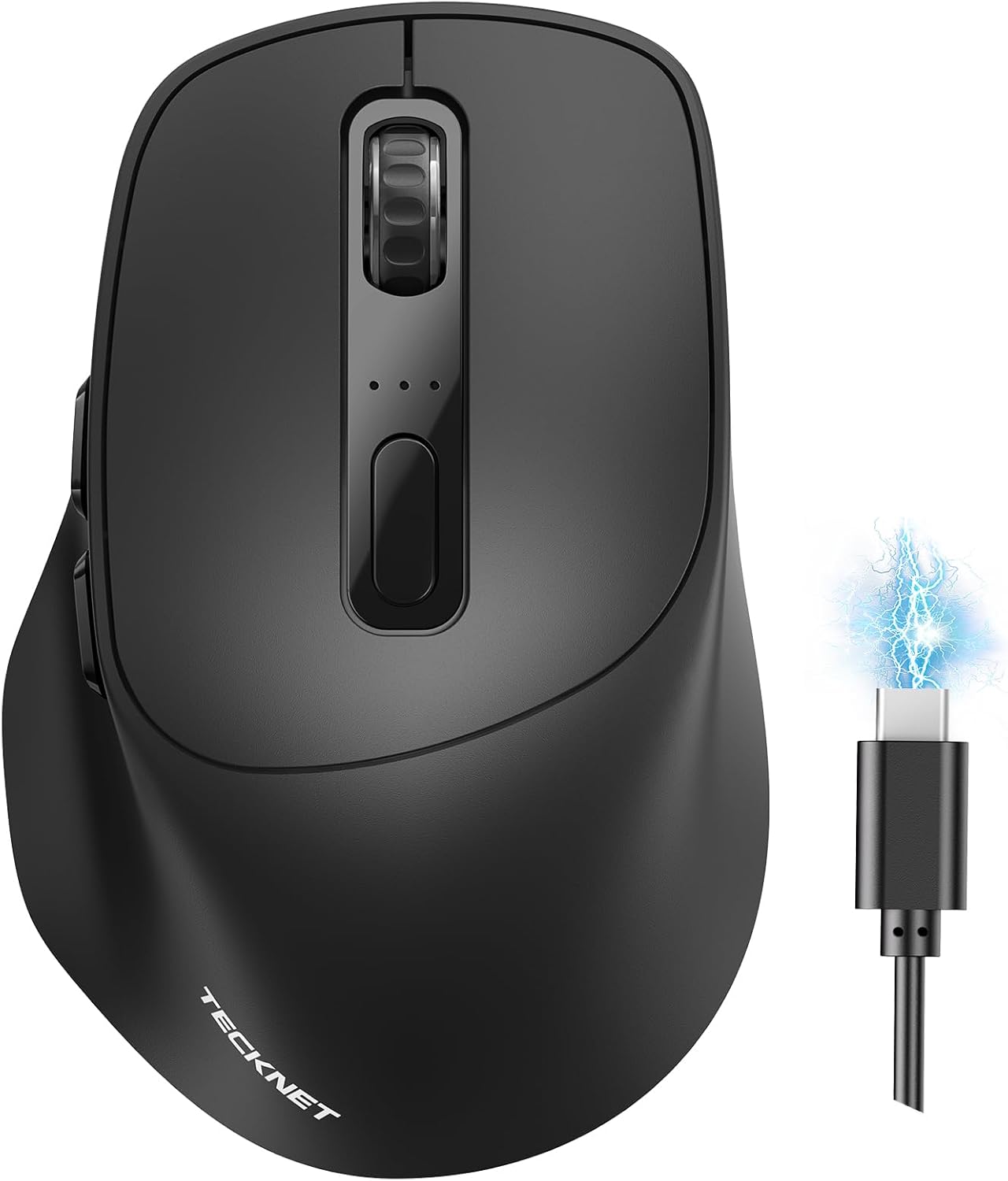
TECKNET 3-Device Wireless Mouse, Rechargeable Dual-Mode (2.4G & BT 5.0), Silent USB-A & Bluetooth Mouse, 6-DPI up to 4800, Wide Compatibility - Black
Want the best price and purchase timing?
Our AI advisor analyzes real-time pricing across all channels to find you the best deal.
AI Verdict
This is a 5-ounce, 6-DPI optical mouse with dual-mode 2.4G and Bluetooth 5.0 connectivity for up to 3 devices, best for quiet, multi-system productivity.
This mouse is a strong fit for users needing multi-device connectivity and quiet operation, especially across different operating systems like Windows, Linux, and Android. Its 6-DPI adjustable optical sensor and ergonomic shape support varied tasks and prolonged use.
If macOS compatibility for all buttons is crucial, look for mice explicitly stating full macOS driver support and customization options.
Regret Score™
Very Low RiskLower is better — measures purchase-regret risk from real buyer complaints, review credibility, and product maturity
Issues discovered after purchase
Critically weak dimension
Amazon rating vs actual quality
Chance this product isn't for you
Pros
- Connects to 3 devices via 2.4G USB-A or dual Bluetooth 5.0/3.0, allowing seamless switching.
- Offers 6 adjustable DPI levels up to 4800 (800/1200/1600/2400/3200/4800) for varied cursor speed.
- Features noise-reducing buttons for quiet operation in shared spaces.
- Rechargeable battery lasts up to 3 months on a 1.5-2 hour charge with 2 hours of daily use.
- Ergonomic design with a contoured arc and thumb rest provides comfort during extended use.
- Includes a side-mounted scroll wheel for horizontal scrolling, useful for spreadsheets.
Cons
- Side buttons, including the side scroll wheel, are not supported on macOS.
- The mouse is functional while charging, but still requires Bluetooth or 2.4G connection, not a wired mode.
- At 5 ounces, it's on the heavier side for a compact wireless mouse, potentially impacting portability for some.
Dimension Scores
The optical sensor offers 6 adjustable DPI levels up to 4800, providing precise control for various tasks.
Its ergonomic design includes a contoured arc and supportive thumb rest, shaped for all-day comfort.
Dual-mode connectivity (2.4G and Bluetooth 5.0/3.0) allows seamless connection and switching between up to three devices.
Users report it feels lightweight and responsive, with minimal packaging and materials that are 'fairly nice for its price point'.
Best For
- Users needing to switch between up to three Windows, Linux, Chrome OS, or Android devices frequently.
- Quiet office or library environments due to silent click buttons.
- Individuals seeking an ergonomic mouse for all-day comfort without frequent battery changes.
Not Recommended For
- macOS users who rely on side button functionality or horizontal scrolling.
- Competitive gamers requiring extremely low latency or advanced customization software.
Watch Out For
- macOS users will lose side button and side scroll wheel functionality, limiting productivity features.
- The mouse requires Bluetooth or 2.4G connectivity even when plugged in for charging, it doesn't operate as a wired mouse.
- The 36-month warranty requires product registration, which some users might overlook.
Full Specifications
| ASIN | B0FSJXSXY2 |
| Brand | TECKNET |
| Color | Black |
| Item Weight | 5 ounces |
| Manufacturer | TECKNET |
| Special Feature | Ergonomic Design, Rechargeable, Soundless, Wireless |
| Item model number | TK-MS072 |
| Package Dimensions | 4.8 x 3.35 x 2.05 inches |
| Connectivity Technology | Bluetooth, UAB A |
| Movement Detection Technology | Optical |
What Buyers Say
Many users highlight the mouse's ability to connect to multiple devices and switch between them easily, which is a big win for productivity across different setups. The silent clicks are a frequently praised feature, making it a favorite for quiet work environments. However, the lack of side button support on macOS is a recurring point of frustration for Apple users. The battery life also gets a lot of love, with some reporting months of use on a single charge.
“This mouse is a lifesaver for my work-from-home setup, switching between my laptop and desktop is so smooth, but man, I wish those side buttons worked on my Mac, it's a real bummer.”
Common Praise
- Switches between 3 devices effortlessly, making multitasking simple.
- Buttons are quiet, preventing disturbance in shared spaces.
- Battery lasts for weeks or months on a single charge.
- Ergonomic shape feels comfortable for long work sessions.
- Connects quickly via USB dongle or Bluetooth after initial pairing.
- Adjustable DPI settings provide flexibility for different tasks.
Common Complaints
- Side buttons and side scroll wheel do not function on macOS.
- Cannot be used as a wired mouse even when charging, still requires wireless connection.
- Some users might find the 5-ounce weight a bit heavy for a travel mouse.
Ownership Tips
- The auto-sleep feature works well to conserve battery, waking up instantly with a click.
- The LED indicator for DPI changes helps confirm the current setting without guesswork.
- The included charging cable is standard, but the mouse can be used with any compatible USB-C cable.
- Removing the protective film from the bottom feet is crucial for optimal glide, as noted in the instructions.
Frequently Asked Questions
How do I switch between connected devices?
You switch devices by pressing the bottom button on the mouse. For Bluetooth pairing, long-press the same button until it blinks, then select the mouse on your laptop.
Is this mouse truly silent?
Yes, it features noise-reducing buttons designed for quiet operation, making it suitable for environments like offices or libraries.
Does it work with macOS?
It is compatible with macOS, but the side buttons and side scroll wheel functionality are not supported on macOS.
How long does the battery last and how do I charge it?
The rechargeable battery can last up to 3 months with 2 hours of daily use after a 1.5-2 hour charge. It automatically enters sleep mode to save power.
Can I use it while it's charging?
Yes, you can use the mouse while it's charging, but it still operates wirelessly via Bluetooth or 2.4G, not as a wired connection.
Buying Guide
When picking a wireless mouse, you need to think about how many devices you use and what kind of connection you prefer. If you jump between a laptop, tablet, and desktop, multi-device connectivity is key. Also, consider if you need a quiet click for your environment and how often you want to recharge it. DPI settings matter for cursor speed and precision, so look for a range that suits your work. Ergonomics are huge if you're using it all day, preventing wrist strain.
Dual-Mode Connectivity (2.4G & Bluetooth)
This is like having two different ways to talk to your computer. 2.4G uses a small USB dongle for a direct, stable connection, while Bluetooth connects without needing a dongle, freeing up a USB port. Dual-mode means you get the best of both worlds and can connect to more devices.
6-DPI Adjustable (up to 4800)
DPI (Dots Per Inch) controls how sensitive your mouse is. A higher DPI means the cursor moves further with a smaller physical mouse movement, like a fast car. 4800 DPI is quite high, giving you fine control for detailed work or quick sweeps across large screens.
Rechargeable Battery
Instead of constantly buying AA or AAA batteries, a rechargeable mouse has a built-in battery you can power up with a cable, similar to your phone. This saves money and reduces waste, offering weeks or months of use on a single charge.
Alternatives
If this mouse doesn't fit, look for models with full macOS side button support if you're an Apple user, or consider a lighter mouse if portability is your top priority. For gaming, seek mice with higher polling rates and dedicated gaming sensors.
You Might Also Like

Magnetic Charging Mouse Pad 31.5x15.75, 15W Fast Wireless Charging Desk Mat, XXL Desk Pad RGB Gaming Mousepad, Home Office Large Keyboard Pad with Ultra-Smooth Surface, Non-Slip Base
$50-$99This 31.5" x 15.75" RGB desk mat with 15W magnetic phone charging and a Qi headphone charging zone is for users wanting to declutter and illuminate their workstation.

Mouse Pad Desk Mat Full Moon Desk Pad Black Red Large Mouse Pad Gaming Mousepad Extended Laptop Computer Mouse Keyboard Mat-11.8 x 31.5 in
Price range unavailableThis is a 11.8 x 31.5 inch desk mat for users needing a large, undefined surface to cover their desk, but with no available product details or user feedback.

SteelSeries QcK Gaming Mouse Pad - Small Cloth - Optimized For Gaming Sensors
A 250 x 210 x 2mm cloth pad with a non-slip rubber base, ideal for high DPI users or those with limited desk space.

SteelSeries QcK Large Gaming Mousepad — Black — Non-Slip Silicone Rubber Base — Peak Tracking and Stability — Optimized for Gaming Sensors — 490 mm x 420 mm — FPS, MOBAs, RTS, MMO
A 450 mm x 400 mm x 2 mm cloth mousepad designed for precise control in gaming, especially for budget-conscious players.