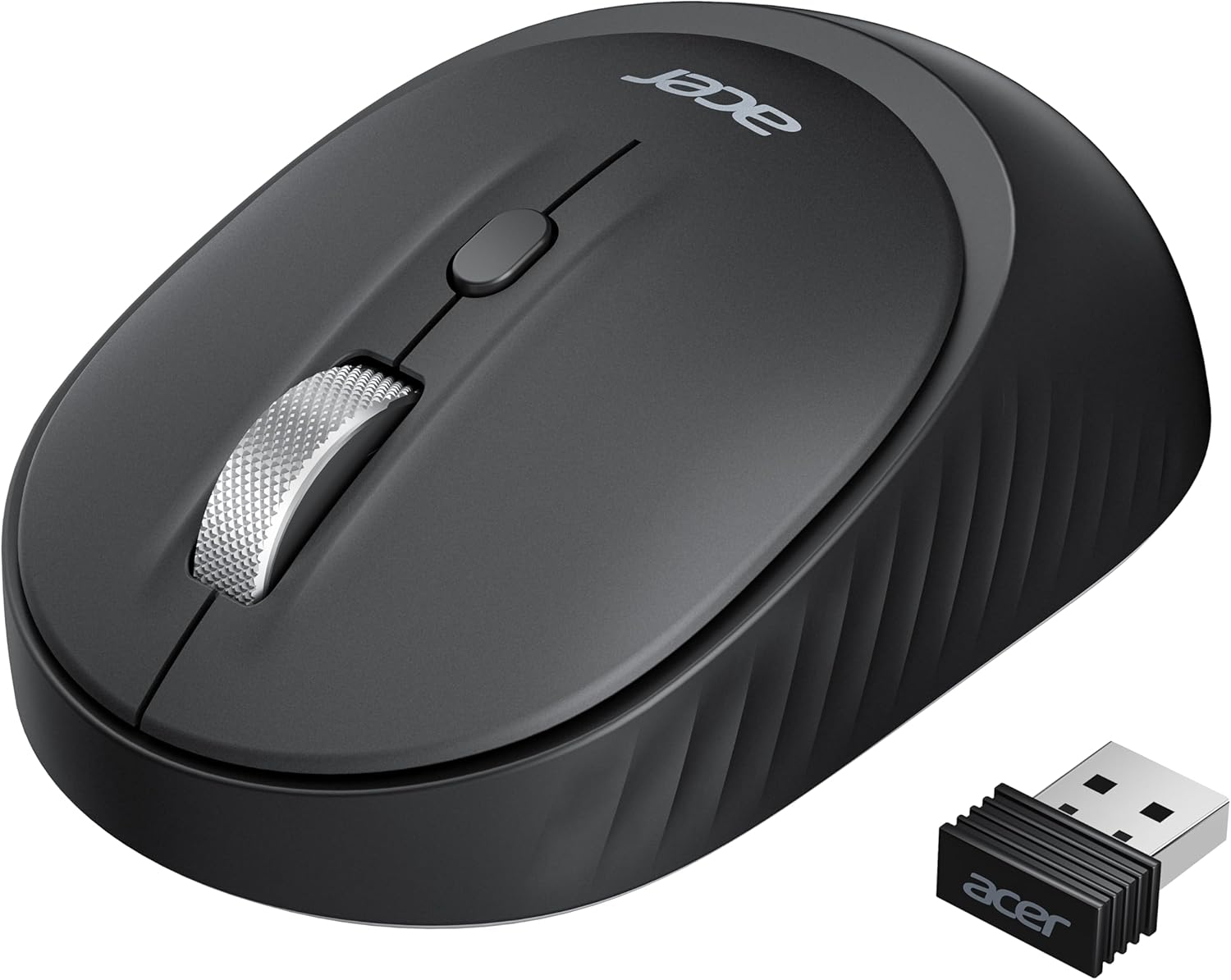
acer Bluetooth Wireless Mouse for Laptop, Computer Mouse Wireless (BT5.2+2.4GHz), Small to Medium Size, Left & Right Handed Office USB Mice with USBA Receiver, 4 Buttons, Compatible with PC, Desktop
Want the best price and purchase timing?
Our AI advisor analyzes real-time pricing across all channels to find you the best deal.
AI Verdict
A 2-ounce, 4-button optical mouse with BT5.2 and 2.4GHz connectivity, 800-1600 DPI, designed for small to medium, ambidextrous users.
This mouse is a situational fit for users prioritizing multi-device connectivity and portability, thanks to its Bluetooth 5.2 and 2.4GHz dual-mode and 2-ounce weight. Its ambidextrous, small to medium design and silent clicks cater to specific user needs and environments. However, the limited button count and sleep-to-wake delay might be drawbacks for some.
If you need more buttons or faster wake-up times, look for mice with additional programmable buttons or 'always-on' features.
Regret Score™
Medium RiskLower is better — measures purchase-regret risk from real buyer complaints, review credibility, and product maturity
Issues discovered after purchase
Critically weak dimension
Amazon rating vs actual quality
Chance this product isn't for you
Pros
- Dual-mode connectivity (Bluetooth 5.2 and 2.4GHz) allows switching between three devices with a simple toggle.
- Adjustable DPI settings (800, 1200, 1600) for varied cursor sensitivity.
- Symmetrical design ensures comfortable use for both left and right-handed users.
- Silent clicks are suitable for quiet environments like offices or libraries.
- Magnetic battery cover allows for quick battery replacement.
- Lightweight at 2 ounces, making it portable for travel.
Cons
- Bluetooth and 2.4GHz modes cannot be used simultaneously.
- Requires 2-3 clicks to wake after 10 minutes of inactivity.
- AA battery is not included in the package.
- Only 4 buttons (left, right, scroll click, DPI switch), limiting advanced functionality.
- Small to medium size may not provide adequate support for users with larger hands.
Dimension Scores
The optical sensor with 800, 1200, and 1600 DPI settings is average for general office and productivity tasks, but not for precision work or gaming.
The symmetrical, small to medium size and 2-ounce weight offer ambidextrous comfort and portability, but it lacks specific ergonomic shaping for larger hands.
Dual Bluetooth 5.2 and 2.4GHz USB-A connectivity for three devices is above average for a budget mouse, despite not allowing simultaneous use.
The magnetic battery cover is a thoughtful touch, but without extensive user feedback, the overall build quality is assumed to be average for its budget price band.
Best For
- Users needing to switch between a laptop, tablet, and desktop frequently.
- Quiet work environments where click noise is a concern.
- Travel due to its compact size and 2-ounce weight.
- Individuals requiring a basic, ambidextrous mouse.
Not Recommended For
- Gaming that requires high DPI, additional programmable buttons, or minimal wake-up delay.
- Users with large hands seeking ergonomic support.
- Anyone needing simultaneous Bluetooth and 2.4GHz connections.
Watch Out For
- The mouse enters sleep mode after 10 minutes of inactivity, requiring 2-3 clicks to wake up, which can interrupt workflow.
- An AA battery is not included, so you'll need to purchase one separately.
- Bluetooth and 2.4GHz modes cannot be used at the same time, limiting connectivity options to one at a given moment.
- The 4-button design lacks advanced features like forward/back buttons found on many other mice.
Full Specifications
| ASIN | B0FCM7C2WG |
| Brand | acer |
| Color | Black |
| Language | English |
| Item Weight | 2 ounces |
| Manufacturer | acer |
| Item model number | OMR270 |
| Product Dimensions | 4.1 x 2.5 x 0.1 inches |
| Connectivity Technology | Bluetooth, USB A |
| Movement Detection Technology | Optical |
What Buyers Say
With only one specific review available for this recently listed mouse, feedback is extremely limited. The single user praised its quick connection and responsiveness for tablet use, noting it performed better than expected for its price. The compact size was also highlighted as comfortable and travel-friendly. However, the general lack of widespread user experiences makes it hard to identify common issues or long-term performance trends.
“This little mouse is actually pretty good for the price, connects fast to my tablet and no lag, fits my hand for travel.”
Common Praise
- Connects very quickly to devices.
- Has great response time with no lagging or random disconnects.
- Compact size fits well in hand and is comfortable for travel.
- Easy to connect and switch between devices.
Common Complaints
- No specific common complaints could be identified due to the extremely limited number of user reviews for this exact model.
- The mouse requires 2-3 clicks to wake up after 10 minutes of inactivity, which some users might find disruptive.
- The AA battery is not included, requiring an immediate additional purchase.
- Lack of additional programmable buttons beyond the standard four.
Ownership Tips
- The mouse sleeps after 10 minutes of inactivity, requiring 2-3 clicks to wake it up.
- You'll need to buy an AA battery separately as it's not included.
- The USB-A receiver is stored inside the battery compartment, so check there if you can't find it.
- Switching between devices is done via a physical toggle, not a software solution.
Frequently Asked Questions
What type of battery does this mouse use?
This mouse uses one AA battery, which is not included in the package.
How do I switch between connected devices?
You can switch between the three connected devices (2.4G, BT1, BT2) using a simple toggle switch on the mouse.
Where is the USB-A receiver stored?
The USB-A receiver is conveniently stored inside the battery compartment of the mouse.
Can I use Bluetooth and 2.4GHz connections simultaneously?
No, the Bluetooth mode and 2.4GHz mode cannot be used at the same time; you must switch between them.
Does this mouse work for both left and right-handed users?
Yes, the mouse features a symmetrical design that is equally comfortable for both left and right-handed users.
Buying Guide
When you're looking at mice, think about how you'll use it. If you're constantly jumping between a laptop and a tablet, multi-device connectivity is key. For quiet offices, silent clicks are a blessing. And if you travel a lot, a lightweight, compact design is a must-have. Don't forget about battery type and whether it's included, because nobody wants to unbox a new gadget only to find they can't use it right away.
DPI (Dots Per Inch)
DPI tells you how sensitive the mouse is. A higher DPI means the cursor moves further on screen with a smaller physical mouse movement. 800-1600 DPI is fine for everyday tasks, but designers or gamers might want something much higher for precision or speed.
Connectivity (Bluetooth vs. 2.4GHz)
Bluetooth connects directly to your device without a dongle, freeing up a USB port and working with tablets. 2.4GHz uses a small USB receiver for a dedicated, often more stable connection, but it uses up a USB-A port. Dual-mode gives you options for different devices.
Size and Weight
A smaller, lighter mouse (like this 2-ounce one) is easier to toss in a bag for travel. But if you have larger hands or spend hours at a desk, a bigger, more ergonomically shaped mouse might prevent hand fatigue.
Alternatives
If this mouse doesn't quite fit, look for models with higher DPI ranges and more programmable buttons for gaming or design, or larger, ergonomically sculpted designs for extended desktop use.
You Might Also Like

Magnetic Charging Mouse Pad 31.5x15.75, 15W Fast Wireless Charging Desk Mat, XXL Desk Pad RGB Gaming Mousepad, Home Office Large Keyboard Pad with Ultra-Smooth Surface, Non-Slip Base
$50-$99This 31.5" x 15.75" RGB desk mat with 15W magnetic phone charging and a Qi headphone charging zone is for users wanting to declutter and illuminate their workstation.

Mouse Pad Desk Mat Full Moon Desk Pad Black Red Large Mouse Pad Gaming Mousepad Extended Laptop Computer Mouse Keyboard Mat-11.8 x 31.5 in
Price range unavailableThis is a 11.8 x 31.5 inch desk mat for users needing a large, undefined surface to cover their desk, but with no available product details or user feedback.

SteelSeries QcK Gaming Mouse Pad - Small Cloth - Optimized For Gaming Sensors
A 250 x 210 x 2mm cloth pad with a non-slip rubber base, ideal for high DPI users or those with limited desk space.

SteelSeries QcK Large Gaming Mousepad — Black — Non-Slip Silicone Rubber Base — Peak Tracking and Stability — Optimized for Gaming Sensors — 490 mm x 420 mm — FPS, MOBAs, RTS, MMO
A 450 mm x 400 mm x 2 mm cloth mousepad designed for precise control in gaming, especially for budget-conscious players.