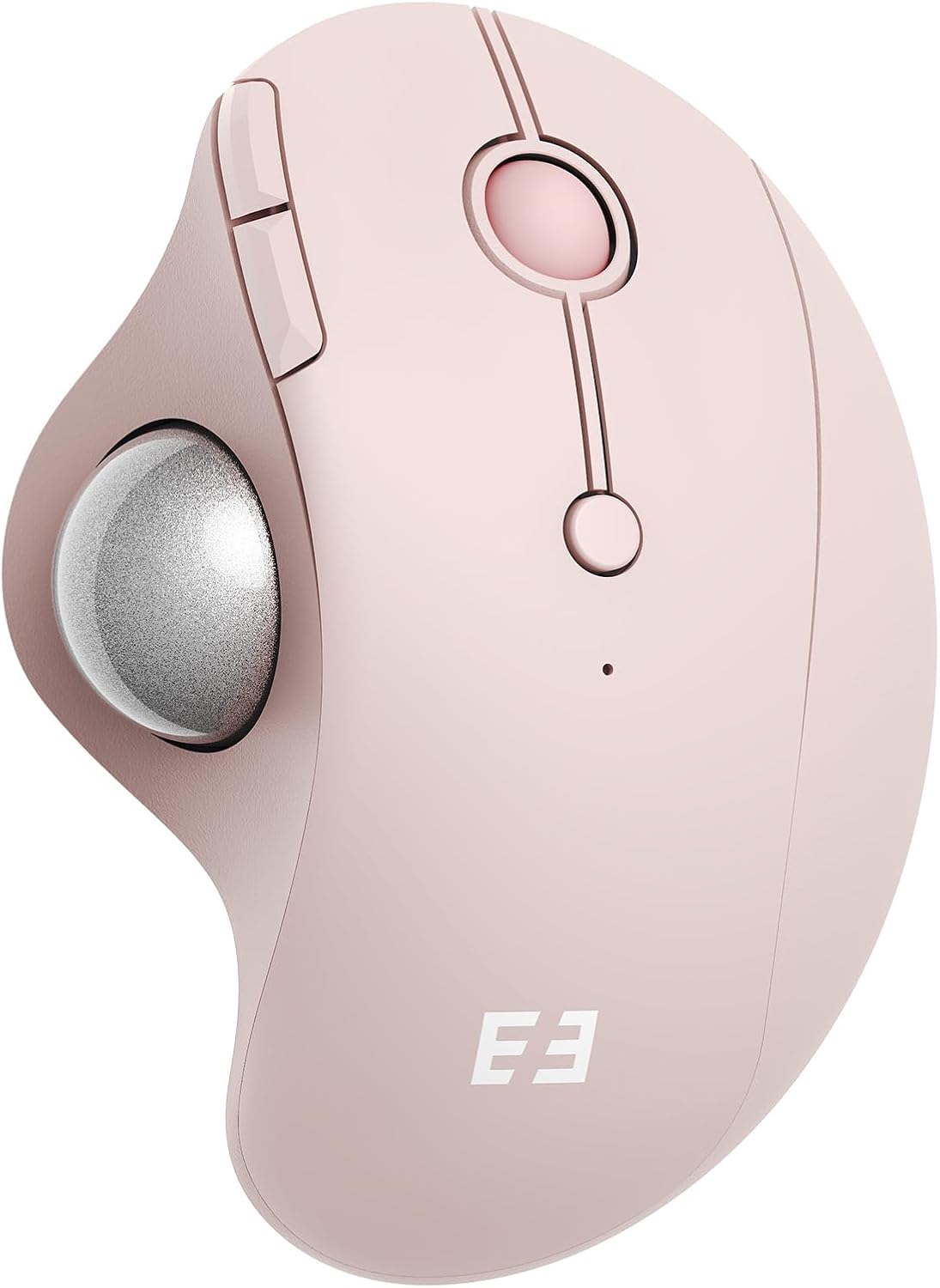
seenda Wireless Trackball Mouse, Bluetooth - Ergonomic Rollerball Mouse Rechargeable, 3 Device Connection Optical Mice Adjustable DPI Thumb Control Mice Compatible for Mac/Android/Windows - Rose Pink
Want the best price and purchase timing?
Our AI advisor analyzes real-time pricing across all channels to find you the best deal.
AI Verdict
A 6.7-ounce optical trackball mouse with 5 adjustable DPI levels and 3-device Bluetooth/USB connectivity for wrist strain reduction.
This trackball mouse offers a specific ergonomic solution with multi-device connectivity and adjustable DPI, making it suitable for users prioritizing comfort and flexibility over traditional mouse movement. However, its specific button feel and Mac OS limitations mean it's not a universal fit.
If Mac OS compatibility for all buttons is crucial, look for trackballs explicitly stating full Mac OS support for all auxiliary buttons.
Regret Score™
Medium RiskLower is better — measures purchase-regret risk from real buyer complaints, review credibility, and product maturity
Issues discovered after purchase
Critically weak dimension
Amazon rating vs actual quality
Chance this product isn't for you
Pros
- Ergonomic shape with thumb-controlled trackball reduces hand and wrist movement.
- Connects to three devices via 2.4G USB receiver or Bluetooth 3.0/5.0.
- Built-in rechargeable battery offers up to 2-3 months of use on a single charge.
- Adjustable DPI settings (200/400/800/1200/1600) allow cursor sensitivity fine-tuning.
- Tracks on various surfaces including fabric and skin.
- Includes a detachable trackball for easier cleaning.
Cons
- "Forward & Backward" buttons are not fully compatible with Mac OS.
- Left and right click buttons have a "very soft click" that some users dislike.
- Lacks horizontal scroll functionality on the scroll wheel.
- Some users report it becomes "almost completely unusable" when the battery is low and charging.
- The rubbery texture might not hold up well over extended use for some users.
Dimension Scores
The optical sensor provides smooth and accurate tracking, even on varied surfaces like fabric, with 5 adjustable DPI levels up to 1600.
Its contoured shape and thumb-controlled trackball are specifically designed to reduce hand and wrist strain during extended use.
Offers flexible 3-device connectivity via both 2.4G USB and two Bluetooth channels (3.0 and 5.0), with easy switching.
Features a soft rubbery texture that prevents slippage, but some users report the main click buttons feel "very soft" and the rubber might not last long-term.
Best For
- Users seeking to reduce wrist and hand movement during extended computer use.
- Individuals who switch between a desktop, laptop, and tablet frequently.
- Workspaces where a traditional mouse lacks surface area.
- Users prioritizing quiet clicks in shared environments.
Not Recommended For
- Mac users who rely on "Forward & Backward" button functionality.
- Users who prefer a firm, tactile click feedback on mouse buttons.
- Anyone needing horizontal scrolling capabilities.
Watch Out For
- The "Forward & Backward" function isn't fully compatible with Mac OS, meaning those buttons might not work as expected.
- When the battery gets low, some users report the mouse becomes "almost completely unusable" during the 2-3 hour charging period.
- The left and right click buttons have a "very soft click" which might feel mushy to users accustomed to firmer feedback.
- The scroll wheel does not support horizontal scrolling, limiting navigation options in certain applications.
Full Specifications
| ASIN | B0F6BXK3ZX |
| Brand | seenda |
| Color | Rose Pink |
| Batteries | 1 Nonstandard Battery batteries required. (included) |
| Item Weight | 6.7 ounces |
| Manufacturer | seenda |
| Special Feature | Trackball thumb control, Ergonomic design, Multi-deivce connection, Rechargeable |
| Package Dimensions | 5.63 x 4.09 x 2.17 inches |
| Connectivity Technology | Bluetooth, USB |
| Movement Detection Technology | Optical |
What Buyers Say
Users frequently highlight the mouse's ability to significantly reduce wrist pain and discomfort during long work sessions, often calling it a "game changer". The multi-device connectivity is a recurring positive, allowing seamless switching between computers and tablets. However, the "soft click" feel of the main buttons and the lack of horizontal scrolling are common points of contention.
“This mouse saved my wrist!!! I'd been dealing with regular wrist problems while working my desk job, and making the switch to this mouse has truly made such a huge difference in reducing pain.”
Common Praise
- Reduces wrist and hand strain significantly.
- Thumb-controlled trackball allows stationary hand use.
- Connects to multiple devices (up to three) easily.
- Long battery life, lasting "over 2 months" on a charge.
- Quiet clicks, suitable for shared environments.
- Detachable trackball makes cleaning simple.
Common Complaints
- "Forward & Backward" buttons don't fully work on Mac OS.
- Main click buttons have a "very soft click".
- No horizontal scroll function on the wheel.
- Mouse becomes "almost completely unusable" when battery is low and charging.
- Rubbery texture might degrade over time.
Ownership Tips
- The battery life is genuinely long, with some users charging it only "maybe 5 times" in over a year.
- The soft-click buttons are a consistent characteristic, not a defect, and might take getting used to.
- Switching between devices is quick and reliable, even across different operating systems.
- The trackball's smoothness can be maintained by regular cleaning after detaching it.
Frequently Asked Questions
How many devices can this mouse connect to simultaneously?
It can connect to up to three devices using either the 2.4G USB receiver or two separate Bluetooth connections (Bluetooth 3.0 and 5.0).
Is the trackball removable for cleaning?
Yes, the trackball is detachable, which makes cleaning and maintenance straightforward.
What is the battery life like, and how is it charged?
The built-in battery can last between 1 to 3 months on a single charge and recharges via an included USB-C cable.
Does it work with Mac computers?
Yes, it's compatible with Mac OS, but the "Forward & Backward" buttons are not fully functional on Mac.
Can I adjust the cursor speed?
Yes, it has 5 adjustable DPI levels (200/400/800/1200/1600) to fine-tune cursor sensitivity.
Buying Guide
When looking at trackball mice, you're primarily trading traditional mouse movement for stationary thumb or finger control, which can significantly impact wrist comfort. Pay attention to the trackball's size and placement relative to your hand, as well as the button layout, since these vary widely and affect usability.
Trackball Thumb Control
This means you move the cursor by rolling a ball with your thumb, keeping your hand still. It's different from moving the entire mouse, which can reduce wrist strain.
Multi-device Connection
This feature lets you pair the mouse with several devices (like a desktop, laptop, and tablet) and switch between them with a button, avoiding the need for multiple mice.
Adjustable DPI
DPI (dots per inch) controls how sensitive your cursor is. Higher DPI means the cursor moves further with less trackball movement, useful for fast navigation, while lower DPI offers more precision for detailed work.
Alternatives
If this trackball doesn't fit, search for trackball mice with finger control instead of thumb control, or models that explicitly state full Mac OS compatibility for all buttons.
You Might Also Like

Magnetic Charging Mouse Pad 31.5x15.75, 15W Fast Wireless Charging Desk Mat, XXL Desk Pad RGB Gaming Mousepad, Home Office Large Keyboard Pad with Ultra-Smooth Surface, Non-Slip Base
$50-$99This 31.5" x 15.75" RGB desk mat with 15W magnetic phone charging and a Qi headphone charging zone is for users wanting to declutter and illuminate their workstation.

Mouse Pad Desk Mat Full Moon Desk Pad Black Red Large Mouse Pad Gaming Mousepad Extended Laptop Computer Mouse Keyboard Mat-11.8 x 31.5 in
Price range unavailableThis is a 11.8 x 31.5 inch desk mat for users needing a large, undefined surface to cover their desk, but with no available product details or user feedback.

SteelSeries QcK Gaming Mouse Pad - Small Cloth - Optimized For Gaming Sensors
A 250 x 210 x 2mm cloth pad with a non-slip rubber base, ideal for high DPI users or those with limited desk space.

SteelSeries QcK Large Gaming Mousepad — Black — Non-Slip Silicone Rubber Base — Peak Tracking and Stability — Optimized for Gaming Sensors — 490 mm x 420 mm — FPS, MOBAs, RTS, MMO
A 450 mm x 400 mm x 2 mm cloth mousepad designed for precise control in gaming, especially for budget-conscious players.