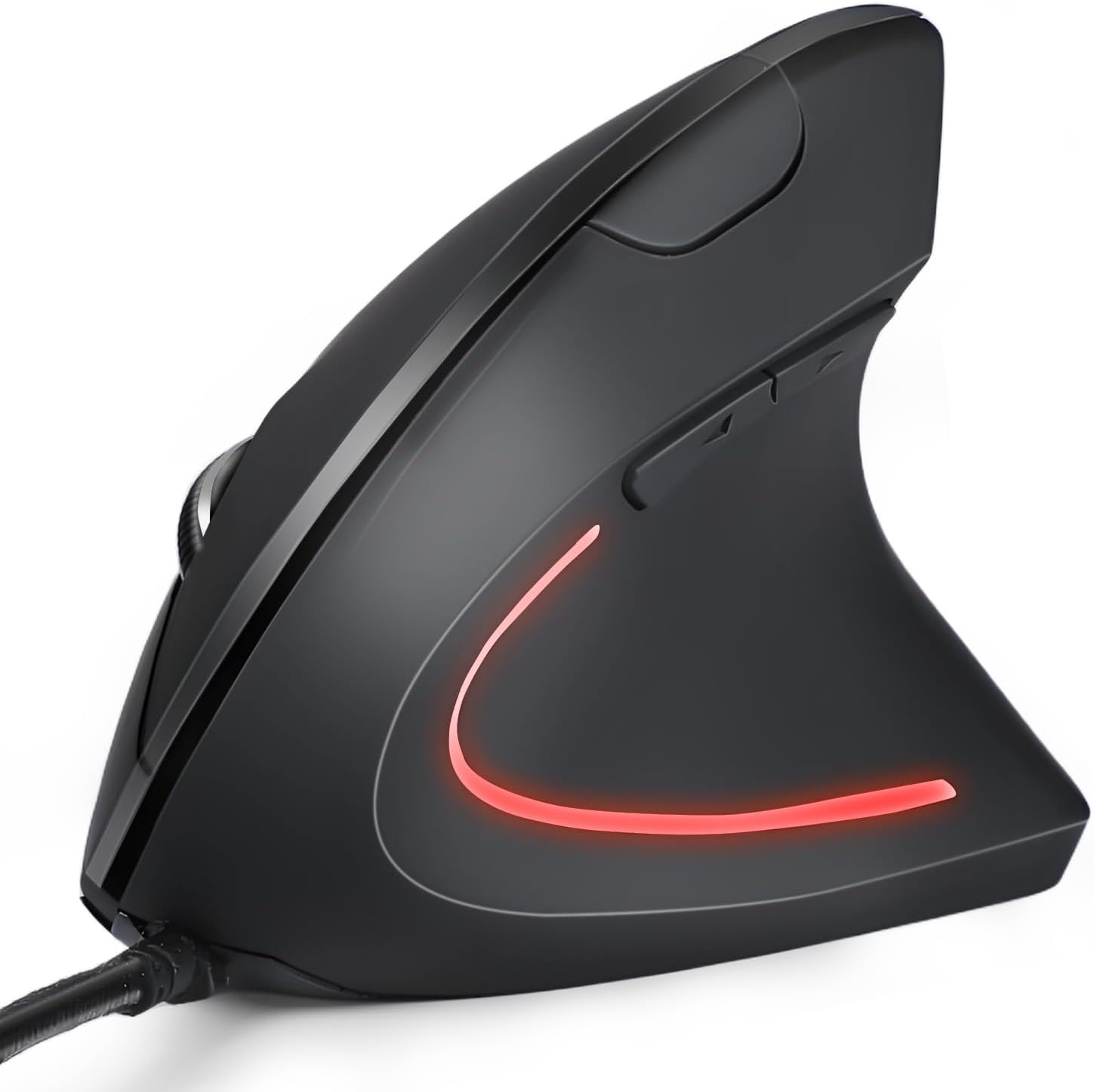
Wired Ergonomic Mouse, USB Wired Vertical Mouse with 800/1200/1600 Adjustable DPI, 6 Buttons Ergonomic Mouse for Laptop/PC/Desktop-Black
Want the best price and purchase timing?
Our AI advisor analyzes real-time pricing across all channels to find you the best deal.
AI Verdict
A 3.52-ounce USB wired vertical mouse with 800/1200/1600 adjustable DPI and 6 buttons, designed for basic ergonomic use.
This KUNSI vertical mouse is a situational fit, primarily for Windows users seeking a basic, budget-friendly ergonomic solution to address wrist discomfort. Its plug-and-play wired USB connection and adjustable DPI are functional, but the laser sensor and lack of Mac OS button support narrow its appeal. It's a no-frills option for specific ergonomic needs.
If you need more precision, wireless flexibility, or Mac OS compatibility, look for a vertical mouse with an optical sensor, Bluetooth or 2.4GHz wireless, and explicit multi-OS button support.
Regret Score™
Very High RiskLower is better — measures purchase-regret risk from real buyer complaints, review credibility, and product maturity
Issues discovered after purchase
Critically weak dimension
Amazon rating vs actual quality
Chance this product isn't for you
Pros
- Vertical design promotes a neutral handshake position, aiming to reduce wrist discomfort during extended use.
- USB wired connection with a 1.8M cable length offers plug-and-play simplicity without driver installation.
- Adjustable DPI settings (800/1200/1600) provide sensitivity options for different tasks.
- Includes dedicated Next and Previous buttons for streamlined web page navigation on Windows systems.
- Lightweight at 3.52 ounces, reducing strain during movement.
Cons
- Forward/back buttons are non-functional on Mac OS systems, limiting utility for Apple users.
- Laser sensor technology is generally less precise and less forgiving on varied surfaces compared to optical sensors.
- Wired connectivity restricts movement and requires a free USB port.
- Only three fixed DPI settings (800/1200/1600) offer limited granularity for sensitivity adjustments.
- No mention of silent clicks, which can be a drawback in quiet environments.
Dimension Scores
The laser sensor, while functional, is generally less accurate and more prone to tracking issues on various surfaces compared to modern optical sensors.
The vertical design is specifically aimed at promoting a neutral wrist position, which is a key ergonomic benefit, but comfort can be subjective and depends on hand size.
USB wired connectivity is reliable and plug-and-play, but lacks the flexibility and freedom of wireless options.
As a budget-priced mouse with no specific material details beyond 'Black' and a 3.52-ounce weight, the build quality is likely average for its price point.
Best For
- Users seeking to alleviate wrist pain with a vertical mouse for office tasks on Windows PCs.
- Individuals needing a straightforward, plug-and-play mouse without wireless connectivity concerns.
- Budget-conscious buyers prioritizing basic ergonomic features over advanced customization.
- Desktop setups where a fixed mouse position and wired connection are not an issue.
Not Recommended For
- Mac OS users who rely on forward/back mouse buttons for navigation.
- Gamers or users requiring high precision and a wide range of DPI settings.
- Users who prefer wireless freedom or need to frequently move their mouse between devices.
- Anyone needing advanced features like customizable buttons, software, or silent clicks.
Watch Out For
- The laser sensor might struggle with tracking accuracy on glossy or uneven surfaces, potentially causing cursor jitter.
- Lack of Mac OS support for the forward/back buttons means two of the six buttons are unusable for Apple users.
- The 1.8M cable, while long, can still limit desk arrangement options or create cable clutter.
- A 3.52-ounce weight might feel too light for some users who prefer a more substantial mouse for stability.
- Without specific software, button remapping or macro creation is not possible, limiting customization beyond basic functions.
Full Specifications
| ASIN | B0F4JNS3PX |
| Brand | KUNSI |
| Item Weight | 3.52 ounces |
| Manufacturer | KUNSI |
| Special Feature | Ergonomic Design |
| Number of Buttons | 6 |
| Package Dimensions | 5.2 x 3.62 x 3.07 inches |
| Connectivity Technology | USB |
| Movement Detection Technology | Laser |
What Buyers Say
As of March 28, 2026, this product is not yet available for purchase (Date First Available: April 11, 2025), so there are no real user reviews or feedback to analyze. The following points are based purely on product specifications and general expectations for a budget wired vertical mouse.
“Okay, so it's a vertical mouse, which is what I wanted for my wrist. Wired means no battery headaches, and the DPI switch is there. For the price, I guess it'll do the job.”
Ownership Tips
- The vertical orientation takes a few days to a week to get used to, feeling awkward at first.
- The 1.8M cable might be just long enough for a desktop, but could be a stretch for some setups.
- The laser sensor's performance can vary significantly depending on the mouse pad or desk surface.
- The plastic construction, typical for this price, might show wear and tear on the buttons or scroll wheel over time.
- Without software, any minor annoyances with button placement or sensitivity are unchangeable.
Frequently Asked Questions
Is this mouse compatible with Mac OS?
Yes, the mouse functions on Mac OS for basic cursor movement and clicks. However, the dedicated forward and back buttons will not work on Mac OS systems.
Does this mouse require any special drivers?
No, this mouse uses a standard USB wired connection and is plug-and-play, meaning no additional drivers are needed for basic functionality.
What are the adjustable DPI settings?
The mouse offers three adjustable DPI levels: 800, 1200, and 1600. You can switch between these settings to adjust cursor sensitivity.
Is this mouse suitable for gaming?
While it functions, the laser sensor and limited DPI range (up to 1600) make it less ideal for precision gaming compared to mice designed specifically for gaming.
How long is the USB cable?
The USB cable length is 1.8 meters (approximately 5.9 feet), providing ample reach for most desktop setups.
Buying Guide
When you're looking at a vertical mouse, the main thing is whether that 'handshake' grip actually helps your wrist. It's a big change from a traditional mouse, so be ready for an adjustment period. Wired means no charging, but also no moving it far from your computer. DPI is how fast your cursor moves, so adjustable DPI lets you fine-tune it for different tasks.
Ergonomic Design (Vertical)
DPI (Dots Per Inch)
Connectivity (USB Wired)
Sensor (Laser)
Alternatives
If this wired model doesn't fit, look for vertical mice with optical sensors for better tracking, wireless connectivity for desk flexibility, or models with explicit Mac OS support for all buttons.
You Might Also Like

Magnetic Charging Mouse Pad 31.5x15.75, 15W Fast Wireless Charging Desk Mat, XXL Desk Pad RGB Gaming Mousepad, Home Office Large Keyboard Pad with Ultra-Smooth Surface, Non-Slip Base
$50-$99This 31.5" x 15.75" RGB desk mat with 15W magnetic phone charging and a Qi headphone charging zone is for users wanting to declutter and illuminate their workstation.

Mouse Pad Desk Mat Full Moon Desk Pad Black Red Large Mouse Pad Gaming Mousepad Extended Laptop Computer Mouse Keyboard Mat-11.8 x 31.5 in
Price range unavailableThis is a 11.8 x 31.5 inch desk mat for users needing a large, undefined surface to cover their desk, but with no available product details or user feedback.

SteelSeries QcK Gaming Mouse Pad - Small Cloth - Optimized For Gaming Sensors
A 250 x 210 x 2mm cloth pad with a non-slip rubber base, ideal for high DPI users or those with limited desk space.

SteelSeries QcK Large Gaming Mousepad — Black — Non-Slip Silicone Rubber Base — Peak Tracking and Stability — Optimized for Gaming Sensors — 490 mm x 420 mm — FPS, MOBAs, RTS, MMO
A 450 mm x 400 mm x 2 mm cloth mousepad designed for precise control in gaming, especially for budget-conscious players.