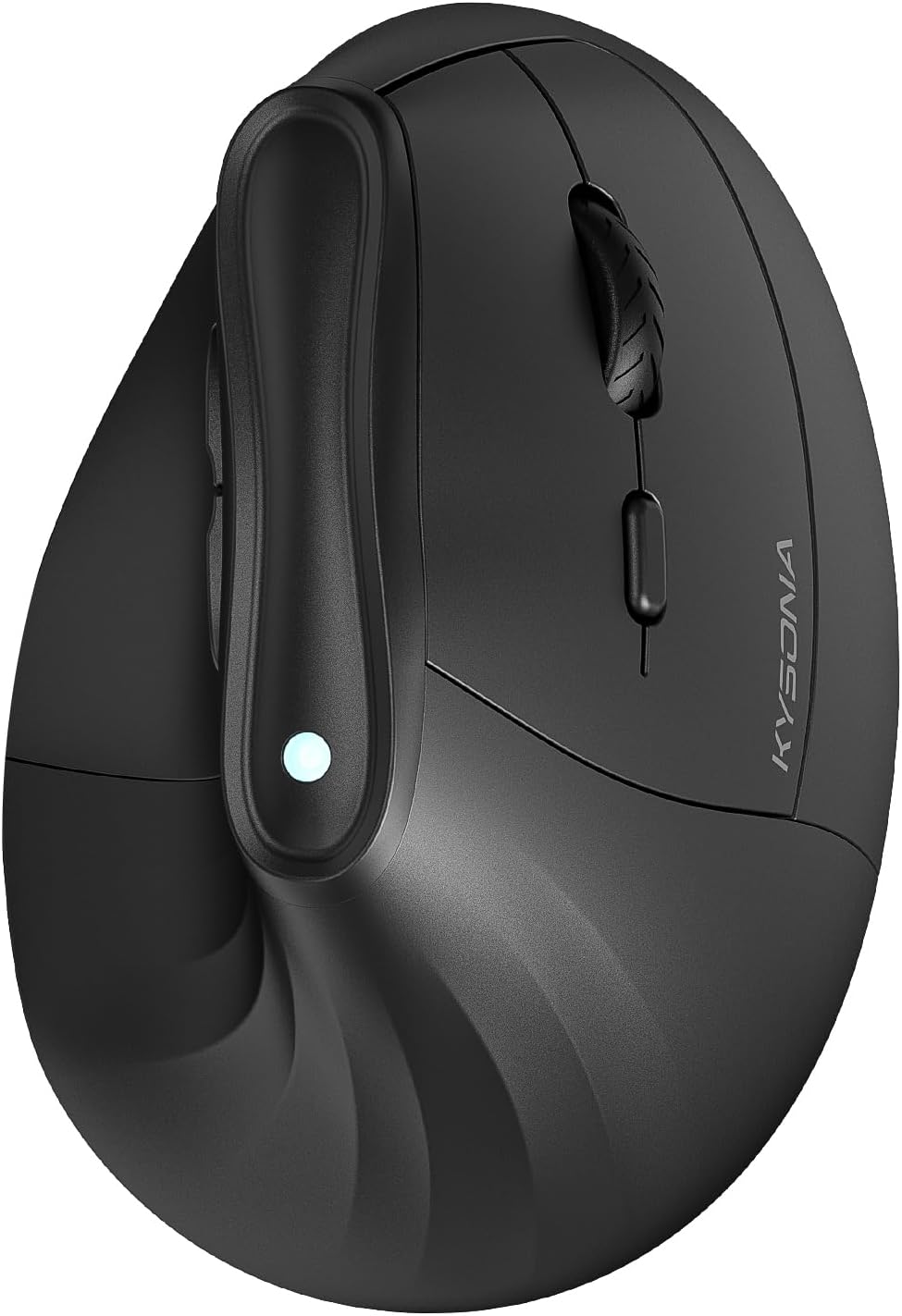
KYSONA 57° Ergonomic Wireless Tower Mouse, Vertical Quiet Ergo Mouse, Bluetooth(BT5.0,BT3.0)&2.4G, (800/1200/2400/2400/4000), 5 Buttons for Windows, macOS, iPadOS, Laptop, PC, Black
Want the best price and purchase timing?
Our AI advisor analyzes real-time pricing across all channels to find you the best deal.
AI Verdict
This 57° vertical optical mouse with dual-mode Bluetooth and 2.4G connectivity is for users with small to medium hands seeking wrist strain relief.
This mouse is a situational fit because its 57° ergonomic design specifically targets wrist strain relief for small to medium hands. The dual-mode wireless and silent clicks are practical, but the reliance on disposable AAA batteries and potential adjustment period means it won't suit everyone.
If this doesn't fit, look for a vertical mouse with a larger form factor and a built-in rechargeable battery.
Regret Score™
Medium RiskLower is better — measures purchase-regret risk from real buyer complaints, review credibility, and product maturity
Issues discovered after purchase
Critically weak dimension
Amazon rating vs actual quality
Chance this product isn't for you
Pros
- The 57° vertical design reduces wrist strain during extended use.
- Equipped with silent switches for quiet operation.
- Offers 5 adjustable DPI settings (800, 1200, 1600, 2400, 4000) for sensitivity preferences.
- Supports dual-mode connection with Bluetooth 3.0/5.0 and 2.4G wireless.
- Features smart auto-sleep mode for up to 12 months of battery life.
- The compact size (10.7 x 7.4 x 7.1 CM) makes it portable.
Cons
- The vertical grip requires an adjustment period for users accustomed to traditional mice.
- Not suitable for users with larger hands, as it may feel too small.
- Requires 2 AAA batteries, which are not included and not rechargeable.
- Some users report occasional connectivity issues when switching between Bluetooth and 2.4G modes.
Dimension Scores
The optical sensor offers 5 adjustable DPI settings up to 4000, which is standard for a budget office mouse.
The 57° vertical design is specifically intended to reduce wrist strain, but it's only suitable for small to medium hands and requires an adjustment period.
It features versatile dual-mode Bluetooth 3.0/5.0 and 2.4G wireless connectivity, though some users report occasional issues when switching modes.
The mouse doesn't feel flimsy, but it uses disposable AAA batteries and lacks the premium feel of higher-priced alternatives.
Best For
- Office workers looking to reduce wrist strain during long hours.
- Students using laptops or tablets for prolonged tasks.
- Environments that require quiet operation, like libraries or shared workspaces.
- Users with small to medium hands seeking a more natural grip.
Not Recommended For
- Users with large hands who need a more substantial mouse.
- Individuals needing immediate comfort without an adjustment period for a vertical mouse.
- Heavy users requiring flawless, uninterrupted connectivity for fast-paced tasks.
Watch Out For
- The 57° vertical design has a learning curve, taking time to feel natural.
- Users with larger hands often find the mouse feels too small or uncomfortable.
- Connectivity can be inconsistent when switching between Bluetooth and 2.4G modes.
- It needs 2 AAA batteries, which are not included and are not rechargeable.
Full Specifications
| ASIN | B0DGT7SQK4 |
| Brand | KYSONA |
| Color | Black |
| Item Weight | 4.2 ounces |
| Manufacturer | Shenzhen Huihaikang Intelligent Equipment Co., Ltd |
| Special Feature | Ergonomic Design, Wireless |
| Item model number | B0CQX19QSG |
| Product Dimensions | 4.25 x 2.91 x 0.04 inches |
| Connectivity Technology | Bluetooth |
| Movement Detection Technology | Optical |
What Buyers Say
The biggest thing people talk about is how much this mouse helps with wrist pain, which is exactly why you'd buy a vertical mouse. The clicks are super quiet, which is a win if you're in a shared space. But, you gotta be prepared for a bit of an awkward phase while your hand gets used to the new grip. Also, if your hands are on the larger side, this thing might feel like a toy. And yeah, it runs on AAA batteries, so keep some spares around.
“I bought this because my wrist was killing me, and honestly, it's helped a ton, but man, it felt weird for the first week, and I wish it just charged instead of needing batteries all the time.”
Common Praise
- The 57° vertical angle feels natural and alleviates wrist discomfort.
- Clicks are nearly silent, making it unobtrusive in quiet settings.
- The 12-month battery life with auto-sleep is a practical feature.
- Adjustable DPI settings (800-4000) allow for personalized cursor speed.
- Dual Bluetooth and 2.4G wireless modes offer flexible device pairing.
Common Complaints
- The vertical shape takes a noticeable amount of time to get used to.
- Users with larger hands find the mouse too small for a comfortable grip.
- It uses disposable AAA batteries instead of being rechargeable.
- Switching between Bluetooth and 2.4G connections can sometimes be finicky.
Ownership Tips
- The initial awkwardness of the vertical grip subsides after a few days of consistent use.
- You'll need to keep spare AAA batteries on hand since it's not rechargeable.
- The silent clicks are genuinely quiet, which is appreciated in shared office spaces.
- Switching between devices using the dual-mode connectivity sometimes requires re-pairing or a slight delay.
Frequently Asked Questions
What hand size is this mouse designed for?
This mouse is recommended for small to medium hands, with dimensions of 10.7 x 7.4 x 7.1 CM.
Is the KYSONA 57° Ergonomic Wireless Tower Mouse rechargeable?
No, this mouse requires 2 AAA batteries, which are not included. It is not rechargeable.
How long does the battery last?
Thanks to its smart auto-sleep mode, the mouse can achieve a battery life of up to 12 months.
Does this mouse work with macOS and iPadOS?
Yes, it supports dual-mode connection via Bluetooth 3.0/5.0 and 2.4G wireless, ensuring compatibility with Windows, macOS, and iPadOS.
Are the clicks on this mouse quiet?
Yes, the mouse is equipped with a silent switch, ensuring quiet operation for a disturbance-free environment.
Buying Guide
When you're looking at vertical mice, the main thing is comfort for your wrist, not just how many buttons it has. You want to make sure the angle and size actually fit your hand, otherwise, you're just trading one discomfort for another. Also, think about how you connect your devices – do you need Bluetooth, a USB dongle, or both? And don't forget about power; some use disposable batteries, others are rechargeable.
57° Ergonomic Design
This isn't just a number; it means your hand rests in a more natural 'handshake' position, which can seriously cut down on wrist strain and discomfort over long periods, unlike traditional flat mice that force your wrist to twist.
DPI Adjustments (800-4000)
DPI (dots per inch) controls how fast your cursor moves across the screen. Having adjustable DPI means you can slow it down for precise work like editing photos, or speed it up for quick navigation across multiple monitors, giving you more control over your workflow.
Dual Mode Connection (Bluetooth & 2.4G)
This gives you options: use Bluetooth for devices like tablets or laptops without needing a USB port, or use the 2.4G USB dongle for a more stable connection on a desktop PC. It's like having two ways to connect, making it compatible with more of your gadgets.
Alternatives
If this mouse isn't quite right, look for vertical mice with a larger form factor if you have big hands, or models with a built-in rechargeable battery if you want to avoid disposable ones.
You Might Also Like

Magnetic Charging Mouse Pad 31.5x15.75, 15W Fast Wireless Charging Desk Mat, XXL Desk Pad RGB Gaming Mousepad, Home Office Large Keyboard Pad with Ultra-Smooth Surface, Non-Slip Base
$50-$99This 31.5" x 15.75" RGB desk mat with 15W magnetic phone charging and a Qi headphone charging zone is for users wanting to declutter and illuminate their workstation.

Mouse Pad Desk Mat Full Moon Desk Pad Black Red Large Mouse Pad Gaming Mousepad Extended Laptop Computer Mouse Keyboard Mat-11.8 x 31.5 in
Price range unavailableThis is a 11.8 x 31.5 inch desk mat for users needing a large, undefined surface to cover their desk, but with no available product details or user feedback.

SteelSeries QcK Gaming Mouse Pad - Small Cloth - Optimized For Gaming Sensors
A 250 x 210 x 2mm cloth pad with a non-slip rubber base, ideal for high DPI users or those with limited desk space.

SteelSeries QcK Large Gaming Mousepad — Black — Non-Slip Silicone Rubber Base — Peak Tracking and Stability — Optimized for Gaming Sensors — 490 mm x 420 mm — FPS, MOBAs, RTS, MMO
A 450 mm x 400 mm x 2 mm cloth mousepad designed for precise control in gaming, especially for budget-conscious players.