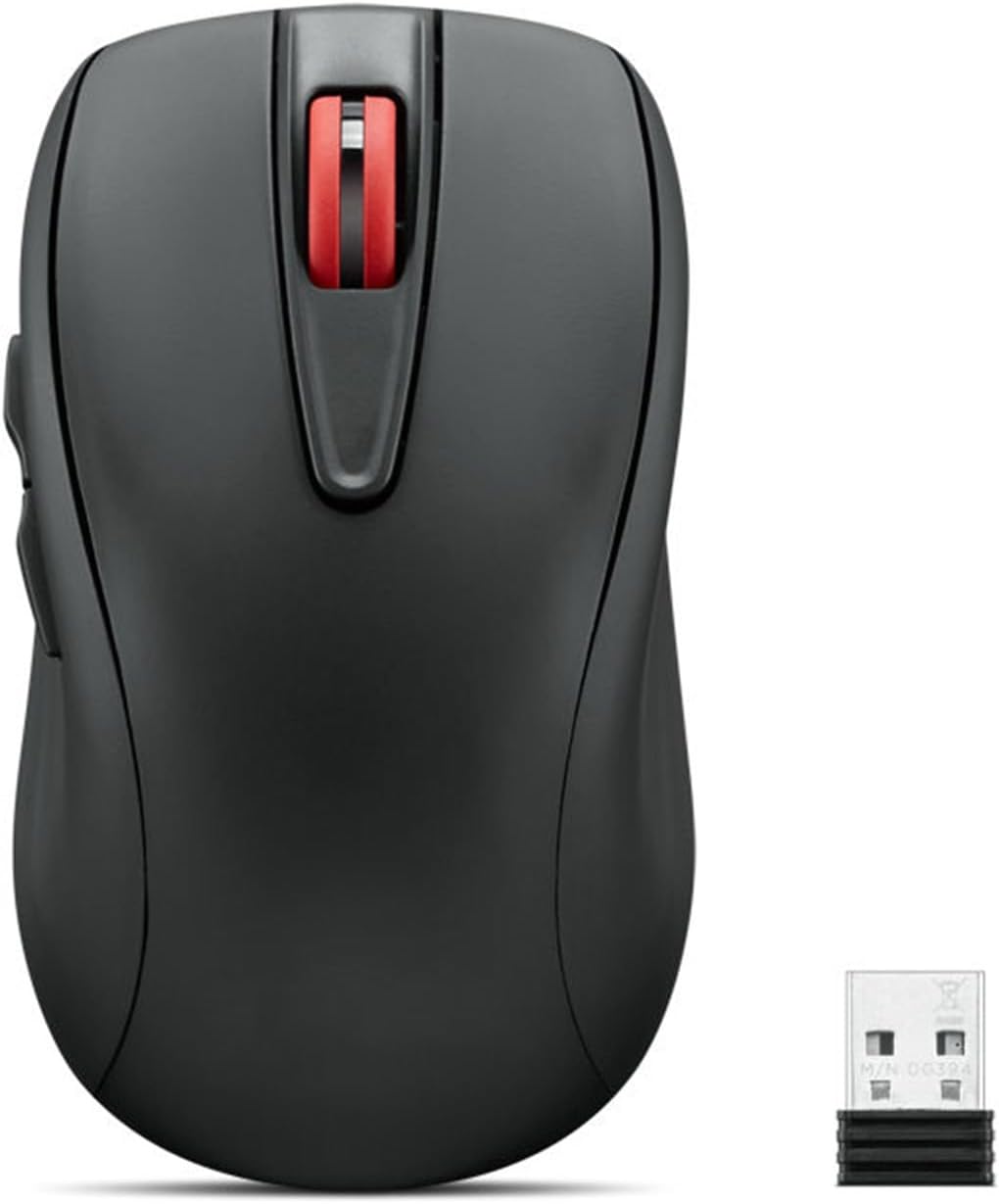
Lenovo USB-C Rechargeable Silent Mouse (WL500) - Silent Buttons, USB-C Rechargeable, Ambidextrous Grip, Adjustable DPI - Plug-and-Play 2.4G Receiver Computer Mouse (Black)
Want the best price and purchase timing?
Our AI advisor analyzes real-time pricing across all channels to find you the best deal.
AI Verdict
This is a 5-button, 1600 DPI optical mouse with silent clicks and USB-C charging, best for basic, quiet, and portable use.
This mouse is a situational fit because its silent clicks and USB-C charging are appealing for specific use cases like quiet environments or basic travel. However, its 5.3-ounce weight and lack of Bluetooth connectivity limit its appeal for those prioritizing extreme portability or multi-device versatility.
If you need more flexibility, look for mice with Bluetooth connectivity and a lower weight, ideally under 3 ounces.
Regret Score™
Medium RiskLower is better — measures purchase-regret risk from real buyer complaints, review credibility, and product maturity
Issues discovered after purchase
Critically weak dimension
Amazon rating vs actual quality
Chance this product isn't for you
Pros
- Silent left, right, and scroll wheel buttons minimize noise during use.
- Built-in 380mAh lithium battery recharges via USB-C, providing up to 45 hours of active usage.
- Ambidextrous design accommodates both left and right-handed users.
- Adjustable DPI settings (800, 1200, 1600) allow for sensitivity customization.
- Works on various surfaces including wood, leather, fabric, paper, and resin.
- Includes 5 buttons: left, right, scroll click, forward, and backward for basic navigation.
Cons
- Connectivity is limited to a 2.4G USB-A receiver; no Bluetooth option.
- At 5.3 ounces, it's heavier than many portable mice, which might feel substantial for travel.
- The maximum 1600 DPI might be too low for users needing higher precision or faster cursor movement on large displays.
- Buttons are not programmable beyond their default functions.
- The 6-month battery life claim likely refers to standby, with active use closer to 45 hours, requiring more frequent charging than some competitors.
Dimension Scores
The optical sensor with 1600 DPI is adequate for general tasks and works on multiple surfaces, but isn't high-precision for demanding work.
The ambidextrous design and full-sized comfort are suitable for most users, but the 5.3-ounce weight is on the heavier side for a portable mouse.
Connectivity is limited to a single 2.4G USB-A receiver, lacking Bluetooth for multi-device pairing or systems without a USB-A port.
Buttons are rated for 3 million clicks and the scroll wheel for 300,000 cycles, indicating reasonable durability for its price band.
Best For
- Quiet office environments or shared workspaces where click noise is a concern.
- Users needing a simple, ambidextrous mouse for basic productivity tasks.
- Travelers who prefer a wireless mouse with a storable USB-A receiver and USB-C charging.
- Budget-conscious buyers prioritizing silent operation and rechargeable convenience.
Not Recommended For
- Gamers or graphic designers requiring high DPI settings (above 1600) or advanced customization.
- Users who need multi-device connectivity via Bluetooth.
- Individuals seeking an ultra-lightweight mouse for extended portability.
Watch Out For
- The 5.3-ounce weight feels chunky for a portable mouse, making it less ideal for frequent, light travel.
- You're stuck with 2.4G wireless; there's no Bluetooth option if your device lacks a USB-A port or you prefer multi-device pairing.
- The 1600 DPI cap means it won't keep up with faster cursor demands on high-resolution monitors.
- Don't expect to customize button functions; the 5 buttons are fixed to their standard roles.
Full Specifications
| ASIN | B0CSPKHKDP |
| Brand | Lenovo |
| Color | WL500 |
| Series | Computer Mouse |
| Batteries | 1 Lithium Ion batteries required. |
| Item Weight | 5.3 ounces |
| Manufacturer | Lenovo |
| Power Source | Battery Powered |
| Special Feature | Lightweight, Portable, Soundless |
| Operating System | Windows, macOS, Linux |
| Item model number | 4Y51N41592 |
| Product Dimensions | 4.02 x 2.32 x 0.1 inches |
| Item Dimensions LxWxH | 4.02 x 2.32 x 0.1 inches |
| Connectivity Technology | USB |
| Movement Detection Technology | Optical |
| Average Battery Life (in hours) | 6 months |
What Buyers Say
The most talked-about feature for this mouse is definitely the silent clicks, which users seem to really appreciate for avoiding distractions in shared spaces. People also like that it recharges with USB-C, so you don't have to mess with disposable batteries. The ambidextrous design is a plus for wider appeal, and the adjustable DPI is there if you need to tweak sensitivity a bit. The main thing to remember is it's a 2.4G wireless-only mouse, so no Bluetooth, and it's a bit heavier than some other portable options.
“Okay, so I needed a quiet mouse for my office, and this one actually delivers on the silent clicks! USB-C charging is a lifesaver, but man, it feels a little heavy in my bag. Still, no more annoying click-clack, so I'm happy.”
Common Praise
- Silent left and right clicks, plus a quiet scroll wheel, are perfect for quiet environments.
- USB-C charging is convenient and eliminates the need for AA/AAA batteries.
- The ambidextrous shape feels comfortable for both left and right-handed users.
- The 2.4G receiver is plug-and-play and stores inside the mouse for travel.
- Adjustable DPI (800, 1200, 1600) offers flexibility for different tasks.
Common Complaints
- No Bluetooth connectivity means it's limited to devices with a USB-A port for the receiver.
- The 5.3-ounce weight is a bit much for a mouse marketed as portable.
- DPI tops out at 1600, which isn't enough for some users with large monitors or specific tasks.
- The 5 buttons aren't programmable, so you're stuck with their default functions.
Ownership Tips
- The silent clicks hold up over time, staying quiet even after weeks of use.
- Battery life is solid for daily use, but you'll still charge it every week or two if you're using it for 8+ hours a day, not really '6 months' of active use.
- The 2.4G receiver connection is stable and rarely drops, even in crowded wireless environments.
- The plastic body feels durable enough for everyday knocks and bumps, but it's not a premium feel.
- The scroll wheel has a tactile, non-slippery feel that remains consistent.
Frequently Asked Questions
Does this mouse require batteries?
No, it has a built-in 380mAh lithium battery that recharges via a USB-C port.
Is this mouse truly silent?
Yes, the left, right, and scroll wheel buttons are designed for silent operation, reducing click noise significantly.
Can I use this mouse with a Mac or Linux computer?
While not explicitly stated, most plug-and-play 2.4G USB-A mice are compatible with various operating systems, including macOS and Linux, without special drivers.
What is the maximum DPI setting?
The mouse offers three adjustable DPI levels: 800, 1200, and 1600 DPI.
Does it have Bluetooth connectivity?
No, this mouse connects wirelessly using a 2.4G USB-A receiver only.
Buying Guide
When you're looking at a mouse, you need to think about how you'll actually use it. Do you need it to be super quiet so you don't annoy your roommate? Do you hate dealing with batteries and want something rechargeable? How sensitive do you need the cursor to be on your screen? These things matter way more than just how it looks.
DPI (Dots Per Inch)
This tells you how sensitive the mouse sensor is. A higher DPI means the cursor moves further on screen with less physical mouse movement, like turning up the sensitivity on a game controller. 1600 DPI is fine for everyday tasks, but if you have a huge monitor or do precise design work, you might want more.
Connectivity (2.4G Receiver vs. Bluetooth)
2.4G uses a small USB dongle you plug into your computer, offering a direct, stable connection, like a dedicated lane on a highway. Bluetooth connects directly to your device without a dongle, like a shared road, which is handy for tablets or laptops with fewer USB ports, or if you want to switch between devices easily.
Silent Buttons
This is exactly what it sounds like: the clicks are barely audible. If you work in a quiet office, a library, or just hate the sound of clicking, this is a must-have feature. It's like having a silent keyboard – less distraction for everyone around you.
Alternatives
If this mouse doesn't quite fit, look for models with higher DPI options (2400+), multi-device Bluetooth connectivity, or a lighter weight (under 3 ounces) if portability is your top priority.
You Might Also Like

Magnetic Charging Mouse Pad 31.5x15.75, 15W Fast Wireless Charging Desk Mat, XXL Desk Pad RGB Gaming Mousepad, Home Office Large Keyboard Pad with Ultra-Smooth Surface, Non-Slip Base
$50-$99This 31.5" x 15.75" RGB desk mat with 15W magnetic phone charging and a Qi headphone charging zone is for users wanting to declutter and illuminate their workstation.

Mouse Pad Desk Mat Full Moon Desk Pad Black Red Large Mouse Pad Gaming Mousepad Extended Laptop Computer Mouse Keyboard Mat-11.8 x 31.5 in
Price range unavailableThis is a 11.8 x 31.5 inch desk mat for users needing a large, undefined surface to cover their desk, but with no available product details or user feedback.

SteelSeries QcK Gaming Mouse Pad - Small Cloth - Optimized For Gaming Sensors
A 250 x 210 x 2mm cloth pad with a non-slip rubber base, ideal for high DPI users or those with limited desk space.

SteelSeries QcK Large Gaming Mousepad — Black — Non-Slip Silicone Rubber Base — Peak Tracking and Stability — Optimized for Gaming Sensors — 490 mm x 420 mm — FPS, MOBAs, RTS, MMO
A 450 mm x 400 mm x 2 mm cloth mousepad designed for precise control in gaming, especially for budget-conscious players.