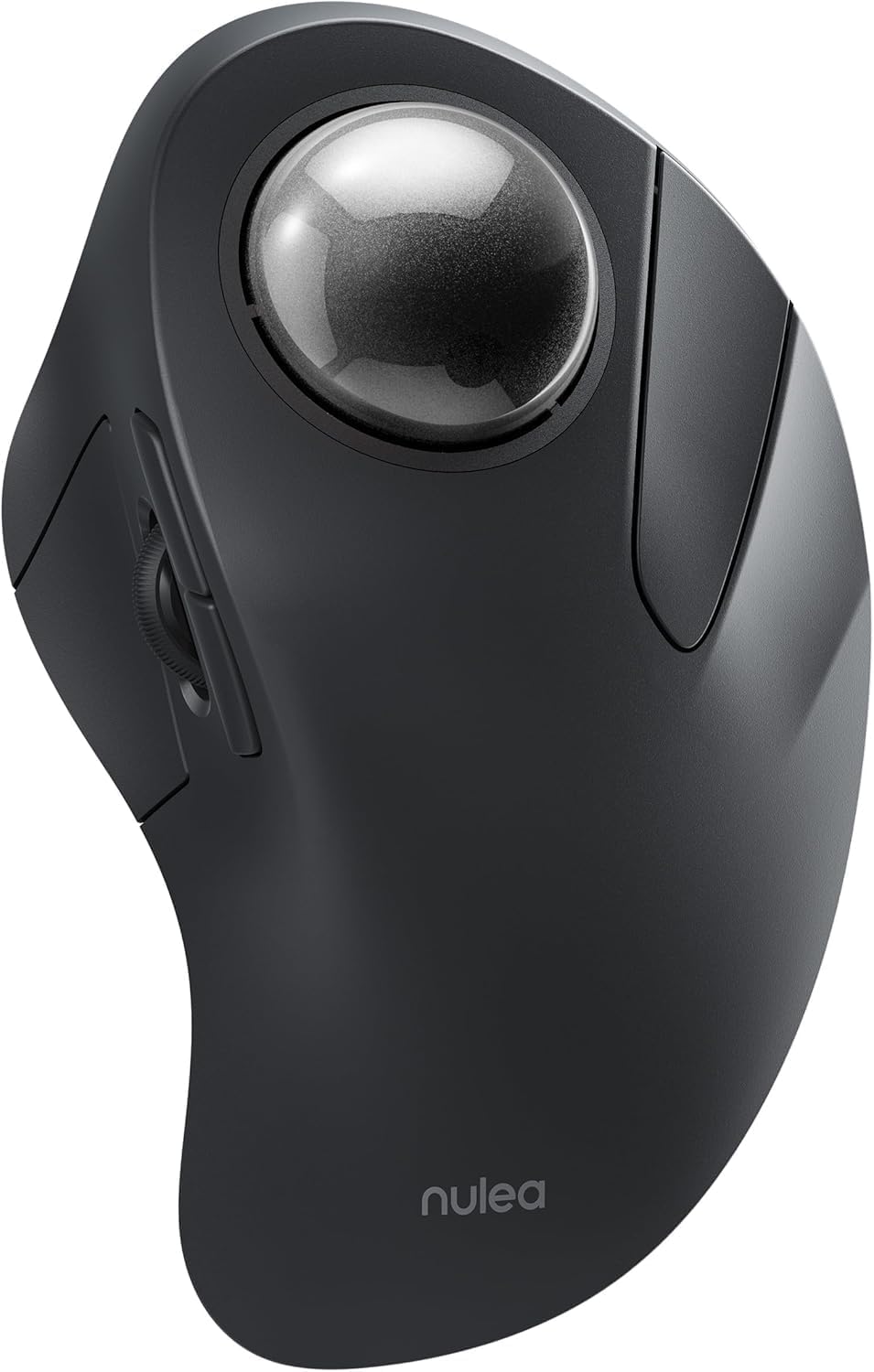
Nulea Wireless Ergonomic Trackball Mouse, Rechargeable, Bluetooth Rollerball Mouse, 44mm Index Finger Trackball, 5 Adjustable DPI, Compatible with PC, Laptop, iPad, Mac, Windows, Android
Want the best price and purchase timing?
Our AI advisor analyzes real-time pricing across all channels to find you the best deal.
AI Verdict
A 44mm index finger trackball mouse with 5 adjustable DPI, connecting via Bluetooth or USB, designed for small workspaces and multi-device users.
This trackball mouse is a situational fit, offering a 44mm index finger trackball and multi-device connectivity for up to three devices via Bluetooth or USB receiver. Its compact design and ability to operate on various surfaces make it suitable for limited workspaces. However, the non-programmable buttons and reported discomfort for larger hands limit its universal appeal.
If you need programmable buttons or a larger trackball for comfort, look for models with customizable software and a 55mm or larger ball.
Regret Score™
Medium RiskLower is better — measures purchase-regret risk from real buyer complaints, review credibility, and product maturity
Issues discovered after purchase
Critically weak dimension
Amazon rating vs actual quality
Chance this product isn't for you
Pros
- The 44mm index finger trackball provides cursor control without requiring arm movement.
- Offers 5 adjustable DPI modes (200-1600) for customizing cursor speed.
- Connects to up to 3 devices via Bluetooth or a 2.4G USB receiver, with easy switching.
- The built-in rechargeable battery offers up to 60 days of use on a single charge.
- Ergonomic design aims to reduce muscle stress and promote comfort.
- Operates effectively on various surfaces, making it suitable for small or cluttered workspaces.
Cons
- All buttons are not programmable, limiting customization options.
- Forward and backward buttons are not compatible with macOS.
- The 44mm trackball can dislodge and fall out if the mouse is moved.
- Some users report increased wrist and forearm pain after using it, contrary to its ergonomic claims.
- The mouse's body size may cause hand cramping for users with mid-sized to large hands.
Dimension Scores
Offers 5 adjustable DPI settings (200-1600) for cursor control, but some users report the sensors feel poor quality or cursor speed is too fast even after adjustment.
While marketed as ergonomic with a 44mm index finger trackball, multiple users report hand cramping and even increased wrist pain, especially for those with larger hands.
Provides versatile connectivity with both Bluetooth and a 2.4G USB receiver, allowing connection to up to three devices with easy switching.
Some users describe it as feeling lightweight, and the trackball has been reported to fall out when the mouse is moved.
Best For
- Individuals working in small or cluttered desk environments.
- Users needing to switch control between up to three different devices (PC, laptop, iPad).
- Those seeking to reduce arm movement associated with traditional mice.
Not Recommended For
- Users with mid-sized to large hands who prefer a full palm rest.
- macOS users who rely on forward/backward mouse buttons.
- Users requiring programmable buttons for specific workflows or gaming.
Watch Out For
- The 44mm trackball can dislodge and fall out if the mouse is moved while in use.
- Some users report increased wrist and forearm pain after using this trackball mouse, despite its ergonomic design.
- The mouse's body size is not sufficient for some users to rest their hand, leading to a cramped grip.
- Forward/backward buttons do not function when connected to macOS devices.
- A specific user reported that simultaneously pressing middle click and right click in a CAD program increments the DPI setting.
Full Specifications
| ASIN | B0CRGQ68KN |
| Brand | Nulea |
| Color | D-Black |
| Batteries | 1 Lithium Ion batteries required. |
| Item Weight | 6.7 ounces |
| Manufacturer | Nulea |
| Special Feature | Ergonomic Design |
| Item model number | M505 |
| Product Dimensions | 6.5 x 4.33 x 0.04 inches |
| Connectivity Technology | Bluetooth |
| Movement Detection Technology | Trackball |
What Buyers Say
Many users are drawn to this trackball mouse for its multi-device connectivity and the promise of ergonomic relief, but the actual experience is mixed. The ability to switch between three devices seamlessly is a frequently mentioned benefit. However, a recurring issue is the 44mm trackball dislodging easily, and some users find the ergonomic design causes more discomfort than traditional mice, particularly for larger hands. The lack of programmable buttons and macOS incompatibility for forward/backward functions are also noted limitations, and concerns about review authenticity have been raised for similar Nulea models.
“I thought this would save my wrist, but after a week, my hand was cramping up and the ball kept popping out when I shifted my laptop, so annoying.”
Common Praise
- Connects to up to three devices via Bluetooth or USB receiver.
- Rechargeable battery lasts up to 60 days on a single charge.
- Works well in small or cluttered spaces due to stationary operation.
- Adjustable DPI settings allow for personalized cursor speed.
- The trackball is removable for easy cleaning.
Common Complaints
- The 44mm trackball frequently falls out when the mouse is moved.
- Causes hand cramping and increased wrist pain for some users, especially those with larger hands.
- Forward and backward buttons do not function on macOS.
- All buttons are non-programmable.
- Some users perceive the build quality as lightweight or the scroll wheel as loose.
Ownership Tips
- The trackball needs occasional cleaning as dust and debris can affect tracking smoothness.
- Getting used to the index finger trackball control takes a few days to a week.
- The mouse enters a sleep mode after 30 minutes of inactivity, requiring a click to wake it up.
- The USB receiver is stored conveniently at the bottom of the mouse.
Frequently Asked Questions
How do I charge the Nulea trackball mouse?
You charge it using the included USB-C to USB-A cable. A red indicator in the scroll wheel slit shows it's charging, turning green when full.
How many devices can this mouse connect to?
It can connect to up to three devices simultaneously via Bluetooth or the 2.4G USB receiver, and you can switch between them using the mode button.
Can I customize the mouse buttons?
No, all buttons on this mouse are not programmable.
What are the DPI settings available?
The mouse offers five adjustable DPI settings: 200, 400, 800, 1200, and 1600, which can be changed with a button on the bottom.
Is the trackball removable for cleaning?
Yes, the 44mm trackball can be easily removed from the back for cleaning.
Does this mouse work with Mac computers?
Yes, it is compatible with Mac, but the forward and backward buttons will not function on macOS.
Buying Guide
When looking at trackball mice, you're trading traditional mouse movement for stationary cursor control. This means less arm movement, which can be a relief for some wrists, but it also introduces a different hand posture. Pay close attention to the trackball size and placement, as this directly impacts comfort and control for your specific hand size and finger dexterity.
DPI (Dots Per Inch)
DPI determines how fast your cursor moves across the screen relative to how much you move the trackball. A higher DPI means less physical trackball movement is needed for the cursor to travel a long distance, which can be useful on large monitors or for quick navigation.
Trackball Size and Placement (e.g., 44mm index finger)
This is crucial for comfort. A 44mm index finger trackball means you'll be using your index finger to roll the ball. If you have larger hands, a smaller ball might feel cramped or less precise, and a thumb-operated trackball might be a better fit.
Multi-device Connectivity (Bluetooth/USB Receiver)
If you use multiple computers or devices (like a laptop, desktop, and tablet), the ability to connect to several simultaneously and switch between them saves you from needing multiple mice or constantly re-pairing. Bluetooth is convenient for devices without available USB ports.
Alternatives
If this mouse doesn't fit, search for trackball mice with a larger trackball (e.g., 55mm or more) for improved comfort, or models that offer programmable buttons for custom workflows.
You Might Also Like

Magnetic Charging Mouse Pad 31.5x15.75, 15W Fast Wireless Charging Desk Mat, XXL Desk Pad RGB Gaming Mousepad, Home Office Large Keyboard Pad with Ultra-Smooth Surface, Non-Slip Base
$50-$99This 31.5" x 15.75" RGB desk mat with 15W magnetic phone charging and a Qi headphone charging zone is for users wanting to declutter and illuminate their workstation.

Mouse Pad Desk Mat Full Moon Desk Pad Black Red Large Mouse Pad Gaming Mousepad Extended Laptop Computer Mouse Keyboard Mat-11.8 x 31.5 in
Price range unavailableThis is a 11.8 x 31.5 inch desk mat for users needing a large, undefined surface to cover their desk, but with no available product details or user feedback.

SteelSeries QcK Gaming Mouse Pad - Small Cloth - Optimized For Gaming Sensors
A 250 x 210 x 2mm cloth pad with a non-slip rubber base, ideal for high DPI users or those with limited desk space.

SteelSeries QcK Large Gaming Mousepad — Black — Non-Slip Silicone Rubber Base — Peak Tracking and Stability — Optimized for Gaming Sensors — 490 mm x 420 mm — FPS, MOBAs, RTS, MMO
A 450 mm x 400 mm x 2 mm cloth mousepad designed for precise control in gaming, especially for budget-conscious players.