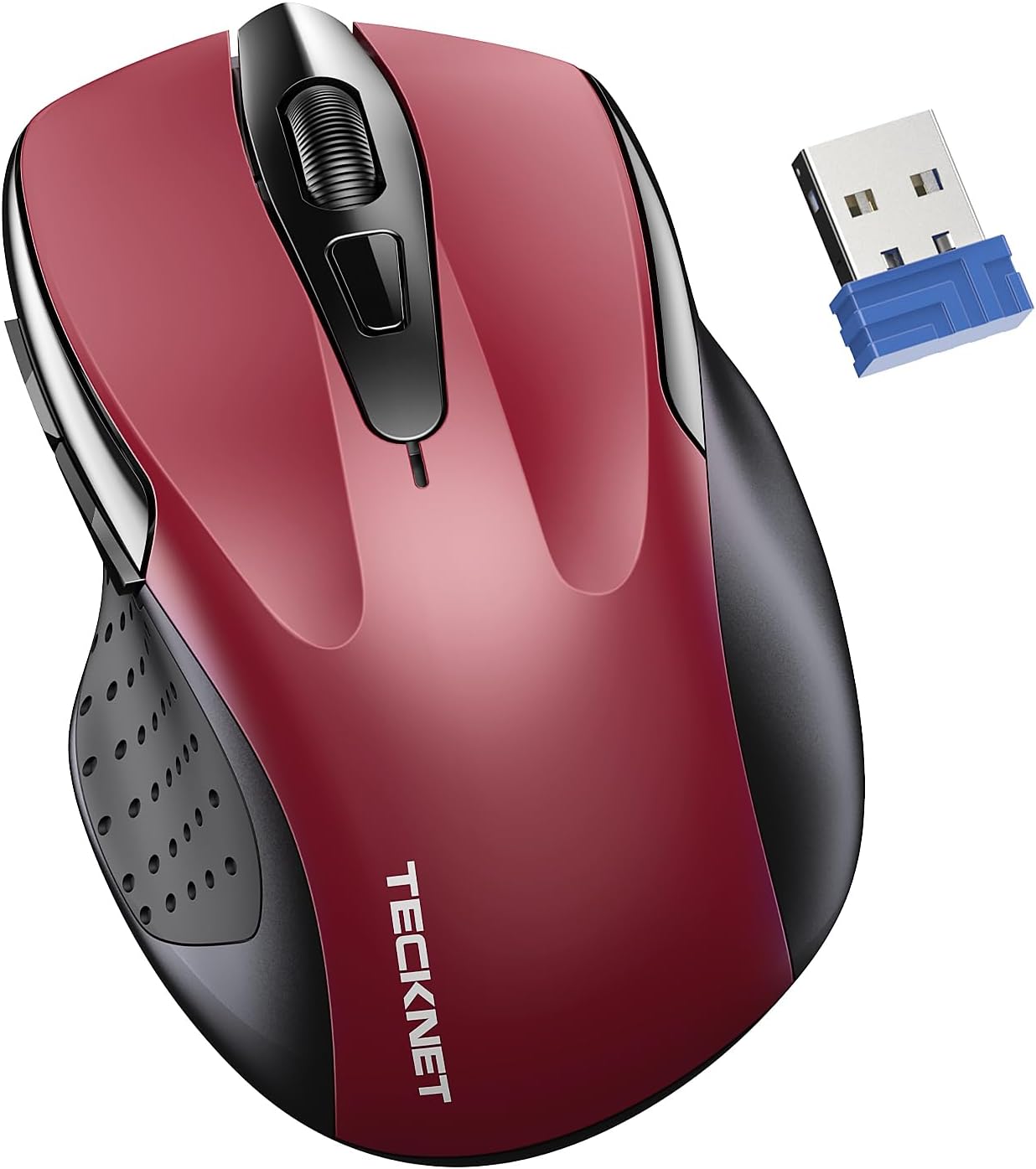
TECKNET Wireless Mouse for Laptop, Silent Mouse Quiet Click, Computer Mice Wireless, 6 Adjustable 4000 DPI Computer Mice
Want the best price and purchase timing?
Our AI advisor analyzes real-time pricing across all channels to find you the best deal.
AI Verdict
This 3.52-ounce optical mouse with 6 adjustable DPI levels up to 4000 and 2.4G wireless connectivity is for anyone needing a basic, quiet, ergonomic mouse on a tight budget.
This mouse is a situational fit because its 4000 DPI optical sensor and 2.4G wireless connection are suitable for general productivity and quiet environments. However, potential issues with click sensitivity and the need for AAA batteries make it less ideal for users with specific demands beyond basic use.
If this mouse isn't enough, look for a mouse with a higher-precision sensor (like a laser sensor), Bluetooth connectivity, and a built-in rechargeable battery.
Regret Score™
Medium RiskLower is better — measures purchase-regret risk from real buyer complaints, review credibility, and product maturity
Issues discovered after purchase
Critically weak dimension
Amazon rating vs actual quality
Chance this product isn't for you
Pros
- Silent left and right clicks prevent disturbing others in quiet environments like libraries or offices.
- Ergonomic design (4.1×2.7×1.5 in) reduces wrist fatigue during prolonged use.
- Six adjustable DPI settings (800/1200/1600/2400/3200/4000) allow sensitivity customization for different tasks.
- Plug & Play 2.4GHz wireless connection with a tiny USB receiver offers up to 49ft / 15M range.
- Advertised 24-month battery life with an automatic sleep mode after 10 minutes of inactivity.
- Wide compatibility with Windows, Vista, Linux, macOS, and various devices like laptops and PCs.
Cons
- Some users report the 'silent' clicks are still audibly louder than expected for a quiet mouse.
- The mouse can be overly sensitive, leading to accidental clicks just by resting a hand on it.
- Relies on 2 AAA batteries, which are not included, rather than a rechargeable internal battery.
- Only offers 2.4G wireless connectivity, lacking Bluetooth for broader device compatibility without a dongle.
- The optical sensor may not offer the precision or tracking consistency required for demanding tasks or gaming.
Dimension Scores
The optical sensor with 6 adjustable DPI levels up to 4000 is average for general use, but some Tecknet models have shown inconsistent click registration.
The 4.1×2.7×1.5 inch ergonomic design is specifically mentioned to reduce wrist fatigue and is comfortable for many users.
The 2.4G wireless connection is reliable up to 49ft, but the lack of Bluetooth limits versatility and requires a USB dongle.
It's a budget mouse weighing 3.52 ounces, and while some users report durability, others mention issues like accidental clicks, indicating inconsistent quality.
Best For
- Quiet office environments or shared workspaces where click noise is a concern.
- Basic daily computing tasks like web browsing, document editing, and email.
- Users seeking an ergonomic shape to reduce wrist strain during extended use.
- Travelers who need a lightweight (3.52 ounces) and compact wireless mouse.
Not Recommended For
- Competitive gamers who require precise tracking and consistent click registration.
- Users who prefer rechargeable mice or do not want to manage AAA battery replacements.
- Individuals sensitive to accidental clicks from light hand pressure.
Watch Out For
- The 'silent click' feature might not be as silent as some users expect, with reports of audible clicking noise.
- Some users experience accidental left and right clicks due to the mouse's high sensitivity, even with light hand placement.
- The 24-month battery life requires two AAA batteries, which are not included, meaning an extra purchase is needed to use it out of the box.
- The 2.4G USB receiver, while tiny, occupies a USB port, which can be a limitation on devices with few ports.
Full Specifications
| ASIN | B0CGLXBQ9F |
| Brand | TECKNET |
| Color | Red |
| Item Weight | 3.52 ounces |
| Manufacturer | TECKNET |
| Special Feature | Ergonomic Design, Wireless |
| Item model number | EWM01005RA01 |
| Product Dimensions | 4.09 x 1.88 x 0.04 inches |
| Connectivity Technology | 2.4G Connection |
| Movement Detection Technology | Optical |
What Buyers Say
The biggest surprise with this mouse is the mixed feedback on its 'silent click' feature; while advertised as quiet, some users found the clicks to be audibly louder than expected. Many users appreciate its ergonomic shape, finding it comfortable for extended use and suitable for various hand sizes. The adjustable DPI settings are a definite plus for customizing sensitivity, and the plug-and-play setup is consistently praised for its ease of use. However, a recurring complaint points to the mouse's high sensitivity, which can lead to frustrating accidental clicks. The 24-month battery life is a strong selling point, though the need for two unincluded AAA batteries is a minor inconvenience.
“Ugh, this mouse is okay for work but those accidental clicks are driving me nuts, like I just breathe on it and it clicks! And it's not even that silent, what's up with that? But hey, it was cheap.”
Common Praise
- Left and right buttons produce minimal noise, making it suitable for quiet spaces.
- The contoured shape fits comfortably in hand, reducing discomfort over long periods.
- Sensitivity can be quickly changed between 800 and 4000 DPI to match different tasks.
- Connects instantly via the tiny USB receiver without needing any software installation.
- Works well on various surfaces like wooden desks and mouse pads, maintaining responsiveness.
- Battery life is long, with some users reporting extended periods without needing replacement.
Common Complaints
- Clicks are not entirely silent and can be heard, contradicting the 'silent click' claim.
- Accidental clicks occur frequently, even with light pressure from resting a hand on the mouse.
- Requires two AAA batteries that are not included, adding an immediate extra cost.
- The 2.4G wireless connection uses a USB dongle, which can be easily lost or take up a valuable port.
- Not suitable for gaming due to potential sensor inconsistencies or click registration issues.
Ownership Tips
- The auto-sleep feature after 10 minutes of inactivity does save battery, but can cause a slight delay when waking the mouse up.
- The small size and light weight make it genuinely portable, fitting easily into laptop bags.
- The DPI switch button is conveniently placed for quick adjustments without needing software.
- The plastic construction, while lightweight, doesn't feel premium, but holds up to daily travel.
Frequently Asked Questions
Does this mouse require special drivers to work?
No, it's a Plug & Play device. You just plug the tiny USB receiver into your computer's USB port, and it should work without installing any drivers.
What type of batteries does this mouse use?
It uses two AAA batteries, which are not included in the package.
Is the clicking truly silent?
The left and right buttons are designed for silent clicking. While many users find them quiet, some report the clicking noise is still slightly audible.
Can I use this mouse with a MacBook?
Yes, it is compatible with MacBooks, as well as Windows, Vista, and Linux operating systems.
How far can I use the mouse from the USB receiver?
The 2.4GHz wireless transmission technology provides a reliable connection up to 49 feet (15 meters).
Buying Guide
When you're looking at a mouse like this, you need to think about how you'll actually use it. 'Silent click' is a big deal if you're in a quiet office, but some budget mice don't quite hit true silence. DPI, or dots per inch, tells you how sensitive the mouse is; higher numbers mean the cursor moves further with less physical mouse movement. Wireless connectivity is super convenient, but make sure it's the right type for your devices – 2.4G needs a USB dongle, while Bluetooth doesn't.
4000 DPI
DPI determines how fast your cursor moves across the screen relative to your hand movement. A 4000 DPI mouse means the cursor travels a long distance with a small hand movement, which is useful for large monitors or quick navigation, but can feel too fast for precise work if not adjusted.
Silent Click
This feature means the left and right mouse buttons make very little noise when pressed. It's important if you work in a shared space, like a library or open-plan office, where traditional mouse clicks can be distracting to others.
2.4G Connection
This is a common type of wireless connection that uses a small USB receiver (dongle) plugged into your computer. It offers a stable connection and generally low latency, but it does occupy a USB port and isn't as universally compatible as Bluetooth without the dongle.
Alternatives
If this mouse doesn't quite fit, consider searching for a wireless mouse with Bluetooth connectivity for dongle-free use, or a model with a rechargeable battery to avoid AAA replacements.
You Might Also Like

Magnetic Charging Mouse Pad 31.5x15.75, 15W Fast Wireless Charging Desk Mat, XXL Desk Pad RGB Gaming Mousepad, Home Office Large Keyboard Pad with Ultra-Smooth Surface, Non-Slip Base
$50-$99This 31.5" x 15.75" RGB desk mat with 15W magnetic phone charging and a Qi headphone charging zone is for users wanting to declutter and illuminate their workstation.

Mouse Pad Desk Mat Full Moon Desk Pad Black Red Large Mouse Pad Gaming Mousepad Extended Laptop Computer Mouse Keyboard Mat-11.8 x 31.5 in
Price range unavailableThis is a 11.8 x 31.5 inch desk mat for users needing a large, undefined surface to cover their desk, but with no available product details or user feedback.

SteelSeries QcK Gaming Mouse Pad - Small Cloth - Optimized For Gaming Sensors
A 250 x 210 x 2mm cloth pad with a non-slip rubber base, ideal for high DPI users or those with limited desk space.

SteelSeries QcK Large Gaming Mousepad — Black — Non-Slip Silicone Rubber Base — Peak Tracking and Stability — Optimized for Gaming Sensors — 490 mm x 420 mm — FPS, MOBAs, RTS, MMO
A 450 mm x 400 mm x 2 mm cloth mousepad designed for precise control in gaming, especially for budget-conscious players.