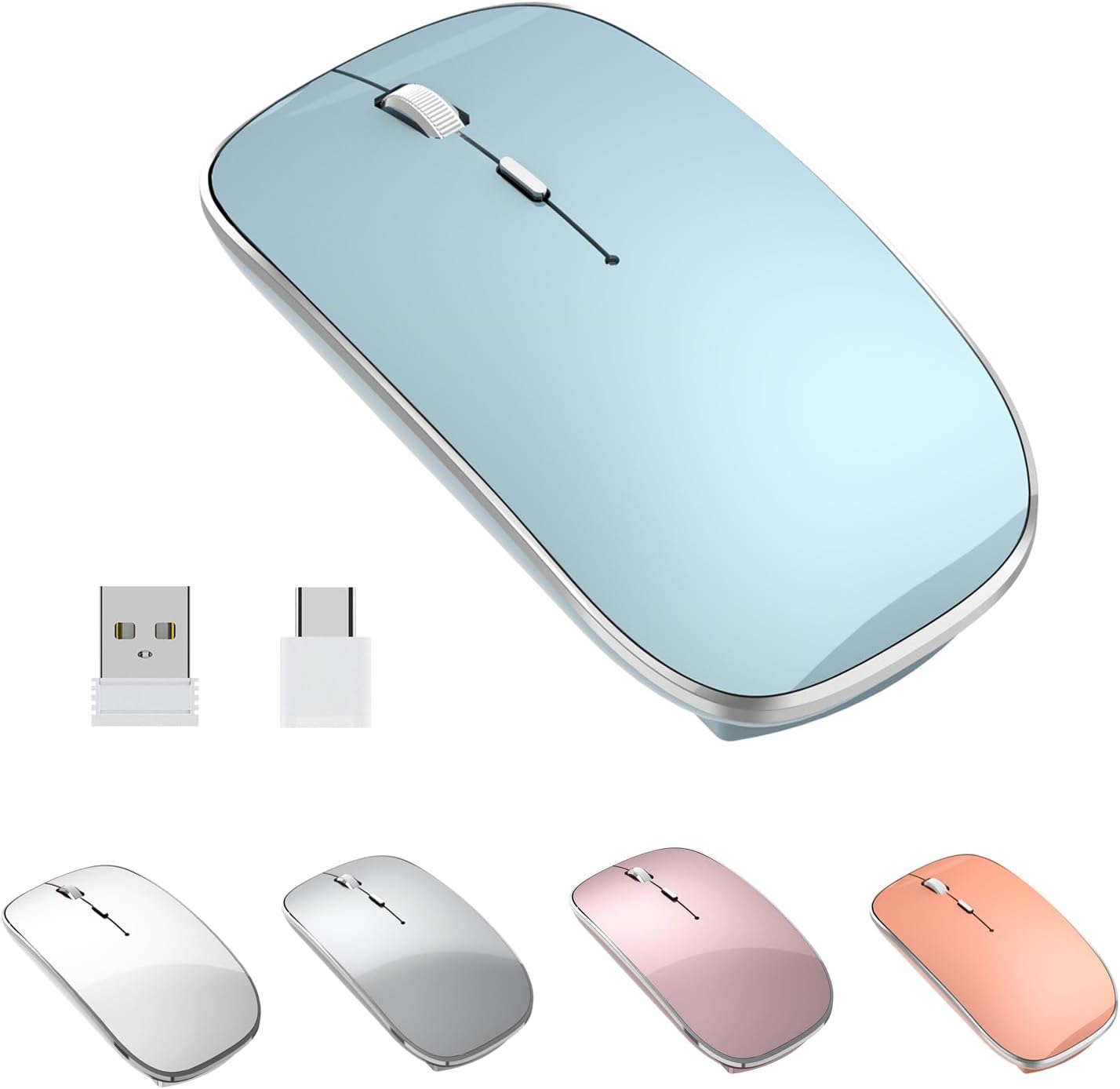
Wireless Mouse Chargeable Portable Silent USB and Type-C Dual Mode Wireless Mouse 3 Adjustable DPI for Laptop, Mac, Mac, Android, PC (Q23S Black) (Blue)
Want the best price and purchase timing?
Our AI advisor analyzes real-time pricing across all channels to find you the best deal.
AI Verdict
This is a 3.17-ounce optical wireless mouse with dual 2.4G USB-A and Type-C dongle connectivity, 1600 DPI, and silent clicks, ideal for basic productivity on a budget.
This mouse is a situational fit because its dual 2.4G USB-A and Type-C dongle connectivity is genuinely useful for mixed-device setups, and the silent clicks are a plus for shared spaces. However, the 1600 DPI optical sensor and 15-20 day battery life are distinctly budget-tier, making it less suitable for demanding users.
If 1600 DPI feels too low or you need Bluetooth, look for mice with 2400+ DPI and multi-device Bluetooth/2.4G options.
Regret Score™
Low RiskLower is better — measures purchase-regret risk from real buyer complaints, review credibility, and product maturity
Issues discovered after purchase
Critically weak dimension
Amazon rating vs actual quality
Chance this product isn't for you
Pros
- Connects via both USB-A and Type-C 2.4G dongles, offering broad compatibility with laptops, PCs, and Android devices.
- Features a 450mAh rechargeable battery, providing approximately 15-20 days of use on a 2-hour charge.
- Offers 3 adjustable DPI settings (1000/1200/1600 DPI) for varied screen sizes and tasks.
- Mute click buttons reduce noise by 90%, promoting a quieter work environment.
- Lightweight design, weighing 3.17 ounces, makes it easy to carry.
- Includes a 45-day money-back guarantee and a 12-month manufacturer's warranty.
Cons
- Lacks Bluetooth connectivity, relying solely on 2.4G dongles for wireless operation.
- Maximum DPI of 1600 is lower than many modern mice, potentially limiting precision for detailed work.
- The 15-20 day battery life, while rechargeable, requires more frequent charging than some higher-end wireless mice.
- No mention of ergonomic shaping beyond 'comfort touch', suggesting a standard, ambidextrous design without specific contouring.
Dimension Scores
The optical sensor with a maximum of 1600 DPI is standard for basic use but not exceptional for precision tasks.
Users report it is 'very comfortable to use' and 'lightweight' (3.17 ounces), but there are no specific ergonomic contours mentioned beyond 'comfort touch'.
The inclusion of both USB-A and Type-C 2.4G dongles offers broad compatibility, though the lack of Bluetooth is a limitation for some setups.
Described as 'lightweight' and 'good quality' in a video review, but without specific materials or durability claims, it appears to be average for its budget price band.
Best For
- Users with devices that have both USB-A and Type-C ports who need flexible connectivity without Bluetooth.
- Quiet office or study environments where click noise is a concern.
- Basic productivity tasks on laptops, desktops, or Android tablets.
- Travelers needing a lightweight (3.17 ounces) and portable mouse.
Not Recommended For
- Gamers or users requiring high precision and DPI settings above 1600.
- Users who prefer Bluetooth connectivity to avoid dongles.
- Anyone needing advanced ergonomic features for extended, intensive use.
Watch Out For
- The battery life of 15-20 days means you'll be charging it every couple of weeks, which can be annoying if you forget.
- Some users might find the maximum 1600 DPI limiting for larger high-resolution displays or tasks requiring fine cursor control.
- While it has dual dongles, the absence of Bluetooth means you're always using up a USB port, which can be a problem on port-limited devices.
Full Specifications
| ASIN | B09G3BSTVK |
| Brand | Halpilt |
| Color | blue |
| Batteries | 1 Lithium Polymer batteries required. (included) |
| Item Weight | 3.17 ounces |
| Manufacturer | Halpilt |
| Special Feature | Wireless |
| Item model number | Q23S |
| Product Dimensions | 4.45 x 2.36 x 1.02 inches |
| Connectivity Technology | Wireless2.4G |
| Movement Detection Technology | Optical |
What Buyers Say
What really stands out is how many people appreciate the dual USB-A and Type-C dongles, making it super easy to switch between different devices without hunting for adapters. The silent clicks are a big win for anyone working in a shared space, and it's light enough to just toss in your bag. The rechargeable battery is convenient, but you'll definitely be plugging it in more often than some other wireless mice. It's not going to blow your mind with super high DPI, but for everyday stuff, it gets the job done without fuss.
“Okay, so I needed a mouse for my new laptop with only USB-C and my old desktop, and this thing actually works with both! The clicks are SO quiet, my roommate hasn't complained once. Battery lasts a couple weeks, which is fine, just wish it was longer. For the price, seriously, it's a no-brainer.”
Common Praise
- The dual USB-A and Type-C dongles make it easy to connect to various devices.
- The silent click buttons are effective at reducing noise by 90%.
- It's lightweight and portable, making it convenient for travel.
- The rechargeable battery means no more buying AAAs.
- It operates smoothly for general computing tasks.
Common Complaints
- The 15-20 day battery life means more frequent charging than some users might prefer.
- The maximum 1600 DPI is not enough for high-precision work or large monitors.
- Lacks Bluetooth, so it always occupies a USB port with a dongle.
- Some users might find the overall feel less premium compared to higher-priced alternatives.
Ownership Tips
- The small size and light weight make it easy to forget it's even in your bag.
- The dual dongle setup is genuinely handy for switching between a work laptop and a personal tablet.
- You'll quickly get into a routine of charging it every other weekend to avoid it dying mid-task.
- The silent clicks are a subtle but significant improvement for late-night work sessions.
- The DPI button is useful for quickly adjusting sensitivity if you switch between different screen sizes.
Frequently Asked Questions
Does this mouse use Bluetooth?
No, this mouse connects wirelessly using 2.4G dongles for both USB-A and Type-C ports. It does not have Bluetooth connectivity.
How long does the battery last on a single charge?
The built-in 450mAh rechargeable battery provides approximately 15-20 days of use after a 2-hour charge.
Is this mouse compatible with Mac computers?
Yes, it is compatible with Mac OS 10, as well as Windows XP/7/8/10, Android systems, laptops, and PCs.
Are the clicks truly silent?
The mute click feature reduces button noise by 90%, aiming to provide a quiet user experience.
What DPI settings are available?
You can cycle through 3 adjustable DPI levels: 1000, 1200, and 1600 DPI.
Buying Guide
When you're looking at a wireless mouse, you really need to think about how you'll connect it and what you'll be doing. This one uses little USB dongles, one for regular USB-A ports and one for the newer USB-C ports. That's great if your devices have those, but it won't connect directly via Bluetooth like some others. Also, the DPI number tells you how sensitive the mouse is; a higher number means the cursor moves further with less physical mouse movement. For basic stuff, 1600 DPI is usually fine, but if you're editing photos or gaming, you might want more.
DPI (Dots Per Inch)
Think of DPI like the sensitivity setting on your phone's touchscreen. A higher DPI means your mouse cursor moves further across the screen with a smaller physical movement of the mouse. This mouse has 1000, 1200, and 1600 DPI settings, which is enough for everyday tasks but might feel slow on a very large or high-resolution monitor.
Connectivity (2.4G Wireless)
This refers to how the mouse talks to your computer. '2.4G Wireless' means it uses a small USB dongle that plugs into your computer's USB port. It's usually very responsive and reliable, but it means you'll always have a dongle taking up a port. This mouse is cool because it gives you both a USB-A and a USB-C dongle, so it works with older and newer computers.
Rechargeable Battery
Instead of needing disposable AA or AAA batteries, this mouse has a built-in battery you charge with a USB cable, just like your phone. It's more convenient and eco-friendly, but you'll need to remember to plug it in every 15-20 days or so to keep it going.
Alternatives
If you need more precision or faster response, look for mice with 2400+ DPI and higher polling rates; if you want to save USB ports, search for mice with Bluetooth connectivity.
You Might Also Like

Magnetic Charging Mouse Pad 31.5x15.75, 15W Fast Wireless Charging Desk Mat, XXL Desk Pad RGB Gaming Mousepad, Home Office Large Keyboard Pad with Ultra-Smooth Surface, Non-Slip Base
$50-$99This 31.5" x 15.75" RGB desk mat with 15W magnetic phone charging and a Qi headphone charging zone is for users wanting to declutter and illuminate their workstation.

Mouse Pad Desk Mat Full Moon Desk Pad Black Red Large Mouse Pad Gaming Mousepad Extended Laptop Computer Mouse Keyboard Mat-11.8 x 31.5 in
Price range unavailableThis is a 11.8 x 31.5 inch desk mat for users needing a large, undefined surface to cover their desk, but with no available product details or user feedback.

SteelSeries QcK Gaming Mouse Pad - Small Cloth - Optimized For Gaming Sensors
A 250 x 210 x 2mm cloth pad with a non-slip rubber base, ideal for high DPI users or those with limited desk space.

SteelSeries QcK Large Gaming Mousepad — Black — Non-Slip Silicone Rubber Base — Peak Tracking and Stability — Optimized for Gaming Sensors — 490 mm x 420 mm — FPS, MOBAs, RTS, MMO
A 450 mm x 400 mm x 2 mm cloth mousepad designed for precise control in gaming, especially for budget-conscious players.