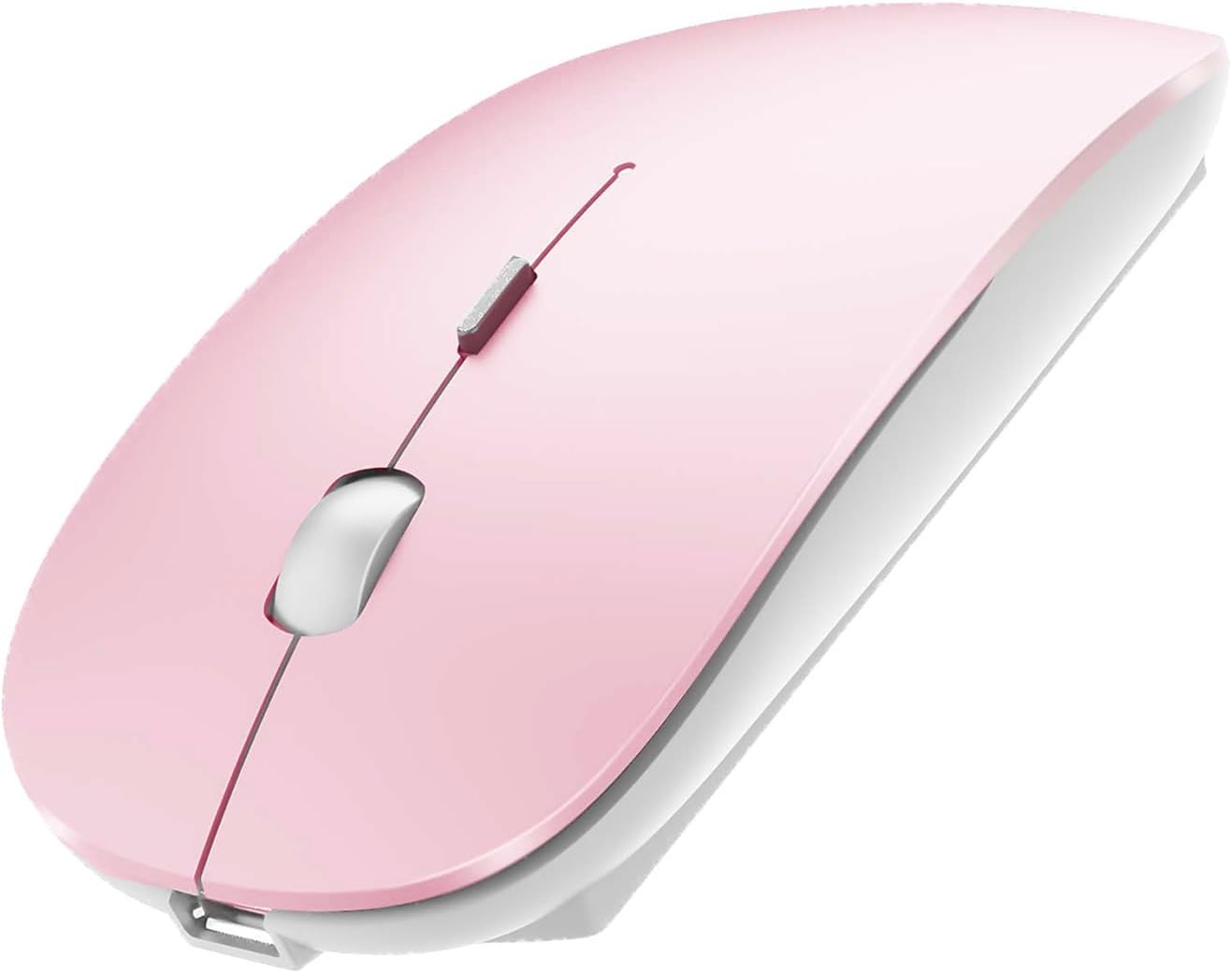
PEIBO Bluetooth Wireless Mouse for Laptop mac MacBook ipad MacBook air MacBook pro pc Desktop Computer Windows Chromebook Notebook (Jelly Pink)
Want the best price and purchase timing?
Our AI advisor analyzes real-time pricing across all channels to find you the best deal.
AI Verdict
This budget optical mouse offers dual-mode Bluetooth 5.2/3.0 and 2.4G USB-A/USB-C connectivity, but users report inconsistent battery life and connection stability.
This mouse is a situational fit because its broad connectivity options (Bluetooth 5.2/3.0, 2.4G USB-A/USB-C) make it compatible with almost any device. However, reported issues with battery degradation and connection stability mean it's not a reliable daily driver for demanding users.
If consistent connectivity and long-term battery performance are critical, look for mice with a proven track record of stable Bluetooth connections and a more robust battery, often indicated by a higher price point and brand reputation.
Regret Score™
Medium RiskLower is better — measures purchase-regret risk from real buyer complaints, review credibility, and product maturity
Issues discovered after purchase
Critically weak dimension
Amazon rating vs actual quality
Chance this product isn't for you
Pros
- Connects via Bluetooth 5.2, Bluetooth 3.0, or 2.4G USB receiver with a USB-C adapter, supporting a wide range of devices including iPadOS, macOS, Windows, UNIX, Linux, and Chrome OS.
- Features a built-in rechargeable battery, eliminating the need for disposable AAA batteries.
- Includes an auto energy-saving sleep mode, activating after eight minutes of inactivity to conserve power.
- The mouse has a mute design, resulting in quiet clicks.
- Its portable and pocket-sized design makes it suitable for travel.
Cons
- Users report the built-in battery's life degrades significantly after a couple of years.
- The mouse frequently disconnects at inconvenient times, causing productivity interruptions.
- It uses a Micro USB port for charging, which is an older standard compared to USB-C.
- The mouse can experience random freezing and glitching during use.
- The scroll wheel's placement and the mouse's shape may be awkward for users with normal-sized hands.
- There is no clear battery indicator, making it difficult to know when the mouse needs charging.
Dimension Scores
The optical sensor is basic, and users report random freezing and glitching, indicating inconsistent tracking performance.
While advertised as ergonomic with a 'skin-like touch feeling', users with normal-sized hands find the shape odd and the scroll wheel placement awkward.
The mouse offers versatile dual-mode Bluetooth 5.2/3.0 and 2.4G USB-A/USB-C connectivity, but frequent disconnections prevent a higher score.
The use of an outdated Micro USB port and reports of rapid battery degradation suggest compromises in material and component quality.
Best For
- Users needing a mouse compatible with multiple operating systems and connection types (Bluetooth and 2.4G).
- Individuals who prioritize a quiet clicking experience for shared workspaces.
- Travelers looking for a compact, portable mouse with a built-in rechargeable battery.
- Budget-conscious buyers who need basic mouse functionality without advanced features.
Not Recommended For
- Users who require consistent, uninterrupted connectivity for critical tasks.
- Anyone with normal-sized hands sensitive to ergonomic design, due to reported awkward shape and scroll wheel placement.
- Users who prefer modern USB-C charging for all their devices.
Watch Out For
- The built-in battery's lifespan reportedly diminishes quickly, becoming a 'ticking time bomb' after two years.
- Connectivity issues are frequent, with the mouse tending to disconnect at 'the worst possible moments'.
- The mouse freezes and glitches randomly, interrupting workflow.
- Charging is via an outdated Micro USB port.
- There is no visible battery indicator, leaving users guessing about remaining charge.
Full Specifications
| ASIN | B08YQMZ45G |
| Brand | PEIBO |
| Color | Jelly PINK |
| Batteries | 1 Lithium Polymer batteries required. (included) |
| Item Weight | 3.36 ounces |
| Manufacturer | PEIBO |
| Special Feature | Bluetooth Wireless USB/USB C Adapter |
| Item model number | 2 |
| Product Dimensions | 4.72 x 1.57 x 1.18 inches |
| Connectivity Technology | Bluetooth Wireless USB/USB C Adapter |
| Movement Detection Technology | Optical |
What Buyers Say
The most surprising feedback is the widespread complaint about the built-in battery's rapid degradation, with users calling it a 'ticking time bomb' after just two years. Many buyers also struggle with frequent disconnections and random freezing, which severely impacts usability. While the dual-mode connectivity is a selling point, its execution is hampered by these reliability issues. The mouse's shape and the Micro USB charging port are also common points of frustration.
“Honestly, this mouse is a headache. It disconnects all the time, the battery dies super fast after a year, and why is it still micro USB?! Just save your money for something that actually works when you need it.”
Common Praise
- Easy to pair with multiple devices like iPhone XS Max, iPad, and MacBook.
- Connects fast and easily.
- The dual-mode connectivity (Bluetooth and 2.4G) is convenient for switching between devices.
- The mute design makes for quiet clicks.
Common Complaints
- Battery life significantly shortens after about two years of use.
- The mouse disconnects randomly and frequently.
- It uses an outdated Micro USB port for charging instead of USB-C.
- The mouse experiences freezing and glitching during operation.
- The shape is described as 'odd' and the scroll wheel placement can be awkward for average hands.
- There is no clear indicator for the battery level.
Ownership Tips
- The 'ergonomic design' feels more like a marketing term; the shape is actually pretty weird and can cause hand cramps after extended use.
- You'll constantly be wondering if it's charged because there's no battery indicator, and it just dies without warning.
- The quiet clicks are nice, but sometimes you can't even tell if you've clicked because there's no tactile feedback.
- Switching between Bluetooth and 2.4G modes works, but the Bluetooth connection is the one that constantly drops.
- The 'Jelly Pink' color is cute, but that's about the only consistent positive.
Frequently Asked Questions
What types of devices can this mouse connect to?
It can connect to a wide range of devices including those running iPadOS, macOS, Windows (7/8/10/11), UNIX, Linux, and Chrome OS, using either Bluetooth 5.2, Bluetooth 3.0, or a 2.4G USB receiver with a USB-C adapter.
How do I charge the mouse?
The mouse has a built-in battery and charges via a Micro USB cable. Ensure the power switch is in the 'ON' position while charging.
Does this mouse require disposable batteries?
No, it features a built-in rechargeable battery, so you don't need to buy extra AAA batteries.
What happens if I don't use the mouse for a while?
If left unused for eight minutes, the mouse enters an auto energy-saving sleep mode. You can wake it up by pressing any button.
Is the clicking sound loud?
The mouse features a mute design, making the clicking sound quieter than many standard mice.
Buying Guide
When you're looking for a mouse, think about how you'll connect it and how long you need it to last. Bluetooth is convenient for dongle-free setups, but sometimes it's less stable than a 2.4G wireless connection with a USB receiver. Battery type matters too; rechargeable is eco-friendly, but check reviews for how long that battery actually holds up over time. Don't just trust 'ergonomic' claims; look for specific details about shape and size that match your hand.
Connectivity (Bluetooth 5.2 + 3.0 + 2.4G USB Receiver + USB C adapter)
This tells you how the mouse talks to your computer. Bluetooth means no extra dongle needed if your device has Bluetooth, which is great for tablets and thin laptops. The 2.4G receiver is a small USB stick that plugs in and usually offers a more stable connection. Having both, plus a USB-C adapter, means this mouse can connect to almost anything, from older PCs to new MacBooks and iPads.
Built-in Battery / Micro USB Charging
A built-in battery means you don't have to buy AA or AAA batteries, which is convenient and saves money. However, 'Micro USB' for charging is an older port type. Most new devices use USB-C, so you might need to carry an extra cable just for this mouse.
Ergonomic Design
This refers to how comfortable the mouse is to hold and use for long periods. A truly ergonomic design reduces strain on your wrist and hand. When a mouse is described as 'ergonomic' but users report an 'odd shape' or 'awkward scroll wheel', it means the design might not fit a wide range of hand sizes or typical usage patterns, potentially leading to discomfort.
Alternatives
If this mouse doesn't cut it, look for models with USB-C charging, a more conventional ergonomic shape, and user reviews that specifically praise consistent Bluetooth stability and long-term battery performance.
You Might Also Like

Magnetic Charging Mouse Pad 31.5x15.75, 15W Fast Wireless Charging Desk Mat, XXL Desk Pad RGB Gaming Mousepad, Home Office Large Keyboard Pad with Ultra-Smooth Surface, Non-Slip Base
$50-$99This 31.5" x 15.75" RGB desk mat with 15W magnetic phone charging and a Qi headphone charging zone is for users wanting to declutter and illuminate their workstation.

Mouse Pad Desk Mat Full Moon Desk Pad Black Red Large Mouse Pad Gaming Mousepad Extended Laptop Computer Mouse Keyboard Mat-11.8 x 31.5 in
Price range unavailableThis is a 11.8 x 31.5 inch desk mat for users needing a large, undefined surface to cover their desk, but with no available product details or user feedback.

SteelSeries QcK Gaming Mouse Pad - Small Cloth - Optimized For Gaming Sensors
A 250 x 210 x 2mm cloth pad with a non-slip rubber base, ideal for high DPI users or those with limited desk space.

SteelSeries QcK Large Gaming Mousepad — Black — Non-Slip Silicone Rubber Base — Peak Tracking and Stability — Optimized for Gaming Sensors — 490 mm x 420 mm — FPS, MOBAs, RTS, MMO
A 450 mm x 400 mm x 2 mm cloth mousepad designed for precise control in gaming, especially for budget-conscious players.