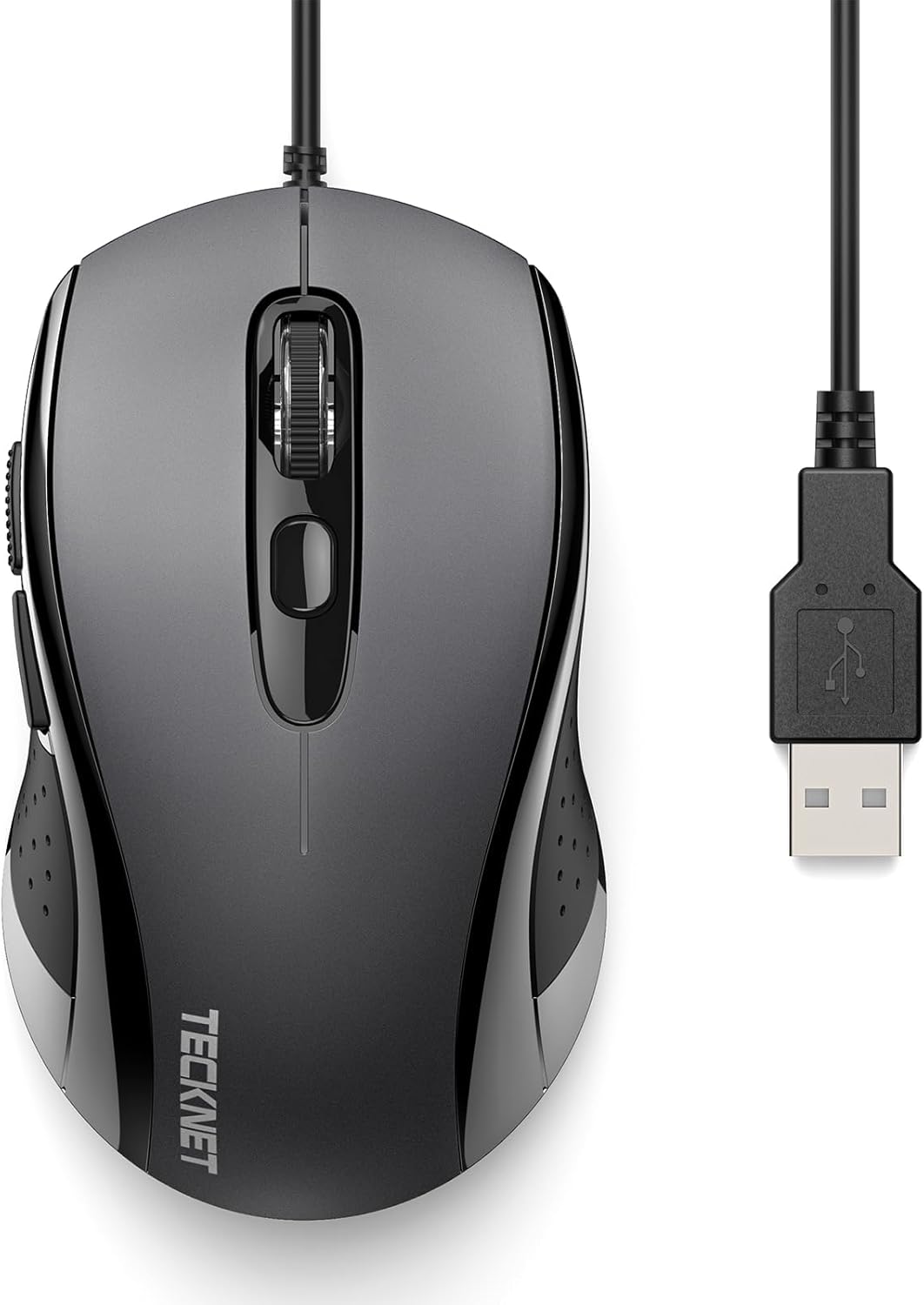
TECKNET USB-A Wired Mouse for Laptop Computer with 6-Button,Home and Office 5FT Corded Mouse, 3600DPI Ergo-Optic Shape PC Mouse Wired for Chromebook,PC,Desktop,Notebook- Grey
Want the best price and purchase timing?
Our AI advisor analyzes real-time pricing across all channels to find you the best deal.
AI Verdict
A 2.26-ounce, 6-button wired optical mouse with 3600 DPI and a 5-foot cord for basic home and office use.
This 2.26-ounce wired optical mouse with 3600 DPI and 6 buttons is a practical choice for basic computing tasks, especially for users with smaller to medium hands who need a reliable, plug-and-play option. Its 5-foot cord ensures a stable connection, but the lack of DPI indication and potentially loud scroll wheel are compromises.
If you need more precise DPI control with visual feedback or a quieter scroll, look for mice that explicitly state these features.
Regret Score™
Medium RiskLower is better — measures purchase-regret risk from real buyer complaints, review credibility, and product maturity
Issues discovered after purchase
Critically weak dimension
Amazon rating vs actual quality
Chance this product isn't for you
Pros
- Four adjustable DPI settings (1200/1800/2400/3600) allow for varied cursor speed.
- Includes six buttons, with two side buttons for browser navigation.
- Contoured, ergonomic shape with a thumb rest is designed to distribute palm pressure.
- The 5-foot USB-A cable provides a stable, lag-free connection.
- Offers plug-and-play compatibility with Windows and Chromebooks without needing drivers.
- Backed by a 3-year warranty and lifetime support [Product Data].
Cons
- The scroll wheel can produce audible noise during use.
- Side buttons are described as small.
- There is no visual indicator for the currently active DPI setting.
- Users with larger hands may find the mouse body too small.
Dimension Scores
The optical sensor with 3600 DPI is average for basic tasks, but some Tecknet models have reported 'noticeable acceleration'.
It features a contoured shape, thumb rest, and rubber grip, but some users with larger hands find it too small.
A 5-foot wired USB-A connection provides stable, lag-free performance and plug-and-play ease.
As a budget mouse with a 3-year warranty, specific complaints about a loud scroll wheel suggest average component quality [Product Data, cite: 3].
Best For
- Users needing a basic, functional wired mouse for office tasks.
- Students using Chromebooks or laptops for schoolwork.
- Anyone prioritizing a 5-foot wired connection over wireless convenience.
- Users with smaller to medium-sized hands seeking an ergonomic shape.
Not Recommended For
- Users with large hands.
- Gamers requiring high precision sensors or advanced features.
- Users who prefer wireless connectivity.
- Mac users who need full functionality of side buttons.
Watch Out For
- The scroll wheel produces audible noise during use.
- Side buttons are described as small, potentially hindering quick access.
- No visual feedback indicates which of the four DPI settings (1200/1800/2400/3600) is currently active.
- Users with larger hands may find the 2.26-ounce mouse body too small for comfortable extended use.
Full Specifications
| ASIN | B08QZBY6Z2 |
| Brand | TECKNET |
| Color | Grey |
| Department | All Ages, Unisex |
| Item Weight | 2.26 ounces |
| Manufacturer | TECKNET |
| Special Feature | 4 Adjustable DPI, 6 Efficient Buttons, Ergonomic Mice, Great for Home and Office, USB Wired Mouse |
| Item model number | TK-1888 |
| Product Dimensions | 4.25 x 2.48 x 1.54 inches |
| Connectivity Technology | Wired |
| Movement Detection Technology | Optical |
What Buyers Say
Many users appreciate the comfortable, contoured shape and the convenience of the 5-foot wired connection, especially for office and school tasks. The adjustable DPI settings are also frequently mentioned as a plus for adapting to different work needs. However, recurring feedback points to a loud scroll wheel and the lack of a visual indicator for the active DPI setting as minor annoyances. Some users with larger hands also report the mouse feels too small.
“It's cheap and it works, but man, that scroll wheel is noisy, and I wish I knew what DPI I was on without guessing, my hand cramps a bit after a few hours if I'm really working.”
Common Praise
- Contoured shape and thumb rest provide comfort for extended use.
- Four adjustable DPI settings (1200/1800/2400/3600) allow for cursor speed changes.
- The 5-foot cord ensures a stable, lag-free connection.
- Plug-and-play functionality works immediately without software installation.
- Side buttons are useful for browser navigation.
Common Complaints
- The scroll wheel makes an audible noise during operation.
- No visual indicator shows which of the four DPI settings is currently selected.
- Side buttons are small.
- Users with larger hands report the mouse feels too small.
Ownership Tips
- The 5-foot cord is long enough for most desktop setups, preventing accidental disconnections.
- The DPI button is useful for quick adjustments, but you'll need to remember your preferred settings.
- The ergonomic shape does help with palm pressure, but it's not a one-size-fits-all solution for hand size.
- The side buttons, while small, become intuitive for back/forward navigation over time.
Frequently Asked Questions
Does this mouse work with Mac computers?
Yes, it works with Mac, but the two side buttons for forward/back navigation may not function.
How long is the cord?
The mouse has a 5-foot (1.5m) USB-A cord.
Can I adjust the DPI?
Yes, it has a dedicated button to cycle through four DPI settings: 1200, 1800, 2400, and 3600.
Is it truly ergonomic?
It features a contoured shape with a convex arc design and thumb rest intended to reduce hand fatigue during extended use.
Does it require drivers?
No, it's plug-and-play compatible with Windows and Chromebooks, meaning no drivers are needed.
Buying Guide
When picking a mouse, think about how it feels in your hand for hours, not just minutes. Wired mice like this one skip battery worries and connection drops, but you're tethered by the cord length. DPI isn't just for gaming; higher numbers mean less physical mouse movement for the same cursor travel, which can reduce wrist strain.
DPI (Dots Per Inch)
This number tells you how sensitive the mouse is. A higher DPI means the cursor moves further on screen with a smaller physical movement of the mouse. For detailed work, you might want lower DPI for precision, while for browsing large screens, higher DPI can be faster.
Ergonomic Shape
This refers to how the mouse is designed to fit your hand naturally. A well-designed ergonomic mouse reduces strain on your wrist and fingers, making it more comfortable to use for long periods, like holding a perfectly shaped tool.
Wired Connectivity
A wired mouse connects directly to your computer via a USB cable. This means no batteries to charge or replace, and a consistent, lag-free connection, unlike some wireless mice that can occasionally drop out or have input delay.
Alternatives
If this mouse doesn't fit, look for models with visual DPI indicators, quieter scroll wheels, or larger dimensions for bigger hands.
You Might Also Like

Magnetic Charging Mouse Pad 31.5x15.75, 15W Fast Wireless Charging Desk Mat, XXL Desk Pad RGB Gaming Mousepad, Home Office Large Keyboard Pad with Ultra-Smooth Surface, Non-Slip Base
$50-$99This 31.5" x 15.75" RGB desk mat with 15W magnetic phone charging and a Qi headphone charging zone is for users wanting to declutter and illuminate their workstation.

Mouse Pad Desk Mat Full Moon Desk Pad Black Red Large Mouse Pad Gaming Mousepad Extended Laptop Computer Mouse Keyboard Mat-11.8 x 31.5 in
Price range unavailableThis is a 11.8 x 31.5 inch desk mat for users needing a large, undefined surface to cover their desk, but with no available product details or user feedback.

SteelSeries QcK Gaming Mouse Pad - Small Cloth - Optimized For Gaming Sensors
A 250 x 210 x 2mm cloth pad with a non-slip rubber base, ideal for high DPI users or those with limited desk space.

SteelSeries QcK Large Gaming Mousepad — Black — Non-Slip Silicone Rubber Base — Peak Tracking and Stability — Optimized for Gaming Sensors — 490 mm x 420 mm — FPS, MOBAs, RTS, MMO
A 450 mm x 400 mm x 2 mm cloth mousepad designed for precise control in gaming, especially for budget-conscious players.