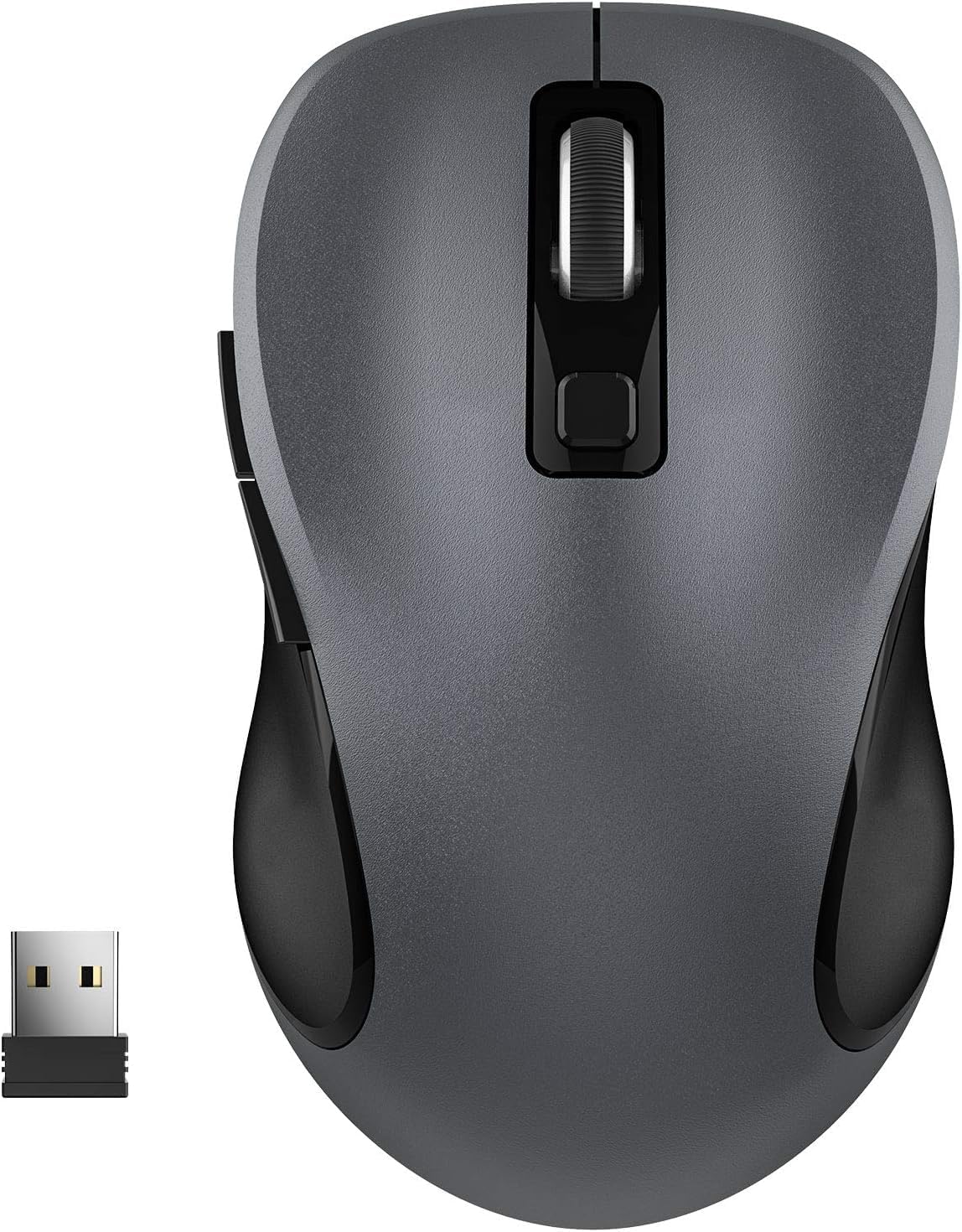
WisFox 2.4G Wireless Mouse for Laptop, Ergonomic Computer Mouse with USB Receiver and 3 Adjustable Levels, 6 Button Wireless Mice for Windows Mac PC Notebook (Grey)
Want the best price and purchase timing?
Our AI advisor analyzes real-time pricing across all channels to find you the best deal.
AI Verdict
This is a 2.4G wireless optical mouse with 3 adjustable DPI levels and 6 buttons, designed for basic productivity and portability.
This mouse is a situational fit because its 2.4GHz wireless connectivity and 3 adjustable DPI levels (800, 1200, 1600) are suitable for basic computing tasks and portability. However, the reliance on a single AA battery and reported tracking issues on varied surfaces mean it's not a universal solution for all users.
If you need more consistent tracking and don't want to deal with AA batteries, look for a mouse with a higher-resolution optical sensor and a built-in rechargeable battery.
Regret Score™
Medium RiskLower is better — measures purchase-regret risk from real buyer complaints, review credibility, and product maturity
Issues discovered after purchase
Critically weak dimension
Amazon rating vs actual quality
Chance this product isn't for you
Pros
- Features a contoured shape and sweat-resistant coating for comfortable use during extended periods.
- Offers 3 adjustable DPI settings (800, 1200, 1600) for varied cursor sensitivity.
- Includes 6 buttons, with 2 side buttons for additional functionality in work or light gaming.
- Connects via a 2.4GHz wireless USB receiver, offering a 33-foot working distance and plug-and-play setup without drivers.
- Designed with a symmetric shape, making it suitable for both right- and left-handed users.
- Incorporates an auto power-saving mode after 1 minute of idling and a sleep mode after 8 minutes to conserve battery.
Cons
- Requires one AA battery, which is not included in the package.
- Some users have reported issues with tracking accuracy on multi-colored surfaces.
- The scroll wheel does not support fast scrolling, which might be a limitation for long documents or web pages.
- The on/off switch is deeply recessed, making it difficult to access.
Dimension Scores
The optical sensor offers 3 DPI levels (800, 1200, 1600), which is basic, and some users report issues with tracking on multi-colored surfaces.
It features an ergonomic, contoured shape with a sweat-resistant coating and a symmetric design for both left and right-handers, making it comfortable for many users.
It uses a standard 2.4GHz wireless USB receiver with a 33-foot range, which is functional, but lacks Bluetooth for broader device compatibility.
The mouse has a 5 million keystroke test rating for durability and a lightweight, well-built feel, but the recessed on/off switch and basic scroll wheel indicate some compromises.
Best For
- Users needing a basic, portable mouse for a laptop or notebook.
- Individuals seeking an ambidextrous mouse for general office tasks.
- Anyone on a tight budget who prioritizes wireless connectivity and adjustable DPI over advanced features.
- Work-from-home setups where quiet clicks are preferred.
Not Recommended For
- Serious gamers who require high DPI settings, advanced tracking, or programmable buttons beyond the basic 6.
- Users who frequently work on multi-colored surfaces and need consistent tracking performance.
- Those who prefer rechargeable mice or expect batteries to be included.
Watch Out For
- You'll need to buy a separate AA battery, as it's not included in the box.
- Tracking can get a bit wonky on surfaces with multiple colors, so stick to a plain mouse pad or desk.
- The on/off switch is tucked away so deep, it's a pain to actually use it.
- Don't expect a super-fast scroll wheel; it's a basic click-by-click experience.
Full Specifications
| ASIN | B07Y1KKFBH |
| Brand | WisFox |
| Color | Grey |
| Batteries | 1 AA batteries required. |
| Item Weight | 2.4 ounces |
| Manufacturer | WisFox |
| Special Feature | Ergonomic Design, Lightweight, Portable, Soundless, Wireless |
| Item model number | GKCE0147_09 |
| Product Dimensions | 4.09 x 2.4 x 1.57 inches |
| Connectivity Technology | Radio Frequency, Wireless |
| Movement Detection Technology | Optical |
What Buyers Say
The biggest takeaway from user feedback is how easy this mouse is to get up and running; it's truly plug-and-play, which is a huge win for anyone who hates dealing with drivers. People also really dig the quiet clicks, making it less annoying in shared spaces. However, you absolutely need to remember to buy an AA battery, because it doesn't come with one, which is a common oversight. Also, if your desk is a kaleidoscope of colors, you might run into some tracking hiccups.
“Honestly, for the price, it's fine. It clicks quiet and works right away, but seriously, who sells a mouse without a battery? And don't even get me started on trying to turn it off, my finger can barely reach that switch!”
Common Praise
- The plug-and-play setup is genuinely instant, no drivers needed.
- Clicks are noticeably quiet, which is a blessing for open offices or late-night work.
- The contoured shape feels comfortable even after using it for hours.
- Having 3 adjustable DPI settings is handy for switching between precise work and faster browsing.
- The USB receiver stores neatly inside the battery compartment, so it won't get lost when traveling.
Common Complaints
- It doesn't come with the required AA battery, so you're stuck until you buy one.
- Tracking can be inconsistent on multi-colored surfaces, leading to frustrating cursor jumps.
- The on/off switch is a pain to reach because it's so deeply recessed.
- The scroll wheel is basic and doesn't offer a fast-scroll option for quickly navigating long pages.
Ownership Tips
- The auto-sleep feature actually works well for saving battery, but you have to double-click to wake it up, which feels a bit clunky at first.
- The lightweight design is great for tossing in a laptop bag, but it also makes it feel a bit less substantial than heavier mice.
- The 'soundless' claim holds up; it's genuinely one of the quieter mice I've used, which is a huge plus for not annoying roommates.
- The side buttons are positioned well and are actually useful for back/forward in browsers, not just decoration.
Frequently Asked Questions
Does this mouse require drivers to work?
Nope, it's plug and play. Just stick the USB receiver into your computer, and it should work instantly without needing any software installation.
Is this mouse compatible with MacBooks?
Yes, it's compatible with Mac, Windows, Linux, and other devices. Just make sure your MacBook has a standard USB-A port for the receiver.
Does this mouse come with a battery?
No, you'll need to supply your own AA battery. It's not included in the package.
How many buttons does this mouse have?
It has 6 buttons, including the standard left and right clicks, a scroll wheel, a DPI adjustment button, and two side buttons.
Is this mouse quiet when clicking?
Yes, it's designed to be soundless, and users have reported the clicks are very smooth and quiet.
Buying Guide
When you're looking at a budget wireless mouse like this, you need to think about what you actually *do* with a mouse. Are you just clicking around, browsing, and typing documents? Or are you trying to do precision work or game? This mouse is built for the former. Don't expect it to be a high-performance tool, but it'll get the job done for everyday tasks without wires cluttering your space.
2.4G Wireless
DPI Levels (800, 1200, 1600)
Ergonomic Design
Alternatives
If this mouse doesn't quite fit, look for models with Bluetooth connectivity if you need to free up a USB port, or a higher maximum DPI if you need more cursor speed and precision for specific tasks.
You Might Also Like

Magnetic Charging Mouse Pad 31.5x15.75, 15W Fast Wireless Charging Desk Mat, XXL Desk Pad RGB Gaming Mousepad, Home Office Large Keyboard Pad with Ultra-Smooth Surface, Non-Slip Base
$50-$99This 31.5" x 15.75" RGB desk mat with 15W magnetic phone charging and a Qi headphone charging zone is for users wanting to declutter and illuminate their workstation.

Mouse Pad Desk Mat Full Moon Desk Pad Black Red Large Mouse Pad Gaming Mousepad Extended Laptop Computer Mouse Keyboard Mat-11.8 x 31.5 in
Price range unavailableThis is a 11.8 x 31.5 inch desk mat for users needing a large, undefined surface to cover their desk, but with no available product details or user feedback.

SteelSeries QcK Gaming Mouse Pad - Small Cloth - Optimized For Gaming Sensors
A 250 x 210 x 2mm cloth pad with a non-slip rubber base, ideal for high DPI users or those with limited desk space.

SteelSeries QcK Large Gaming Mousepad — Black — Non-Slip Silicone Rubber Base — Peak Tracking and Stability — Optimized for Gaming Sensors — 490 mm x 420 mm — FPS, MOBAs, RTS, MMO
A 450 mm x 400 mm x 2 mm cloth mousepad designed for precise control in gaming, especially for budget-conscious players.