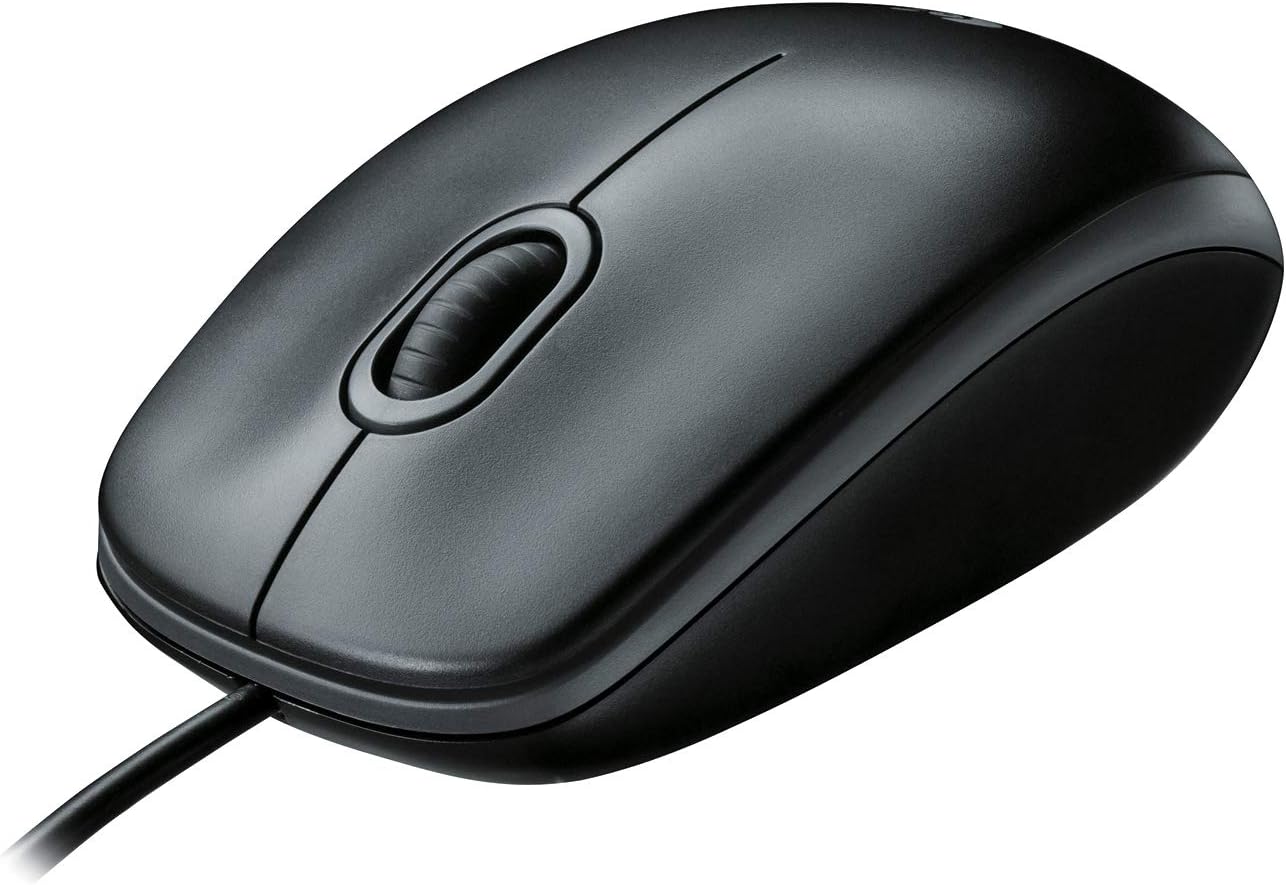
Logitech B100 Wired Mouse for Computer and Laptop, USB Corded Mouse, Right or Left Hand Use - Black
Want the best price and purchase timing?
Our AI advisor analyzes real-time pricing across all channels to find you the best deal.
AI Verdict
This 3.84-ounce, 800 DPI optical mouse with USB/PS/2 connectivity is for basic computing tasks and users prioritizing a low-cost, ambidextrous design.
This mouse is a situational fit for users who need a no-frills, wired peripheral for basic computing, especially given its 800 DPI optical sensor and ambidextrous design. Its low 3.84-ounce weight and plug-and-play USB/PS/2 connectivity make it convenient for quick setups. However, its limitations in DPI and reported durability issues with buttons mean it won't satisfy power users or gamers.
If 800 DPI is too low, look for mice with at least 1000 DPI or adjustable DPI settings for better cursor control on larger screens.
Regret Score™
High RiskLower is better — measures purchase-regret risk from real buyer complaints, review credibility, and product maturity
Issues discovered after purchase
Critically weak dimension
Amazon rating vs actual quality
Chance this product isn't for you
Pros
- Its ambidextrous shape feels comfortable for both right and left-handed users, even for extended periods.
- Offers plug-and-play functionality via USB or PS/2, requiring zero setup to work immediately.
- Many users report it lasts for years, with some using it for a decade.
- The 3.84-ounce weight makes it easy to move and agile for daily tasks.
- Comes with a 3-year limited hardware warranty.
- Compatible with Windows, macOS, Linux, and Chromebook operating systems.
Cons
- The 800 DPI sensor provides limited precision, making it less suitable for larger monitors or detailed work.
- Some users experience issues with the left mouse button double-clicking or not registering clicks after several months of use.
- The scroll wheel can feel cheap and noisy, and the middle-click function may stop working.
- The 180 cm (6 ft) cable, while long, can feel restrictive and tethering for some setups.
- Users with larger hands may find the ambidextrous design too small for comfortable long-term use.
Dimension Scores
The 800 DPI optical sensor provides basic tracking but lacks the precision and adjustability found in most modern mice, making it less accurate for detailed tasks or large displays.
Its ambidextrous design is comfortable for many users, particularly those with average-sized hands, but it lacks contoured shaping for specific hand preferences and can feel too small for larger hands.
Offers standard wired USB and PS/2 connectivity, which is plug-and-play, but the fixed cable length and lack of wireless options limit flexibility.
While many users report long-term durability, the mouse feels lightweight and plasticky, and there are recurring complaints about button failures like double-clicking or non-functional middle clicks after some use.
Best For
- Basic office work like document editing and web browsing.
- Users needing a simple, ambidextrous mouse for shared workstations or classrooms.
- As a backup mouse due to its low cost and plug-and-play nature.
- Anyone on a strict budget who needs a functional wired mouse.
Not Recommended For
- Competitive gaming or tasks requiring high precision and adjustable DPI.
- Users with large hands seeking a contoured, ergonomic fit.
- Anyone who dislikes wired peripherals or needs wireless freedom.
Watch Out For
- The left mouse button can develop double-clicking issues or fail to register single clicks after about five months of use.
- The middle mouse button functionality, specifically clicking, may cease to work while scrolling still operates.
- The 800 DPI sensitivity can feel sluggish on high-resolution or multiple monitor setups, requiring more physical mouse movement.
- Some users report the sensor can stop tracking movement entirely, rendering the mouse unusable.
- The scroll wheel's tactile feedback and noise can be distracting, described as a 'cheap roller coaster ride'.
Full Specifications
| ASIN | B003L62T7W |
| Brand | Logitech |
| Color | Black |
| Language | English |
| Department | Computer Hardware, Supplies & Data Storage |
| Item Weight | 3.84 ounces |
| Manufacturer | Logitech |
| Special Feature | Ergonomic Design |
| Item model number | 910-001439 |
| Product Dimensions | 1.49 x 2.44 x 4.44 inches |
| National Stock Number | 7025-01-631-8822 |
| Connectivity Technology | PS/2, USB |
| Movement Detection Technology | Optical |
| Is Discontinued By Manufacturer | No |
What Buyers Say
Many users report the B100's ambidextrous shape is surprisingly comfortable for its price, with some sticking with it for a decade despite trying more expensive alternatives. However, a common frustration is the left click developing double-click issues or the middle click failing after several months. The 800 DPI is frequently cited as a limitation for larger monitors or any task requiring fine control, pushing users to move their hand more. The cable length, while generous at 180 cm, still tethers you to your desk.
“Honestly, this mouse is just okay for the price, but mine started double-clicking after like 6 months and the middle button just quit, so now I gotta buy another one. You get what you pay for, I guess.”
Common Praise
- The ambidextrous shape feels comfortable for long work sessions for many users.
- It's a true plug-and-play device, working instantly without any software installation.
- Users frequently mention its durability and long lifespan, often lasting for years.
- The lightweight design (3.84 ounces) makes it easy to maneuver across a desk.
- The scroll wheel provides smooth, line-by-line scrolling for documents and web pages.
Common Complaints
- The left mouse button often starts double-clicking or failing to register single clicks after a few months.
- The middle-click function on the scroll wheel can stop working, even if scrolling still functions.
- The 800 DPI sensor is too low for modern high-resolution monitors or precise graphic work.
- The mouse feels cheap and plasticky, with a scroll wheel that can be noisy.
- Some users find the overall size too small, especially if they have larger hands.
Ownership Tips
- After several months, the left mouse button may begin to register two clicks for every single press, or fail to register clicks at all.
- The middle click function on the scroll wheel is prone to failure, even if the scrolling action remains intact.
- The 800 DPI can feel noticeably slow and require more arm movement if you're using a large monitor or multiple displays.
- The plastic construction, while contributing to its light weight, can feel less substantial compared to other mice.
- The cable, while long, can become a nuisance, tangling or getting caught on desk items over time.
Frequently Asked Questions
Does the Logitech B100 work with Mac computers?
Yes, the Logitech B100 is broadly compatible and works with macOS, as well as Windows and Linux operating systems.
What is the DPI of the Logitech B100 mouse?
The Logitech B100 has an 800 DPI (dots per inch) optical sensor, providing precise cursor control for everyday tasks.
Is this mouse suitable for left-handed users?
Yes, the Logitech B100 features a comfortable, ambidextrous shape designed to feel good in either hand, making it suitable for both right and left-handed use.
What type of connectivity does the B100 use?
The B100 offers flexible connectivity via a USB or PS/2 port, working right out of the box with zero setup.
How long is the cable on the Logitech B100?
The wired cable on the Logitech B100 is approximately 180 cm (6 feet) long, which is sufficient for most typical desk setups.
Does the Logitech B100 have side buttons or advanced features?
No, the B100 is a basic wired mouse with three standard buttons (left, right, and scroll wheel click) and line-by-line scrolling; it does not include side buttons or advanced features like adjustable DPI or programmable buttons.
Buying Guide
When looking at a basic wired mouse like this, you need to think about how you actually use a mouse. Are you just clicking around the web and typing documents, or are you doing more precise work? Wired means no batteries, but also a cable on your desk. Ambidextrous shapes are simple, but might not fit your hand perfectly if you prefer a contoured design. Don't expect fancy features or super high precision at this price point.
DPI (Dots Per Inch)
Connectivity (USB/PS/2)
Ergonomic Design (Ambidextrous)
Alternatives
If you need more precision or a more comfortable fit, look for mice with at least 1000-1600 DPI, or models with adjustable DPI settings. For better ergonomics, consider mice with a contoured, right-handed shape and dedicated thumb rests.
You Might Also Like

Magnetic Charging Mouse Pad 31.5x15.75, 15W Fast Wireless Charging Desk Mat, XXL Desk Pad RGB Gaming Mousepad, Home Office Large Keyboard Pad with Ultra-Smooth Surface, Non-Slip Base
$50-$99This 31.5" x 15.75" RGB desk mat with 15W magnetic phone charging and a Qi headphone charging zone is for users wanting to declutter and illuminate their workstation.

Mouse Pad Desk Mat Full Moon Desk Pad Black Red Large Mouse Pad Gaming Mousepad Extended Laptop Computer Mouse Keyboard Mat-11.8 x 31.5 in
Price range unavailableThis is a 11.8 x 31.5 inch desk mat for users needing a large, undefined surface to cover their desk, but with no available product details or user feedback.

SteelSeries QcK Gaming Mouse Pad - Small Cloth - Optimized For Gaming Sensors
A 250 x 210 x 2mm cloth pad with a non-slip rubber base, ideal for high DPI users or those with limited desk space.

SteelSeries QcK Large Gaming Mousepad — Black — Non-Slip Silicone Rubber Base — Peak Tracking and Stability — Optimized for Gaming Sensors — 490 mm x 420 mm — FPS, MOBAs, RTS, MMO
A 450 mm x 400 mm x 2 mm cloth mousepad designed for precise control in gaming, especially for budget-conscious players.