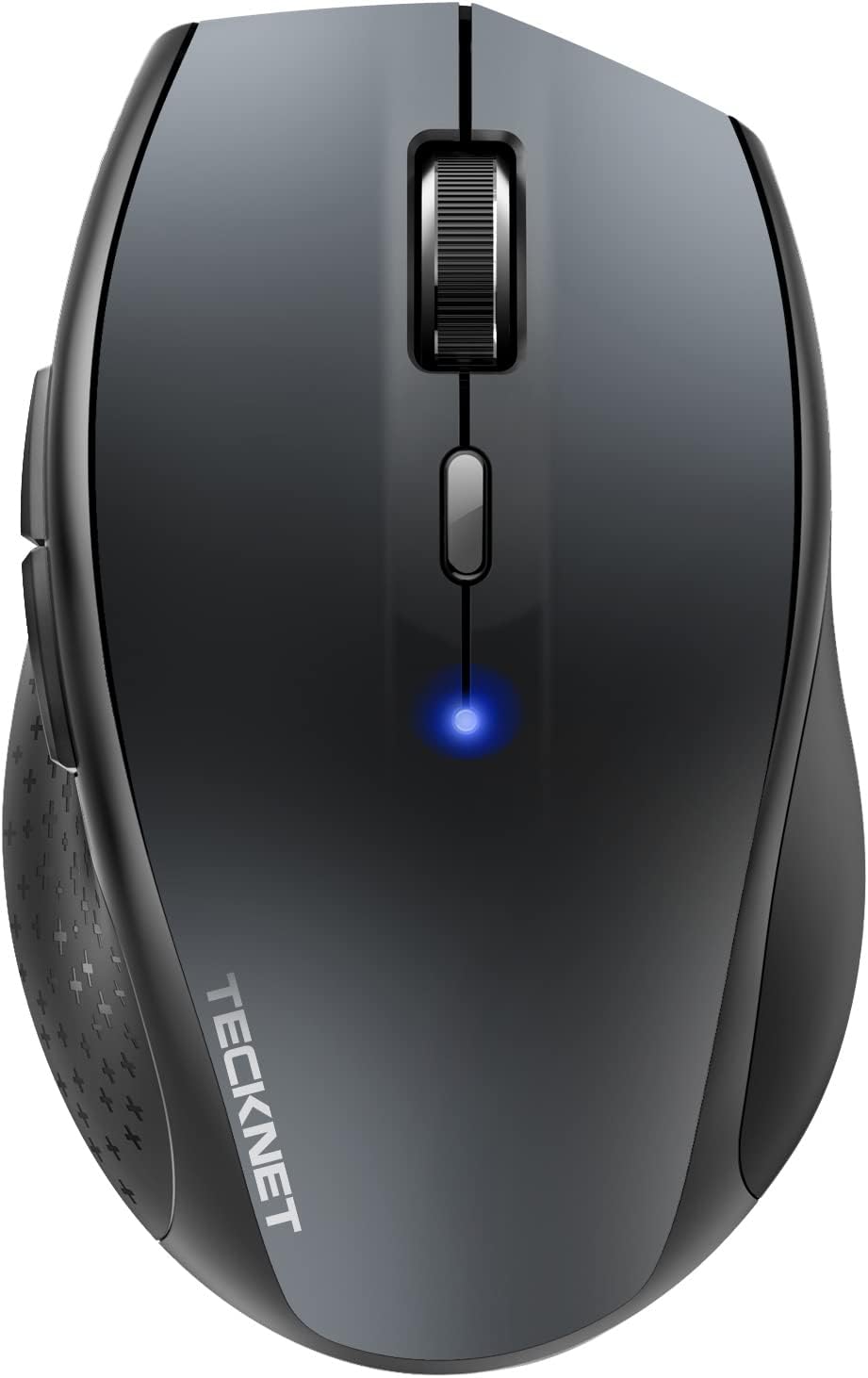
TECKNET Bluetooth Mouse, 4800 DPI Wireless Mouse, 2-Year Battery 6 Adjustable DPI, 6 Buttons Compatible with Laptop/Windows/Computer - Grey
Want the best price and purchase timing?
Our AI advisor analyzes real-time pricing across all channels to find you the best deal.
AI Verdict
A dirt-cheap, dongle-free Bluetooth mouse that frees up your laptop's USB ports, perfect for Windows users who need basic wireless navigation and long battery life.
This mouse fits Windows users who want to save a USB port on a tight budget. The 4800 DPI sensor offers high sensitivity for the price. The aggressive sleep mode and dead macOS side buttons ruin the experience for Mac users and fast multitaskers.
If you use a Mac or hate swapping batteries, look for a mouse with a built-in rechargeable battery and dedicated macOS software support.
Regret Score™
Low RiskLower is better — measures purchase-regret risk from real buyer complaints, review credibility, and product maturity
Issues discovered after purchase
Critically weak dimension
Amazon rating vs actual quality
Chance this product isn't for you
Pros
- Connects directly via Bluetooth, freeing up a USB port on your laptop
- Runs for up to 24 months on two AA batteries thanks to an aggressive auto-sleep mode
- Features six adjustable DPI levels from 800 up to 4800 for quick sensitivity changes
- Weighs just 2.65 ounces, making it light enough to throw in a laptop bag
- Textured rubber grips on the sides prevent your thumb from slipping during use
Cons
- The two side navigation buttons are completely disabled and useless on macOS
- Requires clicking a button to wake from sleep mode, causing a 1-2 second reconnection delay
- Does not include the two required AA batteries in the box
- Scroll wheel is prone to becoming loose or scrolling backwards after six months of daily use
Dimension Scores
The TruWave optical sensor handles 4800 DPI well for office tasks, but struggles with fast gaming flicks.
The contoured right-handed shape and rubberized thumb grip reduce wrist strain during long sessions.
Bluetooth pairs easily, but the mandatory click-to-wake sleep mode causes a 1-2 second reconnection delay.
The plastic shell feels solid enough for the price, but the scroll wheel is notorious for failing after a few months.
Best For
- Windows laptop owners with limited USB-A ports
- Students needing a cheap, throw-around mouse for coffee shop study sessions
- Right-handed users who prefer a contoured ergonomic shape over flat travel mice
Not Recommended For
- MacBook users who rely on side buttons for forward/back web navigation
- Competitive gamers needing sub-1ms latency and flawless sensor tracking
- Left-handed users, due to the asymmetrical thumb rest
Watch Out For
- Aggressive sleep mode — you can't just move the mouse to wake it up; you have to physically click a button and wait a second for it to reconnect.
- Mac incompatibility — the forward and backward side buttons are hardcoded for Windows and will not register on macOS.
- Battery compartment flaws — some units ship with misaligned battery contacts, requiring you to wedge the AA batteries in perfectly to get power.
- Scroll wheel degradation — multiple owners report the scroll wheel starts jumping or scrolling in the wrong direction after a few months.
Full Specifications
| ASIN | B000Q7V0W4 |
| Brand | TECKNET |
| Color | Grey |
| Batteries | 2 AA batteries required. |
| Department | All Ages |
| Item Weight | 2.65 ounces |
| Manufacturer | TECKNET |
| Special Feature | Wireless |
| Item model number | BM308 |
| Product Dimensions | 2.56 x 1.63 x 4.13 inches |
| Connectivity Technology | Bluetooth |
| Movement Detection Technology | Optical |
| Is Discontinued By Manufacturer | No |
What Buyers Say
The most polarizing feature of this mouse is its aggressive power-saving mode, which requires a physical click to wake and causes a brief reconnection delay. Buyers praise the value, highlighting the comfortable ergonomic hump and the freed-up USB port. Windows users get the most out of it. Mac owners frequently complain about the dead side buttons. Long-term durability is a mixed bag, with the scroll wheel being the most common point of failure.
“Great little mouse for the price and saves my laptop's only USB port, but having to click to wake it up every time I stop moving for 10 minutes drives me slightly crazy.”
Common Praise
- Frees up a USB port by connecting directly via Bluetooth
- Battery life easily stretches past a year on two standard AAs
- The rubberized side grips make it much easier to hold than flat travel mice
- DPI button allows instant switching between 6 sensitivity levels without software
Common Complaints
- Side buttons are completely dead on Mac computers
- Scroll wheel starts scrolling in the opposite direction after heavy use
- Click-to-wake sleep mode is annoying if you pause to read an article
- Battery compartment is tight and sometimes requires forcing the batteries into place
Ownership Tips
- The matte grey finish resists fingerprints much better than the glossy black version.
- You will need to keep spare AA batteries around, as it gives very little warning before dying.
- The DPI setting resets if you remove the batteries, requiring you to click through the levels again.
Frequently Asked Questions
Does this mouse come with a USB receiver dongle?
No, it is strictly a Bluetooth mouse. It connects directly to your device's built-in Bluetooth and does not include a USB receiver.
Will the side buttons work on my MacBook?
No. The forward and backward side buttons are not compatible with macOS and cannot be natively programmed.
How do you wake the mouse up after it goes to sleep?
You must click one of the mouse buttons to wake it up. Moving the mouse around on your desk will not break the sleep cycle.
Does it use a rechargeable battery?
No, it requires two AA batteries. These are not included in the box.
How long do the batteries last?
TECKNET claims up to 24 months of battery life. Most users report easily getting over a year of daily use before needing a swap.
Is this mouse silent when clicking?
No, this specific model has standard, audible click switches. It is not a silent mouse.
Buying Guide
When buying a budget Bluetooth mouse, you trade premium features for convenience and price. This TECKNET model relies entirely on your computer's built-in Bluetooth, meaning you don't have to worry about losing a tiny USB dongle. It uses standard AA batteries instead of a rechargeable cell, and it employs a strict sleep mode to achieve its 24-month battery life. Mac users should know the side buttons are completely dead on macOS.
Bluetooth Connectivity
Instead of plugging a receiver into your computer, the mouse talks directly to your laptop's internal radio, saving your limited USB ports for flash drives or chargers.
4800 DPI
DPI measures how far your cursor moves on screen when you move the mouse physically. 4800 is very high, meaning you can zip across dual monitors with barely a flick of your wrist.
Optical Sensor
Uses an LED light to track movement. It works great on mousepads and wood desks, but will struggle on clear glass or highly reflective surfaces.
Alternatives
If you use a Mac or hate swapping batteries, look for a mouse with a built-in rechargeable battery and dedicated macOS software support.
You Might Also Like

Magnetic Charging Mouse Pad 31.5x15.75, 15W Fast Wireless Charging Desk Mat, XXL Desk Pad RGB Gaming Mousepad, Home Office Large Keyboard Pad with Ultra-Smooth Surface, Non-Slip Base
$50-$99This 31.5" x 15.75" RGB desk mat with 15W magnetic phone charging and a Qi headphone charging zone is for users wanting to declutter and illuminate their workstation.

Mouse Pad Desk Mat Full Moon Desk Pad Black Red Large Mouse Pad Gaming Mousepad Extended Laptop Computer Mouse Keyboard Mat-11.8 x 31.5 in
Price range unavailableThis is a 11.8 x 31.5 inch desk mat for users needing a large, undefined surface to cover their desk, but with no available product details or user feedback.

SteelSeries QcK Gaming Mouse Pad - Small Cloth - Optimized For Gaming Sensors
A 250 x 210 x 2mm cloth pad with a non-slip rubber base, ideal for high DPI users or those with limited desk space.

SteelSeries QcK Large Gaming Mousepad — Black — Non-Slip Silicone Rubber Base — Peak Tracking and Stability — Optimized for Gaming Sensors — 490 mm x 420 mm — FPS, MOBAs, RTS, MMO
A 450 mm x 400 mm x 2 mm cloth mousepad designed for precise control in gaming, especially for budget-conscious players.