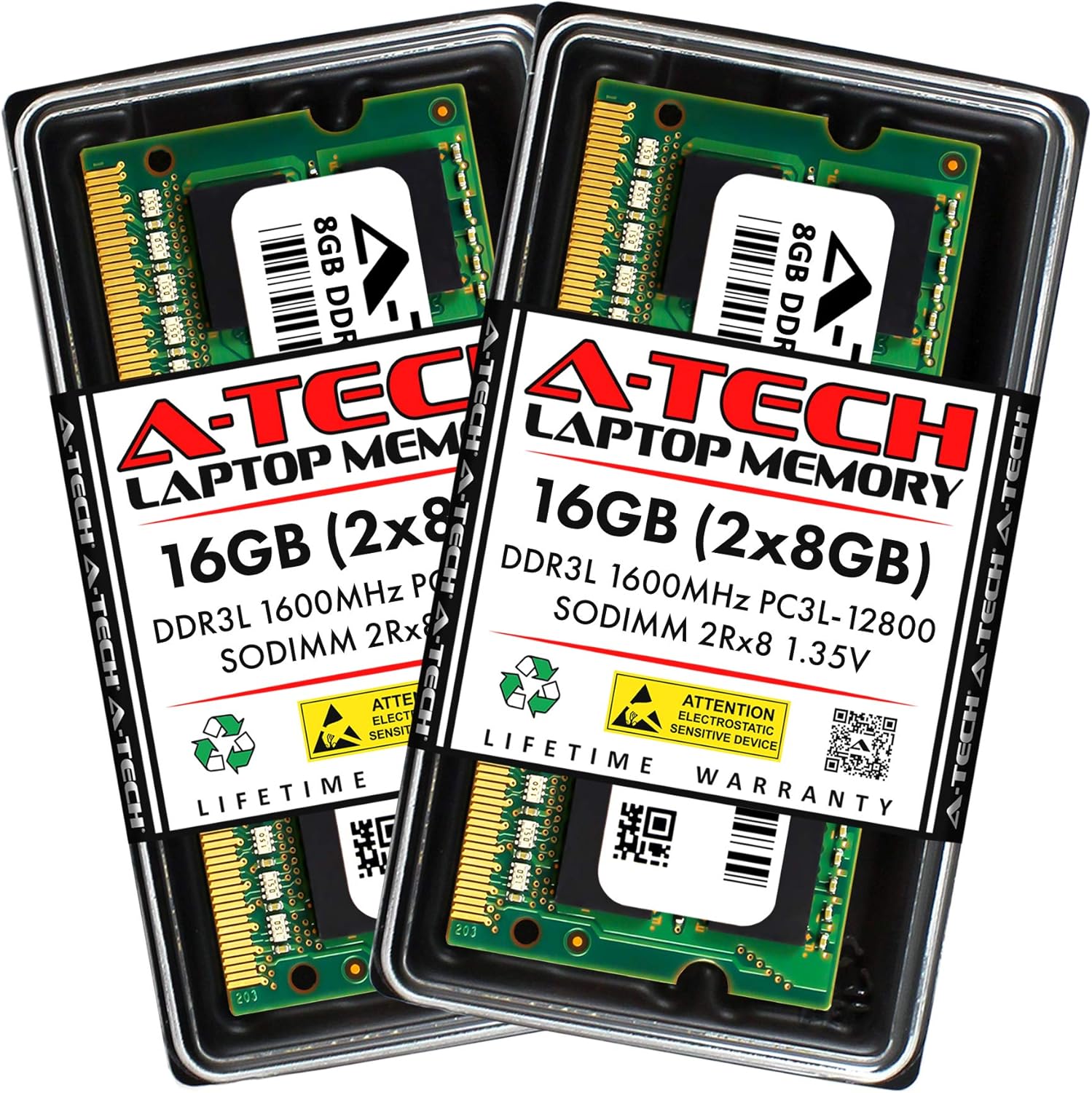
A-Tech 16GB (2x8GB) DDR3/DDR3L 1600MHz PC3L-12800 (PC3-12800) CL11 SODIMM 2Rx8 1.35V 204-Pin Non-ECC SO-DIMM Laptop, Notebook RAM Memory Modules
Want the best price and purchase timing?
Our AI advisor analyzes real-time pricing across all channels to find you the best deal.
AI Verdict
This 16GB (2x8GB) DDR3L 1600MHz CL11 SODIMM kit is for extending the life of older laptops, Mini PCs, or NAS devices requiring 1.35V memory.
This 16GB (2x8GB) DDR3L 1600MHz CL11 SODIMM kit is a strong fit for its intended niche: older laptops, Mini PCs, and NAS units that are restricted to DDR3L memory. Its 1.35V dual voltage operation and 2Rx8 dual rank design ensure broad compatibility within this specific hardware generation, offering a cost-effective way to boost system responsiveness. It's not for modern machines, but for keeping older ones running smoothly, it hits the mark.
If your system supports DDR4 or DDR5, look for modules with higher speeds (e.g., 3200MHz or 4800MHz) and lower CAS Latency (CL) numbers for a more significant performance upgrade.
Regret Score™
High RiskLower is better — measures purchase-regret risk from real buyer complaints, review credibility, and product maturity
Issues discovered after purchase
Critically weak dimension
Amazon rating vs actual quality
Chance this product isn't for you
Pros
- Provides 16GB (2x8GB) capacity for systems limited to DDR3L memory slots.
- Operates at 1.35V, offering energy efficiency and dual voltage compatibility with 1.5V systems.
- Designed for broad compatibility with select laptops, notebooks, AIOs, Mini PCs, and NAS devices.
- Reported as quick and easy to install by users, requiring no specialized expertise.
- Undergoes stringent quality control testing to ensure dependable performance.
Cons
- DDR3L is an older memory standard, making it incompatible with modern systems requiring DDR4 or DDR5.
- The 1600MHz speed and CL11 latency are not high-performance metrics compared to current memory technologies.
- Requires users to verify system compatibility with their specific device's manual before purchase.
- Only provides 16GB total capacity, which may be insufficient for demanding applications or systems supporting higher RAM limits.
Dimension Scores
The 1600MHz speed and CL11 latency are standard for DDR3L, but not competitive with newer DDR4 or DDR5 modules.
Its DDR3L 1.35V specification with dual voltage support (1.5V) and 2Rx8 dual rank design offers broad compatibility within its specific older hardware niche.
This non-ECC, unbuffered SODIMM is not designed or marketed for overclocking, offering no headroom for performance tuning beyond its rated speed.
A-Tech states stringent quality control testing, and the product holds a 4.7/5 rating from over 12,500 reviews, indicating high user satisfaction and dependable performance.
Best For
- Upgrading older laptops, notebooks, or all-in-one computers with DDR3L SO-DIMM slots.
- Extending the functional lifespan of a system currently running on 8GB or less DDR3L RAM.
- Users with Mini PCs or NAS devices that specifically require 1.35V DDR3L SODIMM memory.
- Improving multitasking responsiveness on systems limited by their existing DDR3L memory.
Not Recommended For
- Newer computer systems that require DDR4 or DDR5 memory modules.
- Users seeking high-performance, low-latency RAM for competitive gaming or intensive content creation.
- Systems that only support 1.5V DDR3 without dual voltage compatibility (though this module is dual voltage).
Watch Out For
- Compatibility is not universal; users have to check their system's manual for specific RAM requirements to avoid issues.
- Some users report needing to reseat modules or perform multiple reboots for the RAM to be recognized, particularly in NAS devices.
- While rare, dead-on-arrival (DOA) modules can occur, necessitating returns and reinstallation time.
- Performance gains might be limited if the system's processor or storage is the primary bottleneck, not the RAM capacity.
Full Specifications
| RAM | 16 GB DDR3 |
| ASIN | B07JGSPGGZ |
| Brand | A-Tech |
| Color | Multicolor |
| Series | A-Tech |
| Voltage | 1.35 Volts |
| Item Weight | 0.95 ounces |
| Manufacturer | A-Tech |
| Memory Speed | 1600 MHz |
| Item model number | AT8G2D3S1600ND8N135V |
| Compatible Devices | Desktop, Laptop, Mini PC, NAS |
| Product Dimensions | 2.66 x 1.18 x 0.15 inches |
| Computer Memory Size | 16 GB |
| Computer Memory Type | DDR3 SDRAM |
| RAM Memory Technology | DDR3 |
| Item Dimensions LxWxH | 2.66 x 1.18 x 0.15 inches |
| Is Discontinued By Manufacturer | No |
What Buyers Say
Users frequently report that this A-Tech 16GB DDR3L kit breathes new life into their older machines, often citing a noticeable improvement in multitasking and application loading times. Many appreciate the straightforward installation process, with some noting successful upgrades in various laptops and even Synology NAS devices after ensuring compatibility. The dual voltage feature (1.35V/1.5V) is a recurring positive, simplifying the upgrade decision for many. While specific complaints are scarce, the primary hurdle for buyers is ensuring the module's exact compatibility with their system's older hardware requirements.
“My old Dell laptop was crawling with 4GB, slapped these in and now it actually opens Chrome without freezing, feels like a new machine for real!”
Common Praise
- System responsiveness improved significantly after upgrading from 4GB or 8GB.
- Installation was quick and simple, often taking less than 15 minutes.
- Successfully recognized by a variety of older laptop models and Mini PCs.
- The 1.35V low voltage operation is appreciated for extending laptop battery life.
- Worked without issues in several Synology NAS models that support DDR3L SODIMM.
Common Complaints
- Some users initially struggled with compatibility, realizing their system required a different RAM type or speed.
- A few reports of modules not being recognized on first boot, requiring reseating to function.
- The performance increase wasn't as dramatic as hoped for systems with other significant bottlenecks.
- Packaging, while described as good, didn't always prevent minor static bag issues.
Ownership Tips
- After a few weeks, the laptop runs cooler and the fan spins up less often due to the 1.35V low voltage operation.
- Applications that used to crash due to insufficient memory now run stably, even with multiple tabs open.
- Boot times feel slightly snappier, though not a night-and-day difference compared to the initial RAM upgrade.
- No unexpected blue screens or stability issues, indicating sustained performance over time.
Frequently Asked Questions
Is this RAM compatible with my specific laptop model?
You absolutely need to check your laptop's manual or manufacturer's website for its exact RAM specifications, including type (DDR3L), speed (1600MHz), and maximum capacity. This module is DDR3L 1600MHz CL11 SODIMM.
Can I mix this with my existing RAM?
While technically possible, it's generally recommended to use matching RAM modules (same brand, speed, and latency) for optimal stability and performance. If you mix, the system will typically run at the speed of the slowest module.
Does 'DDR3L' mean it's only 1.35V?
DDR3L means Low Voltage DDR3, designed for 1.35V. However, this specific A-Tech module is dual voltage, meaning it can operate at either 1.35V or 1.5V, making it more flexible for systems that might use either standard.
What does 'CL11' mean?
CL11 refers to the CAS Latency, which is the delay time between the memory controller requesting data and the data being available. A lower CL number generally indicates faster memory, but 11 is typical for 1600MHz DDR3L.
Will this make my computer significantly faster?
Upgrading from less RAM (e.g., 4GB or 8GB) to 16GB will likely improve multitasking and overall system responsiveness, especially if your old RAM was a bottleneck. It won't magically make an old processor perform like a new one, but it can make a noticeable difference for everyday tasks.
Buying Guide
When you're looking at RAM like this, you're usually trying to give an older computer a second wind. You need to know exactly what kind of memory your computer can handle. Think of RAM as your computer's short-term workspace; more of it means your computer can juggle more tasks at once without slowing down. But if your computer only has a small desk, getting a bigger book won't help if it can't fit.
DDR3L 1600MHz
This tells you the generation and speed. DDR3L is an older type of RAM, and 1600MHz is its speed. Your computer's motherboard has to support both 'DDR3L' and '1600MHz' for this to work. It's like needing a specific type of fuel for your car; you can't put diesel in a gasoline engine.
1.35V (Dual Voltage)
This is the voltage the RAM uses. Older laptops often require 1.35V (DDR3L) for power efficiency, but some might use 1.5V (standard DDR3). This module is flexible because it can work with both, which is like having a universal charger that works for two different devices.
SODIMM 204-Pin
This describes the physical size and connector. SODIMM is the smaller form factor used in laptops and Mini PCs, different from the larger DIMM sticks for desktops. The 204-pin count is specific to DDR3 SODIMM, ensuring it physically fits into your computer's memory slot.
Alternatives
If this module doesn't fit, search for RAM with a different generation (e.g., DDR4 or DDR5) or a different form factor (e.g., DIMM for desktops), ensuring the speed and voltage match your system's requirements.
You Might Also Like

Crucial 32GB DDR4 RAM Kit (2x16GB), 3200MHz (PC4-25600) CL22 Laptop Memory, SODIMM 260-Pin, Downclockable to 2933/2666MHz, Compatible with 13th Gen Intel Core and AMD Ryzen 7000 - CT2K16G4SFRA32A
A 32GB (2x16GB) DDR4 3200MHz CL22 SODIMM kit operating at 1.2V, designed for laptops needing a significant boost in multitasking and system responsiveness.

Crucial 16GB DDR4 RAM, 3200MHz CL22 (or 2933MHz or 2666MHz) Laptop Memory, SODIMM 260-Pin, Compatible with 13th Gen Intel Core and AMD Ryzen 7000 - CT16G4SFRA32A
This 16GB DDR4 SODIMM 260-pin module at 3200MHz CL22 is for laptop owners needing a straightforward performance boost for multitasking and application loading.

Corsair Vengeance LPX DDR4 RAM 16GB (2x8GB) 3200MHz CL16-18-18-36 1.35V Intel AMD Desktop Computer Memory - Black (CMK16GX4M2B3200C16)
This 16GB (2x8GB) DDR4 3200MHz CL16 RAM kit offers 1.35V operation and a 34mm low-profile design for most Intel and AMD desktop builds.

Crucial 8GB DDR4 RAM 3200MHz (PC4-25600), Downclockable to 2933/2666MHz Laptop Memory, SODIMM 260-Pin CL22, Compatible with 13th Gen Intel Core and AMD Ryzen 7000 - CT8G4SFRA32A
This 8GB DDR4 3200MHz CL22 SODIMM is a budget-friendly upgrade for laptops needing a performance bump for everyday tasks and light multitasking.