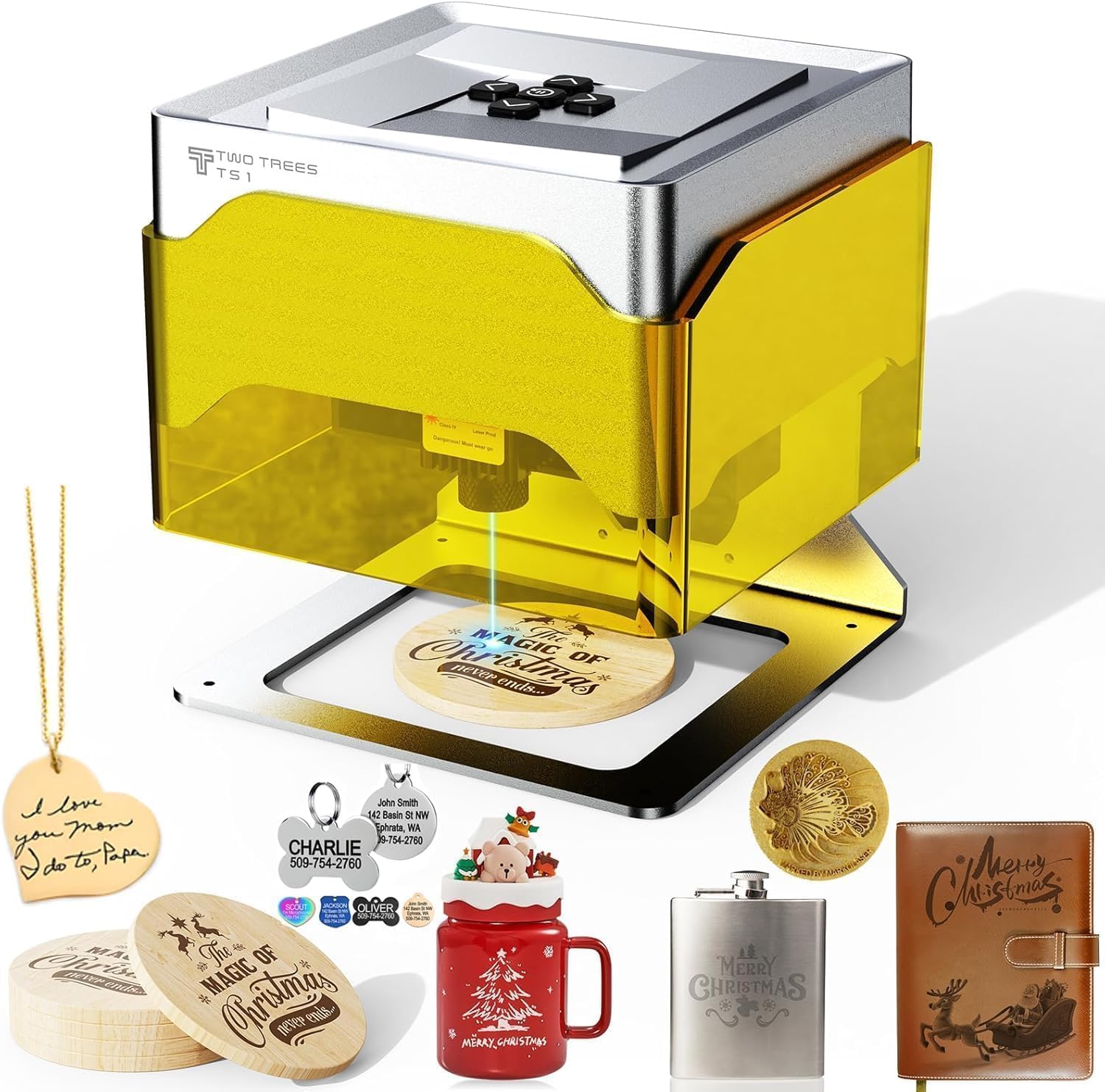
Twotrees TS1 Mini 3000mW Laser Engraver,Portable Laser Engraving Machine,Lase Cutter,3000mm/min Speed,80x80x30 mm Working Area,Laser Engraver Machine
Want the best price and purchase timing?
Our AI advisor analyzes real-time pricing across all channels to find you the best deal.
AI Verdict
This is a 3W laser engraver with an 80x80mm work area, weighing 2.26 lbs, designed for small, detailed engraving projects and beginners.
This engraver is a situational fit for those prioritizing portability, ease of use with smartphone control, and safety features for small engraving tasks. Its 2.26 lbs weight and 157x157x167mm dimensions make it highly portable, but the 80x80mm work area and 3W laser limit its utility to fine details on thin materials.
If you need to cut thicker materials or work on larger projects, look for engravers with a higher wattage laser (e.g., 5W+) and a larger work area (e.g., 200x200mm or more).
Regret Score™
High RiskLower is better — measures purchase-regret risk from real buyer complaints, review credibility, and product maturity
Issues discovered after purchase
Critically weak dimension
Amazon rating vs actual quality
Chance this product isn't for you
Pros
- The 157x157x167mm footprint and 2.26 lbs weight make it easy to place on any desk or craft table and store away.
- Control is possible via Bluetooth with the MKSLaser mobile app for iOS/Android, eliminating the need for a computer during operation.
- It supports popular software like LightBurn and LaserGRBL via USB, offering flexibility for advanced users.
- The fully enclosed acrylic cover and included safety goggles enhance user safety during operation.
- It achieves 0.1mm engraving precision at speeds up to 3000mm/min, suitable for fine details.
- The auto-focus laser head optimizes performance at 2.5-6.5cm distances, simplifying setup.
Cons
- The 80x80mm work area limits projects to small items, not large products or batch items.
- The 3W laser is primarily for engraving and light cutting on thin materials, not for heavy-duty cutting tasks.
- The mobile app (MKSLaser) has been reported to be buggy, with users needing to download older versions from the manual.
- Some users report the output as not precise enough for their needs.
- The laser power is listed as 1.6W in some specifications, despite the product title stating 3000mW (3W).
Dimension Scores
It offers 0.1mm engraving precision at speeds up to 3000mm/min, which is adequate for fine details, but some users report it's not precise enough for their needs.
The plug-and-play design, smartphone app control via Bluetooth, and auto-focus laser head make it very user-friendly, though the app itself can be buggy.
Its material compatibility is broad for engraving, but the 3W laser and 80x80mm work area severely limit its cutting capabilities and project size.
Constructed from ABS and aluminum, its compact design suggests reasonable build quality for its price point, but no specific long-term durability reports were found.
Best For
- Engraving personalized gifts like small wooden tags or leather keychains.
- Beginners learning laser engraving with a focus on ease of use and safety.
- Creating small-scale DIY crafts on materials like paper, bamboo, or painted metal.
- Classroom settings or family workshops with adult supervision due to its safety features.
Not Recommended For
- Cutting thick materials like acrylic or wood for complex projects.
- Users requiring a large work area for batch production or bigger designs.
- Professionals needing industrial-grade precision or high-power cutting capabilities.
Watch Out For
- The mobile app (MKSLaser) has a broken version on Google Play, requiring users to find and install an older version from the manual for functionality.
- Despite the '3000mW' in the title, some product listings and specifications indicate a laser power of 1.6W or 1600mW, which impacts cutting ability.
- The 80x80mm engraving area is restrictive, making it unsuitable for anything beyond very small items.
- Users have reported the output as not precise enough for certain detailed applications.
Full Specifications
| ASIN | B0FZ817HMH |
| Size | TS1 Mini |
| Color | Silver Gray |
| Material | ABS, Aluminum |
| Item Weight | 2.99 pounds |
| Part Number | TS1 |
| Manufacturer | Twotrees |
| Power Source | ac |
| Item model number | TS1 |
| Product Dimensions | 10 x 7 x 4 inches |
| Batteries Included? | No |
| Batteries Required? | No |
| Included Components | 1 |
| Warranty Description | 2 Year Warranty |
| Item Package Quantity | 1 |
What Buyers Say
The biggest surprise is how often users mention the mobile app being a pain point, specifically a broken version on Google Play that forces them to hunt for an older one from the manual. Many appreciate its compact size and how easy it is to get started, especially for beginners, but the small 80x80mm work area is a recurring limitation. It's frequently noted as an engraver first, with its 3W laser struggling with anything beyond light cutting on thin materials. The safety features like the enclosed cover and included goggles are a definite plus for home use.
“Ugh, the app is such a mess, had to dig through forums to find an old version that actually works, but once it's going, it's pretty cute for tiny stuff, just don't expect to cut anything serious.”
Common Praise
- The machine's 157x157x167mm dimensions and 2.26 lbs weight make it highly portable and easy to store.
- It's beginner-friendly, allowing users to plug in, connect, and start creating without complex setup.
- The fully enclosed acrylic cover and included safety goggles provide a sense of security during operation.
- The ability to control it via a smartphone app over Bluetooth is convenient for many users.
- It operates quietly, which is a benefit for home use without disturbing others.
Common Complaints
- The mobile app (MKSLaser) is reported to have issues, with a broken version on Google Play requiring manual installation of an older version.
- The 80x80mm work area is too small for many projects, limiting its application to very small items.
- The 3W laser lacks the power for effective cutting of most materials, making it primarily an engraver.
- Some users find the engraving precision to be insufficient for their specific needs.
- There's a discrepancy in reported laser power, with some sources listing 1.6W instead of the advertised 3W.
Ownership Tips
- You'll likely spend some time troubleshooting the mobile app to get it working consistently.
- The small work area means you'll constantly be thinking about how to scale down designs or break them into smaller parts.
- Expect to use LightBurn or LaserGRBL on a computer for more complex designs, as the mobile app is basic.
- Always double-check your material thickness, as the 3W laser has very limited cutting ability.
- The auto-focus feature is handy, but manual adjustments might still be needed for optimal results on different materials.
Frequently Asked Questions
Can this engraver cut through wood?
The 3W laser is primarily designed for engraving and light cutting on thin materials like paper or very thin plywood. It is not suitable for cutting thicker wood.
What software does it use?
It supports the MKSLaser mobile app via Bluetooth for smartphone control, and can connect to computers via USB to use LightBurn or LaserGRBL software.
Is it safe for home use?
Yes, it features a fully enclosed acrylic cover to contain light and debris, and includes safety goggles. Adult supervision is recommended for family workshops.
What is the maximum size of material it can engrave?
It has an 80x80mm work area and can accommodate objects up to 30mm tall inside its cavity.
Does it require assembly?
No, it is designed for plug-and-play use with no complex assembly required.
Buying Guide
When looking at laser engravers, you need to think about what you actually want to make. The laser's wattage tells you how much power it has; higher wattage means it can cut deeper or faster. The work area is literally how big of a piece you can put in there. And software matters a lot – some are super simple, others give you a ton of control but have a steeper learning curve.
Laser Power (3W)
Think of this like the horsepower of a car. A 3W laser is like a small scooter – great for zipping around and making light marks (engraving) on surfaces like paper or thin wood. It won't be cutting through thick planks, just like a scooter won't tow a trailer. Higher wattage (e.g., 10W, 20W) is needed for cutting through materials.
Working Area (80x80mm)
This is your canvas size. An 80x80mm area is tiny, like a sticky note. It's perfect for engraving small items like jewelry, keychains, or small labels. If you want to engrave a cutting board or a larger sign, you'll quickly find this size too restrictive, like trying to paint a mural on a postcard.
Connectivity (Bluetooth, USB)
This is how you tell the engraver what to do. Bluetooth with a mobile app is super convenient, like using a remote control for your TV. USB connection to a computer with software like LightBurn gives you more detailed control, like using a full-featured video editor instead of a basic phone app.
Alternatives
If this engraver is too limited, look for models with a laser power of 5W or more for better cutting capabilities, and a work area of at least 200x200mm for larger projects.
You Might Also Like

xTool F2 Ultra UV Laser Engraver, 5W UV Laser, 3D Inner and Fine Glass Engraving, Dual 48MP Cameras, 15,000 mm/s High Speed, AI Powered 2D-to-3D Software, Ultra-Precise Detail on Glass Plastic Acrylic
$600+A 5W UV laser engraver with <10μm spot size for 3D inner glass engraving and cold processing heat-sensitive materials.

50W CO2 Laser Engraver, 16x16 inch Desktop Laser Cutter and Engraving Machine Compatible with CorelDRAW, Windows XP 7 8 10, EMF, JPG, PLT, WMF for Wood Acrylic Fabric (16"x16")
$600+This is a 50-60W CO2 laser engraver with a 300x200mm engraving area and 0.01mm positioning accuracy, designed for hobbyists and small businesses working with non-metallic materials.

LaserPecker LP5 Smart Dual 20W Fiber + Diode Laser Engraver Cutter with Rotary Extension, Slide Extension & Air Purifier, 3D Embossing, Color Engraving, Ideal for On-site Customization
$600+A dual 20W Fiber and 20W Diode laser engraver with 10,000mm/s speed, ideal for on-site customization across nearly all materials.

WIZMAKER 12W Laser Engraver Machine, Portable Carving Machine, 300x300mm Carving Area, 0.1mm High-Precision DIY Production, Suitable for Wood, Metal, Acrylic and Other Materials
$150-$299This is a 12W laser engraver with a 300x300mm carving area and 0.1mm precision, designed for DIY production on various materials.