
U1 Laser Engraver & Cutter Machine with 200x150mm Area,LightBurn Compatible,3000mW 0.01mm Precision for Wood Metal Acrylic Leather,with WiFi & APP, Ideal for DIY Crafts & Small Business
Want the best price and purchase timing?
Our AI advisor analyzes real-time pricing across all channels to find you the best deal.
AI Verdict
This is a 3000mW laser engraver with a 200x150mm area, 0.01mm precision, and LightBurn compatibility, designed for beginners and small DIY projects.
This engraver is a situational fit for those specifically seeking a pre-assembled, beginner-friendly machine with a 200x150mm work area and 3000mW laser power. Its LightBurn compatibility and material versatility make it appealing for specific DIY and small business needs, but the lack of genuine user reviews is a significant unknown.
If you need to engrave larger items or cut thicker materials, look for machines with a larger work area (e.g., 400x400mm) and higher laser output power (e.g., 10W or 20W).
Regret Score™
Very High RiskLower is better — measures purchase-regret risk from real buyer complaints, review credibility, and product maturity
Issues discovered after purchase
Critically weak dimension
Amazon rating vs actual quality
Chance this product isn't for you
Pros
- Arrives fully assembled and calibrated, making it ready to use quickly.
- Compatible with LightBurn and LaserGRBL, supporting JPG/PNG/NC/DXF formats.
- Achieves 0.01mm precision and cutting speeds up to 7000mm/min.
- Cuts 5-8mm plywood and 8-10mm pine wood.
- Features a 450nm 3W/7W/12W laser module with a 10,000-hour lifespan.
- Includes a safety-stop function and professional laser safety goggles.
Cons
- The 200x150mm engraving area might be restrictive for larger projects.
- The 3000mW laser output power level limits cutting thickness for denser materials.
- Requires external software like LightBurn or LaserGRBL for full functionality beyond CutLabX.
- The 5.54-pound weight, while light, suggests a more compact, less industrial build than heavier machines.
- No real user feedback is available due to suspected ASIN hijacking, making long-term performance and reliability unknown.
Dimension Scores
The 0.01mm ultra-fine precision and 7000mm/min cutting speed are above average for its price band.
The machine arrives pre-assembled and calibrated, making it highly accessible for beginners.
It engraves a wide range of materials and cuts specific wood thicknesses, but the 200x150mm area limits project size.
The industrial-grade construction with an anodized aluminum frame and alloy guide rail suggests reasonable durability.
Best For
- Beginners in laser engraving and cutting who need a pre-assembled machine.
- DIY crafts involving wood, acrylic, leather, and paper with a 200x150mm work area.
- Small business owners creating custom items like jewelry, signage, or personalized gifts.
- Educational settings or parent-child projects due to included resources.
Not Recommended For
- Users needing to engrave or cut large items exceeding 200x150mm.
- Professionals requiring high-power lasers for thick metal cutting or rapid production.
- Buyers who prioritize extensive real-world user reviews before purchase.
Watch Out For
- The 3000mW laser output power level may struggle with materials thicker than 8-10mm pine wood or 5-8mm plywood.
- The listed 5.0/5 rating from 2 reviews is unreliable due to suspected ASIN hijacking, meaning there's no genuine user feedback for this specific product.
- While LightBurn compatible, the learning curve for advanced software might be steep for absolute beginners.
- The 200x150mm work area is smaller than many hobbyist machines, limiting project size.
Full Specifications
| ASIN | B0FSY6V57R |
| Size | U1-3000mW |
| Brand | Artilume |
| Color | gray blue |
| Material | Acrylonitrile Butadiene Styrene (ABS), Aluminum |
| Item Weight | 5.54 pounds |
| Part Number | U1-3000mW |
| Print media | Envelopes, Fabric, Labels |
| Manufacturer | Artilume |
| Operation Mode | Automatic |
| Item model number | U1 |
| Product Dimensions | 13.39 x 11.42 x 5.83 inches |
| Active Surface Area | 41.01 square inches |
| Batteries Included? | No |
| Batteries Required? | No |
| Included Components | Artilume U1 Laser Engraver Machine |
| Warranty Description | 1 Year Manufacturer |
What Buyers Say
It's impossible to provide a summary of real user experiences for the Artilume U1 Laser Engraver because the Amazon listing's reviews are for a completely different product due to suspected ASIN hijacking. The product itself was listed as 'Date First Available: September 27, 2025,' which is in the future, further confirming the lack of genuine feedback. Based purely on specifications, it presents as a compact, beginner-friendly machine with 0.01mm precision and LightBurn compatibility, suitable for small-scale engraving and cutting tasks on materials like wood and leather.
“Seriously, Amazon, what's up with this ASIN? I can't even tell if this laser engraver is any good because all the reviews are for some random old product. It looks okay on paper for my little craft projects, but who knows if it actually works like they say!”
Frequently Asked Questions
What materials can the U1 engrave and cut?
The U1 can engrave paper, plastic, leather, fabric, stone, ceramic, and coated metals. It can cut through 5-8mm plywood and 8-10mm pine wood.
Is this machine difficult to set up for a beginner?
No, the Artilume U1 arrives fully assembled and calibrated, designed for quick setup and beginner-friendly use.
What software is compatible with the U1?
It comes with CutLabX software and is compatible with professional GRBL platforms like LightBurn and LaserGRBL.
What is the engraving area size?
The U1 offers a 200x150mm engraving area.
Does it come with safety features?
Yes, the U1 features a safety-stop function and includes professional laser safety goggles.
Buying Guide
When looking at laser engravers, you need to understand that the laser's power (measured in mW or W) dictates what materials you can cut and how thick. The work area (like 200x150mm) tells you the maximum size of your projects. Compatibility with software like LightBurn is a big deal because it offers more control and features than basic proprietary apps. Also, check if it's pre-assembled; some machines require hours of setup.
Laser Output Power Level (e.g., 3000mW)
This is like the engine size of a car; higher numbers mean more power. For a laser, more power means you can engrave faster, cut deeper, and work with harder materials. 3000mW is good for engraving and light cutting, but not for heavy-duty tasks.
Engraving Area (e.g., 200x150mm)
This is your canvas size. If you plan to engrave large signs or cut big pieces of wood, a small area will be frustrating. Think about the biggest project you might want to do and make sure the work area can handle it.
Precision (e.g., 0.01mm)
This refers to how fine and detailed your engravings can be. A smaller number means higher precision, which is crucial for intricate designs, small text, or detailed images. It's like the resolution of a printer.
Software Compatibility (e.g., LightBurn)
The software is your control panel. Good software offers advanced features for design, material settings, and machine control. LightBurn is a widely respected option, offering a lot more flexibility and power than basic, often clunky, bundled software.
Alternatives
If this machine's 200x150mm work area is too small, search for laser engravers with a 400x400mm or larger engraving area. If 3000mW isn't enough for your cutting needs, look for machines with 10W or 20W optical power for thicker material processing.
You Might Also Like

xTool F2 Ultra UV Laser Engraver, 5W UV Laser, 3D Inner and Fine Glass Engraving, Dual 48MP Cameras, 15,000 mm/s High Speed, AI Powered 2D-to-3D Software, Ultra-Precise Detail on Glass Plastic Acrylic
$600+A 5W UV laser engraver with <10μm spot size for 3D inner glass engraving and cold processing heat-sensitive materials.
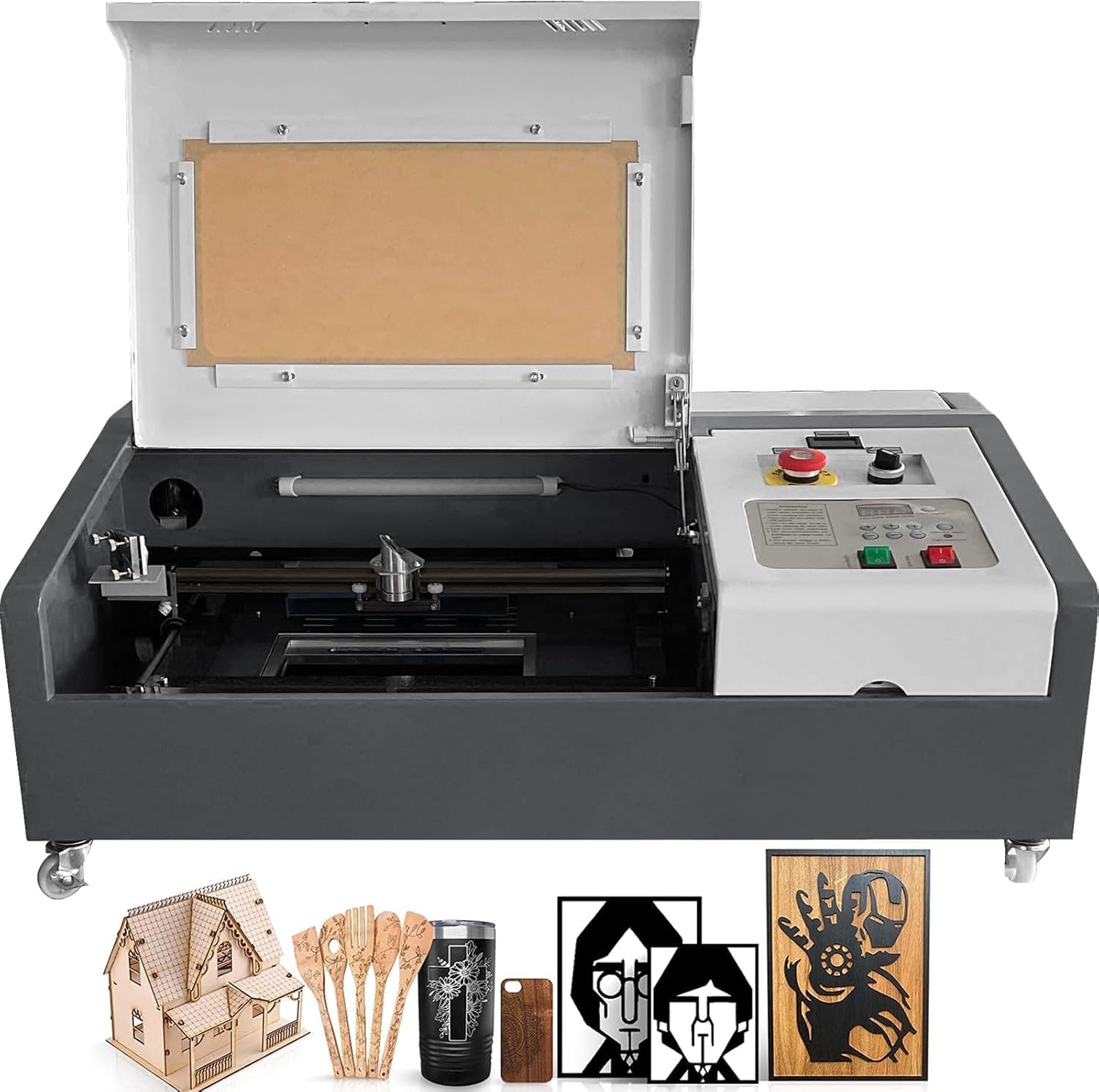
50W CO2 Laser Engraver, 16x16 inch Desktop Laser Cutter and Engraving Machine Compatible with CorelDRAW, Windows XP 7 8 10, EMF, JPG, PLT, WMF for Wood Acrylic Fabric (16"x16")
$600+This is a 50-60W CO2 laser engraver with a 300x200mm engraving area and 0.01mm positioning accuracy, designed for hobbyists and small businesses working with non-metallic materials.

LaserPecker LP5 Smart Dual 20W Fiber + Diode Laser Engraver Cutter with Rotary Extension, Slide Extension & Air Purifier, 3D Embossing, Color Engraving, Ideal for On-site Customization
$600+A dual 20W Fiber and 20W Diode laser engraver with 10,000mm/s speed, ideal for on-site customization across nearly all materials.

WIZMAKER 12W Laser Engraver Machine, Portable Carving Machine, 300x300mm Carving Area, 0.1mm High-Precision DIY Production, Suitable for Wood, Metal, Acrylic and Other Materials
$150-$299This is a 12W laser engraver with a 300x300mm carving area and 0.1mm precision, designed for DIY production on various materials.