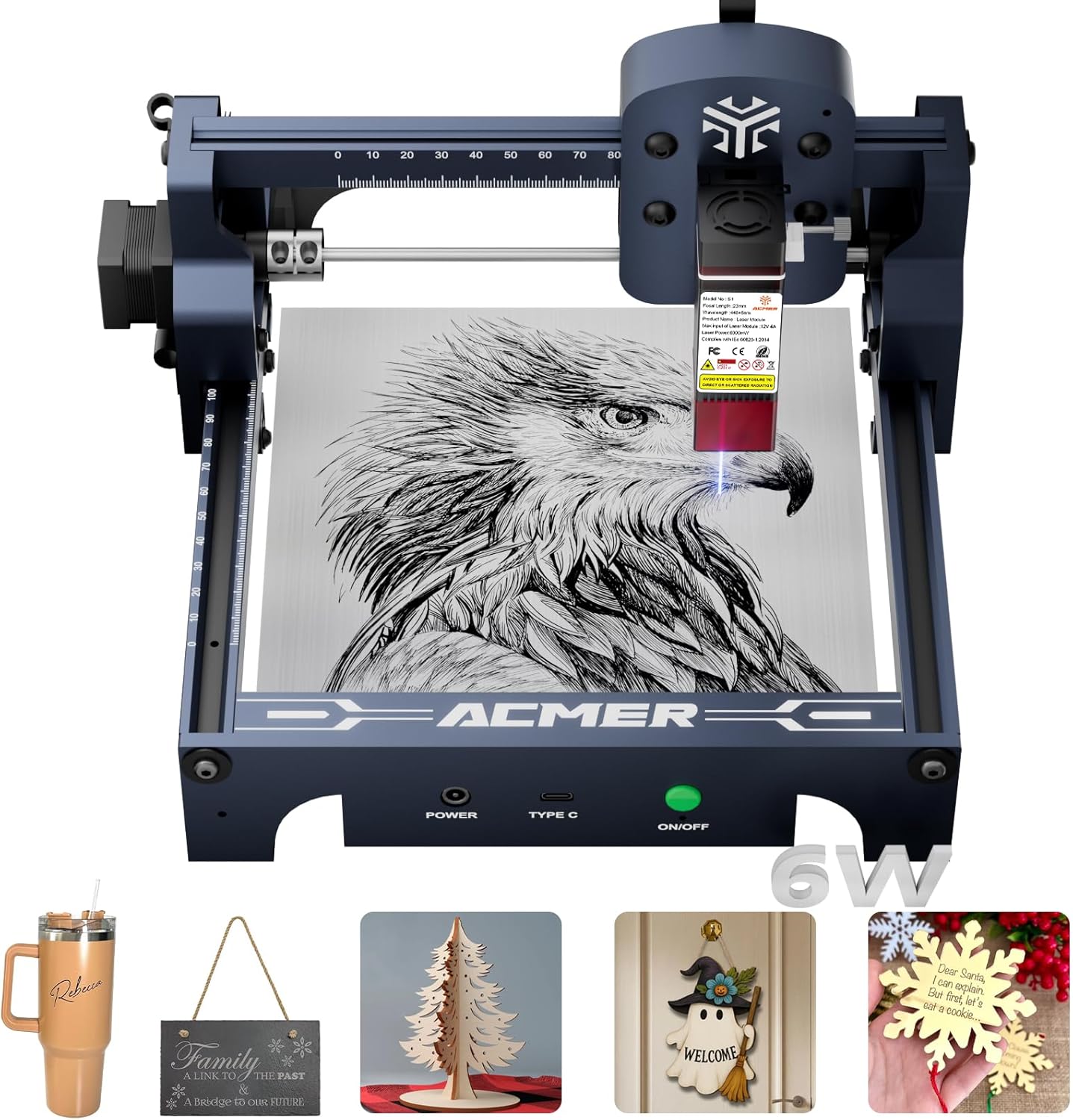
ACMER S1 Laser Engraver, 6000mW Laser Engraver Machine Higher Accuracy Wood Cutter and Engraving Machine with Working Area 130x130mm,0.04mm Laser Spot for Wood Acrylic Metal Glass
Want the best price and purchase timing?
Our AI advisor analyzes real-time pricing across all channels to find you the best deal.
AI Verdict
This is a 6000mW diode laser engraver with a 130x130mm working area and 0.01mm repeatable accuracy, best for hobbyists and small craft projects.
This engraver is a situational fit because its 130x130mm working area and 6000mW laser power are ideal for small, detailed projects and thin material cutting, but will quickly become a limitation for larger or more demanding tasks. Its 99% preassembly and multi-OS software compatibility make it accessible for beginners, though a learning curve for settings is present.
If you need to engrave or cut larger items, look for machines with a working area of at least 300x300mm, and for thicker materials, consider a laser with 10W or higher output.
Regret Score™
Medium RiskLower is better — measures purchase-regret risk from real buyer complaints, review credibility, and product maturity
Issues discovered after purchase
Critically weak dimension
Amazon rating vs actual quality
Chance this product isn't for you
Pros
- Achieves 0.01mm repeatable positioning accuracy for detailed designs.
- Engraves and cuts on materials like wood, bamboo, leather, plastic, PCB, aluminum oxide, and ceramics.
- Arrives 99% preassembled, requiring only 1-minute laser head installation.
- Weighs 4.2 pounds, making it easy to carry and store.
- Supports popular software like LightBurn and LaserGRBL, and is compatible with macOS, Windows, and Linux.
- Features a 10,000mm/min engraving speed for efficient project completion.
Cons
- The 130x130mm working area is small, requiring repositioning for larger projects.
- The 6000mW laser is not suitable for cutting very thick or dense materials.
- Lacks a status display or memory card slot for standalone operation.
- Some users report a learning curve for optimizing software settings like laser power and centering.
- The product's packaging is described as simple recycled cardboard, not premium.
Dimension Scores
The 0.01mm repeatable positioning accuracy and 0.04mm laser spot size allow for highly detailed and intricate designs.
It arrives 99% preassembled with a 1-minute laser head installation, making it accessible for beginners, though software settings require some learning.
It supports engraving and cutting on a range of materials like wood, acrylic, leather, and metal, but the small working area and 6000mW power limit its use for larger or thicker projects.
Built from industrial-grade aluminum alloy and described as sturdy for a desktop engraver, it feels durable despite its lightweight design.
Best For
- Beginners entering laser engraving for small, detailed projects.
- Hobbyists creating personalized gifts or decorative items on wood, leather, or acrylic.
- Small business owners producing high-quality designs for crafts or jewelry.
- Users with limited workspace needing a compact 250x250x162mm machine.
Not Recommended For
- Professionals requiring large-scale production or cutting thick, dense materials.
- Users who need a machine with standalone operation capabilities without a computer connection.
- Individuals expecting a premium unboxing experience with high-end packaging.
Watch Out For
- The 130x130mm working area means you'll need to reposition materials for anything larger than a small coaster.
- You'll need to spend time learning software settings for laser power and centering to get the best results.
- Despite some user expectations, the product specifications do not list wireless connectivity.
- The 6000mW laser is limited in its cutting ability for materials beyond thin plywood or acrylic.
Full Specifications
| ASIN | B0FLQF1MDF |
| Size | 130x130mm |
| Brand | ACMER |
| Color | S1-6W |
| Style | Compact |
| Theme | Christmas |
| Material | Acrylic, Bamboo, Leather, Plastic, Wood |
| Model Name | S1 6W Dark Blue |
| Item Weight | 4.2 pounds |
| Manufacturer | ACMER |
| Item model number | S1 3.5W blue |
| Product Dimensions | 9.84 x 9.84 x 6.38 inches |
| Included Components | Laser engraver machine, 1 |
| Item dimensions L x W x H | 9.84 x 9.84 x 6.38 inches |
What Buyers Say
Many users are surprised by the engraving quality and precision this compact machine offers, especially given its price point. The 99% preassembly is a recurring highlight, getting users up and running quickly. However, the small 130x130mm working area is a frequent mention, meaning you'll be doing smaller projects or repositioning materials often. There's also a consistent note about the learning curve for software settings to achieve optimal results.
“Okay, so I got this thing for making custom coasters and it's actually pretty sick for that. Setup was like, five minutes, no joke. But yeah, the work area is tiny, so don't expect to engrave a whole cutting board in one go. Still, for little stuff, it's a win.”
Common Praise
- Produces detailed engravings with 0.01mm accuracy.
- Ready to use quickly after unboxing due to minimal assembly.
- Compact 250x250x162mm footprint fits easily on a desk.
- Works on a variety of materials including wood, acrylic, and leather.
- The 6000mW laser is sufficient for many beginner and intermediate projects.
Common Complaints
- The 130x130mm working area is restrictive for anything beyond small items.
- Requires time and effort to learn and fine-tune software settings for power and centering.
- Not powerful enough for cutting very thick or dense materials.
- Lacks a status display or memory card slot for independent operation.
- Packaging is basic recycled cardboard, not a premium presentation.
Ownership Tips
- You'll quickly realize the 130x130mm work area means you're mostly doing small batches or single items.
- Getting the laser power and speed settings dialed in for different materials takes some trial and error, so keep test pieces handy.
- The machine is surprisingly quiet during operation, which is a plus for home use.
- Proper ventilation is a must; smoke and fumes are definitely a thing, even with small projects.
- While it supports LightBurn, the included AcmerTool is often easier for beginners to pick up initially.
Frequently Asked Questions
What materials can this engraver work with?
It can engrave on wood, bamboo, leather, plastic, PCB, aluminum oxide, and ceramics. It can also cut thin plywood, MDF, and acrylic.
Is it difficult to set up for a beginner?
No, it arrives 99% preassembled, requiring only about 1 minute to install the laser head, making it user-friendly for beginners.
What software does it use?
It comes with AcmerTool, a free self-developed software, and also supports popular third-party options like LightBurn and LaserGRBL.
Can it cut thick materials?
The 6000mW laser is suitable for cutting thin plywood, MDF, and acrylic, but it's not designed for very thick or dense materials.
What is the working area size?
The working area is 130x130mm, which is compact and suitable for small projects.
Buying Guide
When looking at laser engravers, you need to think about what you'll actually make. The laser's power (like 6000mW here) tells you how fast it can engrave and what it can cut. A higher number means it can go faster or cut thicker stuff. The working area is literally how big of a piece you can put in there. If you want to engrave a big sign, a small area won't cut it.
6000mW Laser Power
This is like the engine size of your car. 6000mW is enough for engraving most common materials and cutting thin ones, similar to how a small car engine is fine for city driving but not for towing a huge trailer.
130x130mm Working Area
This is your canvas size. A 130x130mm area is about the size of a large coaster. If your project is bigger than that, you'll have to engrave it in sections, which is like painting a mural one small square at a time.
0.01mm Repeatable Positioning Accuracy
This is how precisely the laser can return to the same spot. A 0.01mm accuracy means your designs will be super sharp and detailed, like a high-resolution photo versus a blurry one.
Alternatives
If this engraver feels too small or not powerful enough, search for models with a working area of 300x300mm or larger, and a laser power of 10W or more for increased cutting capabilities.
You Might Also Like

xTool F2 Ultra UV Laser Engraver, 5W UV Laser, 3D Inner and Fine Glass Engraving, Dual 48MP Cameras, 15,000 mm/s High Speed, AI Powered 2D-to-3D Software, Ultra-Precise Detail on Glass Plastic Acrylic
$600+A 5W UV laser engraver with <10μm spot size for 3D inner glass engraving and cold processing heat-sensitive materials.

50W CO2 Laser Engraver, 16x16 inch Desktop Laser Cutter and Engraving Machine Compatible with CorelDRAW, Windows XP 7 8 10, EMF, JPG, PLT, WMF for Wood Acrylic Fabric (16"x16")
$600+This is a 50-60W CO2 laser engraver with a 300x200mm engraving area and 0.01mm positioning accuracy, designed for hobbyists and small businesses working with non-metallic materials.

LaserPecker LP5 Smart Dual 20W Fiber + Diode Laser Engraver Cutter with Rotary Extension, Slide Extension & Air Purifier, 3D Embossing, Color Engraving, Ideal for On-site Customization
$600+A dual 20W Fiber and 20W Diode laser engraver with 10,000mm/s speed, ideal for on-site customization across nearly all materials.

WIZMAKER 12W Laser Engraver Machine, Portable Carving Machine, 300x300mm Carving Area, 0.1mm High-Precision DIY Production, Suitable for Wood, Metal, Acrylic and Other Materials
$150-$299This is a 12W laser engraver with a 300x300mm carving area and 0.1mm precision, designed for DIY production on various materials.