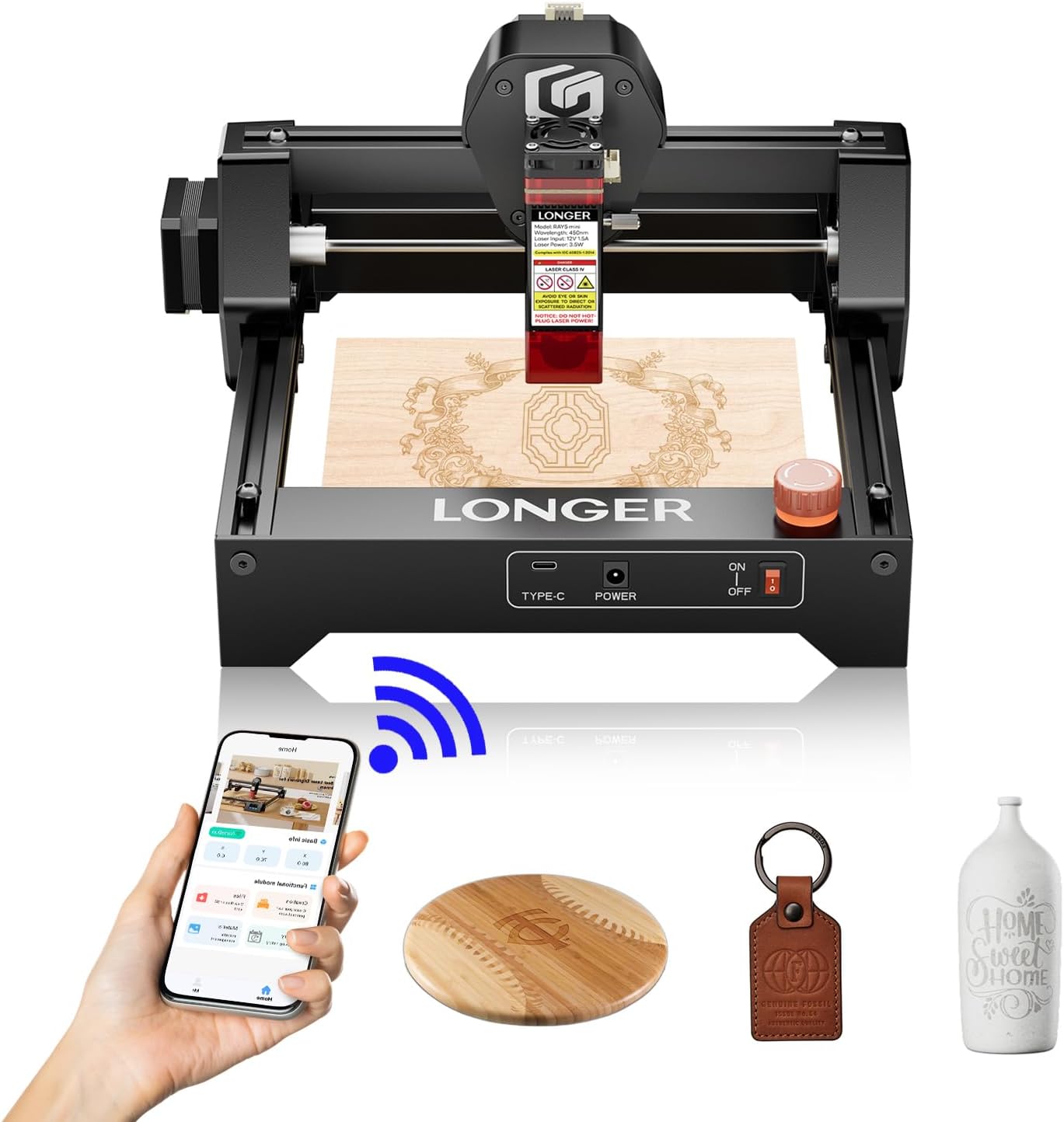
LONGER Ray5 mini Laser Engraver, 12000mm/min High-Speed Cutter for Wood, Metal, Acrylic, Leather, DIY CNC, 140x130mm Engraving Area, WiFi, Emergency Stop Safety (2.5W)
Want the best price and purchase timing?
Our AI advisor analyzes real-time pricing across all channels to find you the best deal.
AI Verdict
This 2.5W laser engraver with a 140x130mm area and 12,000mm/min speed is for beginners wanting to engrave small items, not for cutting thick materials.
This engraver is a situational fit for those specifically needing a compact, entry-level device for detailed engraving on small items. Its 2.5W laser and 140x130mm area are suited for fine work, not for material removal or large projects. The pre-assembled design and multiple connectivity options make it accessible for new users.
If you need to cut materials thicker than paper or thin wood veneer, look for a laser engraver with at least 5W or higher optical power.
Regret Score™
Medium RiskLower is better — measures purchase-regret risk from real buyer complaints, review credibility, and product maturity
Issues discovered after purchase
Critically weak dimension
Amazon rating vs actual quality
Chance this product isn't for you
Pros
- Achieves 0.01mm engraving accuracy with a 0.04mm x 0.04mm laser spot for detailed results.
- Operates at speeds up to 12,000mm/min for faster project completion.
- Weighs 1.8kg and comes pre-assembled, making it portable and ready to use out of the box.
- Offers multiple connection options including USB, Wi-Fi, APP, and offline mode, supporting LaserGRBL and LightBurn software.
- Includes protective glasses and an emergency stop button for user safety during operation.
- Capable of engraving over 300 types of materials, including wood, leather, metal, and acrylic.
Cons
- The 2.5W laser is primarily for engraving and struggles to cut through wood, often requiring multiple passes.
- Diode lasers, including this model, do not effectively cut clear materials like acrylic.
- Requires manual focus adjustment using a focusing block, which can be an extra step in setup.
- Users need to download and install drivers for Mac or PC, especially when using LightBurn software.
Dimension Scores
The 0.04mm x 0.04mm laser spot and 0.01mm accuracy deliver sharp details for engraving.
It's pre-assembled, beginner-friendly, and offers multiple connection options including WiFi and app control.
It engraves over 300 materials and offers various connectivity, but its 2.5W power limits its cutting capabilities significantly.
No specific durability claims are made, but its compact and pre-assembled design suggests a straightforward build without complex moving parts.
Best For
- Beginners looking to start with laser engraving for small projects.
- Creating personalized gifts such as keychains, coasters, or jewelry.
- Users with limited workspace who need a compact and portable engraver.
- Engraving intricate designs on thin materials like wood, leather, or coated metal.
Not Recommended For
- Cutting thick wood, dense plastics, or other robust materials.
- Large-scale production or projects requiring an engraving area larger than 140x130mm.
- Users expecting to cut clear acrylic or similar transparent materials.
Watch Out For
- The 2.5W laser power means cutting through wood will be slow and require several passes, not a single clean cut.
- You can't cut clear acrylic with this diode laser, despite some test materials potentially including it.
- You'll need to manually adjust the laser focus using the included block every time you change material thickness.
- Initial setup involves downloading drivers for your computer, which isn't always plug-and-play for all operating systems.
Full Specifications
| ASIN | B0F2YPY66Q |
| Brand | Longer |
| Color | Ray5 Mini 2.5w |
| Material | Ray5 mini 2.5W |
| Item Weight | 5.04 pounds |
| Manufacturer | LONGER |
| Item model number | RAY5 Mini |
| Product Dimensions | 11.5 x 11.26 x 6.5 inches |
What Buyers Say
Users frequently point out how easy this engraver is to get started with, often mentioning it's ready to go right out of the box after a quick setup. The precision for engraving small details on materials like wood and leather is consistently highlighted. However, the 2.5W laser power means it's not a cutting machine, and attempting to cut through anything substantial will be a frustrating, multi-pass process. The compact size and various connectivity options, especially WiFi, are often praised for convenience.
“Okay, so I got this little guy for making custom keychains and it's actually pretty good for that, but don't even THINK about cutting anything thick, it just burns the edges after like 5 passes.”
Common Praise
- The pre-assembled design means it's ready to use quickly after unboxing.
- Produces clean, consistent engravings on wood and leather.
- The 0.04mm compressed spot delivers amazing detail on wood and acrylic.
- WiFi app control is convenient for running projects from a phone.
- Compact size fits on a desk without taking up much space.
- The 12,000mm/min engraving speed is noticeably smooth and precise.
Common Complaints
- The 2.5W laser is not powerful enough for cutting through wood, requiring multiple passes.
- Diode lasers cannot cut clear materials like acrylic effectively.
- Requires manual focus adjustment with a block, which can be fiddly.
- Need to download specific drivers for computer software like LightBurn.
Ownership Tips
- You'll quickly learn that the 2.5W is for engraving only; trying to cut anything beyond thin paper is a waste of time and material.
- Getting the focus just right with the little block takes some practice to avoid blurry results.
- Ventilation is a must, even for small projects, because the smoke and fumes can be intense.
- LightBurn software, while powerful, has a learning curve, and you'll spend time dialing in settings for different materials.
Frequently Asked Questions
What materials can the LONGER Ray5 mini engrave?
The LONGER Ray5 mini can engrave over 300 types of materials, including wood, leather, metal, and acrylic.
Can this laser engraver cut through wood?
While it can cut thin materials, the 2.5W laser is primarily designed for engraving. Cutting through wood will likely require multiple passes and is not its strong suit.
Is the LONGER Ray5 mini easy to set up for beginners?
Yes, it comes pre-assembled and is described as beginner-friendly, ready to use right out of the box. You will need to download drivers for software like LightBurn.
What software is compatible with this engraver?
It is compatible with LaserGRBL (free) and LightBurn (paid) software.
What is the engraving area of the Ray5 mini?
The engraving area is 140x130mm, which is suitable for smaller projects and personalized items.
Buying Guide
When looking at laser engravers, you need to think about what you actually want to make. If you're just etching designs onto surfaces, a lower-power laser like this 2.5W model is fine. But if you're hoping to cut out shapes from wood or acrylic, you'll quickly hit a wall with anything under 5W. Also, consider the work area; 140x130mm is small, so plan your projects accordingly.
Laser Power (2.5W)
This number tells you how strong the laser beam is. A 2.5W laser is like a fine-point pen for engraving; it's great for drawing lines and shading, but it's not a chainsaw for cutting through thick stuff. Higher wattage means more cutting ability.
Engraving Area (140x130mm)
This is your canvas size. A 140x130mm area means you're limited to smaller projects, roughly the size of a large coaster or a small phone. If you want to engrave a cutting board or a larger sign, you'll need a bigger work area.
Engraving Speed (12,000mm/min)
This is how fast the laser head can move while engraving. Faster speeds mean your designs get completed quicker. However, high speed doesn't always mean better quality; sometimes you need to slow it down for finer details or deeper engraves.
Alternatives
If this engraver doesn't fit your needs, search for models with higher optical power (e.g., 5W, 10W, or 20W) for improved cutting capabilities, or a larger engraving area (e.g., 300x300mm or 400x400mm) for bigger projects.
You Might Also Like

xTool F2 Ultra UV Laser Engraver, 5W UV Laser, 3D Inner and Fine Glass Engraving, Dual 48MP Cameras, 15,000 mm/s High Speed, AI Powered 2D-to-3D Software, Ultra-Precise Detail on Glass Plastic Acrylic
$600+A 5W UV laser engraver with <10μm spot size for 3D inner glass engraving and cold processing heat-sensitive materials.

50W CO2 Laser Engraver, 16x16 inch Desktop Laser Cutter and Engraving Machine Compatible with CorelDRAW, Windows XP 7 8 10, EMF, JPG, PLT, WMF for Wood Acrylic Fabric (16"x16")
$600+This is a 50-60W CO2 laser engraver with a 300x200mm engraving area and 0.01mm positioning accuracy, designed for hobbyists and small businesses working with non-metallic materials.

LaserPecker LP5 Smart Dual 20W Fiber + Diode Laser Engraver Cutter with Rotary Extension, Slide Extension & Air Purifier, 3D Embossing, Color Engraving, Ideal for On-site Customization
$600+A dual 20W Fiber and 20W Diode laser engraver with 10,000mm/s speed, ideal for on-site customization across nearly all materials.

WIZMAKER 12W Laser Engraver Machine, Portable Carving Machine, 300x300mm Carving Area, 0.1mm High-Precision DIY Production, Suitable for Wood, Metal, Acrylic and Other Materials
$150-$299This is a 12W laser engraver with a 300x300mm carving area and 0.1mm precision, designed for DIY production on various materials.