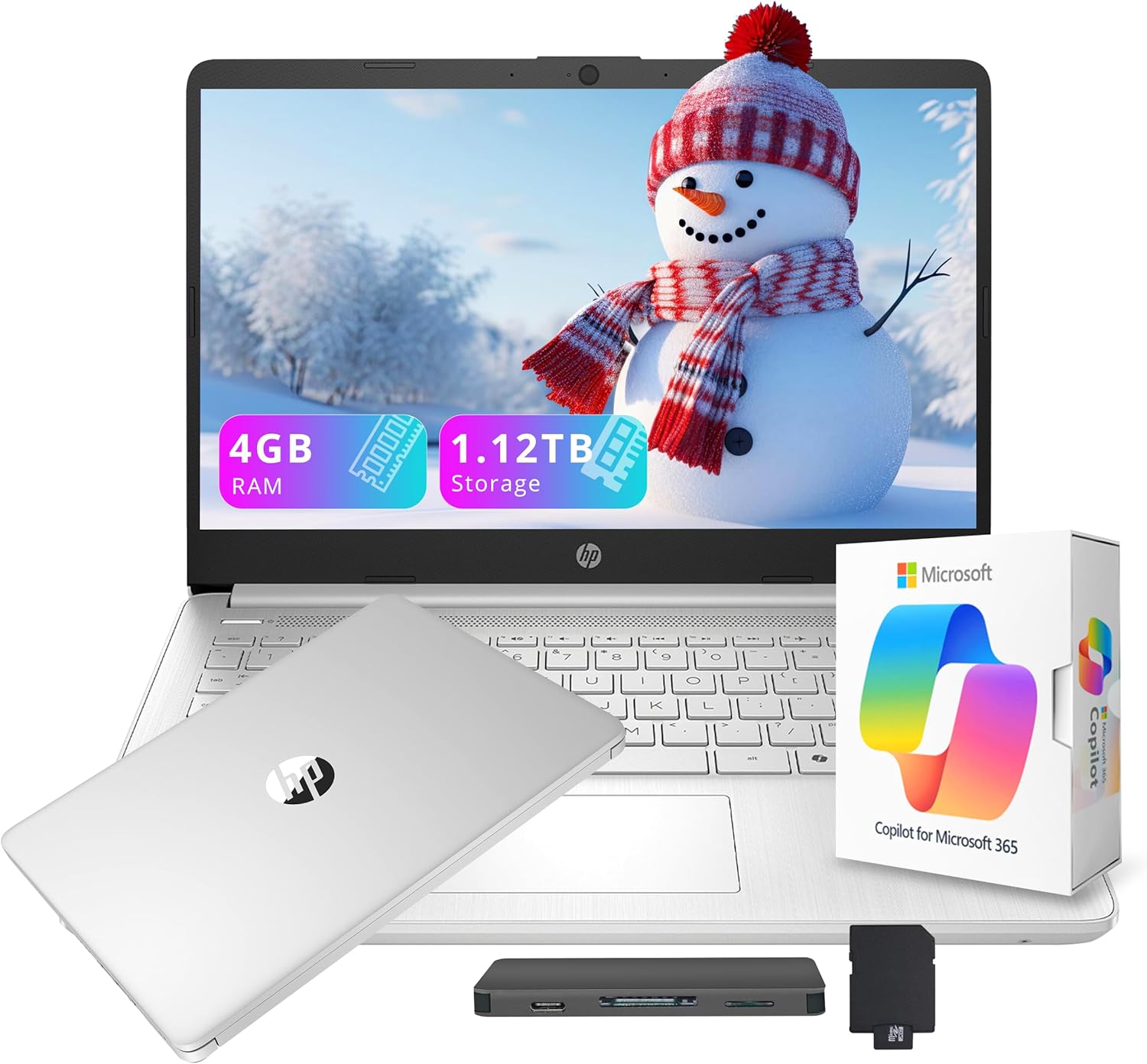
HP Flagship 14" HD Student&Business Laptop with AI Copilot, 13th Gen Intel 4-Core, 4GB RAM, 1.12TB Storage (128GB UFS + 1TB Docking Station), 1 Year Office 365, Wi-Fi 6, Win 11 S, Natural Silver
Want the best price and purchase timing?
Our AI advisor analyzes real-time pricing across all channels to find you the best deal.
AI Verdict
This is a 14-inch laptop with a 1366 x 768 display, 4GB RAM, and a 128GB UFS drive plus a 1TB docking station, best for basic student or business tasks.
This laptop is a situational fit because its 4GB RAM and 1366 x 768 display are significant limitations for modern computing, but the included 1TB docking station and 1-year Office 365 subscription add value for specific, light-use scenarios. It's designed for basic productivity and web tasks, not demanding workloads.
If you need to run more than a few applications or want a sharper display, look for laptops with at least 8GB RAM and a 1920 x 1080 (Full HD) screen resolution.
Regret Score™
High RiskLower is better — measures purchase-regret risk from real buyer complaints, review credibility, and product maturity
Issues discovered after purchase
Critically weak dimension
Amazon rating vs actual quality
Chance this product isn't for you
Pros
- Includes a 1TB docking station for expanded storage, totaling 1.12TB storage capacity.
- Comes with a 1-year Microsoft 365 subscription, adding immediate value for productivity software.
- Features Wi-Fi 6 for faster and more stable internet connectivity.
- Weighs 3.24 pounds, making it portable for on-the-go use.
- Integrated AI Copilot assists with tasks like drafting emails and summarizing content.
- Offers multiple ports including 1x USB Type-C, 2x USB Type-A, HDMI 1.4b, and a media card reader.
Cons
- The 4GB DDR4 RAM is modest and will limit heavy multitasking or running demanding applications.
- The 1366 x 768 HD display resolution is not sharp for media editing or detailed work.
- Windows 11 S mode restricts app installation to the Microsoft Store unless switched out.
- The Intel Processor N150 (3.6 GHz others) is designed for everyday tasks, not intensive workloads.
- UFS storage, while responsive, is not as fast as a full SSD for system performance.
Dimension Scores
The 4GB DDR4 RAM and Intel Processor N150 (3.6 GHz others) are below average for modern multitasking and will struggle with anything beyond basic web browsing and document editing.
The 1366 x 768 pixel HD display is a low resolution for a 14-inch screen, resulting in less sharp visuals compared to most laptops today.
Battery life is not specified in the product data or search results, so it's scored as category average by default.
Weighing 3.24 pounds and measuring 0.71 inches thick, it's reasonably portable for its size, but no specific build materials are mentioned.
Best For
- Students needing a portable machine for web browsing, document editing, and online classes.
- Individuals requiring a budget-friendly laptop for basic office applications and email.
- Users who primarily work with cloud-based applications and light productivity tasks.
- Anyone needing a laptop with included Office 365 and significant external storage for documents and media.
Not Recommended For
- Users who require heavy multitasking, running multiple applications simultaneously, or using creative software like Photoshop.
- Gamers or those needing high-resolution displays for media consumption or detailed graphic work.
- Professionals who need powerful processing for data analysis, video editing, or software development.
Watch Out For
- The 4GB RAM means you'll hit performance bottlenecks quickly if you open more than a few browser tabs or try to run multiple apps at once.
- The 1366 x 768 display resolution makes text and images less sharp compared to Full HD panels, impacting clarity for detailed work or media viewing.
- Windows 11 S mode limits you to apps from the Microsoft Store; installing software from other sources requires switching out of S mode, which is a one-way process.
- While 1.12TB total storage sounds big, the primary 128GB UFS drive for the OS and apps fills up fast, and the 1TB is on an external docking station, not internal.
Full Specifications
| RAM | 4 GB DDR4 |
| ASIN | B0G5P5PD8H |
| Brand | HP |
| Color | Silver |
| Series | HP Stream |
| CPU Model | Others |
| Processor | 3.6 GHz others |
| Hard Drive | 128 GB UFS |
| Model Name | HP Stream |
| Item Weight | 3.24 pounds |
| Screen Size | 14 Inches |
| Wireless Type | 802.11ax |
| Hard Disk Size | 128 GB |
| Processor Brand | Intel |
| Special Feature | Anti Glare Coating |
| Card Description | Integrated |
| Operating System | Windows 11 S |
| Hardware Platform | PC |
| Item model number | HP Stream |
| Screen Resolution | 1366 x 768 pixels |
| Product Dimensions | 19 x 12 x 3 inches |
| Computer Memory Type | DDR4 SDRAM |
| Graphics Coprocessor | Intel Graphics |
| Hard Drive Interface | Solid State |
| Number of Processors | 4 |
| Max Screen Resolution | 1366x768 Pixels |
| Item Dimensions LxWxH | 19 x 12 x 3 inches |
| Graphics Card Description | Integrated |
| Ram Memory Installed Size | 4 GB |
| Standing screen display size | 14 Inches |
What Buyers Say
The most notable aspect of this HP laptop is its unique hybrid storage solution, bundling a 128GB UFS drive with a 1TB docking station, which offers a lot of space for files despite the small internal drive. However, reviewers consistently point out the 4GB RAM as a major bottleneck, severely limiting its ability to handle multiple applications or demanding software. The HD display resolution is also frequently mentioned as a drawback for visual clarity.
“Look, if you just need something for emails and typing papers, and you're cool with the external storage, it's fine, but don't expect to do much else without it chugging.”
Common Praise
- The included 1TB docking station provides a lot of extra storage for documents and media.
- The 1-year Microsoft 365 subscription is a practical bonus for students and business users.
- Wi-Fi 6 offers fast and reliable internet connectivity.
- The laptop's lightweight design (3.24 lbs) makes it easy to carry around.
- AI Copilot integration helps with productivity tasks like drafting and summarizing.
Common Complaints
- The 4GB RAM makes multitasking feel slow and constrained, especially with several browser tabs open.
- The 1366 x 768 display lacks sharpness, making text and images appear less crisp than on higher-resolution screens.
- Windows 11 S mode is restrictive, preventing installation of apps outside the Microsoft Store without switching modes.
- The Intel N150 processor is only suitable for very basic tasks and struggles with anything more intensive.
Ownership Tips
- You'll quickly notice the performance hit from the 4GB RAM when trying to run more than a couple of applications or browser tabs.
- The limitations of Windows 11 S mode become apparent when you try to install software not available in the Microsoft Store.
- The 1366 x 768 display, while functional, makes it hard to use for extended periods if you're used to sharper screens.
- Managing files between the 128GB internal UFS drive and the 1TB docking station can become a routine task to avoid filling up the main drive.
Frequently Asked Questions
Can I upgrade the RAM on this laptop?
The product specifications do not indicate that the 4GB DDR4 RAM is upgradeable. Most budget laptops in this category have soldered RAM, meaning you're likely stuck with the 4GB.
What is Windows 11 S mode?
Windows 11 S mode is a version of Windows 11 that's streamlined for security and performance, exclusively running apps from the Microsoft Store. You can switch out of S mode to regular Windows 11 Home, but it's a one-way process.
Is the 1TB storage internal or external?
The 1TB storage is part of a docking station set, meaning it's external storage. The laptop itself has a 128GB UFS internal drive.
Is this laptop suitable for gaming?
No, with only 4GB RAM, an Intel Processor N150, and integrated graphics, this laptop is not suitable for gaming beyond very basic, low-demand titles.
Does it come with Microsoft Office?
Yes, it includes a 1-year subscription to Microsoft 365, which provides access to Word, Excel, PowerPoint, and other Office applications.
Buying Guide
When you're looking at a laptop like this, you need to be super clear about what you'll actually use it for. This isn't a powerhouse; it's built for specific, light tasks. Don't get swayed by 'AI Copilot' if the core specs can't handle your everyday needs. Pay close attention to the RAM and screen resolution, as these are the biggest indicators of daily usability.
RAM (4GB DDR4)
Think of RAM like your desk space. 4GB is a tiny desk; you can only have a few things open at once before it gets cluttered and slow. More RAM (like 8GB or 16GB) means a bigger desk, letting you multitask smoothly without slowdowns.
Resolution (1366 x 768 pixels)
This is how many pixels make up your screen image. 1366 x 768 is like watching an older TV; the picture isn't as clear or detailed as a Full HD (1920 x 1080) screen, which is like a modern HD TV. For reading text or looking at photos, a higher resolution means sharper visuals.
Storage (128GB UFS + 1TB Docking Station)
The 128GB UFS is your laptop's internal hard drive, where Windows and your main apps live. It's like a small, fast closet. The 1TB docking station is external, like a big storage shed. You'll put your documents and media there, but it's not as fast or convenient as having all that space internally.
Alternatives
If this laptop doesn't fit, search for models with at least 8GB of RAM and a 1920 x 1080 (Full HD) display for a noticeably better experience in everyday use.
You Might Also Like

Apple 2026 MacBook Air 13-inch Laptop with M5 chip: Built for AI, 13.6-inch Liquid Retina Display, 16GB Unified Memory, 512GB SSD, 12MP Center Stage Camera, Touch ID, Wi-Fi 7; Midnight
$600+This 2.71-pound MacBook Air with a 13.6-inch Liquid Retina display and M5 chip is for users needing powerful AI capabilities and up to 18 hours of battery life.

Apple 2026 MacBook Pro Laptop with Apple M5 Pro chip with 18-core CPU and 20-core GPU: Built for AI, 16.2-inch Liquid Retina XDR Display, 24GB Unified Memory, 1TB SSD, Wi-Fi 7; Space Black
$600+This 16.2-inch MacBook Pro with an 18-core M5 Pro CPU and 20-core GPU is for professionals needing extreme AI performance and up to 27 hours of battery life.

Apple 2026 MacBook Air 15-inch Laptop with M5 chip: Built for AI, 15.3-inch Liquid Retina Display, 16GB Unified Memory, 512GB SSD, 12MP Center Stage Camera, Touch ID, Wi-Fi 7; Midnight
$600+This 3.32-pound MacBook Air with an M5 chip and 15.3-inch Liquid Retina display is for users needing powerful AI capabilities and up to 18 hours of battery life.

HP OmniBook 5 16” Touchscreen AI Laptop – Intel Core Ultra 7 Processor, 16GB RAM, 1TB SSD, Windows 11, Copilot AI, Wi-Fi 6E, Backlit Keyboard, Silver
$600+This 16-inch touchscreen laptop with an Intel Core Ultra 7, 16GB LPDDR5 RAM, and 1TB SSD is for users needing a mid-range AI-accelerated machine for productivity and light creative tasks.