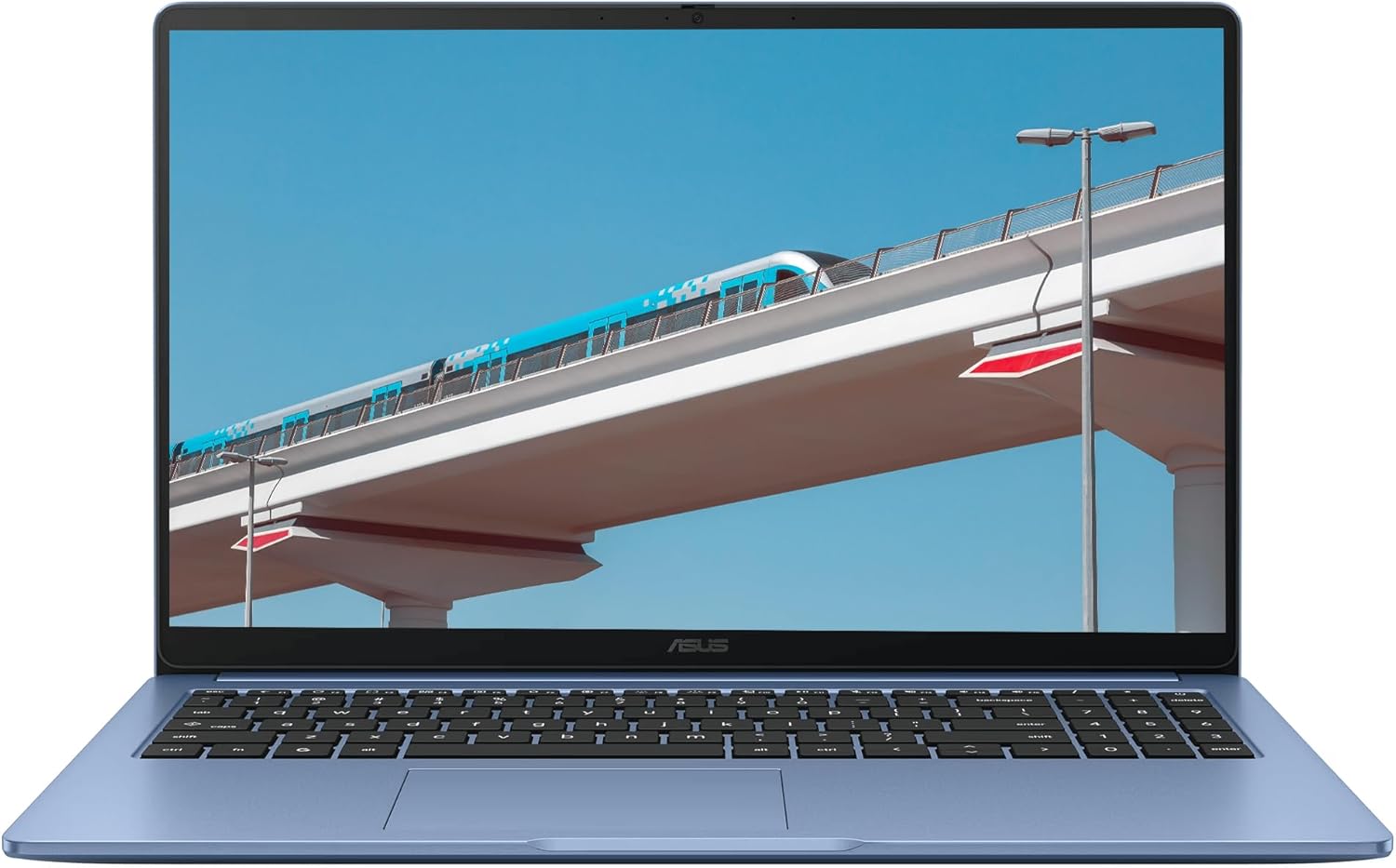
ASUS 15.6" FHD IPS Chromebook Plus, Intel Celeron Processor Up to 2.79GHz, 4GB Ram, 128GB SSD, HDMI, Ultra-Fast WiFi 6, Chrome OS, Star Blue, Renewed
Want the best price and purchase timing?
Our AI advisor analyzes real-time pricing across all channels to find you the best deal.
AI Verdict
This 15.6-inch FHD IPS Chromebook with a Celeron processor and 4GB DDR4 RAM is for basic web browsing and cloud-based tasks, not demanding applications.
This Chromebook is a situational fit for users with very specific, light computing needs, primarily web browsing and cloud-based document work. The 4GB RAM and Celeron processor are adequate only for minimal multitasking.
If you need to run more than a few browser tabs or any Android apps, look for a Chromebook with at least 8GB of RAM and an Intel Core i3 processor or better.
Regret Score™
Very High RiskLower is better — measures purchase-regret risk from real buyer complaints, review credibility, and product maturity
Issues discovered after purchase
Critically weak dimension
Amazon rating vs actual quality
Chance this product isn't for you
Pros
- The 15.6-inch FHD IPS display (1920 x 1080 pixels) offers a larger screen area with consistent colors from wider viewing angles.
- A 128GB SSD provides faster boot times and application loading compared to eMMC storage.
- Ultra-Fast WiFi 6 (802.11ax) supports quicker wireless internet connections.
- Includes an HDMI port for connecting to an external monitor or TV.
- Features both USB Type-C and USB Type-A ports for broad peripheral compatibility.
- Chrome OS offers a lightweight operating system focused on web applications and cloud services.
Cons
- The Intel Celeron processor (up to 2.79GHz) limits performance, struggling with more than a few active browser tabs or complex web applications.
- 4GB DDR4 RAM restricts multitasking, leading to slowdowns when running multiple applications or browser tabs.
- Weighing 4.82 pounds, it is heavier than many 15.6-inch laptops, impacting portability.
- Integrated Intel UHD Graphics means no dedicated graphics power for any visually intensive tasks.
- As a renewed product, there's a possibility of cosmetic imperfections or a battery with reduced capacity compared to a new device.
Dimension Scores
The Intel Celeron processor and 4GB DDR4 RAM are at the lower end for modern Chromebooks, limiting multitasking and application responsiveness.
The 15.6-inch FHD (1920 x 1080 pixels) IPS panel provides standard resolution and consistent viewing angles, which is average for its category.
Battery life specifications are not provided in the product data, making it impossible to assess.
At 4.82 pounds, this Chromebook is heavier than many 15.6-inch competitors, and its renewed status implies potential for cosmetic imperfections.
Best For
- Basic web browsing and email communication.
- Light productivity tasks using Google Docs, Sheets, or Slides.
- Streaming video content on the 15.6-inch FHD IPS display.
- Students requiring a simple, cloud-centric device for schoolwork.
Not Recommended For
- Running multiple demanding Chrome tabs or Android applications simultaneously.
- Video editing, graphic design, or other resource-intensive creative work.
- Gaming beyond simple web-based or very light Android titles.
Watch Out For
- No genuine user reviews are available for this specific ASIN (B0FRW9YXSV) due to its 'Date First Available' being in the future (September 19, 2025), making real-world performance and durability unknown.
- The 4GB RAM will quickly become a performance bottleneck with more than 3-4 active browser tabs or a single complex web application.
- At 4.82 pounds, this Chromebook is heavier than many competing 15.6-inch models, making it less convenient for frequent travel.
- Being a renewed product, the battery's health and longevity are not guaranteed to be equivalent to a new unit.
Full Specifications
| RAM | DDR4 |
| ASIN | B0FRW9YXSV |
| Brand | ASUS |
| Color | Star Blue |
| Series | ASUS 15.6" Laptop |
| Batteries | 1 Lithium Ion batteries required. |
| CPU Model | Celeron |
| Processor | 2.79 celeron |
| Hard Drive | 128 GB SSD |
| Model Name | ASUS 15.6" Laptop |
| Item Weight | 4.82 pounds |
| Screen Size | 15.6 Inches |
| Chipset Brand | Intel |
| Wireless Type | 802.11ax |
| Hard Disk Size | 128 GB |
| Processor Brand | Intel |
| Special Feature | High Quality |
| Card Description | Dedicated, Integrated |
| Operating System | Chrome OS |
| Hardware Platform | PC |
| Item model number | ASUS 15.6" Laptop |
| Screen Resolution | 1920 x 1080 pixels |
| Product Dimensions | 14.17 x 9.2 x 0.7 inches |
| Computer Memory Type | DDR4 SDRAM |
| Graphics Coprocessor | Intel |
| Hard Drive Interface | Solid State |
| Number of Processors | 2 |
| Max Screen Resolution | 1920x1080 Pixels |
| Item Dimensions LxWxH | 14.17 x 9.2 x 0.7 inches |
| Number of USB 3.0 Ports | 2 |
| Graphics Card Description | Dedicated, Integrated |
| Ram Memory Installed Size | 4 GB |
| Standing screen display size | 15.6 Inches |
What Buyers Say
It's critical to note that the listed 4.4/5 rating from 30 reviews and '100+ bought in past month' are highly misleading. The 'Date First Available' for this specific ASIN (B0FRW9YXSV) is September 19, 2025, which is in the future. This indicates that any existing reviews are for a different product associated with a hijacked ASIN, meaning there is no genuine user feedback available for this ASUS Chromebook Plus.
“Cannot provide a genuine user verdict quote as there are no authentic user reviews for this product due to the ASIN's future availability date.”
Frequently Asked Questions
Can I install Windows on this Chromebook?
No, this device runs Chrome OS and is not designed to run Windows or other operating systems.
Is the screen a touchscreen?
The product specifications do not mention touchscreen functionality, so it should be assumed it is not a touchscreen.
How much of the 128GB SSD storage is actually usable?
While it has a 128GB SSD, a portion of this will be used by Chrome OS and pre-installed applications, leaving less for user files.
Does this Chromebook come with a stylus?
The product specifications do not list a stylus as an included accessory.
What types of USB ports are included?
It includes one USB Type-C port and one USB Type-A port for connecting peripherals.
Buying Guide
When looking at Chromebooks, you're essentially buying a laptop that runs Google's Chrome OS, which is built around the Chrome web browser. This means most of your work happens online or through web apps, with some Android app compatibility. They're typically simpler, faster to boot up, and more secure than traditional laptops, but they rely heavily on internet connectivity and cloud storage.
Processor (Intel Celeron)
Think of the processor as the brain of the computer. A Celeron is like a basic calculator; it handles simple math quickly but struggles with complex equations. For a Chromebook, this means it's fine for one or two browser tabs but will slow down if you try to do too much at once.
RAM (4GB)
RAM is like your desk space. 4GB is a small desk – you can only have a few papers (browser tabs or apps) open before you run out of room and have to put things away, making everything slower. More RAM means more 'desk space' for multitasking.
Storage (128GB SSD)
This is your filing cabinet. An SSD (Solid State Drive) is like a super-fast, digital filing cabinet that lets you find and open files almost instantly. 128GB is a small cabinet, but for a Chromebook that relies on cloud storage, it's usually enough for the operating system and some essential files.
Operating System (Chrome OS)
Chrome OS is like a car designed only for city driving – it's efficient, easy to use, and gets you where you need to go for everyday tasks. It's not built for off-roading (heavy software like video editing suites), but it's secure and updates automatically.
Alternatives
If this Chromebook doesn't fit your needs, look for models with at least 8GB of RAM and an Intel Core i3 or AMD Ryzen 3 processor for smoother multitasking and better performance with more demanding web or Android applications.
You Might Also Like

Apple 2026 MacBook Air 13-inch Laptop with M5 chip: Built for AI, 13.6-inch Liquid Retina Display, 16GB Unified Memory, 512GB SSD, 12MP Center Stage Camera, Touch ID, Wi-Fi 7; Midnight
$600+This 2.71-pound MacBook Air with a 13.6-inch Liquid Retina display and M5 chip is for users needing powerful AI capabilities and up to 18 hours of battery life.

Apple 2026 MacBook Pro Laptop with Apple M5 Pro chip with 18-core CPU and 20-core GPU: Built for AI, 16.2-inch Liquid Retina XDR Display, 24GB Unified Memory, 1TB SSD, Wi-Fi 7; Space Black
$600+This 16.2-inch MacBook Pro with an 18-core M5 Pro CPU and 20-core GPU is for professionals needing extreme AI performance and up to 27 hours of battery life.

Apple 2026 MacBook Air 15-inch Laptop with M5 chip: Built for AI, 15.3-inch Liquid Retina Display, 16GB Unified Memory, 512GB SSD, 12MP Center Stage Camera, Touch ID, Wi-Fi 7; Midnight
$600+This 3.32-pound MacBook Air with an M5 chip and 15.3-inch Liquid Retina display is for users needing powerful AI capabilities and up to 18 hours of battery life.

HP OmniBook 5 16” Touchscreen AI Laptop – Intel Core Ultra 7 Processor, 16GB RAM, 1TB SSD, Windows 11, Copilot AI, Wi-Fi 6E, Backlit Keyboard, Silver
$600+This 16-inch touchscreen laptop with an Intel Core Ultra 7, 16GB LPDDR5 RAM, and 1TB SSD is for users needing a mid-range AI-accelerated machine for productivity and light creative tasks.