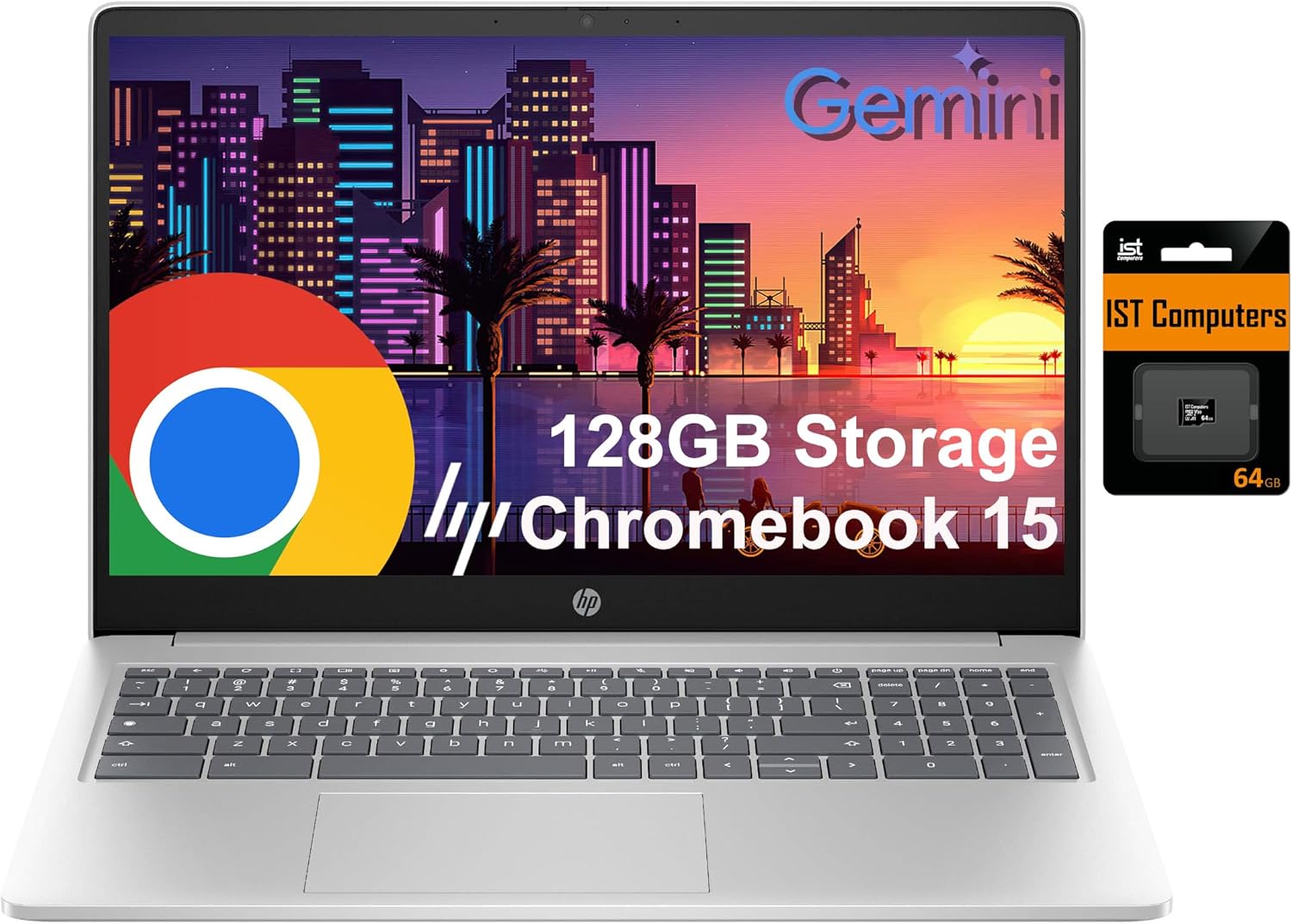
HP Chromebook Laptop 15 (15.6" Anti-Glare, Intel N200 (> i3-1115G4), 8GB DDR5 RAM, 128GB Storage (64GB eMMC + 64GB SD Card), Numeric KB) Home & Student, Webcam w/Shutter, Wi-Fi, Chrome OS, Silver
Want the best price and purchase timing?
Our AI advisor analyzes real-time pricing across all channels to find you the best deal.
AI Verdict
This 15.6-inch Chromebook with an Intel N200, 8GB DDR5 RAM, and 128GB storage is for students or light home users needing a large screen and numeric keypad on a budget.
This Chromebook is a situational fit, offering a large 15.6-inch screen and numeric keypad for users prioritizing screen real estate and data entry over display quality. The 8GB DDR5 RAM and N200 processor handle basic Chrome OS tasks, but the low-resolution TN panel is a significant compromise for visual clarity.
If display quality is a priority, look for a Chromebook with a 1920x1080 (Full HD) IPS panel and higher NTSC color coverage.
Regret Score™
Very High RiskLower is better — measures purchase-regret risk from real buyer complaints, review credibility, and product maturity
Issues discovered after purchase
Critically weak dimension
Amazon rating vs actual quality
Chance this product isn't for you
Pros
- Includes a numeric keypad, which is uncommon for Chromebooks and useful for data entry.
- Features 8GB DDR5 RAM, allowing for smoother multitasking with multiple Chrome tabs.
- Offers 128GB of storage (64GB eMMC + 64GB SD Card), providing more local space than many entry-level Chromebooks.
- Equipped with two USB Type-C ports that support Power Delivery and DisplayPort 1.4, enabling external 4K monitor connectivity.
- The 720p webcam includes a privacy shutter for enhanced security.
Cons
- The 1366 x 768 pixel resolution on a 15.6-inch screen results in a low pixel density.
- The display uses a TN panel, which typically has poor viewing angles and color reproduction compared to IPS.
- The keyboard is not backlit, making it difficult to type in low-light conditions.
- The 3.3-pound weight is on the heavier side for a Chromebook, impacting portability.
- The Intel N200 processor, while efficient, is limited for demanding applications beyond basic web browsing and document editing.
Dimension Scores
The Intel N200 processor with 8GB DDR5 RAM provides adequate performance for Chrome OS and basic web tasks, but won't handle intensive applications.
The 15.6-inch 1366x768 HD resolution combined with a TN panel results in a display with low pixel density, limited viewing angles, and likely poor color accuracy.
The advertised 12-hour battery life is competitive for a Chromebook, though some reports indicate closer to 10-11 hours of actual use.
Weighing 3.3 pounds, it's a standard weight for a 15.6-inch laptop, but not particularly light for a Chromebook, and the build quality is generally reported as sturdy for its price point.
Best For
- Students needing a large screen for schoolwork and a numeric keypad for calculations.
- Home users primarily browsing the web, checking email, and streaming video.
- Anyone needing a secondary, low-cost laptop for basic productivity tasks.
- Users who frequently connect to external 4K monitors via USB-C.
Not Recommended For
- Users requiring a sharp display for detailed work or media consumption.
- Anyone needing to run demanding applications or heavy multitasking.
- Frequent travelers who prioritize a lightweight device.
- Users who often work in dimly lit environments and need a backlit keyboard.
Watch Out For
- The 1366x768 resolution on a 15.6-inch screen means text and images will appear less sharp than on a Full HD display.
- The display's TN panel technology will likely show color shifts and reduced contrast when viewed from off-center angles.
- While advertised with a 12-hour battery, some reports suggest closer to 10-11 hours of actual use.
- The 3.3-pound weight is heavier than many 13-inch or 14-inch Chromebooks, making it less convenient for carrying around all day.
Full Specifications
| RAM | 8 GB DDR5 |
| ASIN | B0F7FB29JZ |
| Brand | ist computers |
| Color | Silver |
| Series | Chromebook 15 |
| Batteries | 1 12V batteries required. (included) |
| CPU Model | Pentium |
| Processor | 1.3 GHz pentium |
| Hard Drive | 128 GB Emmc |
| Model Name | Chromebook 15 |
| Item Weight | 3.3 pounds |
| Screen Size | 15.6 Inches |
| Memory Speed | 4800 MHz |
| Chipset Brand | Intel |
| Wireless Type | 802.11ac |
| Hard Disk Size | 128 GB |
| Processor Brand | Intel |
| Special Feature | Anti Glare Coating, HD Audio, Numeric Keypad, Webcam w/Shutter |
| Card Description | Integrated Intel UHD Graphics |
| Operating System | Chrome OS |
| Item model number | Chromebook 15 |
| Screen Resolution | 1366 x 768 pixels |
| Optical Drive Type | NO |
| Product Dimensions | 14.28 x 9.51 x 0.71 inches |
| Computer Memory Type | DDR5 RAM |
| Graphics Coprocessor | Intel UHD Graphics |
| Hard Drive Interface | Solid State |
| Number of Processors | 4 |
| Max Screen Resolution | 1366x768 Pixels |
| Item Dimensions LxWxH | 14.28 x 9.51 x 0.71 inches |
| Number of USB 3.0 Ports | 4 |
| Graphics Card Description | Integrated Intel UHD Graphics |
| Ram Memory Installed Size | 8 GB |
| Standing screen display size | 15.6 Inches |
| Average Battery Life (in hours) | 12 Hours |
What Buyers Say
Users seem to appreciate the value this Chromebook offers for its price, especially the inclusion of a numeric keypad and the larger screen size compared to smaller Chromebooks. The performance for everyday tasks like browsing and streaming is generally considered sufficient. However, the display's low resolution and TN panel are consistent points of concern, impacting the visual experience. The battery life, while not always reaching the advertised 12 hours, is still considered enough for a full day of use by many.
“Look, for under $300, it's a big screen Chromebook with a number pad, which is exactly what I needed for my online classes, but man, that screen is not pretty, colors look washed out if you're not looking straight at it.”
Common Praise
- The numeric keypad is a practical addition for productivity.
- 8GB of DDR5 RAM keeps multiple browser tabs and apps running without significant slowdowns.
- The Intel N200 processor handles basic Chrome OS functions smoothly.
- The inclusion of two USB-C ports with DisplayPort 1.4 is convenient for external displays.
- The 720p webcam with a privacy shutter is a thoughtful security feature.
Common Complaints
- The 1366x768 resolution on a 15.6-inch screen makes content appear less sharp.
- The TN display panel leads to noticeable color shifts and poor viewing angles.
- The lack of a backlit keyboard is a drawback for typing in dim lighting.
- The 3.3-pound weight can feel substantial for a Chromebook.
- The actual battery life often falls short of the 12-hour claim, typically around 10-11 hours.
Ownership Tips
- The 64GB SD card is pre-installed and integrated into the storage, so you don't need to purchase one separately.
- The anti-glare coating on the screen helps reduce reflections, but doesn't improve the panel's inherent quality.
- The USB-C ports are versatile, allowing for charging, data transfer, and video output from the same port.
- The Chrome OS auto-update expiration date is June 2030, ensuring long-term software support.
Frequently Asked Questions
Does this Chromebook have a touchscreen?
No, the HP Chromebook Laptop 15 does not feature a touchscreen display.
Can I connect an external monitor to this Chromebook?
Yes, it has two SuperSpeed USB Type-C ports that support DisplayPort 1.4, allowing you to connect one external 4K (3840x2160) monitor at 60Hz without a docking station.
Is the keyboard backlit?
No, this model does not come with a backlit keyboard.
What is the total storage capacity?
The total storage is 128GB, comprised of 64GB eMMC and an additional 64GB SD Card.
What type of display panel does it use?
It uses a TN (Twisted Nematic) panel for its 15.6-inch HD display.
Buying Guide
When you're looking at a Chromebook like this, you're buying into a specific ecosystem. It's designed for web-based tasks and Google's services, not heavy-duty software. The big things to consider are the screen quality, how much storage you actually need for your files, and if the processor is fast enough for your daily browsing habits. Don't expect a powerhouse, but do expect simplicity and quick boot times.
Intel N200 Processor
This is a low-power, modern processor designed for efficiency. Think of it like a small, fuel-efficient car; it gets you where you need to go for basic tasks like browsing and documents, but it's not built for racing or hauling heavy loads.
1366 x 768 HD Resolution (TN Panel)
This is the visual clarity of your screen. At 1366x768 on a 15.6-inch display, images and text won't be as sharp as on a Full HD screen. The 'TN Panel' part means colors and contrast will look different if you're not looking directly at the screen, like viewing a photo from an awkward angle.
8GB DDR5 RAM
RAM is like your computer's short-term memory. 8GB is a good amount for a Chromebook, letting you have many browser tabs open and switch between apps without the system slowing down or reloading pages constantly. It's enough space for your active thoughts.
128GB Storage (64GB eMMC + 64GB SD Card)
This is where your files and apps live. 128GB is a decent amount for a Chromebook, especially since Chrome OS relies heavily on cloud storage. The 'eMMC' part is fast, but the additional 'SD Card' means some of that storage is removable and might be slightly slower for very frequent access.
Alternatives
If this Chromebook doesn't fit, consider searching for models with a 1920x1080 IPS display for better visuals, or a lighter weight (under 3 pounds) for easier portability. For more demanding tasks, look for a Chromebook with an Intel Core i3 or i5 processor.
You Might Also Like

Apple 2026 MacBook Air 13-inch Laptop with M5 chip: Built for AI, 13.6-inch Liquid Retina Display, 16GB Unified Memory, 512GB SSD, 12MP Center Stage Camera, Touch ID, Wi-Fi 7; Midnight
$600+This 2.71-pound MacBook Air with a 13.6-inch Liquid Retina display and M5 chip is for users needing powerful AI capabilities and up to 18 hours of battery life.

Apple 2026 MacBook Pro Laptop with Apple M5 Pro chip with 18-core CPU and 20-core GPU: Built for AI, 16.2-inch Liquid Retina XDR Display, 24GB Unified Memory, 1TB SSD, Wi-Fi 7; Space Black
$600+This 16.2-inch MacBook Pro with an 18-core M5 Pro CPU and 20-core GPU is for professionals needing extreme AI performance and up to 27 hours of battery life.

Apple 2026 MacBook Air 15-inch Laptop with M5 chip: Built for AI, 15.3-inch Liquid Retina Display, 16GB Unified Memory, 512GB SSD, 12MP Center Stage Camera, Touch ID, Wi-Fi 7; Midnight
$600+This 3.32-pound MacBook Air with an M5 chip and 15.3-inch Liquid Retina display is for users needing powerful AI capabilities and up to 18 hours of battery life.

HP OmniBook 5 16” Touchscreen AI Laptop – Intel Core Ultra 7 Processor, 16GB RAM, 1TB SSD, Windows 11, Copilot AI, Wi-Fi 6E, Backlit Keyboard, Silver
$600+This 16-inch touchscreen laptop with an Intel Core Ultra 7, 16GB LPDDR5 RAM, and 1TB SSD is for users needing a mid-range AI-accelerated machine for productivity and light creative tasks.