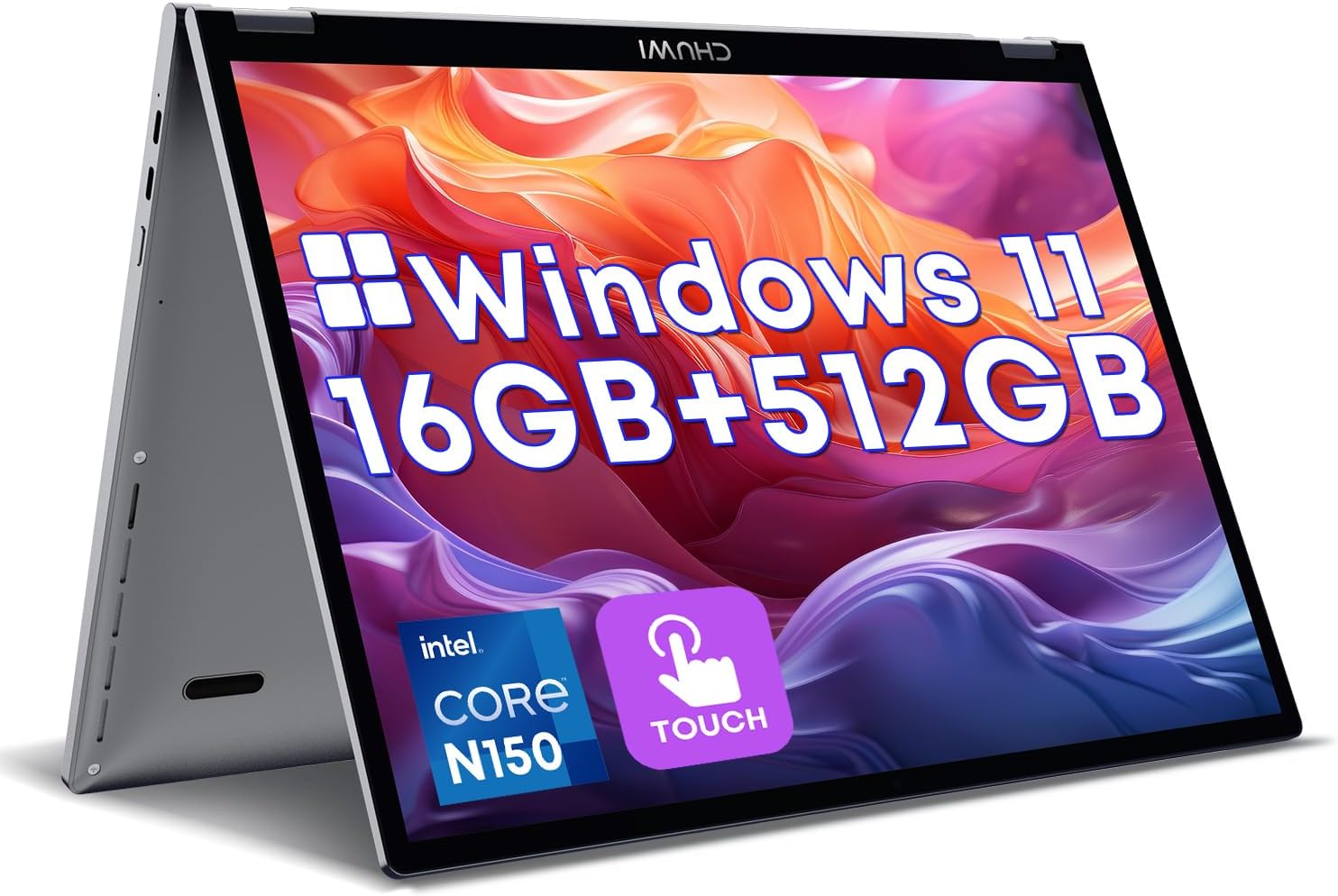
CHUWI 2 in 1 Laptop 10.51", Intel N150,16GB RAM 512GB SSD, Mini Laptop Windows 11, FHD 1920 * 1200 IPS Touchscreen, Backlit Keyboard, WiFi 6, BT5.2, Fan, Pocket PC for Work
Want the best price and purchase timing?
Our AI advisor analyzes real-time pricing across all channels to find you the best deal.
AI Verdict
The CHUWI MiniBook X is a surprisingly sturdy, ultra-compact 2-in-1 that’s perfect for IT workers and travelers who need real Windows functionality in a tablet-sized footprint.
This is a niche device built specifically for people who prioritize maximum portability over ergonomics. The Intel N150 and 16GB of RAM provide plenty of juice for web apps and office work, but the tiny trackpad, 50Hz screen, and 4-6 hour battery life make it a tough sell as a primary daily driver.
If you need all-day battery and a better screen in a similar size, look for a refurbished Microsoft Surface Go 3 or 4.
Regret Score™
Medium RiskLower is better — measures purchase-regret risk from real buyer complaints, review credibility, and product maturity
Issues discovered after purchase
Critically weak dimension
Amazon rating vs actual quality
Chance this product isn't for you
Pros
- 10.51-inch 1920x1200 IPS touchscreen covers 100% sRGB and stays sharp for text-heavy work.
- Intel N150 chip and 16GB LPDDR5 RAM handle heavy browser tab loads without stuttering.
- Both USB-C ports support Power Delivery 3.0 and display output on this N150 revision.
- All-metal chassis weighs just 2.09 pounds and resists flexing.
- Full-sized backlit keyboard provides enough key travel for comfortable typing.
Cons
- The display is locked to a non-standard 50Hz refresh rate, making mouse movements feel slightly jittery.
- Trackpad is extremely tiny due to the keyboard taking up most of the deck.
- Maximum screen brightness struggles to overcome glare in sunlit rooms.
- The matte paint coating on the chassis chips and rubs off easily around the hinges.
Dimension Scores
Intel N150 and 16GB RAM easily handle dozens of browser tabs and 4K video playback.
The 1920x1200 resolution is crisp, but the weird 50Hz refresh rate and mediocre peak brightness drag it down.
Real-world usage yields 4 to 6 hours, which is well below average for modern ultraportables.
At just 2.09 pounds with an all-metal chassis, it's incredibly easy to throw in any bag, though the paint chips easily.
Best For
- IT admins needing a highly portable machine for SSHing into switches on the go.
- Frequent flyers who want a full Windows 11 keyboard on cramped airplane tray tables.
- Linux enthusiasts looking for a cheap, highly portable machine running kernel 6.8+.
Not Recommended For
- Outdoor workers who need a high-nit display to fight sun glare.
- Users who rely on a large trackpad for multi-finger gestures.
- Anyone needing all-day battery life away from a charger.
Watch Out For
- The screen runs at a native 50Hz instead of the standard 60Hz, which you will immediately notice if you are sensitive to cursor smoothness.
- There are zero USB-A or HDMI ports — you will absolutely need a USB-C dongle for legacy devices.
- Multiple owners report a high-pitched coil whine or electronic scratching noise when the laptop is plugged in and fully charged.
- The bottom chassis gets uncomfortably hot if you block the intake vents while resting it on your lap.
Full Specifications
| RAM | 8 GB LPDDR5 |
| ASIN | B0CB2VKGZP |
| Brand | CHUWI |
| Color | Gray |
| Series | CHUWI Minibook X 2025 |
| Voltage | 240 Volts |
| Batteries | 1 Lithium Ion batteries required. (included) |
| CPU Model | Celeron |
| Processor | 3.6 GHz celeron |
| Hard Drive | 512 GB SSD |
| Model Name | CHUWI Minibook X 2025 |
| Item Weight | 2.09 pounds |
| Screen Size | 10.51 Inches |
| Memory Speed | 4.4 GHz |
| Chipset Brand | Intel |
| Wireless Type | 802.11ax |
| Hard Disk Size | 512 GB |
| Processor Brand | Intel |
| Special Feature | HD Audio, Lightweight, Numeric Keypad |
| Card Description | Integrated |
| Operating System | Windows 11 |
| Flash Memory Size | 512 GB |
| Item model number | MiniBook N100 |
| Screen Resolution | 1920 x 1200 pixels |
| Optical Drive Type | No |
| Product Dimensions | 9.6 x 0.67 x 6.5 inches |
| Computer Memory Type | DDR5 RAM |
| Graphics Coprocessor | Intel HD Graphics |
| Hard Drive Interface | NVMe |
| Number of Processors | 4 |
| Max Screen Resolution | 1920x1200 Pixels |
| Graphics Card Ram Size | 16 GB |
| Item Dimensions LxWxH | 9.6 x 0.67 x 6.5 inches |
| Number of USB 2.0 Ports | 1 |
| Number of USB 3.0 Ports | 1 |
| Graphics Card Description | Integrated |
| Ram Memory Installed Size | 16 GB |
| Standing screen display size | 10.51 Inches |
| Average Battery Life (in hours) | 8 Hours |
What Buyers Say
The most surprising thing about the MiniBook X is its bizarre 50Hz display refresh rate, which makes scrolling feel just a bit less fluid than a standard laptop. Buyers are consistently impressed by the sturdy, tank-like metal chassis and the surprisingly comfortable backlit keyboard. The tiny trackpad forces most people to pack a travel mouse. Thermal management is another recurring theme, with the bottom getting quite toasty during Windows updates or heavy multitasking.
“It's built like a little tank and the keyboard is great, but the tiny trackpad and 50hz screen mean I only use it when I'm traveling.”
Common Praise
- The keyboard spacing is excellent and comfortable for long typing sessions.
- 16GB of RAM keeps Windows 11 snappy even with heavy multitasking.
- The metal chassis feels premium and doesn't flex under pressure.
- Both USB-C ports support charging and external monitors.
Common Complaints
- The trackpad is comically small and frustrating to use for long periods.
- Battery life struggles to pass the 5-hour mark under normal workloads.
- The paint on the outer shell chips and scratches off very easily.
- Noticeable coil whine when the battery is at 100% and still plugged in.
Ownership Tips
- The bottom vents get blocked easily on a bed or lap, causing the fans to spin up loudly.
- The 50Hz screen refresh rate isn't listed on the spec sheet but is immediately noticeable.
- Using wired headphones while plugged into USB-C power often causes static feedback.
- The S3 sleep state works much better on this N150 version compared to the older N100.
Frequently Asked Questions
Does the N150 version fix the sleep issues from the N100 model?
Yes, the N150 revision properly implements S3 sleep states, so it won't drain the battery as fast when you close the lid.
Can I use an active stylus for drawing?
No. Despite being a touchscreen 2-in-1, the MiniBook X does not support active pen input or pressure sensitivity.
Can I upgrade the RAM or storage?
The 16GB of LPDDR5 RAM is soldered and cannot be upgraded. You can swap out the 512GB M.2 2280 SSD for a larger drive up to 1TB.
How is the battery life in the real world?
Expect about 4 to 6 hours of actual use for web browsing and video playback, falling short of the advertised 8 hours.
Does it run Linux well?
Yes, performance is great on newer distributions using kernel 6.8 or higher. You may need to write a custom script to handle screen rotation and disable the keyboard in tablet mode.
Are both USB-C ports fully functional?
Yes, on the N150 version, both USB-C ports support charging via PD 3.0, data transfer, and video output.
Buying Guide
When buying a 10-inch mini laptop, you are trading ergonomics for extreme portability. You need to be prepared for a cramped trackpad and the absolute necessity of carrying a USB-C hub for standard flash drives or HDMI cables. The Intel N150 processor is a low-power chip designed for basic office tasks and web browsing, so don't expect to do any video editing or heavy gaming here. Pay close attention to your battery needs, as devices this small physically cannot fit large batteries.
Intel N150 Processor
This is a modern efficiency chip. Think of it like a moped — it's fantastic and fuel-efficient for driving around town for web browsing and Word docs, but it will struggle on the highway with gaming or video editing.
16GB LPDDR5 RAM
RAM is your computer's short-term memory. 16GB is the sweet spot that lets you keep 20+ browser tabs open without the laptop slowing down or freezing.
50Hz Refresh Rate
This dictates how many times per second the screen updates. Standard laptops are 60Hz; at 50Hz, your mouse cursor and scrolling will look slightly less smooth.
Alternatives
If you need better battery life and pen support in a similar size, look for a 10-inch Windows tablet with a detachable keyboard and an Intel Core i3 or ARM processor.
You Might Also Like

Apple 2026 MacBook Air 13-inch Laptop with M5 chip: Built for AI, 13.6-inch Liquid Retina Display, 16GB Unified Memory, 512GB SSD, 12MP Center Stage Camera, Touch ID, Wi-Fi 7; Midnight
$600+This 2.71-pound MacBook Air with a 13.6-inch Liquid Retina display and M5 chip is for users needing powerful AI capabilities and up to 18 hours of battery life.

Apple 2026 MacBook Pro Laptop with Apple M5 Pro chip with 18-core CPU and 20-core GPU: Built for AI, 16.2-inch Liquid Retina XDR Display, 24GB Unified Memory, 1TB SSD, Wi-Fi 7; Space Black
$600+This 16.2-inch MacBook Pro with an 18-core M5 Pro CPU and 20-core GPU is for professionals needing extreme AI performance and up to 27 hours of battery life.

Apple 2026 MacBook Air 15-inch Laptop with M5 chip: Built for AI, 15.3-inch Liquid Retina Display, 16GB Unified Memory, 512GB SSD, 12MP Center Stage Camera, Touch ID, Wi-Fi 7; Midnight
$600+This 3.32-pound MacBook Air with an M5 chip and 15.3-inch Liquid Retina display is for users needing powerful AI capabilities and up to 18 hours of battery life.

HP OmniBook 5 16” Touchscreen AI Laptop – Intel Core Ultra 7 Processor, 16GB RAM, 1TB SSD, Windows 11, Copilot AI, Wi-Fi 6E, Backlit Keyboard, Silver
$600+This 16-inch touchscreen laptop with an Intel Core Ultra 7, 16GB LPDDR5 RAM, and 1TB SSD is for users needing a mid-range AI-accelerated machine for productivity and light creative tasks.