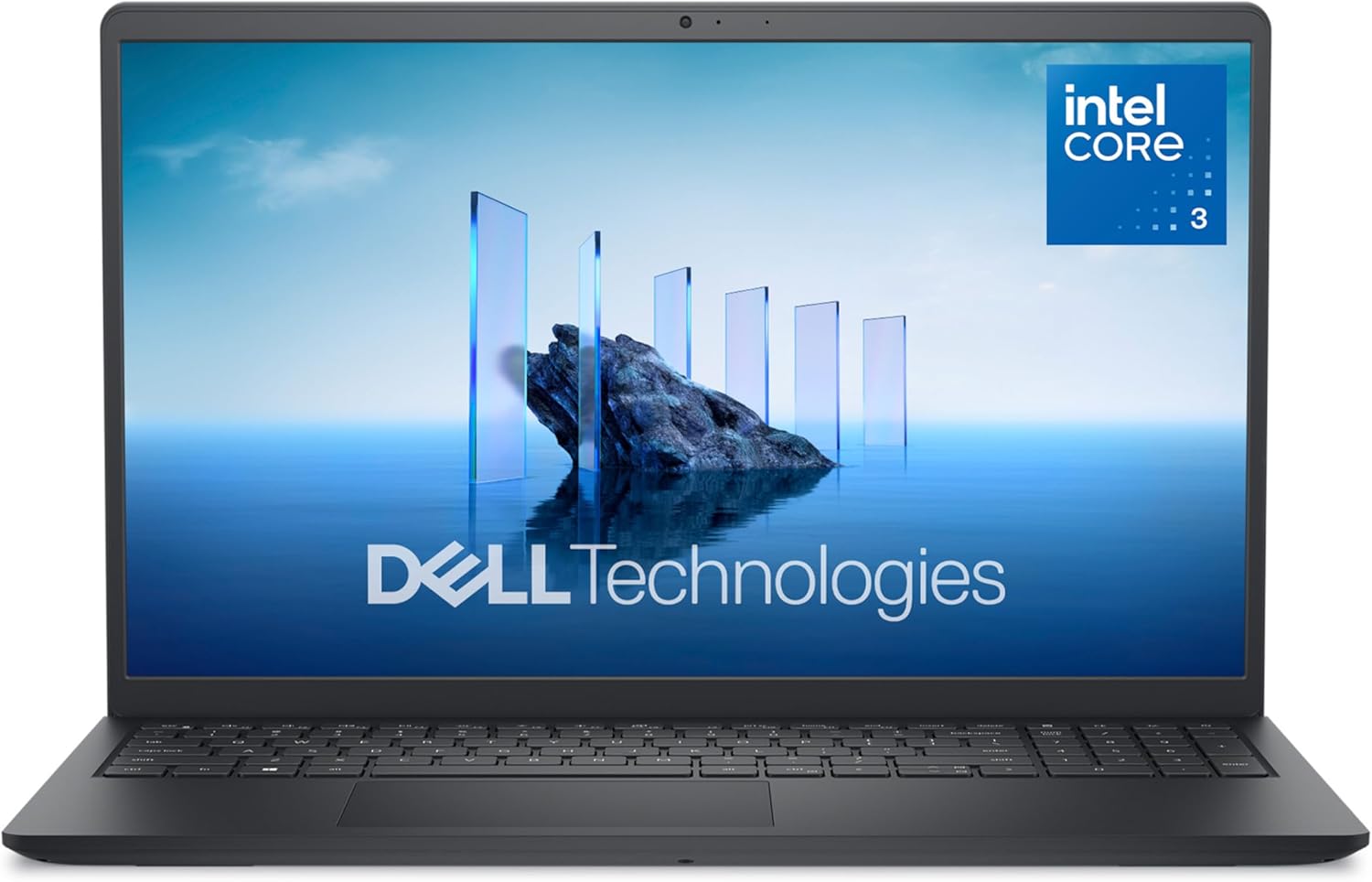
Dell 15 Laptop DC15250-15.6-inch FHD 120Hz Display, Intel Core 3 Processor 100U, 8GB DDR4 RAM, 512GB SSD, Intel UHD Graphics, Windows 11 Home, Onsite Service - Carbon Black
Want the best price and purchase timing?
Our AI advisor analyzes real-time pricing across all channels to find you the best deal.
AI Verdict
This is a plastic budget workhorse with a surprisingly smooth 120Hz screen, perfect for students and home office users who prioritize snappy web browsing over all-day battery life.
The 120Hz screen and Core 3 processor provide excellent speed for the price, but the 41Wh battery and data-only USB-C port severely limit its portability and docking capabilities. It works best as a stationary home laptop rather than a travel companion.
If you need to connect multiple high-res monitors or charge via USB-C, look for a laptop with Thunderbolt 4 or a full-function USB-C 3.2 Gen 2 port.
Regret Score™
Medium RiskLower is better — measures purchase-regret risk from real buyer complaints, review credibility, and product maturity
Issues discovered after purchase
Critically weak dimension
Amazon rating vs actual quality
Chance this product isn't for you
Pros
- 120Hz refresh rate makes scrolling through PDFs and web pages noticeably smoother than standard 60Hz budget screens
- Core 3 100U processor with 6 cores hits up to 4.7GHz, easily handling dozens of Chrome tabs
- RAM is fully upgradeable via two internal SODIMM slots, unlike many modern laptops with soldered memory
- Includes 1 Year Onsite Service, meaning a Dell technician comes to your house if hardware fails
- Lift hinge angles the keyboard up for comfortable typing and improves bottom airflow
Cons
- Tiny 41Wh battery struggles to pass 4.5 hours of real-world use at 120Hz
- USB-C port is data-only — it cannot charge the laptop or output video to a monitor
- HDMI 1.4 port limits external 4K monitors to a choppy 30Hz
- 250-nit maximum screen brightness washes out completely in sunlit rooms
Dimension Scores
Core 3 100U handles daily tasks effortlessly, though single-channel 8GB RAM holds back the integrated graphics.
The 120Hz refresh rate is incredibly smooth for this price, but the 250-nit brightness and narrow color gamut look washed out.
The 41Wh battery rarely exceeds 5 hours of screen-on time, falling well below modern standards.
At 4.19 pounds with an all-plastic chassis, it feels sturdy enough for a desk but heavy for a backpack.
Best For
- College students typing essays in dorm rooms near a wall outlet
- Home office setups using a 1080p external monitor and wireless peripherals
- Small business owners needing a cheap point-of-sale machine with a dedicated number pad
Not Recommended For
- Coffee shop workers who need 8+ hours of battery life away from a charger
- Dual-monitor desk setups requiring USB-C docks for video output
- Outdoor use or brightly lit offices due to the dim 250-nit panel
Watch Out For
- Data-only USB-C — you cannot use a single-cable USB-C dock to charge the laptop and run a monitor simultaneously.
- Single-channel RAM bottleneck — the 8GB comes as a single stick, which severely limits the Intel UHD graphics performance until you add a second stick.
- Smudge magnet chassis — the Carbon Black plastic lid shows fingerprints and palm grease almost immediately.
- Stiff hinges — you cannot open the lid with one hand without the bottom deck lifting off the table.
Full Specifications
| RAM | 8 GB DDR4 |
| ASIN | B09R6FNNS1 |
| Brand | Dell |
| Color | Carbon Black |
| Series | Dell 15 DC15250 Laptop |
| Voltage | 240 Volts (AC) |
| Batteries | 1 9V batteries required. (included) |
| CPU Model | Intel Core 3 |
| Processor | 900 MHz intel_core_3 |
| Hard Drive | 512 GB SSD |
| Model Name | Dell 15 DC15250 Laptop |
| Item Weight | 4.19 pounds |
| Screen Size | 15.6 Inches |
| Memory Speed | 2666 MHz |
| Power Source | Battery Powered |
| Chipset Brand | Intel |
| Wireless Type | 802.11ax, Bluetooth |
| Hard Disk Size | 512 GB |
| Processor Brand | Intel |
| Special Feature | Anti Glare Coating, Memory Card Slot |
| Card Description | Integrated |
| Operating System | Windows 11 Home |
| Flash Memory Size | 512 GB |
| Item model number | LDC15250-3883BLK-PUS |
| Screen Resolution | 1920 x 1080 pixels |
| Optical Drive Type | No Optical Drive |
| Product Dimensions | 9.27 x 14.11 x 0.75 inches |
| Computer Memory Type | DDR4 SDRAM |
| Graphics Coprocessor | Intel UHD Graphics |
| Hard Drive Interface | Solid State |
| Number of Processors | 6 |
| Max Screen Resolution | 1920x1080 Pixels |
| Item Dimensions LxWxH | 9.27 x 14.11 x 0.75 inches |
| Number of USB 2.0 Ports | 1 |
| Number of USB 3.0 Ports | 2 |
| Graphics Card Description | Integrated |
| Ram Memory Installed Size | 8 GB |
| Standing screen display size | 15.6 Inches |
What Buyers Say
The 120Hz display is the undisputed star of the show, making basic web browsing and document scrolling feel like a premium experience. Under the hood, the Core 3 100U processor easily chews through heavy Chrome usage and office apps. The biggest shock for buyers is the USB-C port, which lacks both charging and video output capabilities, rendering modern docking stations useless. Battery life is another major pain point, with the small 41Wh cell draining in under five hours. The easy RAM upgradability and the peace of mind from Dell's in-home warranty service save the laptop from being a complete desk-bound brick.
“Love the 120hz screen and it's plenty fast for my spreadsheets, but the battery is absolute trash and I can't believe the usbc port doesn't work with my monitor dock.”
Common Praise
- 120Hz screen makes the mouse cursor and web scrolling buttery smooth
- Bottom panel pops off easily with captive screws for quick RAM and SSD upgrades
- Lift hinge angles the keyboard perfectly to reduce wrist strain
- Dedicated number pad and calculator hotkey speed up data entry
Common Complaints
- Battery dies in 4 hours if you leave the screen at 120Hz
- USB-C port doesn't support external monitors or laptop charging
- Carbon Black plastic shell attracts fingerprints instantly
- Screen is too dim to use comfortably near a sunny window
Ownership Tips
- Dropping the screen refresh rate to 60Hz in Windows settings adds about 45 minutes of battery life.
- The single 8GB RAM stick severely bottlenecks the GPU; adding a second $20 8GB stick yields a massive performance boost.
- The rubber feet on the lift hinge can wear down if you constantly slide the laptop across a rough desk.
Frequently Asked Questions
Can I upgrade the RAM?
Yes. The laptop has two SODIMM slots inside. It comes with one 8GB stick, leaving the second slot open to easily upgrade to 16GB or 32GB.
Does the USB-C port support charging or display output?
No. The USB-C port on this specific plastic chassis model is for data transfer only. You must use the proprietary barrel charger and the HDMI port for video.
How long does the battery actually last?
Real owners report getting around 4 to 5 hours of basic web browsing. The 120Hz screen drains the small 41Wh battery quickly.
Is the keyboard backlit?
No, this specific configuration features a non-backlit, spill-resistant keyboard. You will need external light to type in the dark.
Can this run games like Valorant or Minecraft?
Yes, but only on low settings. The Intel UHD graphics can handle lightweight eSports titles, but adding a second stick of RAM will significantly improve frame rates.
What does the Onsite Service actually mean?
If Dell phone support determines you have a hardware failure within the first year, they will dispatch a technician to your home or office to replace the part, rather than making you mail it in.
Buying Guide
When buying a budget 15-inch laptop, you are always trading battery life and build materials for processor speed. This Dell prioritizes a smooth screen and a snappy CPU, which is great for desk work but terrible for travel. You need to know exactly how you plan to connect your peripherals, because the ports here are very basic. If you just need a fast, cheap machine for the house and don't mind keeping it plugged in, it's a great buy.
120Hz Refresh Rate
Standard screens update 60 times a second; this updates 120 times. It makes scrolling through websites look like smooth glass instead of a flipbook.
Core 3 100U Processor
This is Intel's newer naming scheme for their entry-level chips. It has 6 cores, acting like a 6-lane highway for your apps, preventing slowdowns when multitasking.
41Wh Battery
Think of this as the gas tank. 41 Watt-hours is a very small tank for a 15.6-inch screen, meaning you'll be hunting for a wall outlet after just a few hours.
Data-only USB-C
It fits the modern oval plug, but it only transfers files. It lacks the internal wiring to send video to a monitor or accept power from a charger.
Alternatives
If you need all-day battery life or a USB-C port that supports dual monitors and charging, look for a laptop with an AMD Ryzen 7000-series processor and a 'Full Function' or Thunderbolt USB-C port.
You Might Also Like

Apple 2026 MacBook Air 13-inch Laptop with M5 chip: Built for AI, 13.6-inch Liquid Retina Display, 16GB Unified Memory, 512GB SSD, 12MP Center Stage Camera, Touch ID, Wi-Fi 7; Midnight
$600+This 2.71-pound MacBook Air with a 13.6-inch Liquid Retina display and M5 chip is for users needing powerful AI capabilities and up to 18 hours of battery life.

Apple 2026 MacBook Pro Laptop with Apple M5 Pro chip with 18-core CPU and 20-core GPU: Built for AI, 16.2-inch Liquid Retina XDR Display, 24GB Unified Memory, 1TB SSD, Wi-Fi 7; Space Black
$600+This 16.2-inch MacBook Pro with an 18-core M5 Pro CPU and 20-core GPU is for professionals needing extreme AI performance and up to 27 hours of battery life.

Apple 2026 MacBook Air 15-inch Laptop with M5 chip: Built for AI, 15.3-inch Liquid Retina Display, 16GB Unified Memory, 512GB SSD, 12MP Center Stage Camera, Touch ID, Wi-Fi 7; Midnight
$600+This 3.32-pound MacBook Air with an M5 chip and 15.3-inch Liquid Retina display is for users needing powerful AI capabilities and up to 18 hours of battery life.

HP OmniBook 5 16” Touchscreen AI Laptop – Intel Core Ultra 7 Processor, 16GB RAM, 1TB SSD, Windows 11, Copilot AI, Wi-Fi 6E, Backlit Keyboard, Silver
$600+This 16-inch touchscreen laptop with an Intel Core Ultra 7, 16GB LPDDR5 RAM, and 1TB SSD is for users needing a mid-range AI-accelerated machine for productivity and light creative tasks.