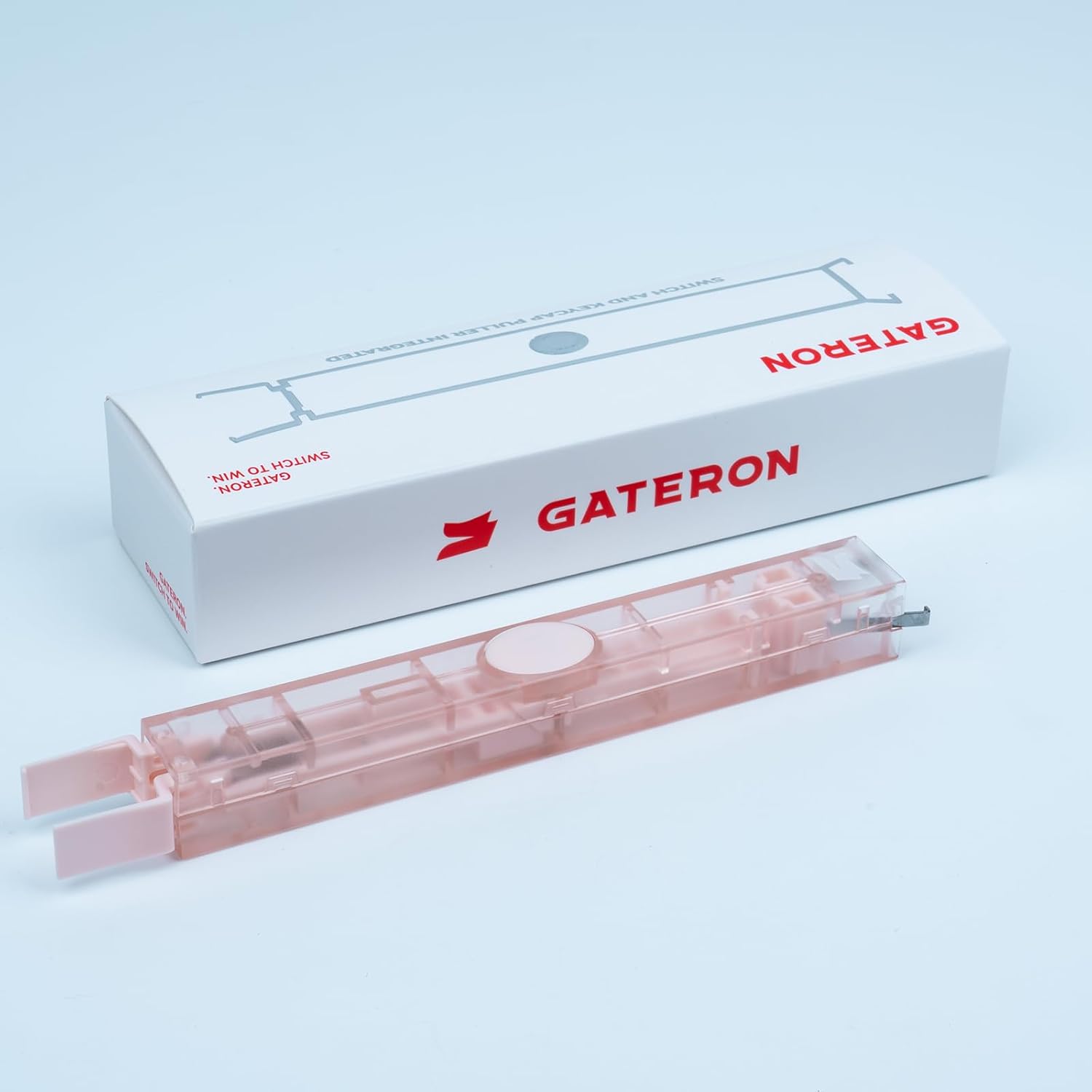
GATERON Twins Switch Puller Keycap Puller, DIY Tool Easily Remove and Replace Gaming Keyboard Switches and Keycaps Integrated for Mechanical Keyboard (Pink)
Want the best price and purchase timing?
Our AI advisor analyzes real-time pricing across all channels to find you the best deal.
AI Verdict
This 2.39-ounce PC plastic Gateron tool combines switch and keycap pulling, ideal for mechanical keyboard enthusiasts frequently swapping parts.
This Gateron tool is a situational fit because its 2-in-1 functionality and ergonomic design make switch and keycap removal easier for many, especially those with hand pain. However, reported durability issues and potential for damaging components if not used precisely mean it's not a universal recommendation.
If durability is a primary concern, look for tools made from metal or with reinforced gripping mechanisms.
Regret Score™
Very High RiskLower is better — measures purchase-regret risk from real buyer complaints, review credibility, and product maturity
Issues discovered after purchase
Critically weak dimension
Amazon rating vs actual quality
Chance this product isn't for you
Pros
- Integrates both switch and keycap pulling functions into one tool.
- Constructed from PC material, offering a lightweight 2.39-ounce build.
- Rectangular design provides flexibility and an easy grip during use.
- Designed to hold switches and keycaps after removal, preventing loss.
- Ergonomic design allows for easy key and switch pop-out with a gentle press.
- Spring-loaded clamp securely grips switches and keycaps for efficient removal.
Cons
- Reported to have durability issues, with one user stating it 'failed halfway through the 2nd keyboard'.
- Can potentially scratch the keyboard plate and damage switch clips if not used carefully.
- May not work effectively on switches with stabilizers, excluding the spacebar.
- Requires precise positioning to properly grab switches, leading to potential frustration.
- Its size might make it difficult to remove switches located near the keyboard's edges or case.
Dimension Scores
This product is a tool for keyboard maintenance, not a keyboard component, so 'Typing Feel' is not applicable.
This is a manual tool and does not involve any electronic connections, rendering 'Connection Stability' irrelevant.
As a manual tool, this product does not feature any backlighting, making this dimension inapplicable.
While made of PC material, user reports indicate durability concerns, with some experiencing tool failure after minimal use.
Best For
- Mechanical keyboard users who frequently swap switches and keycaps.
- DIY keyboard builders needing a dual-function tool.
- Individuals seeking a tool that reduces hand strain during switch removal.
Not Recommended For
- Users who only occasionally remove keycaps and prefer simpler, less integrated tools.
- Those prioritizing extreme durability over convenience, given reported breakage issues.
Watch Out For
- The tool's internal clips have been reported to fail, with one user experiencing breakage after pulling switches from less than two keyboards.
- Applying force incorrectly can lead to scratching the keyboard's plate and breaking switch clips.
- It struggles with switches under stabilizers, making removal of certain keys problematic.
- Requires exact placement to engage the switch properly, which can be a learning curve.
Full Specifications
| ASIN | B0FLHX6L7H |
| Brand | GATERON |
| Color | Pink |
| Material | Plastic |
| Item Weight | 2.39 ounces |
| Manufacturer | GATERON |
| Item model number | CPO7-BTA50RT00 |
| Compatible Devices | PC |
| Package Dimensions | 6.65 x 1.97 x 1.46 inches |
What Buyers Say
The GATERON Twins puller is a clever 2-in-1 design that many find makes switch and keycap removal faster and less strenuous, especially for those with hand issues. However, there are recurring complaints about its durability, with some users reporting the tool breaking quickly. The precision required for proper switch engagement and potential for cosmetic damage are also noted drawbacks.
“Ugh, this thing broke on my second keyboard! It was so fast when it worked, but now it's just a pink paperweight. My plate is scratched too, so mad.”
Common Praise
- Combines keycap and switch pulling into a single, convenient tool.
- Reduces the physical effort needed to pull switches, making it helpful for hand pain.
- The spring-loaded mechanism securely grips components.
- Holds switches and keycaps after removal, preventing them from dropping.
- Speeds up the process of swapping switches compared to traditional methods.
Common Complaints
- The tool's internal clips can break easily, leading to premature failure.
- Can scratch the keyboard plate if not aligned perfectly during switch removal.
- Reported to break switch clips on the keyboard if too much force or incorrect angle is applied.
- Ineffective for removing switches located under stabilizers, except for the spacebar.
- Requires a specific, precise placement to properly grab and pull switches.
Ownership Tips
- The 'press-to-release' feature for switches is handy, but sometimes the switch doesn't eject cleanly.
- You really have to be careful with the angle when pulling switches; it's easy to scrape the plate if you're not paying attention.
- The keycap puller side is pretty basic, but it gets the job done without scratching the keycaps.
- It feels a bit flimsy in hand, which makes you nervous about applying too much pressure.
- Learning the 'sweet spot' for switch engagement takes a few tries, but once you get it, it's quick.
Frequently Asked Questions
Does this tool work with all mechanical keyboard switches?
While designed for mechanical keyboard switches, some users report it doesn't work well with switches under stabilizers, except for the spacebar. It generally requires precise placement to grab the switch correctly.
Is the GATERON Twins Puller durable?
The housing is made of PC material, but some users have reported durability issues, with the tool failing after limited use.
Can this tool scratch my keyboard or switches?
Yes, if not used carefully, there's a risk of scratching the keyboard plate and potentially breaking switch clips.
Is it easy to use for beginners?
Its ergonomic design and press-to-release system aim for ease of use. However, achieving the precise placement needed to grab switches can take some practice.
Does it prevent switches and keycaps from falling out after removal?
Yes, the tool is designed to hold the switch and keycap after pulling, preventing them from falling off and getting lost.
Buying Guide
When you're looking at a switch and keycap puller, you need to think about how often you'll use it and what kind of keyboard you have. Some tools are better for quick swaps, while others are built for heavy-duty modding. Consider if you need a tool that handles both switches and keycaps, or if separate, specialized tools are better for your workflow.
Material (PC plastic)
Weight (2.39 ounces)
One puller, two functions
Alternatives
If this tool's durability or precision concerns you, look for separate, dedicated metal switch pullers and wire keycap pullers for increased longevity and potentially less risk of damage.
You Might Also Like

Logitech MK270 Wireless Keyboard and Mouse Combo for Windows, 2.4 GHz, 8 Multimedia Keys, PC, Laptop, Wireless Keyboard Compact Mouse Combo - Black
This is a 2.4 GHz wireless keyboard and mouse combo with a full-size QWERTY layout and 8 multimedia keys, built for basic Windows PC tasks on a tight budget.

Logitech MK270 Wireless Keyboard and Mouse Combo for Windows, 2.4 GHz, 8 Multimedia Keys, PC, Laptop, Wireless Keyboard Compact Mouse Combo - Rose
This is a 2.4 GHz RF membrane keyboard and mouse combo with a full-size layout, best suited for basic Windows PC tasks on a tight budget.

Logitech K270 Wireless Keyboard for Windows, 2.4 GHz Wireless, Full-Size, Number Pad, 8 Multimedia Keys, 2-Year Battery Life, Compatible with PC, Laptop - Rose
This is a full-size, 2.4 GHz wireless membrane keyboard with 8 multimedia keys and a number pad, designed for basic PC and laptop use.

Logitech MK270 Wireless Keyboard and Mouse Combo for Windows, 2.4 GHz, 8 Multimedia Keys, PC, Laptop, Wireless Keyboard Compact Mouse Combo - White
This is a budget 2.4 GHz wireless membrane keyboard and mouse combo with a full-size layout, 8 multimedia keys, and a compact mouse, best for basic PC tasks.