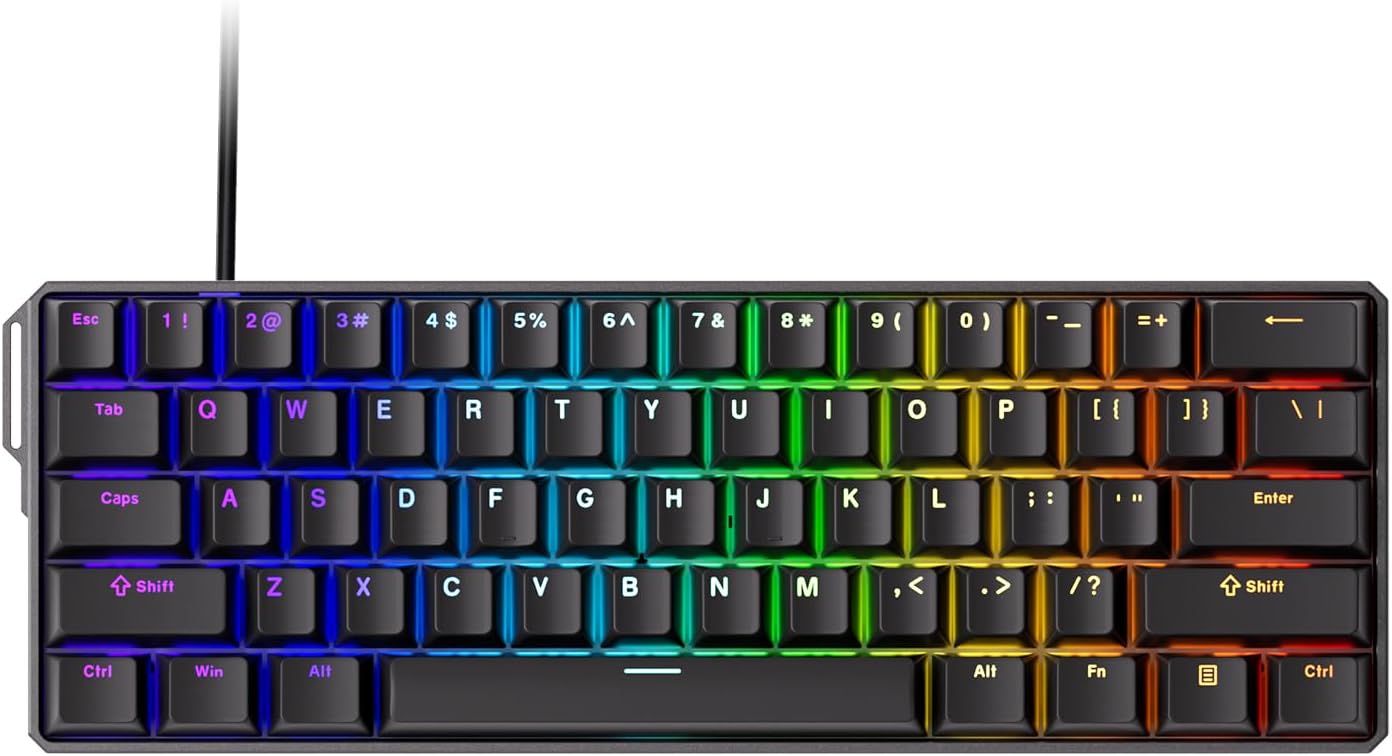
MONSGEEK FUN60 Ultra Rapid Trigger Gaming Keyboard 8k Magnetic Switch TMR Aluminum Wired Keyboard 60% Black Shine-Through MagMech, Glare Magnetic Switch
Want the best price and purchase timing?
Our AI advisor analyzes real-time pricing across all channels to find you the best deal.
AI Verdict
A 2.83-pound 60% aluminum keyboard with 0.01mm rapid trigger and 8K Hz polling, built for competitive PC gamers needing precise, customizable actuation.
This keyboard is a strong contender for competitive gamers due to its 0.01mm rapid trigger, 8K Hz polling, and unique MagMech switch compatibility. However, potential connectivity quirks and the inconvenient mode switch placement mean it's not a universally seamless experience for all users.
If you need more consistent connectivity or a more traditional layout, look for keyboards with a dedicated mode switch and a proven track record for plug-and-play reliability.
Regret Score™
Medium RiskLower is better — measures purchase-regret risk from real buyer complaints, review credibility, and product maturity
Issues discovered after purchase
Critically weak dimension
Amazon rating vs actual quality
Chance this product isn't for you
Pros
- TMR sensors enable 0.01mm rapid trigger and actuation distance adjustment from 0.1mm to 3.3mm, offering precise control for gaming.
- Features 'MagMech' technology, allowing the use of both magnetic and standard 5-pin mechanical switches on the same board.
- Achieves an 8000Hz polling rate in both wired and 2.4GHz wireless modes, providing near-zero latency control.
- Constructed with a sturdy CNC aluminum chassis, contributing to a premium feel and 2.83-pound weight.
- Includes ARGB lighting with individually controlled LEDs and a 500Hz refresh rate for dynamic effects.
- Offers tri-mode connectivity via USB-C, 2.4GHz wireless, and Bluetooth 5.0, supporting up to 3 devices.
Cons
- Some users report the mode switch (for wired/wireless) is inconveniently located under the CAPSLOCK key, requiring keycap removal to access.
- A recurring issue for some users involves the keyboard not turning on or responding on PC startup, requiring it to be unplugged and replugged.
- Switches may lack durability, with one user reporting a switch almost breaking when pulled out.
- Users have described the typing sound as 'a bit hollow' or 'absolutely awful, even modded'.
- The keyboard lacks a dedicated storage slot for its 2.4GHz wireless dongle, increasing the risk of loss.
Dimension Scores
While switches are fast and light for gaming, some users report a 'hollow' sound and less durable switches.
Offers 8K Hz polling in both wired and 2.4GHz wireless modes, but some users experience 'unplug and replug' issues on PC startup.
Features ARGB with individually controlled LEDs, Alpha channel integration, and a 500Hz refresh rate for rich dynamic effects.
Constructed with a CNC aluminum chassis, providing a premium feel and substantial 2.83-pound weight.
Best For
- Competitive FPS gamers who prioritize rapid trigger and customizable actuation points.
- Users who want the flexibility to mix magnetic and mechanical switches on a single keyboard.
- PC gamers with limited desk space due to the compact 60% layout.
- Enthusiasts seeking a premium aluminum build in an entry-level price band.
Not Recommended For
- Typists or users who prefer a full-size layout with a dedicated function row, arrow keys, and Numpad.
- Users who frequently switch between wired and wireless modes and dislike removing keycaps.
- Individuals sensitive to potential connectivity issues on PC startup, particularly with AMD CPUs.
Watch Out For
- The keyboard may not turn on or respond on PC startup, requiring users to unplug and replug the USB cable, a problem reported by multiple users.
- Switching between wired and wireless modes requires removing the CAPSLOCK keycap to access the physical toggle switch.
- The included switches might be fragile; one user experienced a switch almost breaking when attempting to pull it out.
- There is no integrated storage for the 2.4GHz wireless dongle, making it easy to misplace.
- Battery life in gaming mode has been described as poor by some users.
Full Specifications
| ASIN | B0DQWNJJ6X |
| Brand | MONSGEEK |
| Color | Shine-Through Black TMR |
| Theme | Rainbow |
| Material | Aluminum |
| Item Weight | 2.83 pounds |
| Manufacturer | MONSGEEK |
| Special Feature | Ultra Rapid Trigger, 8k Magnetic Switch, TMR Aluminum, ARGB with 500Hz refresh rate |
| Compatible Devices | PC |
| Package Dimensions | 17.24 x 8.35 x 5.43 inches |
| Included Components | Keyboard |
| Keyboard Description | Compact |
| Connectivity Technology | USB |
| Recommended Uses For Product | Gaming, Office |
What Buyers Say
Many users praise the MonsGeek FUN60 Ultra for its advanced TMR technology, which allows for extremely precise 0.01mm rapid trigger and the unique ability to mix magnetic and mechanical switches. The 8K Hz polling rate in both wired and 2.4GHz wireless modes is a significant draw for competitive gamers seeking minimal latency. However, a recurring complaint involves the keyboard not consistently turning on with the PC, often requiring a physical replug. The placement of the mode switch under the CAPSLOCK key is also a common point of frustration for those who frequently switch connectivity.
“Dude, this thing is FAST for gaming, like, my inputs are instant, but seriously, having to unplug it every time my PC boots up is driving me nuts, and that mode switch under the capslock? Annoying AF.”
Common Praise
- The 0.01mm rapid trigger and adjustable actuation points provide a noticeable edge in competitive gaming.
- The ability to combine magnetic and mechanical switches ('MagMech') is a unique and highly valued feature.
- The CNC aluminum chassis feels premium and contributes to a sturdy build.
- The 8000Hz polling rate in wireless mode delivers near-zero latency, matching wired performance.
- The ARGB lighting with individually controlled LEDs offers vibrant and smooth visual effects.
- The compact 60% layout saves desk space, which is beneficial for mouse movement during gaming.
Common Complaints
- The keyboard sometimes fails to power on or respond when the PC starts, necessitating a manual replug.
- Accessing the wired/wireless mode switch requires removing the CAPSLOCK keycap, which is inconvenient.
- Some users find the sound profile of the switches to be 'hollow' or 'awful'.
- The switches themselves may not be very durable, with reports of them breaking when removed.
- There's no dedicated storage for the 2.4GHz wireless dongle, making it easy to lose.
- Battery life can be poor, especially when using the keyboard in gaming mode.
Ownership Tips
- The 'unplug and replug' issue on PC startup can be persistent and frustrating, especially for AMD CPU users.
- The hidden mode switch becomes a real hassle if you frequently switch between wired and wireless connections.
- While the aluminum case feels premium, the stock switches might not hold up to frequent removal or heavy use.
- The lack of dongle storage means you'll need to find a safe spot for it or risk losing it.
- Expect to charge it more often than you'd like if you game wirelessly for extended periods due to reported poor battery life.
Frequently Asked Questions
What is TMR technology and why does it matter?
TMR (Tunneling Magnetoresistance) is a sensor technology that offers more precise actuation and lower power consumption than older Hall Effect sensors. It's crucial here because it enables the 'MagMech' feature, letting you mix magnetic and mechanical switches on the same board.
Can I use this keyboard wirelessly?
Yes, despite the product data only listing USB, the FUN60 Ultra supports tri-mode connectivity including 2.4GHz wireless and Bluetooth 5.0, in addition to USB-C wired. The 8K Hz polling rate is available in both wired and 2.4GHz wireless modes.
Is the keyboard hot-swappable?
Yes, the TMR version of this keyboard is hot-swappable and uniquely cross-compatible with both magnetic switches and standard 5-pin mechanical switches.
What is rapid trigger and how precise is it?
Rapid trigger allows keys to actuate and deactivate based on movement rather than a fixed point, enabling faster repeated inputs. The FUN60 Ultra offers an ultra-accurate 0.01mm rapid trigger with actuation adjustable in 0.01mm steps from 0.1mm to 3.3mm.
What is the build material?
The keyboard features a sturdy CNC aluminum chassis, giving it a premium feel and a substantial weight of 2.83 pounds.
Buying Guide
When looking at gaming keyboards like this, you need to think about how you play. The 'rapid trigger' feature is a game-changer for competitive titles where every millisecond counts, letting you stop and start movement almost instantly. Also, consider the 60% layout; it's tiny, freeing up mouse space, but you lose dedicated arrow keys and a function row, which means using key combinations for those functions.
Rapid Trigger (0.01mm precision)
This isn't just a marketing term; it means your key presses register and unregister based on tiny movements (0.01mm), not a fixed point. Imagine pressing 'W' to move forward, then barely lifting your finger to stop, and pressing again to move – it's much faster and more responsive than a traditional switch.
8K Hz Polling Rate
Think of polling rate like how often the keyboard tells your computer what you're doing. 8000Hz means it's communicating 8000 times per second. This drastically reduces input lag, making your actions on screen feel almost instantaneous with your physical key presses, especially noticeable in fast-paced games.
TMR 'MagMech' Switch Compatibility
This is unique. Most magnetic keyboards only use magnetic switches. 'MagMech' means you can put super-fast magnetic switches on your gaming keys (like WASD) and then use your favorite mechanical switches for the rest of the board, giving you the best of both worlds for gaming and typing feel.
60% Layout
This keyboard is super compact, cutting off the Numpad, arrow keys, and function row. This gives you a ton of space for your mouse, which is awesome for low-DPI gaming. But, it means you'll rely on 'Fn' key combinations for things like F1-F12 or arrow keys, which can take some getting used to for daily tasks.
Alternatives
If the 60% layout is too restrictive, look for 65% or TKL (tenkeyless) keyboards for dedicated arrow keys and a function row. If the connectivity issues are a dealbreaker, prioritize models with a more robust and consistently praised wireless implementation or stick to wired-only options.
You Might Also Like

Logitech MK270 Wireless Keyboard and Mouse Combo for Windows, 2.4 GHz, 8 Multimedia Keys, PC, Laptop, Wireless Keyboard Compact Mouse Combo - Black
This is a 2.4 GHz wireless keyboard and mouse combo with a full-size QWERTY layout and 8 multimedia keys, built for basic Windows PC tasks on a tight budget.

Logitech MK270 Wireless Keyboard and Mouse Combo for Windows, 2.4 GHz, 8 Multimedia Keys, PC, Laptop, Wireless Keyboard Compact Mouse Combo - Rose
This is a 2.4 GHz RF membrane keyboard and mouse combo with a full-size layout, best suited for basic Windows PC tasks on a tight budget.

Logitech K270 Wireless Keyboard for Windows, 2.4 GHz Wireless, Full-Size, Number Pad, 8 Multimedia Keys, 2-Year Battery Life, Compatible with PC, Laptop - Rose
This is a full-size, 2.4 GHz wireless membrane keyboard with 8 multimedia keys and a number pad, designed for basic PC and laptop use.
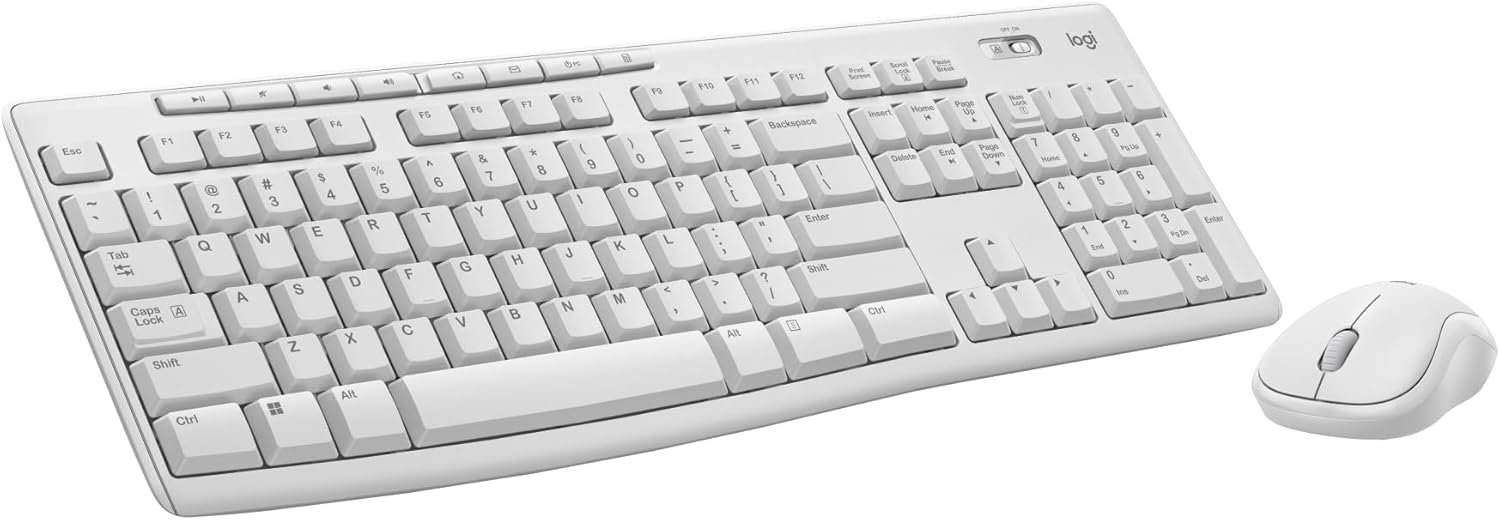
Logitech MK270 Wireless Keyboard and Mouse Combo for Windows, 2.4 GHz, 8 Multimedia Keys, PC, Laptop, Wireless Keyboard Compact Mouse Combo - White
This is a budget 2.4 GHz wireless membrane keyboard and mouse combo with a full-size layout, 8 multimedia keys, and a compact mouse, best for basic PC tasks.