
Logitech MX Keys S Combo for Mac, Wireless Keyboard and Mouse with Palm Rest, Backlit Keyboard, Fast Scroll Wireless Mouse, Bluetooth USB C for MacBook Pro, MacBook Air, iMac, iPad - Space Grey
Want the best price and purchase timing?
Our AI advisor analyzes real-time pricing across all channels to find you the best deal.
AI Verdict
This combo offers a 2.1-pound membrane keyboard with Mac layout and an 8K DPI mouse, ideal for Mac users prioritizing fluid typing and multi-device workflow.
This combo is a strong fit for Mac users seeking a dedicated keyboard and mouse solution. The Mac key layout, Space Gray finish, and Logi Options+ customization for macOS align perfectly with Apple's ecosystem. The fluid typing experience and 8K DPI mouse cater to productivity and precision needs.
If you need a more robust wireless connection or your Mac has Bluetooth issues, consider a combo that includes a Logi Bolt USB receiver.
Regret Score™
Medium RiskLower is better — measures purchase-regret risk from real buyer complaints, review credibility, and product maturity
Issues discovered after purchase
Critically weak dimension
Amazon rating vs actual quality
Chance this product isn't for you
Pros
- Spherically-dished keys reduce mistypes and offer a precise typing feel.
- MX Master 3S mouse features MagSpeed scrolling for 1,000 lines per second.
- Mouse's 8K DPI sensor tracks accurately on glass surfaces.
- Dedicated Mac key layout and Space Gray finish integrate with Apple setups. [product data, cite: 4]
- Keyboard backlighting activates upon hand approach and adjusts to ambient light.
- Switches between up to three Bluetooth devices with a single button press.
Cons
- Logi Options+ software for macOS can be unstable, requiring frequent reinstallation for custom settings.
- Keyboard backlighting exhibits light bleed, making key legends difficult to discern in low light.
- Occasional issues with the keyboard not entering passwords after a Mac Mini M4 wakes from sleep.
- Some users report the keyboard occasionally inputs 'z' after a space.
Dimension Scores
The spherically-dished keys and increased key stability provide a responsive and fluid typing experience, surpassing Apple's Magic Keyboard for many users.
The Bluetooth connectivity allows easy switching between three devices, though some users report issues with Mac Mini M4 waking from sleep.
Smart illumination with proximity and ambient light sensors is a plus, but some users report significant light bleed in low-light conditions.
The keyboard's 2.1-pound weight and use of 26% recycled plastic contribute to a premium, stable feel on the desk. [product data, cite: 9]
Best For
- Mac users needing a full-size keyboard and precise mouse for productivity tasks.
- Individuals who frequently switch between a MacBook, iMac, and iPad.
- Users seeking a quiet typing experience with a laptop-like key profile.
- Anyone needing a mouse that tracks on various surfaces, including glass.
Not Recommended For
- Users who require a mechanical keyboard's tactile feedback and audible click.
- Those who prefer a completely silent keyboard experience, as membrane keys still produce some sound.
- Users who need a keyboard that consistently works without software glitches on macOS.
Watch Out For
- Logi Options+ software for macOS can be buggy, with some users needing to reinstall it frequently to maintain customizations.
- The keyboard's backlight can have noticeable light bleed in dark environments, potentially making key orientation challenging.
- There are reports of the keyboard failing to enter passwords correctly when a Mac Mini M4 wakes from sleep.
- Some users have experienced the keyboard intermittently inputting 'z' after a space.
Full Specifications
| ASIN | B0CVFH3VRX |
| Brand | Logitech |
| Color | Space Grey |
| Style | Combo |
| Series | LOG920012592 |
| Material | Recycled Plastic |
| Batteries | 1 Lithium Polymer batteries required. (included) |
| Item Weight | 2.1 pounds |
| Manufacturer | Logitech |
| Power Source | Battery Powered |
| Special Feature | Portable, Programmable Buttons, Programmable Keys, Rechargeable, Wrist Rest |
| Operating System | Mac 10.15 or later, iPadOS® 14 or later 17 (Device basic functions will be supported without software for other systems than Windows and macOS) |
| Item model number | 920-012592 |
| Compatible Devices | Laptop, PC, Smartphone, Tablet |
| Product Dimensions | 16.94 x 5.18 x 0.81 inches |
| Keyboard Description | Membrane |
| Item Dimensions LxWxH | 16.94 x 5.18 x 0.81 inches |
| Connectivity Technology | Bluetooth |
| Recommended Uses For Product | Personal |
| Keyboard backlighting color support | Single Color |
What Buyers Say
Many users report a typing experience that surpasses Apple's Magic Keyboard, citing responsive, spherically-dished keys and reduced noise. The MX Master 3S mouse is frequently praised for its MagSpeed scroll wheel and 8K DPI sensor that tracks on glass. However, the Logi Options+ software for macOS can be problematic, with some users needing to reinstall it often for customizations. The keyboard's backlighting, while smart with proximity and ambient light sensors, has been criticized for light bleed in dark environments.
“This combo is mostly awesome, but that Logi Options+ software on my Mac is a total pain, always crashing when I try to change my shortcuts. The mouse is a dream though, seriously fast scrolling.”
Common Praise
- Spherically-dished keys provide a precise and fluid typing experience.
- MX Master 3S mouse's MagSpeed scroll wheel allows scrolling 1,000 lines per second.
- Mouse's 8K DPI sensor tracks accurately on glass surfaces.
- Dedicated Mac key layout and Space Gray finish blend with Apple setups. [product data, cite: 4]
- Keyboard backlighting activates when hands approach and adjusts to ambient light.
- Ability to switch between three connected Bluetooth devices with a button press.
Common Complaints
- Logi Options+ software for macOS can be unstable and require frequent reinstallation for custom settings.
- Keyboard backlighting exhibits light bleed, making key legends difficult to discern in low light.
- Occasional issues with the keyboard not entering passwords after a Mac Mini M4 wakes from sleep.
- Some users report the keyboard occasionally inputs 'z' after a space.
Ownership Tips
- The keyboard's 2.1-pound weight prevents it from sliding around on a desk during use. [product data, cite: 9]
- The mouse's rubberized surface on the thumb rest feels comfortable for extended use.
- USB-C charging for both devices means you can use them while they charge, avoiding downtime.
- The keyboard's thick top edge houses the power light and USB-C port.
Frequently Asked Questions
Does this combo work with multiple Mac devices?
Yes, the keyboard and mouse can easily switch between up to three connected Bluetooth devices, like your MacBook, iMac, or iPad.
What is the battery life like for the keyboard and mouse?
The keyboard's 1,500mAh battery lasts up to 10 days with backlighting on, or up to 5 months with backlighting off. The mouse's 500mAh battery can last up to 70 days on a full charge.
Can I customize the keyboard keys and mouse buttons?
Absolutely. The Logi Options+ software allows extensive customization of keys and mouse buttons, including creating Smart Actions for repetitive tasks.
Does the combo include a palm rest?
Yes, this specific combo comes with a palm rest for added comfort during extended typing sessions. [product data, cite: 7]
Is the backlighting adjustable?
Yes, the backlighting brightness and duration can be controlled via the Logi Options+ software. It also intelligently adjusts to ambient light and activates when your hands approach the keys.
Buying Guide
When you're picking a keyboard and mouse, think about how much time your hands spend on them. A comfortable typing feel and a mouse that fits your hand can prevent wrist strain over long work sessions. Wireless connectivity is super convenient, but make sure it's reliable and can switch between your devices if you use more than one.
Membrane Type
This means the keys use a rubber dome under each keycap. It results in a quieter typing experience compared to mechanical keyboards, often with a softer, less clicky feel, which is great for shared workspaces.
8K DPI Sensor (Mouse)
DPI (dots per inch) measures how sensitive the mouse is. An 8K DPI sensor means the mouse can detect very small movements, making it incredibly precise, especially useful for detailed work or on high-resolution screens, like having a super-fine paintbrush.
Bluetooth Connectivity
This is a wireless standard that lets your devices talk to each other without cables. It's convenient for decluttering your desk and connecting to multiple devices like your Mac, iPad, and even a smartphone, just like pairing your headphones.
Single Color Backlighting
The keys light up, but only in one color. This helps you see the keys in dim light. Some keyboards offer RGB with many colors, but single-color is usually more subtle and functional, like a reading light for your keys.
Alternatives
If you need a more tactile typing experience, look for keyboards with mechanical switches. If you require a more secure wireless connection or your Mac has issues with Bluetooth, consider combos that include a dedicated USB receiver.
You Might Also Like

Logitech MK270 Wireless Keyboard and Mouse Combo for Windows, 2.4 GHz, 8 Multimedia Keys, PC, Laptop, Wireless Keyboard Compact Mouse Combo - Black
This is a 2.4 GHz wireless keyboard and mouse combo with a full-size QWERTY layout and 8 multimedia keys, built for basic Windows PC tasks on a tight budget.

Logitech MK270 Wireless Keyboard and Mouse Combo for Windows, 2.4 GHz, 8 Multimedia Keys, PC, Laptop, Wireless Keyboard Compact Mouse Combo - Rose
This is a 2.4 GHz RF membrane keyboard and mouse combo with a full-size layout, best suited for basic Windows PC tasks on a tight budget.

Logitech K270 Wireless Keyboard for Windows, 2.4 GHz Wireless, Full-Size, Number Pad, 8 Multimedia Keys, 2-Year Battery Life, Compatible with PC, Laptop - Rose
This is a full-size, 2.4 GHz wireless membrane keyboard with 8 multimedia keys and a number pad, designed for basic PC and laptop use.
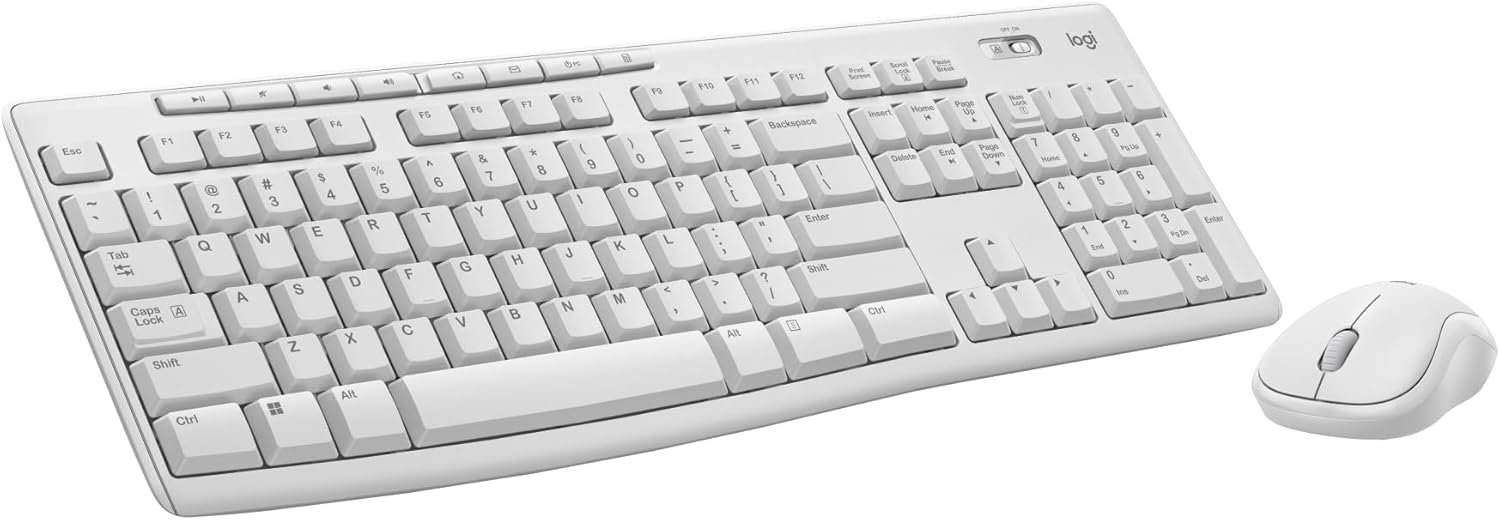
Logitech MK270 Wireless Keyboard and Mouse Combo for Windows, 2.4 GHz, 8 Multimedia Keys, PC, Laptop, Wireless Keyboard Compact Mouse Combo - White
This is a budget 2.4 GHz wireless membrane keyboard and mouse combo with a full-size layout, 8 multimedia keys, and a compact mouse, best for basic PC tasks.