
iRobot Roomba 105 Vac Robot Vacuum - Easy to use, Intense Power-Lifting Suction, LiDAR Navigation, Multi-Surface Cleaning, Cleans in Neat Rows, Self-Charging
Want the best price and purchase timing?
Our AI advisor analyzes real-time pricing across all channels to find you the best deal.
AI Verdict
This mid-range robot vacuum with LiDAR navigation and 7,000 Pascals of suction is for daily maintenance on hard floors and low-pile carpets, if you're okay with a clunky app.
This robot vacuum offers LiDAR navigation and 7,000 Pascals of suction for efficient, row-by-row cleaning and includes an auto-empty dock, making it suitable for routine maintenance. However, its lack of advanced obstacle avoidance and a clunky app experience mean users must manage expectations and prepare their homes before cleaning.
If you need better obstacle avoidance and a more refined app, look for models with front-facing cameras and improved software integration.
Regret Score™
Medium RiskLower is better — measures purchase-regret risk from real buyer complaints, review credibility, and product maturity
Issues discovered after purchase
Critically weak dimension
Amazon rating vs actual quality
Chance this product isn't for you
Pros
- LiDAR navigation quickly maps homes for efficient, precise cleaning in neat rows.
- Delivers 7,000 Pascals of power-lifting suction, 70X more than Roomba 600 series, effective on dust and pet hair.
- The Roomba Home App allows custom cleaning schedules, targeted rooms, and setting keep-out zones.
- Includes an auto-empty dock, reducing the frequency of manual bin emptying.
- Supports control via app, robot buttons, and voice assistants like Alexa, Siri, and Google Assistant.
Cons
- Lacks advanced obstacle avoidance, frequently bumping into or running over small items like cables and socks.
- The companion app is reported as clunky, unintuitive, buggy, and prone to connectivity issues.
- Edge and corner cleaning performance is subpar, leaving debris in those areas.
- The brush roller is not designed to prevent hair tangles, requiring regular manual cleaning with a cutting tool.
- Noise levels are mixed, with some users finding it loud during vacuuming and especially during the auto-emptying process.
Dimension Scores
It offers 7,000 Pascals of suction and LiDAR navigation for efficient cleaning, but its edge cleaning is subpar and it lacks advanced obstacle avoidance.
While it has app control and voice assistant integration, the app is frequently described as clunky and unintuitive, and users must pre-clean floors due to poor obstacle avoidance.
iRobot devices are generally considered robust, but the brush roller is prone to hair tangles, requiring regular maintenance.
It is battery-powered and self-charging, which is standard for robot vacuums, but specific efficiency metrics are not provided.
Best For
- Households needing consistent daily vacuuming of dust, crumbs, and pet hair on hard floors and low-pile carpets.
- Users who prioritize efficient, row-by-row cleaning via LiDAR mapping and don't require advanced obstacle detection.
- Individuals seeking the convenience of an auto-empty dock in a mid-range robot vacuum.
Not Recommended For
- Homes with many small, untidy objects like cables, toys, or clothes that cannot be cleared before cleaning.
- Users expecting a seamless, highly intuitive app experience without occasional glitches or disconnections.
- Anyone needing a robot vacuum with integrated mopping capabilities, as this is a vacuum-only model.
Watch Out For
- The app is buggy, slow, and frustrating to navigate, with reports of disconnection from Wi-Fi and difficulty starting cleans from the app.
- It lacks advanced obstacle avoidance, often running over small items like phone cables or socks, requiring pre-cleaning of floors before operation.
- Hair tangles on the brush roller are common, necessitating frequent manual removal with the provided cutting tool, especially with long hair.
- The dust bin can have trouble emptying properly into the auto-empty dock, sometimes requiring manual checks or leading to dirt being dragged.
Full Specifications
| UPC | 885155046420 |
| ASIN | B0DX6KZR9T |
| Brand | iRobot |
| Color | Black |
| Voltage | 2.4 Volts |
| Batteries | 1 12V batteries required. (included) |
| Model Name | Roomba 105 Vac |
| Filter Type | Cartridge |
| Form Factor | Robotic |
| Item Weight | 6.15 pounds |
| Battery Life | 200 minutes |
| Manufacturer | iRobot |
| Power Source | Battery Powered |
| Control Method | App |
| Special Feature | Anti-Fall, Bagless, Dirt Detection Sensor, Eco Mode, LiDAR Navigation |
| Item model number | Q312020 |
| Batteries required | Yes |
| Compatible Devices | Smartphones |
| Product Dimensions | 4.1"L x 13.2"W x 13.2"H |
| Cleaning Path Width | 5.8 Inches |
| Included Components | Docking Station, Filter |
| Warranty Description | 1 year manufacturer. |
| Are Batteries Included | Yes |
| Surface Recommendation | Carpet & Hard Floor |
What Buyers Say
The most surprising finding is how frequently users complain about the app being clunky and buggy, despite the robot's LiDAR navigation and 7,000 Pascals of suction for effective cleaning. Many appreciate its ability to handle pet hair and map efficiently, but the lack of advanced obstacle avoidance means you'll need to tidy up before each run. The auto-empty dock is a convenience, though some report issues with the bin fully emptying.
“Honestly, it cleans pretty well for the price, but this app is driving me nuts, and I'm constantly picking up socks before it runs or untangling hair from the brush. It's a love-hate thing.”
Common Praise
- LiDAR navigation creates accurate maps and cleans in neat, efficient rows.
- Effective at picking up dust, debris, and pet hair on various floor types.
- The auto-empty dock significantly reduces the frequency of manual dustbin emptying.
- Customizable cleaning schedules and keep-out zones are useful for targeted cleaning.
- Good battery life, often completing cleaning tasks for multiple rooms on a single charge.
Common Complaints
- The app is frequently described as clunky, unintuitive, buggy, and prone to disconnecting from Wi-Fi.
- Lacks advanced obstacle avoidance, often getting stuck or running over small items like cables and socks.
- Edge and corner cleaning is subpar, leaving dirt in those areas.
- Brush roller gets tangled with long hair, requiring regular manual cleaning with the provided tool.
- Some users find the auto-emptying process loud, and the dust bin can sometimes fail to empty completely.
Ownership Tips
- You'll quickly learn to 'Roomba-proof' your home by picking up small items and cables before each cleaning run.
- Regularly checking and cleaning the brush roller for tangled hair becomes a routine task, especially if you have pets or long-haired residents.
- The auto-empty dock is convenient, but you might still need to manually check the robot's dustbin occasionally to ensure it fully emptied.
- Expect to troubleshoot app connectivity or navigation glitches occasionally, which can interrupt cleaning cycles.
- While it maps efficiently, its inability to 'see' and avoid small objects means it's not a truly 'set it and forget it' solution.
Frequently Asked Questions
Does the Roomba 105 Vac avoid obstacles?
No, the Roomba 105 Vac does not have advanced obstacle avoidance and will often bump into or run over small items like cables or socks, so you need to tidy up before it cleans.
Does this model include mopping?
No, the Roomba 105 Vac is a vacuum-only model and does not have any mopping hardware. The 'Combo' version includes mopping.
How well does it handle pet hair?
It performs effectively on pet hair across various surfaces, with 7,000 Pascals of suction power. However, the brush roller can get tangled with long hair, requiring manual cleaning.
Is the app easy to use?
While the app offers features like mapping and scheduling, many users find its interface clunky, unintuitive, and prone to bugs or connectivity issues.
Can it map multiple floors?
Yes, the app supports multi-floor mapping, allowing it to save up to three different maps of your home.
How loud is the Roomba 105 Vac?
User opinions on noise levels are mixed; some find it quiet during vacuuming, but others note it can be loud, especially during the auto-emptying process.
Does it get stuck often?
Some users report it occasionally gets stuck on rug corners or needs resetting if it encounters an issue, partly due to its limited obstacle avoidance.
Buying Guide
When you're looking at robot vacuums, you need to think about how much effort you're willing to put in. This Roomba handles the vacuuming, but you'll still need to do some prep work, like picking up cables and small items, because it won't avoid them. Also, consider if you're okay with an app that might be a bit frustrating to use sometimes.
LiDAR Navigation
This is like the robot's eyes, using lasers to create a precise map of your home. It helps the vacuum clean in neat, efficient rows instead of just bumping around randomly, ensuring better coverage.
Power-Lifting Suction (7,000 Pascals)
This number tells you how strong the vacuum's pull is. Higher Pascals mean it can lift more dirt, dust, and pet hair from your floors and carpets, making them cleaner.
App Control
This lets you manage the robot from your phone. You can start/stop cleaning, set schedules, define areas to clean or avoid, and check its progress, giving you remote control over your cleaning routine.
Alternatives
If you need a robot that actively avoids small objects like shoes and cables, look for models with front-facing cameras or more advanced AI obstacle detection. If you also want mopping, search for 'robot vacuum and mop combo' with a self-lifting mop pad.
You Might Also Like

Bissell Featherweight Stick Lightweight Bagless Vacuum with Crevice Tool, 2033M, Black
This 3.64-pound, 2033-watt corded vacuum converts to handheld, best for quick pickups on hard floors and surface debris on low-pile carpets.

LEVOIT Air Purifier for Home Allergies Pet Hair in Bedroom, Covers Up to 1073 ft² by 56W High Torque Motor, AHAM VERIFIDE, 3-in-1 Filter with HEPA Sleep Mode, Remove Dust Smoke Odor, Core300-P, Black
This 56W air purifier with 143 CFM CADR and 24dB sleep mode is for small to medium rooms needing quiet, AHAM-verified air cleaning.
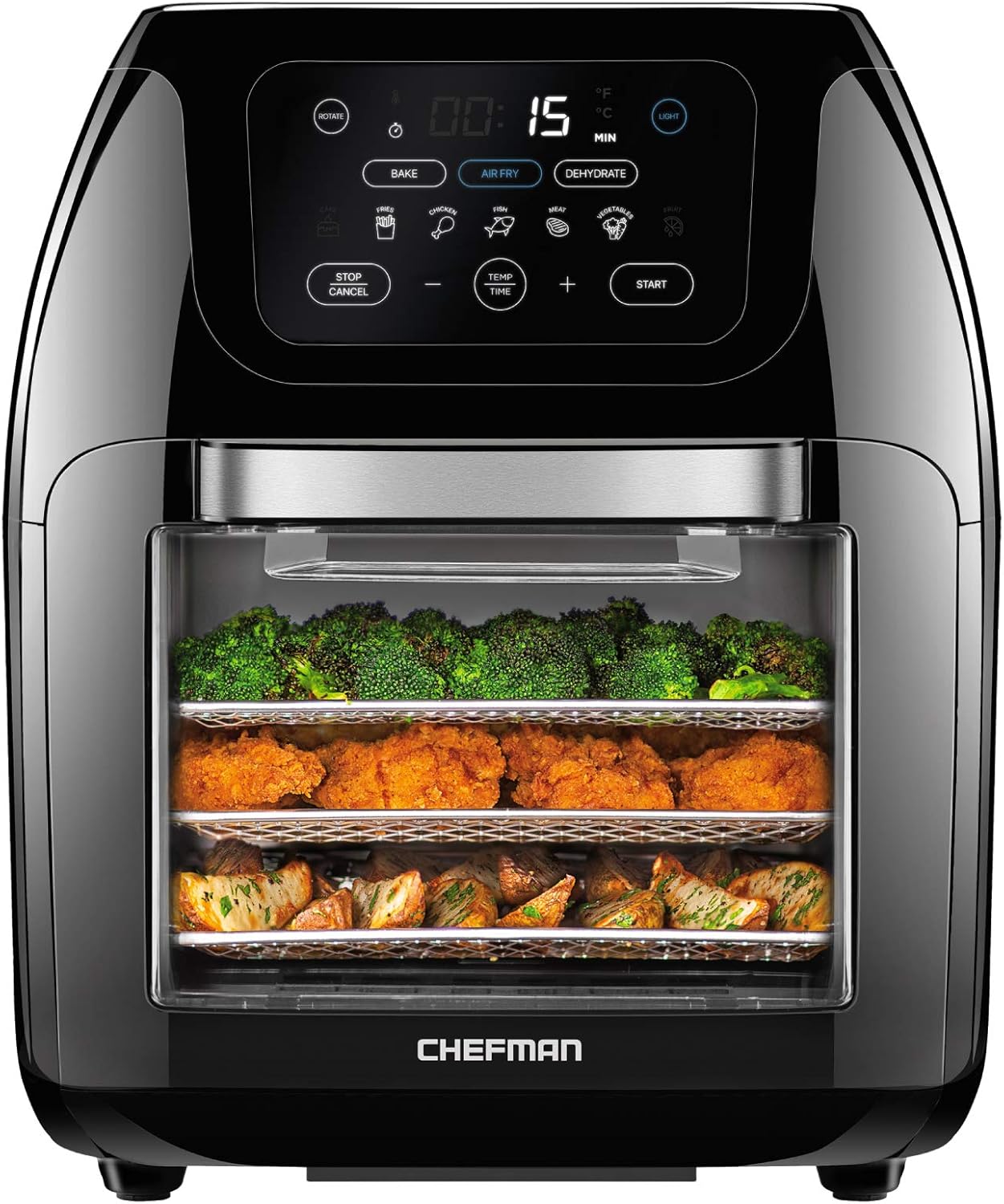
CHEFMAN Multifunctional Digital Air Fryer+ Rotisserie, Dehydrator, Convection Oven, 17 Touch Screen Presets Fry, Roast, Dehydrate, Bake, XL 10L Family Size, Auto Shutoff, Large Easy-View Window, Black
This 10-liter, 1700-watt air fryer bakes, roasts, dehydrates, and rotisseries, making it a countertop oven for families needing multiple cooking functions.

Keurig K- Slim Single Serve K-Cup Pod Coffee Maker, with 3 Brew Sizes, Multistream Technology, 46oz Removable Reservoir, Scarlet Red
This 4.76-inch wide, 6.22-pound single-serve brewer with a 46oz reservoir is for K-Cup users who need counter space.