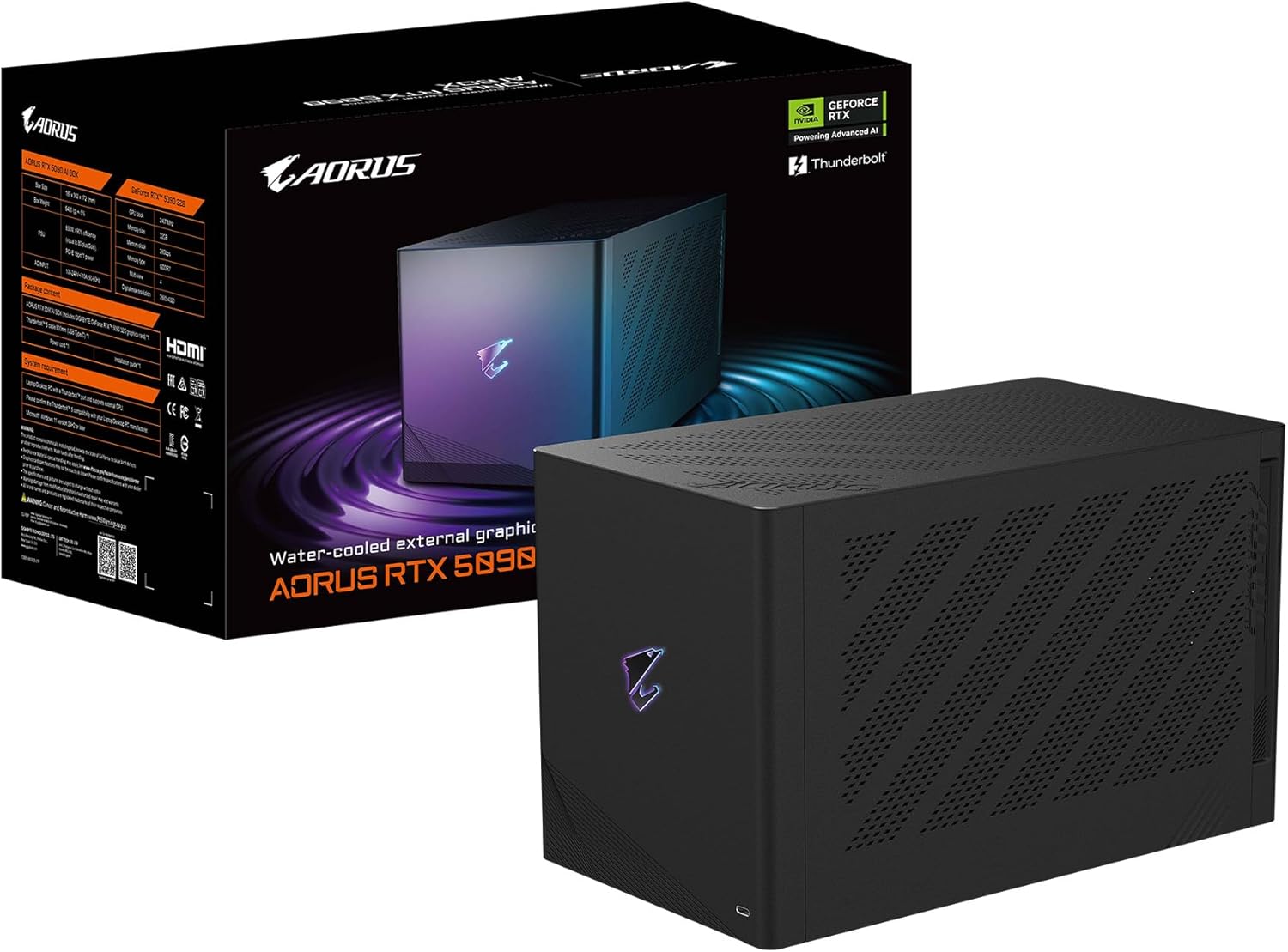
GIGABYTE AORUS RTX 5090 AI Box Graphics Card, WATERFORCE All-in-one Cooling System, Thunderbolt 5, USB-4, GV-N5090IXEB-32GD Video Card
Want the best price and purchase timing?
Our AI advisor analyzes real-time pricing across all channels to find you the best deal.
AI Verdict
This is a 32GB GDDR7 RTX 5090 eGPU with Thunderbolt 5 and AIO cooling, built for high-end portable gaming and AI acceleration.
This eGPU is a strong fit for a niche audience needing portable, high-performance computing with 32GB VRAM and Thunderbolt 5 connectivity. The 15-27% performance overhead compared to an internal RTX 5090 means it doesn't deliver full desktop power, but it significantly boosts laptop capabilities for AI and gaming.
If you need uncompromised RTX 5090 performance without a bandwidth penalty, look for a desktop PC with an internal RTX 5090.
Regret Score™
High RiskLower is better — measures purchase-regret risk from real buyer complaints, review credibility, and product maturity
Issues discovered after purchase
Critically weak dimension
Amazon rating vs actual quality
Chance this product isn't for you
Pros
- Features a 32 GB GDDR7 VRAM NVIDIA GeForce RTX 5090 chipset for demanding AI and gaming tasks.
- Utilizes a WATERFORCE all-in-one cooling system for thermal management.
- Connects via Thunderbolt 5 with 80Gbps bidirectional bandwidth, supporting daisy chain and Power Delivery (PD 3.0).
- Includes USB 3.2 Gen 2*3 ports and an Ethernet port for peripheral connectivity.
- Reported to run very quiet and cool under typical loads, with easy overclocking/undervolting.
- Empowers laptops with robust computing power, transforming ultrabooks into gaming rigs.
Cons
- Experiences a performance drop of approximately 15-27% compared to a native desktop RTX 5090 due to Thunderbolt 5 bandwidth limitations.
- The AIO pump can be audible at idle, described as a 'quiet aquarium pump', with no controllable pump speed.
- VRAM temperatures can reach 84°C, higher than some air-cooled internal cards (70°C).
- Proprietary fan connectors mean fan curves are controlled via motherboard software if replaced.
- Potential for RGB lighting to stop working, as reported in early feedback.
Dimension Scores
The RTX 5090 chipset provides top-tier gaming capabilities, even with a 15-27% performance overhead from the eGPU enclosure.
The WATERFORCE AIO system keeps the GPU cool under load, but the pump's audible idle noise and higher VRAM temperatures prevent a perfect score.
The integrated PSU and Power Delivery (PD 3.0) support efficiently power the RTX 5090 and connected devices.
With 32 GB of GDDR7 VRAM, this unit offers best-in-class memory capacity for demanding AI workloads and high-resolution textures.
Best For
- Laptop users needing desktop-level RTX 5090 performance for gaming and AI on the go.
- Professionals requiring significant VRAM (32GB) for local LLM setups and AI model training.
- Content creators and developers who need high-end GPU acceleration for rendering, video editing, and complex simulations.
- Users with Thunderbolt 5-enabled devices looking to expand their graphical capabilities with a single cable solution.
Not Recommended For
- Budget-conscious users, given the premium price point of nearly $3,000.
- Users prioritizing absolute maximum RTX 5090 performance, as eGPUs have a performance overhead.
- Individuals seeking a completely silent setup, due to audible AIO pump noise at idle.
Watch Out For
- Performance bottleneck: Gaming performance can be around 27% slower, and synthetic benchmarks show a 15% drop compared to an internal RTX 5090, due to Thunderbolt 5 bandwidth.
- Audible pump noise: The WATERFORCE AIO pump produces an audible 'quiet aquarium pump' sound at idle, and its speed is not controllable.
- VRAM temperatures: VRAM can run hotter at 84°C, compared to 70°C on some air-cooled internal RTX 5090 cards.
- RGB malfunction: Early user feedback indicates a possibility of the RGB lighting ceasing to function.
Full Specifications
| ASIN | B0FRV1FRBC |
| Brand | GIGABYTE |
| Color | Black |
| Series | GV-N5090IXEB-32GD |
| Item Weight | 19.47 pounds |
| Manufacturer | GIGABYTE |
| Memory Speed | 28000 MHz |
| Chipset Brand | NVIDIA |
| GPU Clock Speed | 2407 MHz |
| Card Description | Dedicated |
| Graphics Ram Size | 32 GB |
| Item model number | GV-N5090IXEB-32GD |
| Product Dimensions | 11.89 x 6.77 x 7.44 inches |
| Graphics Coprocessor | NVIDIA GeForce RTX 5090 |
| Max Screen Resolution | 7680x4320 |
| Graphics Card Ram Size | 32 GB |
| Item Dimensions LxWxH | 11.89 x 6.77 x 7.44 inches |
| Video Output Interface | DisplayPort, HDMI |
What Buyers Say
Early impressions suggest this AI Box delivers near-desktop RTX 5090 performance to laptops, albeit with a noticeable 15-27% performance hit due to Thunderbolt 5 bandwidth. Users appreciate its quiet operation under load and its immense 32GB VRAM for AI tasks. However, the AIO pump's audible idle noise and potentially higher VRAM temperatures are noted drawbacks. It's positioned as a powerful solution for niche users in AI and portable high-end gaming.
“Look, I needed a serious boost for my laptop's AI work, and this thing delivers the 32GB VRAM, but man, that pump hums when nothing's happening, and I know I'm not getting the full 5090 power, but it's still a beast.”
Common Praise
- Runs very quiet under load, maintaining low core temperatures.
- Easy to overclock and undervolt for customized performance.
- Provides robust computing power for AI applications and local LLM setups with 32GB VRAM.
- Thunderbolt 5 connectivity offers high bandwidth and single-cable convenience for laptops.
Common Complaints
- Significant performance reduction (15-27%) compared to a native desktop RTX 5090.
- AIO pump is audible at idle, described as a 'quiet aquarium pump', with no speed control.
- VRAM temperatures can reach 84°C, which is higher than some air-cooled alternatives.
- Concerns about potential RGB lighting malfunctions.
Ownership Tips
- The 'AI Box' branding highlights its strong suitability for AI workloads, especially those benefiting from 32GB VRAM.
- Performance scaling with Thunderbolt 5 means it won't fully match an internal desktop 5090, a trade-off for portability.
- The integrated cooling system is effective for the GPU core but VRAM temperatures might be a point of observation for long-term heavy use.
- The inclusion of multiple USB ports and Ethernet makes it a versatile docking station, beyond just a GPU.
Frequently Asked Questions
What kind of performance can I expect compared to a desktop RTX 5090?
You can expect a performance reduction of approximately 15% in synthetic benchmarks and up to 27% in gaming, due to the Thunderbolt 5 interface bandwidth limitations.
Does this eGPU support charging my laptop?
Yes, it supports Power Delivery (PD 3.0) for quick charging compatible laptops through the Thunderbolt 5 connection.
What kind of cooling system does it use?
It features a WATERFORCE all-in-one cooling system with a large copper base plate, a 240mm aluminum radiator, and two 12cm fans.
Can I connect multiple monitors to this AI Box?
Yes, it includes DisplayPort 2.1 and HDMI 2.1 outputs, allowing for multi-monitor setups.
Is the fan noise noticeable?
Under load, it's reported to run very quiet, but the AIO pump can be audible at idle, sounding like a 'quiet aquarium pump'.
What are the connectivity options for peripherals?
It offers one Thunderbolt 5 port, three USB 3.2 Gen 2 ports, and an Ethernet port for various peripherals.
Buying Guide
When looking at an external GPU like this, you're essentially buying desktop-level graphics power for your laptop. The key is understanding that while it's incredibly powerful, the Thunderbolt connection introduces a bandwidth limitation, meaning you won't get 100% of the performance an internal RTX 5090 would offer. You're paying a premium for portability and the ability to upgrade your laptop's graphics without replacing the whole machine.
chipset (NVIDIA GeForce RTX 5090)
This is the core engine, determining raw processing power for games and AI. The RTX 5090 is NVIDIA's flagship, meaning you're getting the absolute best performance available in this generation, capable of handling any game or AI task at the highest settings.
vram (32 GB)
VRAM is like the GPU's short-term memory. 32 GB is a massive amount, crucial for running large AI models, high-resolution textures in games, or complex creative projects without hitting memory bottlenecks. More VRAM means smoother performance in demanding applications and the ability to handle larger datasets.
Thunderbolt 5
This is the connection standard that links the eGPU to your laptop. Thunderbolt 5 offers extremely high bandwidth (80Gbps), which is vital for minimizing the performance loss when running a powerful GPU externally. It also handles power delivery and other data, making it a single-cable solution.
WATERFORCE all-in-one cooling system
Cooling is critical for high-performance GPUs to maintain boost clocks and prevent throttling. An AIO liquid cooling system is generally more effective than air cooling for dissipating heat from powerful components, allowing the GPU to run faster for longer periods without overheating.
Alternatives
If this doesn't fit, consider an eGPU with a lower-tier RTX 50-series card for better value, or a full desktop PC if maximum, uncompromised GPU performance is your priority.
You Might Also Like

HP NVIDIA GeForce RTX 3070 8GB OEM Graphics Card (Renewed)
$150-$299This is a renewed HP OEM NVIDIA GeForce RTX 3070 with 8GB VRAM, a gamble for budget-conscious 1440p gamers who understand the risks of refurbished hardware.

ZOTAC Gaming GeForce RTX 5070 Twin Edge OC DLSS 4 12GB GDDR7 192-bit 28 Gbps PCIE 5.0 Gaming Graphics Card, IceStorm 2.0 Cooling, SFF-Ready, ZT-B50700H-10A
$600+This is a 2-slot, SFF-ready NVIDIA RTX 5070 with 12GB GDDR7 and a 2542 MHz boost clock, built for compact gaming rigs needing high 1440p performance.

ZOTAC Gaming GeForce RTX 5080 Solid CORE OC DLSS 4 16GB GDDR7 256-bit 30 Gbps PCIE 5.0 Gaming Graphics Card, IceStorm 3.0 Advanced Cooling, Spectra RGB Lighting, ZT-B50800J2-10A
$600+This ZOTAC RTX 5080 with 16GB GDDR7 and a 2640 GHz clock speed is built for high-end 4K gaming and content creation on the NVIDIA Blackwell architecture.

ZOTAC Gaming GeForce RTX 5060 Ti 8GB Twin Edge OC DLSS 4 8GB GDDR7 128-bit 28 Gbps PCIE 5.0 Gaming Graphics Card, IceStorm 2.0 Cooling, SFF-Ready, ZT-B50610H-10A
$300-$599This is a compact, 2-slot RTX 5060 Ti with 8GB GDDR7 and a 2602 MHz clock, built for SFF gaming rigs.