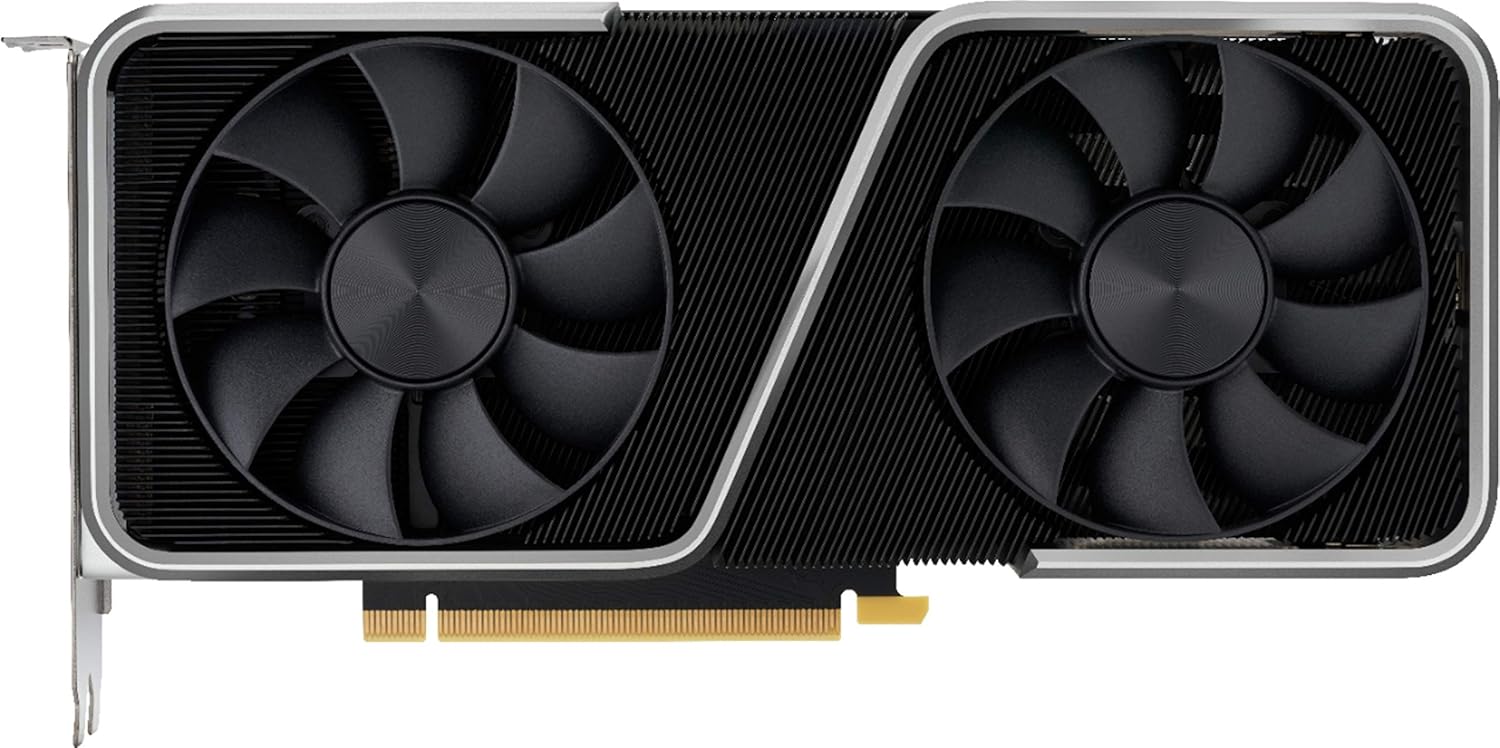
Geforce Nvidia RTX 3060ti Founders Edition 8GB
Want the best price and purchase timing?
Our AI advisor analyzes real-time pricing across all channels to find you the best deal.
AI Verdict
This is a 1440p gaming powerhouse that matches the old 2080 Super for half the price, perfect for mid-range builders who don't care about 4K.
The 200W TDP and 9.5-inch length make this an easy drop-in upgrade for older rigs. It easily pushes 60+ fps at 1440p in modern titles without requiring a new power supply or massive case.
If you want to push 4K resolution or heavily modded textures, look for a card with 12GB or 16GB of VRAM like the RTX 4070.
Regret Score™
Low RiskLower is better — measures purchase-regret risk from real buyer complaints, review credibility, and product maturity
Issues discovered after purchase
Critically weak dimension
Amazon rating vs actual quality
Chance this product isn't for you
Pros
- Matches the $699 RTX 2080 Super in 1440p benchmarks for a fraction of the cost
- Compact 9.5-inch, 2-slot design fits easily into small form factor ITX cases
- Runs at a quiet 30dBA and peaks around 73°C under heavy gaming loads
- NVIDIA DLSS pushes demanding games like Cyberpunk 2077 past 60fps at 1440p
Cons
- The proprietary 12-pin power connector sits right in the middle of the card, ruining clean cable management
- 8GB of VRAM limits texture quality in modern 4K gaming
- Zero RGB lighting, which might disappoint builders wanting a flashy aesthetic
Dimension Scores
Pushes 105 fps in Tomb Raider at 1440p, matching the older 2080 Super.
Maxes out at 73°C and 30dBA thanks to the blow-through cooler design.
Pulls 200W under load, requiring only a modest 600W power supply.
8GB is already causing stuttering in modern titles at 1440p ultra settings.
Best For
- 1440p gaming at 60-100+ fps on high settings
- Small form factor (SFF) PC builds needing a strict 2-slot, 9.5-inch card
- Upgrading from older GTX 1060 or 1070 cards without needing a massive power supply
Not Recommended For
- 4K gaming on ultra settings where the 8GB VRAM buffer fills up instantly
- Showpiece builds requiring synchronized RGB lighting
Watch Out For
- The included 12-pin to 8-pin power adapter is stiff and sticks straight out of the center of the card, making it impossible to hide.
- Driver updates occasionally cause black screen crashes in multi-monitor setups, forcing users to roll back to older versions like 516.94.
- The blow-through cooler design exhausts hot air directly into your CPU cooler path, which can raise CPU temps by a few degrees.
Full Specifications
| ASIN | B08PW559LL |
| Brand | GeForce |
| Series | NVIDIA Geforce RTX 3060 Ti |
| Item Weight | 3.89 pounds |
| Manufacturer | NVidia |
| Memory Speed | 1.75 GHz |
| Chipset Brand | NVIDIA |
| Processor Brand | Nvidia |
| Card Description | Dedicated |
| Graphics Ram Size | 8 GB |
| Hardware Platform | Polycarbonate |
| Item model number | 900-1G142-2520-000 |
| Product Dimensions | 12 x 6 x 0.04 inches |
| Graphics Coprocessor | NVIDIA GeForce RTX 3060 Ti |
| Max Screen Resolution | almeno 3840x2160 pixel |
| Graphics Card Ram Size | 8 GB |
| Item Dimensions LxWxH | 12 x 6 x 0.04 inches |
| Video Output Interface | HDMI |
| Graphics Processor Manufacturer | NVIDIA |
What Buyers Say
The 12-pin power connector placement is the biggest headache, sticking straight out of the middle of the card and ruining cable management. Performance at 1440p blows people away, especially those upgrading from GTX 10-series cards who are seeing their framerates literally double. The blow-through cooler design works well for the GPU but dumps heat directly into the CPU air cooler. The 8GB VRAM limit is starting to show its age, forcing players to drop texture settings in newer unoptimized ports.
“upgraded from a 970 and im blown away by 1440p but that stupid dongle sticking out the middle of the card looks so ugly in my case.”
Common Praise
- Doubles the framerate of the GTX 1070 at 1440p resolution
- Fans are practically silent at 30dBA even after hours of gaming
- Compact 2-slot design fits perfectly in cramped ITX cases
- DLSS implementation saves framerates in ray-traced titles like Cyberpunk 2077
Common Complaints
- The 12-pin adapter is ugly and awkwardly placed in the center of the PCB
- 8GB VRAM causes texture pop-in and stuttering at 4K
- Multi-monitor setups occasionally suffer from black-screen driver crashes
- Blow-through fan design increases CPU temperatures in smaller cases
Ownership Tips
- The metal shroud attracts fingerprints instantly during installation.
- You might need to roll back NVIDIA drivers if your secondary monitors start going black during gameplay.
- Custom sleeved 12-pin cables from third parties are almost mandatory if you care about case aesthetics.
Frequently Asked Questions
Does the Founders Edition have RGB lighting?
No. The card features a completely dark silver and black aesthetic with zero LEDs.
Do I need a new power supply for the 12-pin connector?
No, NVIDIA includes a 12-pin to 8-pin adapter in the box. You just plug your standard 8-pin PCIe cable into the adapter.
Can this card run games at 4K?
Yes, but you will need to lower settings. The 8GB VRAM buffer struggles with 4K ultra textures, often dropping below 45 fps in heavy games like Red Dead Redemption 2.
How hot does the Founders Edition get?
It peaks around 71-73°C under sustained gaming loads. The dual fans stay remarkably quiet at roughly 30dBA.
Is the 3060 Ti LHR (Lite Hash Rate)?
The original Founders Edition models are non-LHR, meaning they do not have the hardware mining limiter found on later partner cards.
Buying Guide
You are buying a card built specifically for 1440p monitors. The 8GB of memory is a hard ceiling that will cause stuttering if you try to push 4K textures in modern games. You need to measure your case airflow, because the rear fan blows hot air straight up into your CPU cooler. Make sure you have a standard 8-pin PCIe power cable ready to plug into the included adapter.
8GB GDDR6 VRAM
Think of this as the card's short-term memory for game textures. 8GB holds 1440p textures perfectly, but spills over and causes stuttering if you load massive 4K textures.
200W TDP
This is the maximum power the card drinks under heavy load. It means you can safely run this card on a standard 600W power supply without tripping your system.
NVIDIA DLSS
An AI trick that renders the game at a lower resolution and upscales it to look sharp, giving you free framerates when your PC starts to struggle.
Alternatives
If you want to play at 4K or heavily mod your games, look for a GPU with at least 12GB to 16GB of VRAM and a 250W+ power limit.
You Might Also Like

HP NVIDIA GeForce RTX 3070 8GB OEM Graphics Card (Renewed)
$150-$299This is a renewed HP OEM NVIDIA GeForce RTX 3070 with 8GB VRAM, a gamble for budget-conscious 1440p gamers who understand the risks of refurbished hardware.

ZOTAC Gaming GeForce RTX 5070 Twin Edge OC DLSS 4 12GB GDDR7 192-bit 28 Gbps PCIE 5.0 Gaming Graphics Card, IceStorm 2.0 Cooling, SFF-Ready, ZT-B50700H-10A
$600+This is a 2-slot, SFF-ready NVIDIA RTX 5070 with 12GB GDDR7 and a 2542 MHz boost clock, built for compact gaming rigs needing high 1440p performance.

ZOTAC Gaming GeForce RTX 5080 Solid CORE OC DLSS 4 16GB GDDR7 256-bit 30 Gbps PCIE 5.0 Gaming Graphics Card, IceStorm 3.0 Advanced Cooling, Spectra RGB Lighting, ZT-B50800J2-10A
$600+This ZOTAC RTX 5080 with 16GB GDDR7 and a 2640 GHz clock speed is built for high-end 4K gaming and content creation on the NVIDIA Blackwell architecture.

ZOTAC Gaming GeForce RTX 5060 Ti 8GB Twin Edge OC DLSS 4 8GB GDDR7 128-bit 28 Gbps PCIE 5.0 Gaming Graphics Card, IceStorm 2.0 Cooling, SFF-Ready, ZT-B50610H-10A
$300-$599This is a compact, 2-slot RTX 5060 Ti with 8GB GDDR7 and a 2602 MHz clock, built for SFF gaming rigs.