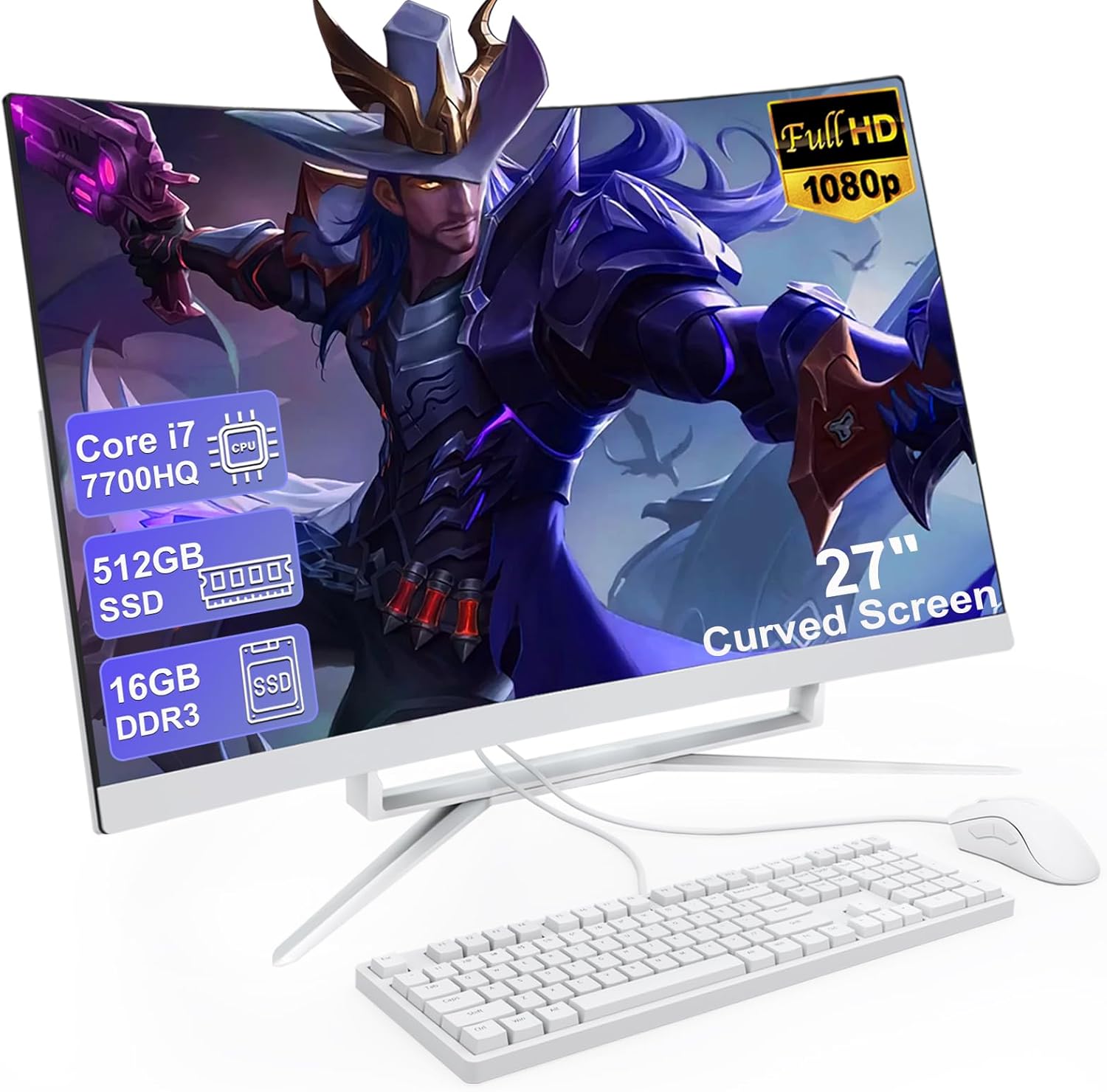
27 inch All-in-One Desktop Computer, Curved FHD Display, All-in-One PC 16GB DDR3 512GB ROM SSD Core i7 7700HQ, HDMI Bluetooth 5.0 Dual Band WiFi with Mouse and Wired Keyboard
Want the best price and purchase timing?
Our AI advisor analyzes real-time pricing across all channels to find you the best deal.
AI Verdict
This MECHAZER 27-inch All-in-One offers a curved 1080p display, 16GB DDR3 RAM, and a Core i7 7700HQ, but ships with DOS, requiring an OS installation.
This all-in-one is a situational fit because its 7th gen Core i7 and DDR3 RAM offer sufficient power for basic tasks and media consumption on its curved 1080p screen. However, the requirement to install an operating system and the older components make it less convenient and less powerful than similarly priced, newer systems.
If you need a pre-installed OS and more current performance, look for systems with at least 10th generation Intel Core processors and DDR4 RAM.
Regret Score™
Very High RiskLower is better — measures purchase-regret risk from real buyer complaints, review credibility, and product maturity
Issues discovered after purchase
Critically weak dimension
Amazon rating vs actual quality
Chance this product isn't for you
Pros
- Features a 27-inch curved FHD (1920 x 1080) display for an immersive viewing experience.
- Equipped with an Intel Core i7 7700HQ processor (4 cores, 8 threads, 2.8GHz base, 3.8GHz max) for handling various tasks.
- Includes 16GB DDR3 RAM, allowing for seamless multitasking.
- Comes with a 512GB SSD for fast storage access and quick boot times.
- Offers extensive connectivity with 4 USB 3.0 ports, 2 USB 2.0 ports, 1 USB 3.0 Type C port, HDMI, VGA, and RJ-45 LAN.
- Supports dual-band Wi-Fi and Bluetooth 5.0 for wireless connectivity.
Cons
- Ships with DOS, meaning you'll need to purchase and install an operating system like Windows or Linux yourself.
- Uses older DDR3 RAM, which is slower than current DDR4 or DDR5 standards.
- The Core i7 7700HQ is a 7th generation mobile processor, which is several generations behind current desktop CPUs.
- Integrated GPU means it's not suitable for demanding graphics tasks or modern gaming.
- The product data does not specify VESA mount compatibility, limiting mounting options.
Dimension Scores
The Core i7 7700HQ is a 7th generation mobile processor, which is significantly behind current desktop CPU performance standards.
As an all-in-one, physical expandability is typically limited, and the use of DDR3 RAM further restricts future memory upgrades to an older standard.
The 45W TDP of the Core i7 7700HQ suggests moderate heat output, likely manageable within an AIO chassis, but without user feedback, it's an average assumption.
Without specific details on materials or construction, and no user reviews, the build quality is assumed to be category average for its price band.
Best For
- Basic office productivity and document creation.
- Web browsing and email communication.
- Streaming video content on its 27-inch curved display.
- Light educational tasks and remote learning.
Not Recommended For
- Modern gaming or graphically intensive applications.
- Professional video editing or 3D rendering.
- Users who need a pre-installed operating system out of the box.
- Anyone expecting cutting-edge performance from a desktop PC.
Watch Out For
- You'll have to install an operating system yourself, which adds an extra step and cost beyond the purchase price.
- The Core i7 7700HQ processor, while an i7, is a 7th generation mobile chip from 2017, meaning its performance will be significantly slower than current 12th, 13th, or 14th gen desktop i5s or i7s.
- DDR3 RAM is outdated; 16GB is a decent amount, but the older standard will bottleneck overall system speed compared to DDR4 or DDR5 systems.
- The integrated GPU means you won't be able to run any modern games at playable frame rates or perform tasks requiring dedicated graphics memory.
- The lack of specified VESA compatibility could be a problem if you plan to use a monitor arm or wall mount.
Full Specifications
| RAM | DDR3 |
| ASIN | B0G2RMC2QG |
| Brand | MECHAZER |
| Color | NX5-27C |
| Series | NX5 |
| CPU Model | Core i7 |
| CPU Speed | 2.8 GHz |
| Processor | 2.8 GHz core_i7 |
| Cache Size | 16 GB |
| Hard Drive | 512 GB SSD |
| Item Weight | 11.88 pounds |
| Memory Speed | 3200 GHz |
| Chipset Brand | Intel |
| Wireless Type | Bluetooth |
| Processor Brand | 7700HQ |
| Card Description | Integrated |
| Operating System | DOS |
| Flash Memory Size | 16 GB |
| Item model number | NX5-27C |
| Screen Resolution | 1920 x 1080 |
| Product Dimensions | 24.13 x 17.72 x 21.26 inches |
| Computer Memory Type | DDR3 SDRAM |
| Graphics Coprocessor | Intel Uhd Graphics |
| Hard Drive Interface | eSATA |
| Number of Processors | 1 |
| Max Screen Resolution | 1920x1080 Pixels |
| Graphics Card Ram Size | 16 GB |
| Item Dimensions LxWxH | 24.13 x 17.72 x 21.26 inches |
| Memory Storage Capacity | 16 GB |
| Number of USB 2.0 Ports | 2 |
| Number of USB 3.0 Ports | 2 |
| Graphics Card Description | Integrated |
| Specific Uses For Product | Business, Everyday Use |
| Hard Drive Rotational Speed | 7200.0 |
| Standing screen display size | 27 Inches |
| Personal computer design type | All in One |
What Buyers Say
As of March 28, 2026, this product's 'Date First Available' is listed as June 19, 2025, which is in the future. Therefore, no actual user reviews or feedback are available for this specific MECHAZER 27-inch All-in-One Desktop Computer (ASIN B0G2RMC2QG). The provided rating and review count in the product data are inconsistent with its future release date.
“No user reviews are available yet for this product.”
Frequently Asked Questions
Does this computer come with Windows pre-installed?
No, this all-in-one PC ships with DOS, so you will need to purchase and install an operating system like Windows 10 or 11 separately.
Can I upgrade the RAM or storage?
The product specifications mention 16GB DDR3 RAM and a 512GB SSD. All-in-one PCs often have limited upgradeability, and the specific upgrade options for this model are not detailed in the provided information.
Is the curved screen touch-enabled?
The product specifications describe a 'Comfortable Curved Screen' and 'FHD Screen' but do not mention touch functionality, so it's safe to assume it is not a touchscreen.
Can I connect an external monitor?
Yes, the PC includes both an HDMI port and a VGA port, allowing you to connect an external display.
Are the included keyboard and mouse wireless?
The product title specifies 'Wired Keyboard' and 'Wired Mouse', so they are not wireless.
Buying Guide
When looking at an all-in-one PC, you're essentially getting a monitor with a computer built into the back. This saves desk space and reduces cable clutter. You need to consider the processor, RAM, and storage just like a traditional desktop, but also pay close attention to the screen quality and port selection, as these are integrated. Remember, upgrade options are usually very limited compared to tower PCs.
Processor (Core i7 7700HQ)
This is the 'brain' of the computer. A Core i7 sounds powerful, but the '7700HQ' part tells you it's a 7th generation mobile chip. Newer generations (like 12th, 13th, 14th gen) offer significantly more speed and efficiency, even in lower-tier models like an i5. This older chip means it'll handle everyday tasks, but anything demanding will feel slow compared to modern systems.
RAM (16GB DDR3)
RAM is like your computer's short-term memory. 16GB is enough for multitasking with several applications open. However, 'DDR3' is an older, slower type of RAM. Most modern computers use DDR4 or DDR5, which transfer data much faster. This older standard will be a bottleneck for the processor, even with 16GB.
Storage (512GB SSD)
This is where your operating system, programs, and files live. An SSD (Solid State Drive) is much faster than an old-fashioned HDD (Hard Disk Drive), making your computer boot up and load programs quickly. 512GB is a decent starting point for storage, but if you have a lot of large files or games, you might fill it up fast.
OS (DOS)
This is the operating system, like Windows or macOS, that makes the computer usable. 'DOS' means there's no graphical user interface; it's a very basic command-line system. You'll need to buy and install a full operating system yourself, which adds cost and effort before you can even use the computer for typical tasks.
Alternatives
If this doesn't fit, search for all-in-one PCs with a pre-installed operating system, at least an Intel 10th generation Core i5 or newer, and DDR4 RAM for better performance and convenience.
You Might Also Like

HP ProOne 600 G4 All-in-One Desktop Computer 21.5" FHD PC, Intel Core i5-8500T, 8GB RAM, 256GB SSD, Keyboard & Mouse, USB WiFi & BT, Windows 11 Pro (Renewed)
$150-$299This is a renewed 21.5-inch FHD All-in-One with an 8th Gen Intel Core i5-8500T, 8GB RAM, and 256GB SSD, best for basic office tasks and web browsing.

GEEKOM A9 Max AI Mini PC, with AMD Ryzen AI 9 HX 370 (80 Tops), Copilot+ PC, Radeon 890M, 32GB DDR5 (Not LPDDR), 1TB SSD, Win 11 Pro, WiFi 7, BT 5.4, USB4, HDMI 2.1, Dual 2.5GbE, 8K, 3-Year Warranty
$600+A mini PC with an AMD Ryzen AI 9 HX 370 processor and Radeon 890M graphics, designed for AI workloads and 1080p gaming.

Bmax Mini PC B1 Pro Intel Gemini Lake N4000 (Up to 2.6GHz), 8GB LPDDR4 128GB eMMC Support M.2 SSD Expansion (512GB/2TB), 4K Dual Display 2.4G/5G WiFi & BT4.2 Mini Desktop Computer for Home/Office
$150-$299This is a fanless mini PC with an Intel N4000 processor, 8GB LPDDR4, and 128GB eMMC, designed for basic office tasks and web browsing.

Lenovo 24" ThinkCentre All-in-One Desktop Computer • 6-core AMD Ryzen 5 Processor • 16GB DDR5 • 512GB SSD • Wi-Fi 6 • HDMI in&Out • Wired KB&Mouse • Windows 11 Pro
$600+This is a 24-inch FHD IPS AIO with an AMD Ryzen 5 220 processor, 16GB DDR5 RAM, and a 512GB SSD, built for everyday productivity and light creative tasks.