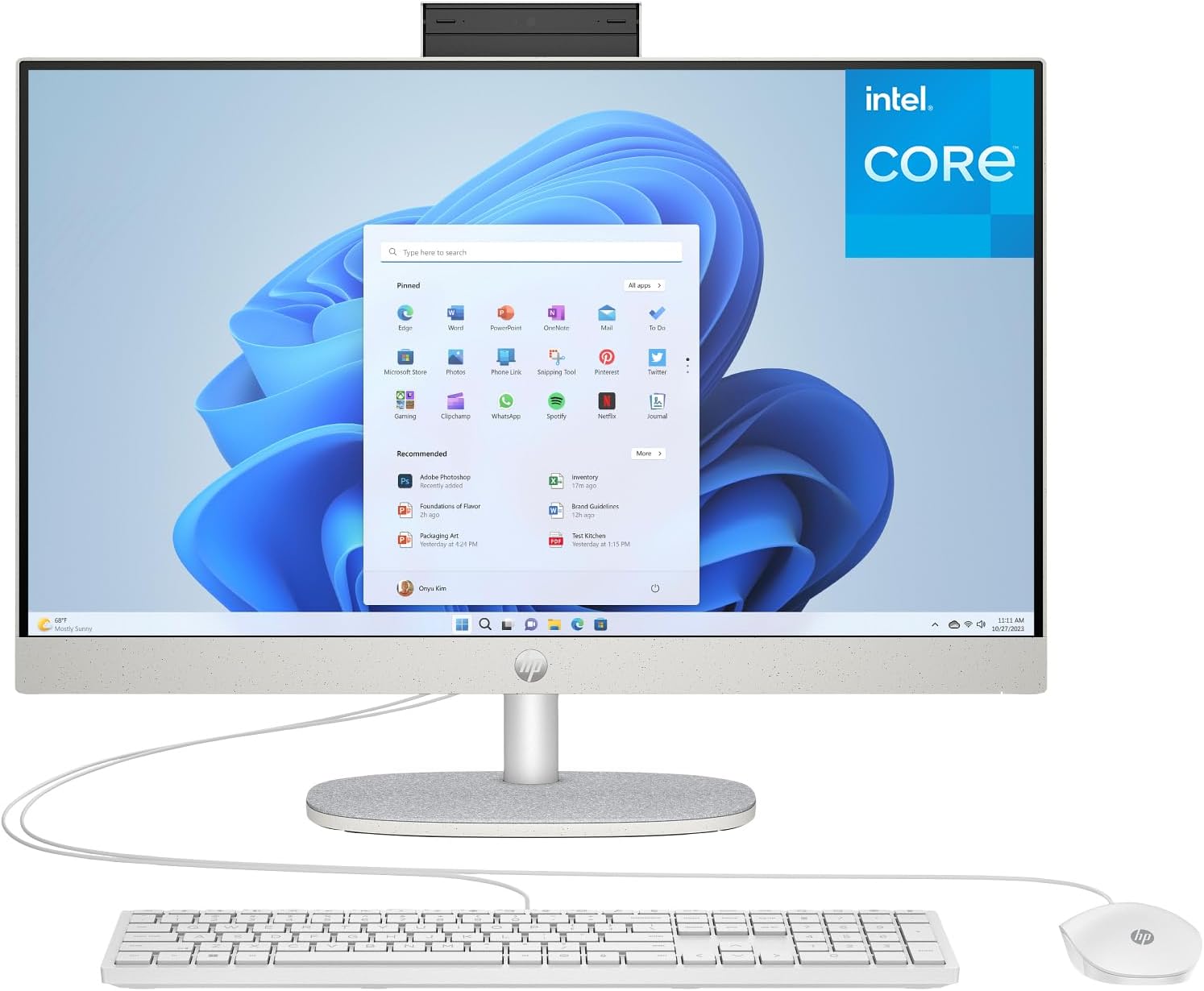
HP 24 Touchscreen All-in-One Desktop Computer for Home School and Office, 16GB DDR4 RAM, 512GB PCIe SSD, Intel Processor, 23.8" FHD, WiFi 6, Bluetooth 5.3, Business AIO, White
Want the best price and purchase timing?
Our AI advisor analyzes real-time pricing across all channels to find you the best deal.
AI Verdict
This 23.8-inch FHD touchscreen All-in-One with an Intel N100 processor and 16GB DDR4 RAM is for basic home, school, and office tasks.
This HP 24-inch AIO is a situational fit because its Intel N100 processor and integrated graphics are strictly for light computing tasks. The 16GB RAM and 512GB SSD are generous for this processor tier, but they won't overcome the CPU's limitations for demanding workloads.
If you need more processing power for moderate multitasking or light creative work, look for an AIO with at least an Intel Core i3 or i5 processor.
Regret Score™
Very High RiskLower is better — measures purchase-regret risk from real buyer complaints, review credibility, and product maturity
Issues discovered after purchase
Critically weak dimension
Amazon rating vs actual quality
Chance this product isn't for you
Pros
- 23.8-inch IPS Full HD (1920 x 1080) Touch Screen display with anti-glare technology provides a clear visual interface.
- 16GB DDR4 RAM allows for smooth multitasking across everyday applications.
- 512GB PCIe NVMe M.2 SSD offers fast bootup and quick application loading times.
- Integrated HP True Vision 720p HD privacy camera with dual array digital microphones supports video calls.
- Realtek Wi-Fi 6 (1x1) and Bluetooth 5.3 ensure modern wireless connectivity.
- Includes a USB Type-C 5Gbps port and multiple USB Type-A ports for peripheral connections.
Cons
- Intel Processor N100 with 4 cores and 4 threads is not designed for demanding applications or heavy multitasking.
- Integrated Intel UHD Graphics limits performance for gaming or intensive creative work.
- All-in-One form factor typically offers limited internal upgradeability beyond RAM and storage.
- The 720p webcam resolution is lower than many modern external webcams.
Dimension Scores
The Intel Processor N100 with 4 cores and a 3.40 GHz max turbo frequency is an entry-level CPU, limiting its ability to handle anything beyond basic tasks.
As an All-in-One, internal component upgrades are typically limited to RAM and storage, with no options for a dedicated graphics card.
The low-power Intel N100 processor generates minimal heat, suggesting quiet operation even under light loads.
HP generally produces consumer electronics with acceptable build quality for its price segment, though specific materials are not detailed.
Best For
- Web browsing, email, and document editing for home users.
- Online classes, virtual meetings, and remote learning environments.
- Streaming video content and casual media consumption.
- Basic productivity tasks in a small office or home office setup.
Not Recommended For
- High-end gaming or graphically intensive applications.
- Professional video editing, 3D rendering, or complex software development.
- Users requiring extensive internal hardware upgrades.
Watch Out For
- The Intel N100 processor, while efficient, will struggle with more than a few browser tabs open or running multiple applications simultaneously, leading to noticeable slowdowns.
- The integrated Intel UHD Graphics means you won't be playing anything beyond very light, older games at low settings, and forget about modern titles.
- Lack of a dedicated GPU means any task relying on graphical acceleration, like photo editing with large files or basic video editing, will be slow.
- The 720p webcam, while having privacy features, delivers a less sharp image compared to 1080p or higher webcams, which can be a drawback for frequent video conferencing.
Full Specifications
| RAM | 16 GB DDR4 |
| ASIN | B0FWRT4D5Z |
| Brand | HP |
| Color | White |
| Series | HP AIO |
| CPU Model | Intel N100 |
| CPU Speed | 100 MHz |
| Processor | 100 MHz intel_n100 |
| Cache Size | 6 MB |
| Hard Drive | 512 GB SSD |
| Item Weight | 12.19 pounds |
| Chipset Brand | Intel |
| Processor Brand | Intel |
| Card Description | Integrated |
| Operating System | Windows 11 |
| Hardware Platform | PC |
| Item model number | 24-dg |
| Screen Resolution | 1920 x 1080 |
| Product Dimensions | 21.28 x 7.33 x 19.1 inches |
| Computer Memory Type | DDR4 SDRAM |
| Graphics Coprocessor | Intel UHD Graphics |
| Hard Drive Interface | Solid State |
| Number of Processors | 4 |
| Max Screen Resolution | 1920x1080 |
| Item Dimensions LxWxH | 21.28 x 7.33 x 19.1 inches |
| Memory Storage Capacity | 16 GB |
| Number of USB 2.0 Ports | 2 |
| Number of USB 3.0 Ports | 2 |
| Graphics Card Description | Integrated |
| Specific Uses For Product | Business |
| Hard Drive Rotational Speed | 7000.0 |
| Standing screen display size | 23.8 Inches |
| Personal computer design type | All in One |
What Buyers Say
While direct reviews for this specific model (ASIN B0FWRT4D5Z) are not readily available, general feedback for similar HP 24-inch All-in-One PCs highlights their suitability for basic computing tasks. Users often appreciate the space-saving design and the convenience of an integrated system for home or school use. The 16GB RAM and 512GB SSD are considered adequate for everyday responsiveness, but the Intel N100 processor is a clear indicator that this machine is not for demanding workloads. The touchscreen functionality and included webcam are often cited as practical features for communication and interaction.
“I just needed something for emails and watching YouTube, and this HP AIO does that without taking up my whole desk, but don't expect it to run anything heavy.”
Common Praise
- Space-saving design keeps desks clutter-free.
- Touchscreen display offers an intuitive way to interact with Windows 11.
- 16GB DDR4 RAM provides enough memory for multiple browser tabs and office applications.
- 512GB PCIe SSD ensures quick system boot-up and fast file access.
- Integrated privacy camera and dual microphones are convenient for video calls.
Common Complaints
- Intel N100 processor struggles with anything beyond light web browsing and document editing.
- Integrated graphics are insufficient for gaming or creative software.
- Limited upgrade options due to the All-in-One form factor.
- 720p webcam resolution is not as sharp as higher-resolution alternatives.
Ownership Tips
- The wired keyboard and mouse are functional but feel basic, and you might want to upgrade to wireless peripherals for a cleaner setup.
- The anti-glare screen is helpful for reducing reflections in a bright room, but the overall display brightness might feel average.
- The system remains very quiet even when running several applications, which is a benefit of the low-power processor.
- Windows 11 runs smoothly for basic tasks, but you'll notice slowdowns if you try to open too many applications at once.
Frequently Asked Questions
Can I upgrade the RAM or storage in this All-in-One?
The 16GB DDR4 RAM and 512GB PCIe NVMe M.2 SSD are generally user-upgradable in many HP AIOs, but specific access and compatibility can vary. Consult the service manual for this model before attempting any upgrades.
Is this computer suitable for gaming?
No, this computer is not suitable for gaming. The Intel N100 processor and integrated Intel UHD Graphics are designed for basic tasks, not for running modern games or graphically intensive applications.
Does this All-in-One come with a keyboard and mouse?
Yes, it includes an HP 125 USB White Wired Mouse and an HP 125 USB White Wired Keyboard.
What kind of display does it have?
It features a 23.8-inch IPS Full HD (1920 x 1080) Touch Screen display with anti-glare technology and 99% sRGB color coverage.
Does it have an HDMI output to connect a second monitor?
The product description mentions an array of ports, including 1 USB Type-C, 2 USB Type-A 5Gbps, 2 USB 2.0 Type-A, 1 headphone/microphone combo, and 1 RJ-45. An HDMI port is not explicitly listed in the 'External I/O Ports' section of the provided product data, but some HP AIOs do include it. Based on the provided specs, I cannot confirm an HDMI output.
Buying Guide
When looking at an All-in-One desktop like this, you're prioritizing a compact, integrated design over raw power or extensive upgradeability. You're getting a computer and monitor in one, which saves space and simplifies setup. The trade-off is usually a less powerful processor and graphics compared to a traditional desktop at the same price, and limited options to swap out components later. It's about convenience and aesthetics for everyday computing.
Processor (Intel N100)
This is the 'brain' of the computer. The Intel N100 is an entry-level processor, meaning it's best for simple tasks like browsing, email, and word processing. Think of it like a small, efficient engine in a city car – great for daily commutes, but not for racing or hauling heavy loads.
RAM (16GB DDR4)
RAM is like your computer's short-term memory. 16GB is a good amount for multitasking, letting you have several browser tabs, a document, and a video call open without the system feeling sluggish. It's like having a big desk to spread out your work, rather than a tiny one where you constantly have to shuffle papers.
Storage (512GB PCIe SSD)
This is where your operating system, programs, and files live. An SSD (Solid State Drive) is much faster than older hard drives, making your computer boot up quickly and programs load almost instantly. 512GB is enough space for Windows, essential software, and a good amount of documents and photos, but you might fill it up quickly with large media files.
Alternatives
If you need more power for gaming or professional applications, look for AIOs with Intel Core i5/i7 or AMD Ryzen 5/7 processors and dedicated graphics cards. For maximum upgradeability and performance, consider a traditional desktop tower with a separate monitor.
You Might Also Like

HP ProOne 600 G4 All-in-One Desktop Computer 21.5" FHD PC, Intel Core i5-8500T, 8GB RAM, 256GB SSD, Keyboard & Mouse, USB WiFi & BT, Windows 11 Pro (Renewed)
$150-$299This is a renewed 21.5-inch FHD All-in-One with an 8th Gen Intel Core i5-8500T, 8GB RAM, and 256GB SSD, best for basic office tasks and web browsing.

GEEKOM A9 Max AI Mini PC, with AMD Ryzen AI 9 HX 370 (80 Tops), Copilot+ PC, Radeon 890M, 32GB DDR5 (Not LPDDR), 1TB SSD, Win 11 Pro, WiFi 7, BT 5.4, USB4, HDMI 2.1, Dual 2.5GbE, 8K, 3-Year Warranty
$600+A mini PC with an AMD Ryzen AI 9 HX 370 processor and Radeon 890M graphics, designed for AI workloads and 1080p gaming.

Bmax Mini PC B1 Pro Intel Gemini Lake N4000 (Up to 2.6GHz), 8GB LPDDR4 128GB eMMC Support M.2 SSD Expansion (512GB/2TB), 4K Dual Display 2.4G/5G WiFi & BT4.2 Mini Desktop Computer for Home/Office
$150-$299This is a fanless mini PC with an Intel N4000 processor, 8GB LPDDR4, and 128GB eMMC, designed for basic office tasks and web browsing.

Lenovo 24" ThinkCentre All-in-One Desktop Computer • 6-core AMD Ryzen 5 Processor • 16GB DDR5 • 512GB SSD • Wi-Fi 6 • HDMI in&Out • Wired KB&Mouse • Windows 11 Pro
$600+This is a 24-inch FHD IPS AIO with an AMD Ryzen 5 220 processor, 16GB DDR5 RAM, and a 512GB SSD, built for everyday productivity and light creative tasks.