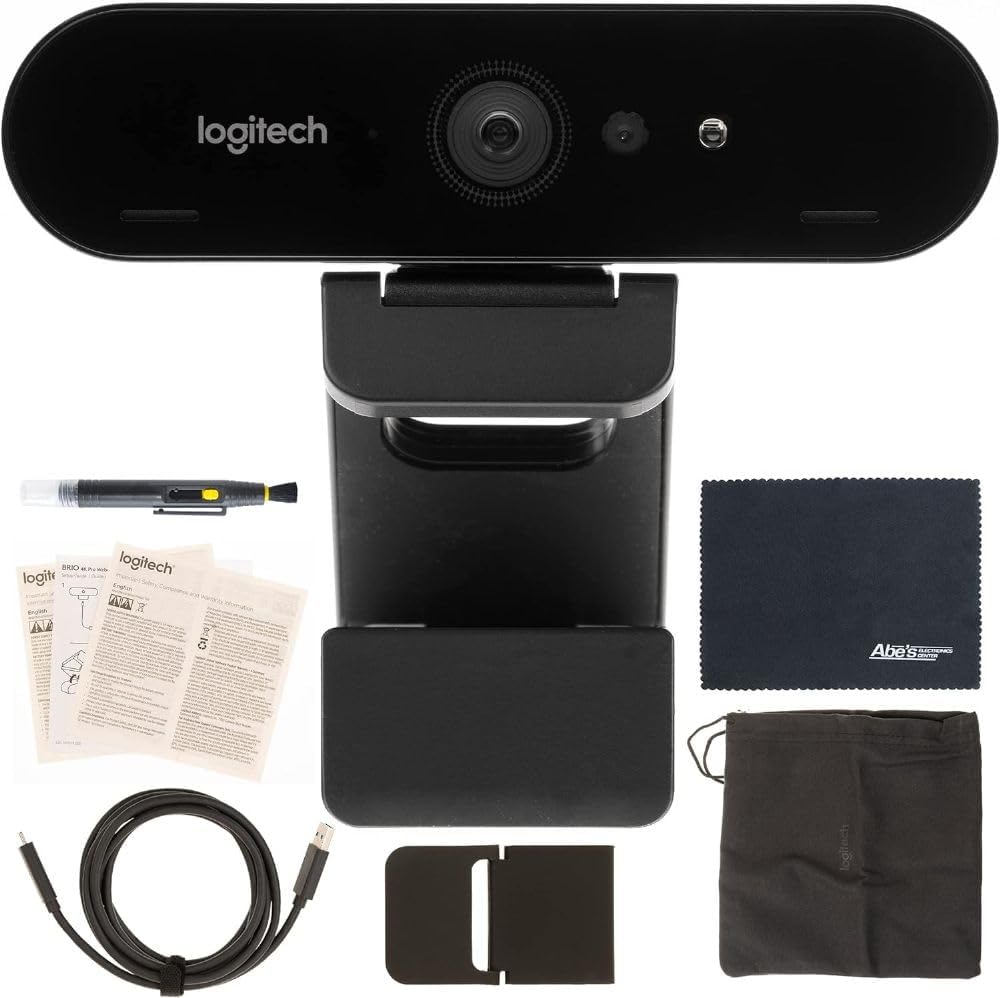
Logitech Brio 4K Webcam + AOM Bundle, Video Calling, Noise Cancelling Microphone, Automatic HD, Microsoft Teams, Zoom, Google Voice, Google Meet, PC/Mac/Notebook/MacBook - Graphite (Renewed)
Want the best price and purchase timing?
Our AI advisor analyzes real-time pricing across all channels to find you the best deal.
AI Verdict
This renewed Logitech Brio offers 4K/30fps recording and 1080p/60fps video calling with RightLight 3 HDR, making it a solid choice for professional video conferencing and basic streaming.
This renewed Logitech Brio 4K webcam is a strong fit for users needing high-resolution video and advanced lighting correction for video calls and basic content creation. Its 4K recording and 1080p/60fps capabilities, combined with RightLight 3 HDR and an adjustable 90-degree field of view, address common video conferencing needs. The inclusion of Windows Hello and a privacy shutter adds convenience and security.
If you need more consistent autofocus performance or superior audio without an external microphone, look for webcams with advanced AI-driven autofocus systems or higher-quality integrated stereo microphones.
Regret Score™
High RiskLower is better — measures purchase-regret risk from real buyer complaints, review credibility, and product maturity
Issues discovered after purchase
Critically weak dimension
Amazon rating vs actual quality
Chance this product isn't for you
Pros
- Captures video at up to 4K Ultra HD at 30 frames per second and 1080p at 60 frames per second for smooth motion.
- RightLight 3 with HDR automatically adjusts exposure and contrast to balance glare and improve image quality in various lighting conditions, including low light and backlit environments.
- Features a 90-degree field of view, adjustable to 78 or 65 degrees via software, allowing for flexible framing.
- Includes an infrared sensor for automatic login and facial recognition (Windows Hello).
- Comes with a physical privacy shutter and both a monitor clip and standard 1/4-inch tripod mount.
- Dual omni-directional microphones incorporate noise-canceling technology for clearer voice transmission.
Cons
- Autofocus performance can be inconsistent, with some users reporting it as a weak point compared to other features.
- Microphone quality, while noise-canceling, has been described by some as not meeting expectations for the price point.
- The device can get hot after prolonged use.
- While capable of 4K, the MPEG-2 video format and reliance on MJPEG for higher resolutions can lead to more compressed-looking footage and oversaturated colors.
Dimension Scores
The webcam offers 4K Ultra HD recording and 1080p at 60 FPS, with RightLight 3 and HDR technology for automatic light correction, which significantly enhances visual clarity in diverse lighting.
User feedback frequently points to inconsistent autofocus performance, sometimes requiring manual intervention to maintain sharpness.
With 4K/30fps recording, 1080p/60fps video calling, 5x digital zoom, and an adjustable 90-degree field of view, it provides extensive options for various video needs.
Weighing 3.17 ounces and including both a clip and tripod mount, it's relatively lightweight and adaptable for different setups, though some find it a bit heavy for smaller laptops.
Best For
- Professionals needing high-resolution video for Microsoft Teams, Zoom, or Google Meet calls.
- Users requiring facial recognition login for Windows 10 via Windows Hello.
- Content creators who need 1080p at 60 frames per second for smooth video capture or streaming.
- Individuals in varied lighting environments who benefit from automatic light correction and HDR.
Not Recommended For
- Users prioritizing best-in-class audio quality without an external microphone.
- Those needing consistently fast and precise autofocus for dynamic presentations or movements.
- Anyone sensitive to devices that generate noticeable heat during extended operation.
Watch Out For
- Autofocus can be unreliable; some users manually set focus using the Microsoft Camera app to prevent it from hunting.
- The built-in microphone, despite noise cancellation, might not be sufficient for professional-grade audio, leading some to recommend external mics.
- Prolonged use can cause the webcam to become noticeably warm.
- Achieving 4K at 30fps or 1080p at 60fps requires a USB 3.0 port; otherwise, resolution may be limited to 1080p at 30fps.
Full Specifications
| ASIN | B0FPRGQCXG |
| Brand | Logitech |
| Color | Black |
| Brand Name | Logitech |
| Color Name | Black |
| Item Weight | 3.17 ounces |
| Screen Size | 3.0 |
| Special Features | 4K with 5x zoom |
| Flash Memory Type | Internal flash memory |
| Item model number | LOGIBRIO4KT2-CK |
| Specification Met | i-Size |
| Product Dimensions | 5.91 x 78.74 x 5.91 inches |
| Maximum Focal Length | 21 Millimeters |
| Video Capture Format | MPEG-2 |
| Supported Audio Format | AAC, PCM |
| Connectivity Technology | USB |
| Photo Sensor Technology | CMOS |
| Video Capture Resolution | 1080p |
What Buyers Say
While the specific renewed bundle lacks extensive direct reviews, feedback on the standard Logitech Brio 4K highlights its strong image quality, especially with its RightLight 3 HDR feature, which users appreciate for handling varied lighting conditions. However, the autofocus system is a recurring point of contention, often described as inconsistent and sometimes needing manual adjustment. The microphone, despite noise cancellation, doesn't always meet expectations for a webcam in this price range, leading some to use external audio solutions. It's also noted that the camera can get warm during extended use.
“Honestly, the 4K video is pretty sweet and the light correction actually works, but man, the autofocus sometimes just gives up, and I swear the mic sounds like I'm in a tin can compared to what I paid. Still, for Zoom calls, it's a step up.”
Common Praise
- Spectacular video quality with excellent resolution and detail, especially at 4K.
- RightLight 3 with HDR effectively balances glare and improves appearance in low-light or backlit environments.
- Wide 90-degree field of view is useful for showing more of a room or multiple people, and it's adjustable.
- Supports Windows Hello facial recognition for convenient and secure login.
- The included privacy shutter is a practical addition for security.
Common Complaints
- Autofocus can be slow or 'hunt' for focus, requiring manual adjustment for consistent sharpness.
- The built-in microphone's audio quality isn't always perceived as premium for the price, despite noise-canceling features.
- The webcam can become quite warm after prolonged periods of use.
- Achieving advertised resolutions and frame rates (like 4K/30fps or 1080p/60fps) is dependent on having a USB 3.0 connection.
Ownership Tips
- You'll probably want to download the Logitech software to fine-tune the field of view and other settings, as the default might not be ideal for everyone.
- If you're using it for long meetings or streaming, be aware it can get warm to the touch.
- Consider investing in a separate USB microphone if audio fidelity is critical for your use case, as the built-in mic is just okay.
- For optimal performance, especially at higher resolutions and frame rates, ensure you connect it to a USB 3.0 port.
- Experiment with manual focus settings if you find the automatic focus distracting or inconsistent during calls.
Frequently Asked Questions
Does this webcam work with Windows Hello?
Yes, the Logitech Brio 4K features an infrared sensor that supports Windows Hello for facial recognition login.
Can I adjust the field of view?
Yes, the webcam offers a 90-degree field of view that can be adjusted down to 78 or 65 degrees using Logitech's software.
Is the microphone quality good?
The webcam includes dual omni-directional microphones with noise-canceling technology. While functional for calls, some users have found the audio quality to be less than ideal for the price, suggesting an external microphone for higher fidelity.
Does it have a privacy cover?
Yes, this model includes a physical privacy shutter that can be used to cover the lens when not in use.
What resolution and frame rates does it support?
It supports up to 4K Ultra HD recording at 30 frames per second and 1080p Full HD video calling at 60 frames per second.
Does it work well in low light?
Yes, RightLight 3 with HDR technology is designed to automatically adjust to various lighting conditions, including low-light and backlit environments, to improve image quality.
Buying Guide
When you're looking at webcams, you need to think about what you'll actually use it for. Don't just chase the highest resolution number. If you're mostly doing video calls, 1080p at 30fps is usually fine, but 60fps makes a difference for smoother motion. For streaming or content creation, 4K can be a plus, but only if your internet and computer can handle it. Also, how good the camera looks in bad lighting is often more important than raw resolution.
resolution
frame_rate
RightLight 3 with HDR
field_of_view
Alternatives
If this webcam doesn't quite fit, look for models with improved low-light performance and faster, more accurate autofocus if those are your priorities. For better audio, consider webcams with higher-quality stereo microphones or plan to use a dedicated external microphone.
You Might Also Like

NexiGo N660P Pro 4K Webcam with Distortion-Free Lens, 1080p 60 fps Autofocus USB Streaming Camera, 3DNR, Noise-Canceling Mics & Privacy Cover, Web Cam for Gaming/Live Streaming/PC/Mac/Switch 2, Pink
$50-$99This is a 4K CMOS webcam with 3DNR and dual noise-canceling mics, designed for plug-and-play use across multiple platforms.

NexiGo N660P Pro 4K Webcam with Distortion-Free Lens, 1080p 60 fps Autofocus USB Streaming Camera, 3DNR, Noise-Canceling Mics & Privacy Cover, Web Cam for Gaming/Live Streaming/PC/Mac/Switch 2, Black
$50-$99This is a 4K 30fps or 1080p 60fps webcam with autofocus, dual noise-canceling mics, and a privacy cover, designed for streaming and video calls on various platforms.

NexiGo N660P Pro 4K Webcam with Distortion-Free Lens, 1080p 60 fps Autofocus USB Streaming Camera, 3DNR, Noise-Canceling Mics & Privacy Cover, Web Cam for Gaming/Live Streaming/PC/Mac/Switch 2, White
$50-$99This 4K webcam with 1080p 60 fps streaming, autofocus, and dual noise-canceling mics is for users needing high resolution and smooth video without external software.

4K Webcam with Autofocus & Tripod, Camera for PC Laptop with Dual Microphone, USB Computer Camera with Low Light Correction, Auto White Balance, Video Camera for Streaming, Meetings, Office, Zoom
$0-$49A 4K webcam with a CMOS sensor and f/2.8 aperture, designed for basic video calls and streaming on a budget.