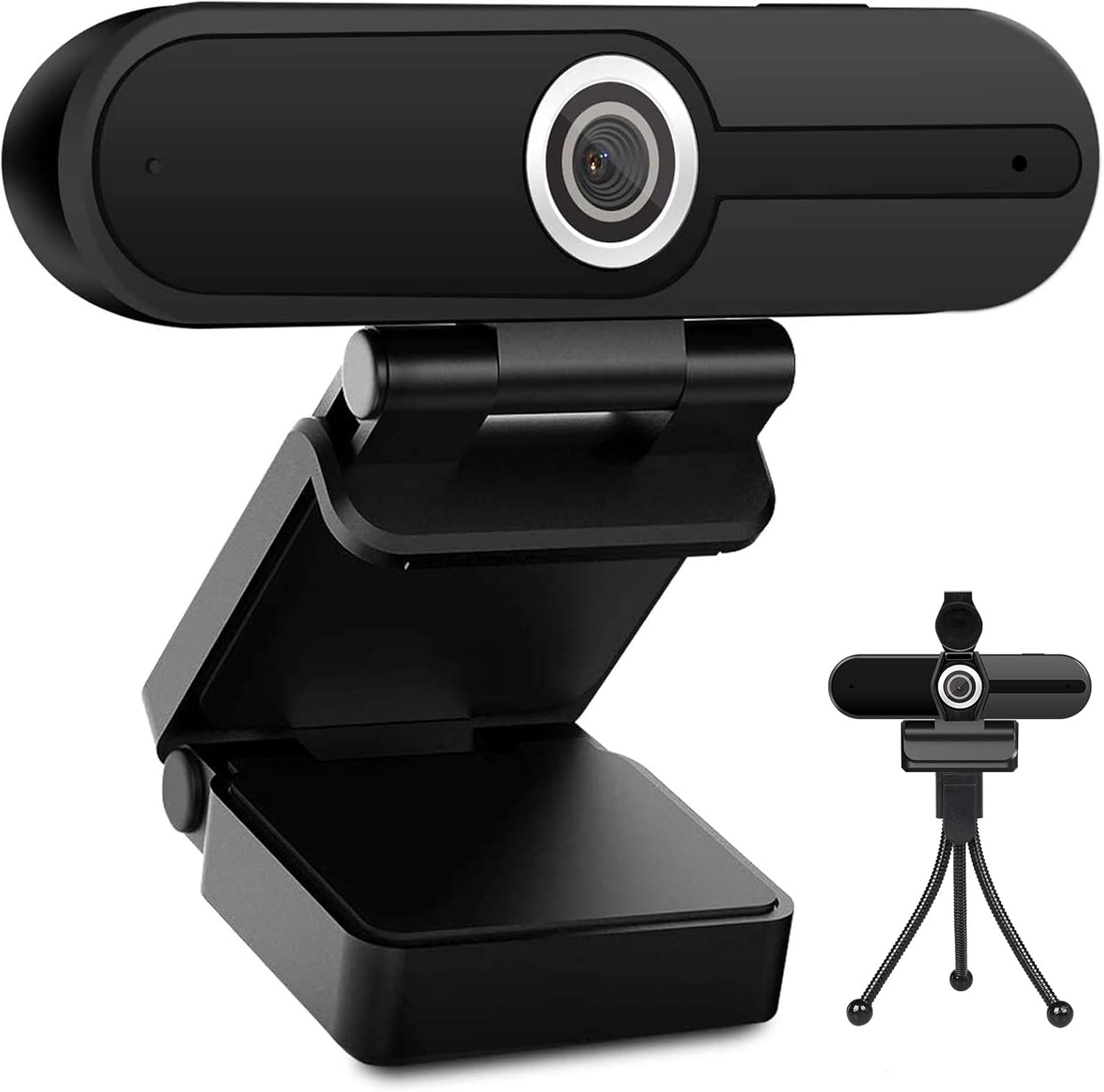
UHD 4K Webcam with Microphone: 8MP USB Computer Web Camera with Privacy Shutter and Tripod, External Webcam Pro Streaming Webcams PC Cam w/Mic Noise Reduction for Winsdows Mac OS Desktop Laptop
Want the best price and purchase timing?
Our AI advisor analyzes real-time pricing across all channels to find you the best deal.
AI Verdict
This 8MP CMOS webcam delivers 4K at 15fps or 1080p at 30fps, with dual noise-reducing mics, a privacy shutter, and a tripod, for budget-conscious users.
This webcam is a situational fit because it offers 4K resolution at 15fps and 1080p at 30fps, which is a trade-off. The included privacy shutter and tripod are convenient, and the dual noise-reduction microphones are a plus for basic use, but the 4K frame rate limits its appeal for smoother video needs.
If 4K at 30fps or higher is critical for your use, look for webcams explicitly stating that frame rate at 4K resolution.
Regret Score™
Low RiskLower is better — measures purchase-regret risk from real buyer complaints, review credibility, and product maturity
Issues discovered after purchase
Critically weak dimension
Amazon rating vs actual quality
Chance this product isn't for you
Pros
- Captures 4K 8MP resolution video, providing 3840 x 2160 pixels for clear images.
- Features dual noise-reduction microphones that pick up voice from up to 12 feet, making audio clearer.
- Includes a physical privacy shutter and a mini tripod for immediate use and security.
- Offers a unique pause/play button to freeze the screen during video calls.
- Plug-and-play functionality with a 6ft USB cable means no drivers are needed for Windows, Mac OS, or Chrome OS.
- Facial enhancement technology automatically optimizes the image for video calls.
Cons
- 4K video resolution is limited to 15 frames per second, which results in less fluid motion compared to 30fps.
- The built-in microphone, while featuring noise reduction, is generally considered sufficient for calls but not for professional streaming setups.
- Achieving full 4K resolution requires both your software and display to support 4K, which isn't always the case.
- The webcam's autofocus capability is present but not explicitly detailed in product specs, leading to potential variability in performance.
Dimension Scores
The 8MP CMOS sensor delivers 4K (3840 x 2160 pixels) images, but the 15fps at 4K limits its fluidity, making 1080p 30fps the more practical 'clear' option.
While some descriptions mention autofocus, the product specifications do not detail its speed or specific technology, suggesting average performance for a budget webcam.
It offers 4K at 15fps and 1080p at 30fps, which is standard for budget webcams but falls short of the smoother 4K 30fps or 60fps found in higher-end models.
Weighing 5.9 ounces and featuring a compact design with an included mini tripod, it's easy to move and set up in different locations.
Best For
- Video conferencing on a budget for Windows or Mac OS users.
- Online teaching or casual streaming where 1080p 30fps is sufficient.
- Users needing a webcam with an included privacy shutter and tripod.
Not Recommended For
- Professional streamers or content creators requiring 4K at 30fps or higher.
- Users who prioritize top-tier audio quality without an external microphone.
- Anyone needing advanced software controls or extensive customization options.
Watch Out For
- The 4K resolution only runs at 15 frames per second, which can make video appear choppy during fast movements.
- Some users report that the microphone, while having noise reduction, isn't studio-quality and might require an external mic for serious streaming.
- To actually see 4K, your monitor and video software must both support 4K resolution; otherwise, you'll be viewing at a lower resolution.
- One user mentioned the USB-C cord was 'rather short', despite the stated 6ft length, which could be an issue depending on your setup.
Full Specifications
| ASIN | B087G87RGP |
| Brand | ToLuLu |
| Color | Black |
| Series | 709e3d2e-47f2-4d6f-bc00-48364cdc1141 |
| Item Weight | 5.9 ounces |
| Screen Size | 3.2 Inches |
| Manufacturer | ToLuLu |
| Operating System | Windows, Mac OS |
| Flash Memory Type | Memory Stick |
| Hardware Platform | Mac, PC, laptop, smart tv |
| Item model number | 709e3d2e-47f2-4d6f-bc00-48364cdc1141 |
| Product Dimensions | 3.8 x 3.1 x 2.5 inches |
| Maximum Focal Length | 2500 Millimeters |
| Video Capture Format | 4K |
| Max Screen Resolution | UHD |
| Item Dimensions LxWxH | 3.8 x 3.1 x 2.5 inches |
| Supported Audio Format | AAC, PCM |
| Connectivity Technology | USB |
| Photo Sensor Technology | CMOS |
| Video Capture Resolution | 1080p, 4K |
| Standing screen display size | 3.2 Inches |
What Buyers Say
Many users are drawn to this webcam for its advertised 4K resolution and low price, but the reality of 4K at 15 frames per second often means they stick to the smoother 1080p at 30fps for video calls. The included privacy shutter and mini tripod are consistently mentioned as valuable additions, making it a convenient package. While the dual noise-reduction microphones are generally adequate for basic communication, those looking for broadcast-quality audio will likely need an external solution. The plug-and-play setup is a definite win, saving users from driver headaches.
“I bought this for Zoom calls and the 4K is kinda choppy, so I just use 1080p, but it works and the little tripod is actually pretty handy. My boss can hear me fine, so that's a win.”
Common Praise
- The 8MP resolution provides crisp and clear images for video calls.
- The dual noise-reduction microphones effectively capture voice from up to 12 feet away.
- The included privacy shutter and mini tripod add significant value and convenience.
- It's genuinely plug-and-play, requiring no extra drivers for setup.
- The pause/play function is a unique and useful feature for controlling your video feed.
Common Complaints
- The 4K video is limited to 15 frames per second, which can result in noticeable choppiness.
- Audio quality, while improved by noise reduction, isn't professional-grade for streaming and might need an upgrade.
- Users need to ensure their software and display support 4K to actually experience the higher resolution.
- Some users report that the image can appear a little too bright or have blown-out highlights in certain lighting conditions.
Ownership Tips
- After a few weeks, you'll probably find yourself defaulting to 1080p 30fps for smoother video, even if your monitor supports 4K.
- The privacy shutter is a small thing, but it's genuinely reassuring to have it physically block the lens when not in use.
- The included tripod is more useful than you'd think for getting the right angle, especially if your monitor is too thin for the clip.
- You'll quickly learn that 'facial enhancement technology' mostly means it brightens your face, which can sometimes wash out details.
Frequently Asked Questions
Does this webcam require drivers to work?
No, it's plug-and-play and doesn't require any additional drivers for Windows, Mac OS, Chrome OS, or Android devices.
What is the maximum resolution and frame rate?
It supports a maximum 4K 8MP resolution (3840 x 2160 pixels) at 15 frames per second, or 1080p at 30 frames per second.
Does it come with a privacy cover and tripod?
Yes, the webcam includes both a privacy shutter to protect your privacy and a mini tripod for flexible placement.
How far away can the microphone pick up sound?
The built-in dual noise-reduction microphone is designed to pick up your voice from up to 12 feet away.
Is this webcam compatible with Zoom and OBS?
Yes, it's widely compatible with popular applications like Skype, OBS, YouTube, Facebook, Twitch, FaceTime, Zoom, and Xbox One.
Buying Guide
When you're looking at webcams, don't just chase the '4K' label. For most video calls and casual streaming, the frames per second (fps) at that resolution matters just as much, if not more, for how smooth your video looks. Also, consider the microphone; built-in mics are convenient, but external ones almost always sound better. Finally, think about how you'll mount it and if you need a privacy cover.
Resolution (e.g., 4K, 1080p)
Frames Per Second (fps)
Microphone Type (e.g., Dual Noise Reduction)
Alternatives
If this webcam doesn't quite fit, look for models that offer 4K at 30fps or higher for smoother video, or prioritize webcams with larger sensors and advanced autofocus for superior image quality.
You Might Also Like

NexiGo N660P Pro 4K Webcam with Distortion-Free Lens, 1080p 60 fps Autofocus USB Streaming Camera, 3DNR, Noise-Canceling Mics & Privacy Cover, Web Cam for Gaming/Live Streaming/PC/Mac/Switch 2, Pink
$50-$99This is a 4K CMOS webcam with 3DNR and dual noise-canceling mics, designed for plug-and-play use across multiple platforms.

NexiGo N660P Pro 4K Webcam with Distortion-Free Lens, 1080p 60 fps Autofocus USB Streaming Camera, 3DNR, Noise-Canceling Mics & Privacy Cover, Web Cam for Gaming/Live Streaming/PC/Mac/Switch 2, Black
$50-$99This is a 4K 30fps or 1080p 60fps webcam with autofocus, dual noise-canceling mics, and a privacy cover, designed for streaming and video calls on various platforms.

NexiGo N660P Pro 4K Webcam with Distortion-Free Lens, 1080p 60 fps Autofocus USB Streaming Camera, 3DNR, Noise-Canceling Mics & Privacy Cover, Web Cam for Gaming/Live Streaming/PC/Mac/Switch 2, White
$50-$99This 4K webcam with 1080p 60 fps streaming, autofocus, and dual noise-canceling mics is for users needing high resolution and smooth video without external software.

4K Webcam with Autofocus & Tripod, Camera for PC Laptop with Dual Microphone, USB Computer Camera with Low Light Correction, Auto White Balance, Video Camera for Streaming, Meetings, Office, Zoom
$0-$49A 4K webcam with a CMOS sensor and f/2.8 aperture, designed for basic video calls and streaming on a budget.